Facebook запрещен в России?
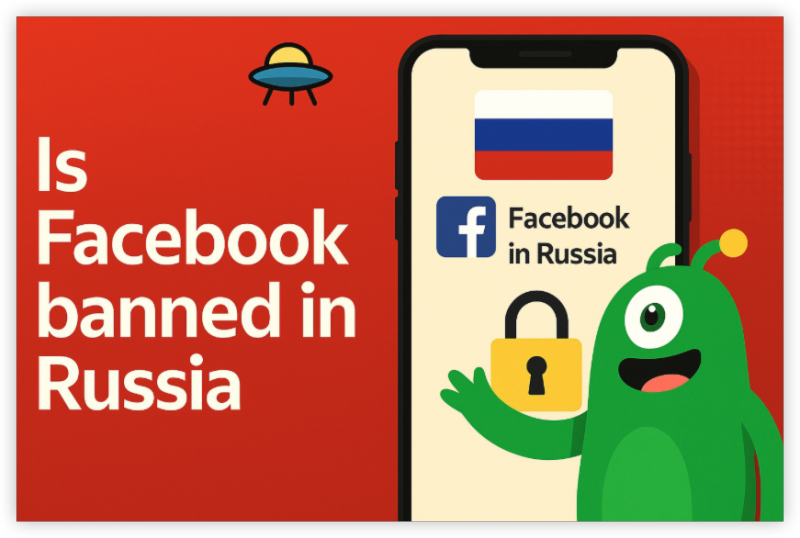
Официальный статус России в Facebook
В марте 2022 года российские власти официально ограничивали Facebook после серии штрафов и предупреждений, связанных с «цензурой» российских СМИ и контроля информации во время конфликта в Украине. С тех пор большинству русских интернет -провайдеров было заказано блокировать доступ к основным доменам Facebook, включая:
-
facebook.com -
m.facebook.com(Мобильный сайт) -
Приложения Facebook на Android и iOS
Что это значит для пользователей?
Если вы попытаетесь посетить Facebook с русского IP -адреса, вы обычно увидите:
-
А Тайм -аут подключения или сообщение «Сайт не может быть достигнут»
-
А Блок страница от вашего интернет -провайдера, указывающего, что сайт ограничен
-
Приложения Facebook не загружают контент или подключение
Официальный доступ к Facebook без каких -либо инструментов обхода фактически невозможен для большинства пользователей в России.
Официальный российский сайт Facebook
Там нет отдельного «русского сайта Facebook». Попытки получить доступ
facebook.ru
или аналогичные домены перенаправляют на глобальную платформу Facebook, которая заблокирована интернет -провайдерами. Facebook не управляет локализованной российской версией, которая обходит цензуру.

5 способов разблокировать Facebook в России
Запрет на Facebook является частью более широкого подавления иностранных интернет -компаний, которые считаются враждебными или неразрешимыми с требованиями российского правительства. К счастью, существуют практические способы восстановить доступ к Facebook, даже в рамках режима цензуры России. Ниже приведены наиболее надежные методы разблокировки Facebook:
1. Используйте VPN
VPN Facebook направляет ваше подключение к Интернету через серверы в других странах, маскируя ваш реальный IP -адрес и шифруя ваш трафик. Это позволяет вам обходить блоки ISP и выглядеть так, как будто вы получаете доступ к Интернету из другого места.
Рекомендуется VPN для России:
-
UFO VPN - Надежные серверы возле России, сильное шифрование и хорошие скорости.
-
ExpressVPN - Известно, что обход цензуры с помощью технологии запутывания.
-
Nordvpn - Большая серверная сеть со специальными запутанными серверами.
-
Protonvpn - Сильная конфиденциальность и бесплатный уровень с ограниченными серверами.
Как разблокировать Facebook с помощью VPN:
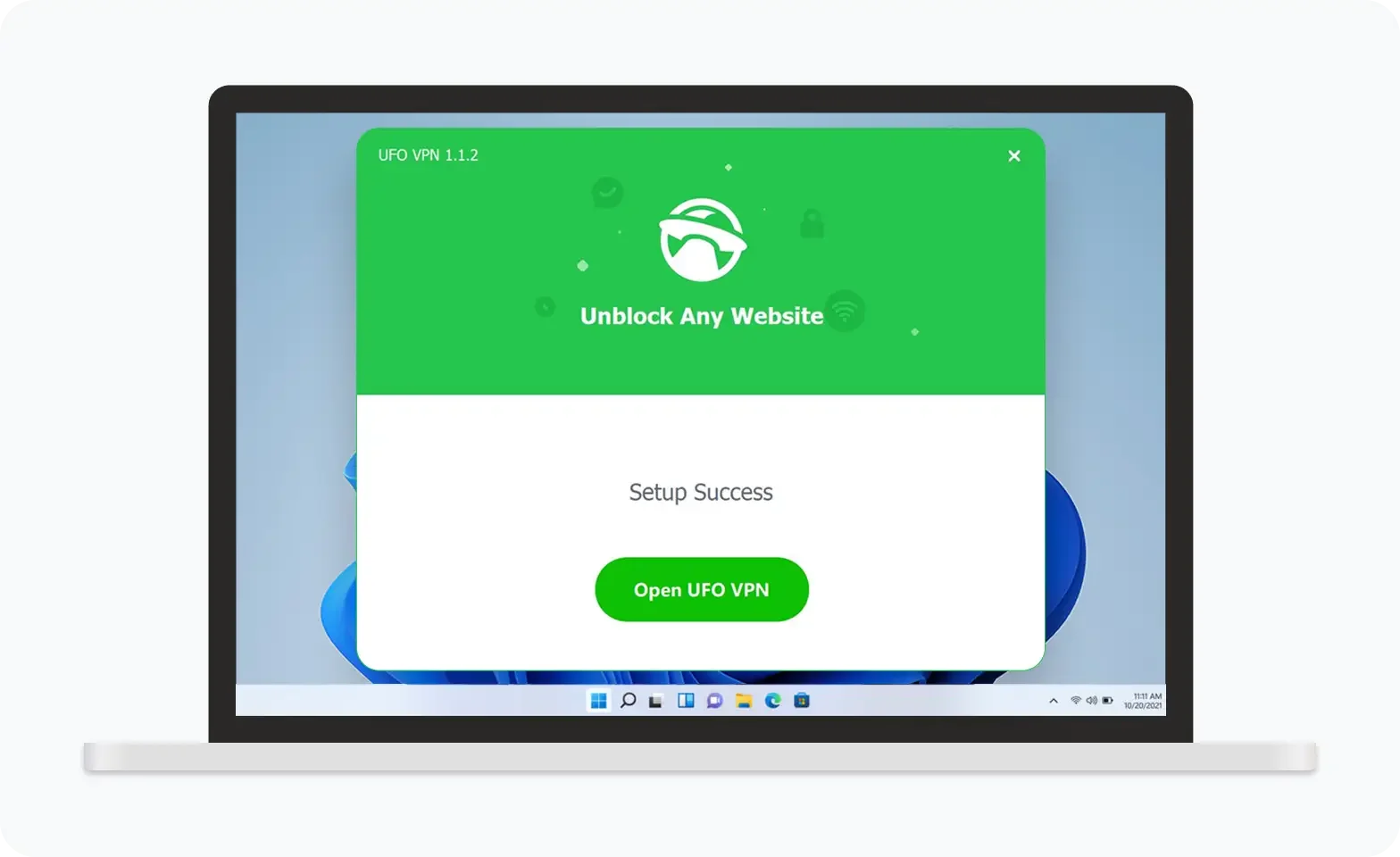

UFO VPN — это универсальный VPN, предлагающий неограниченный доступ к 4K-стримингу, такому как Netflix, Disney Plus, играм без задержек, таким как PUBG, Roblox, CODM, и социальным сетям — YouTube, X, Facebook и другим.
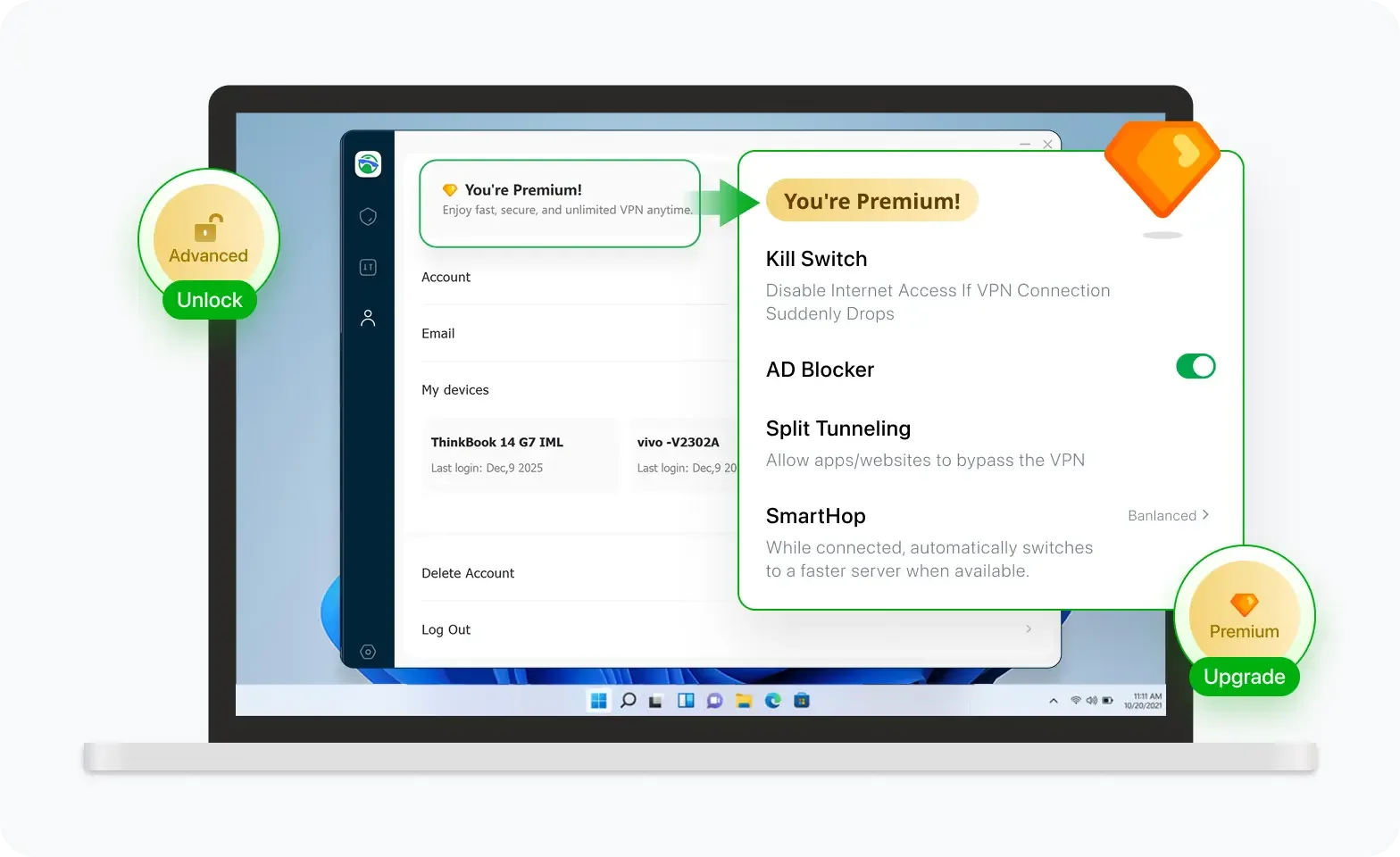

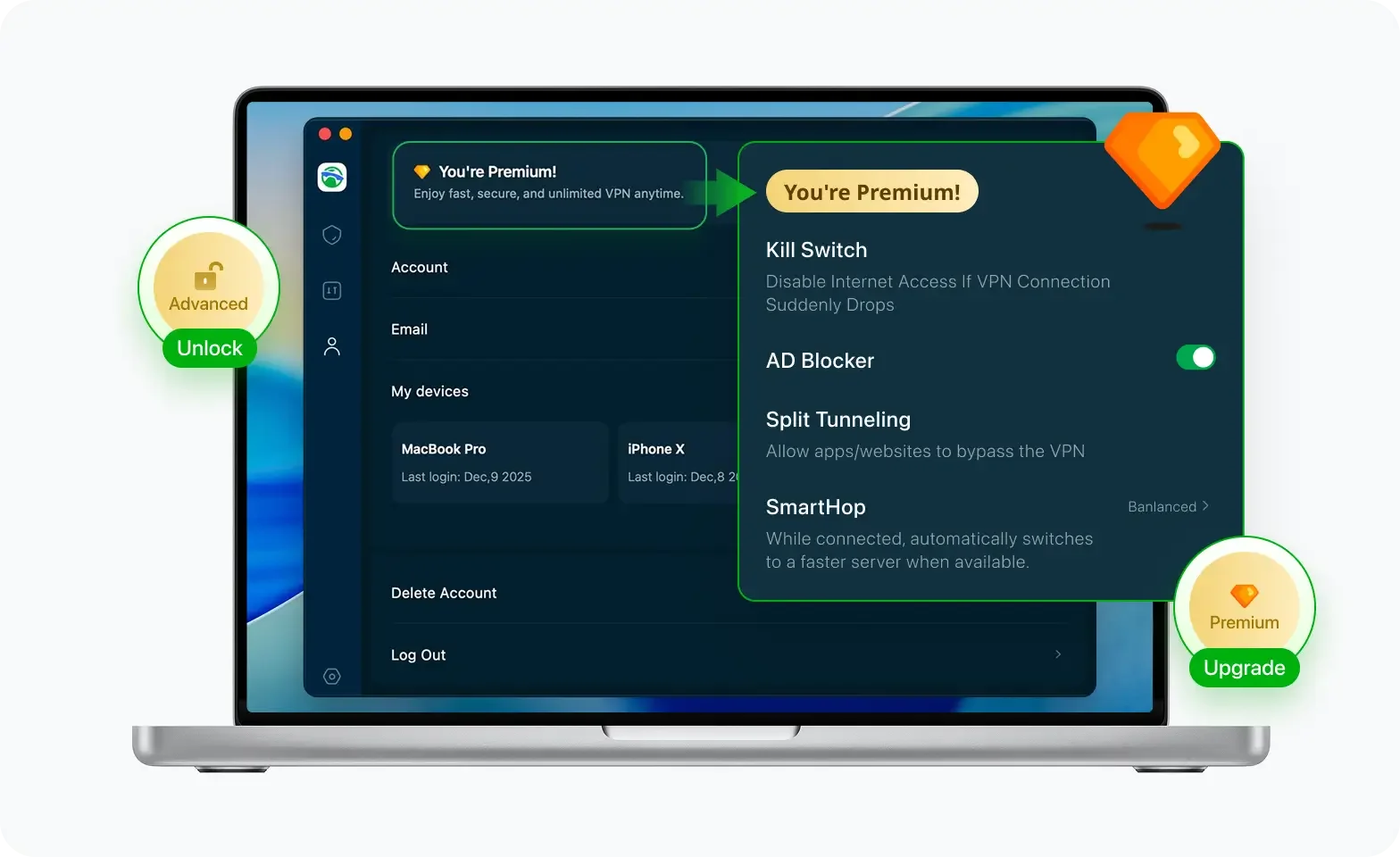
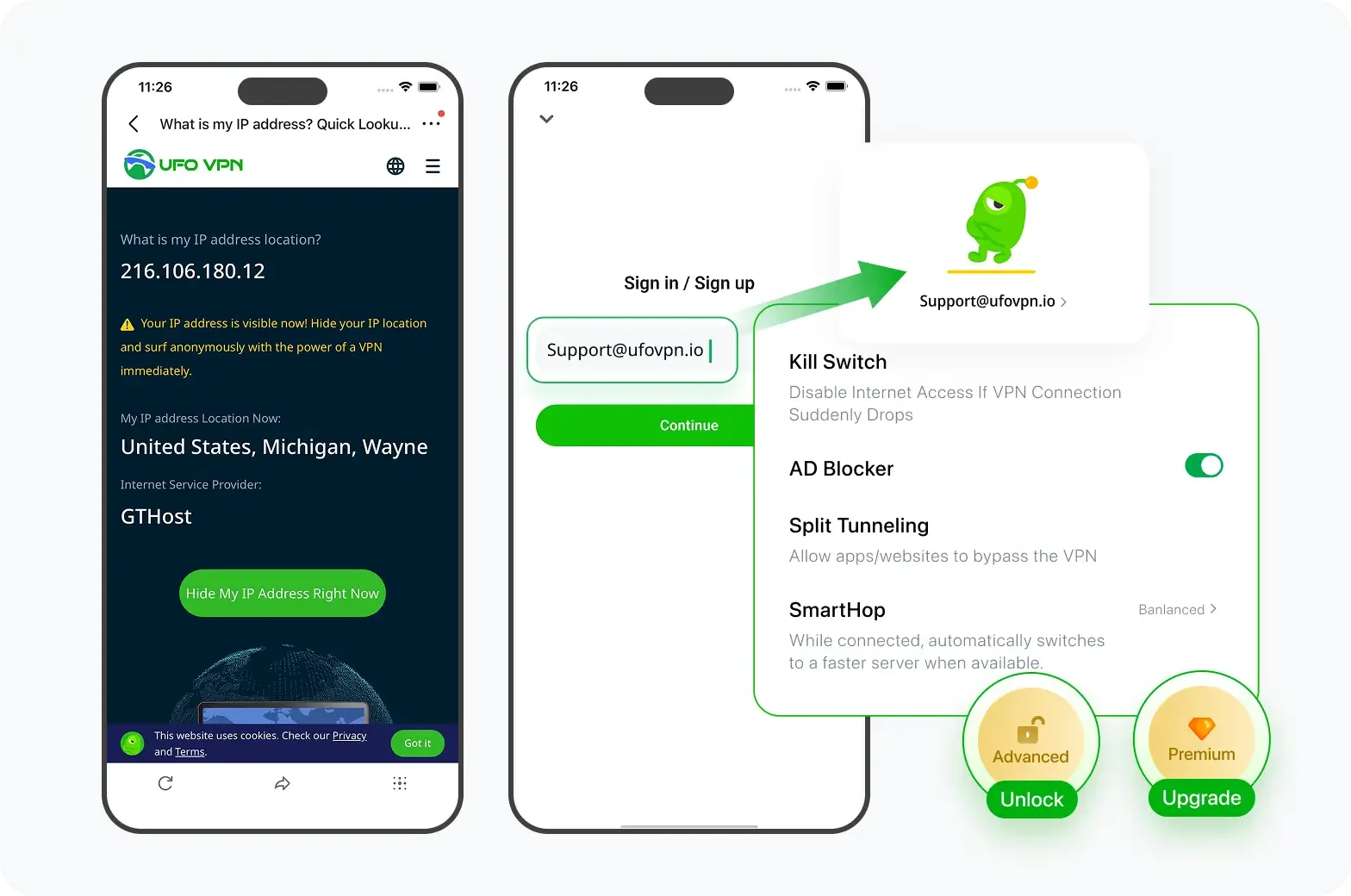
Разблокируйте Pro-функции
Если вы перешли на премиум-план, наслаждайтесь премиум-серверами для 4K-стриминга и расширенными функциями, такими как Kill Switch, Раздельное туннелирование и ускорение игр. Ваш Mac теперь полностью оптимизирован и защищён. Помимо базовых функций, мы рекомендуем включить
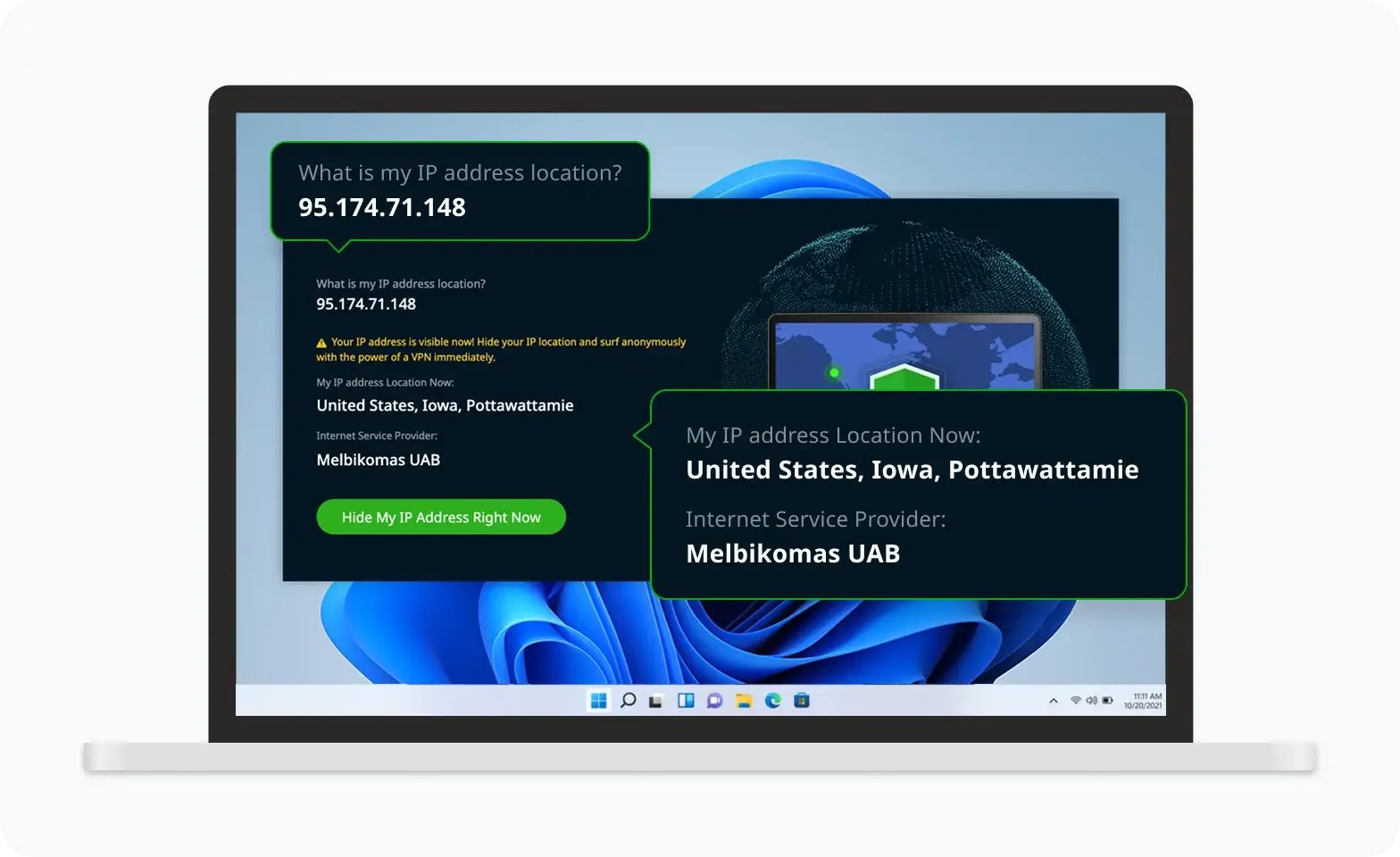
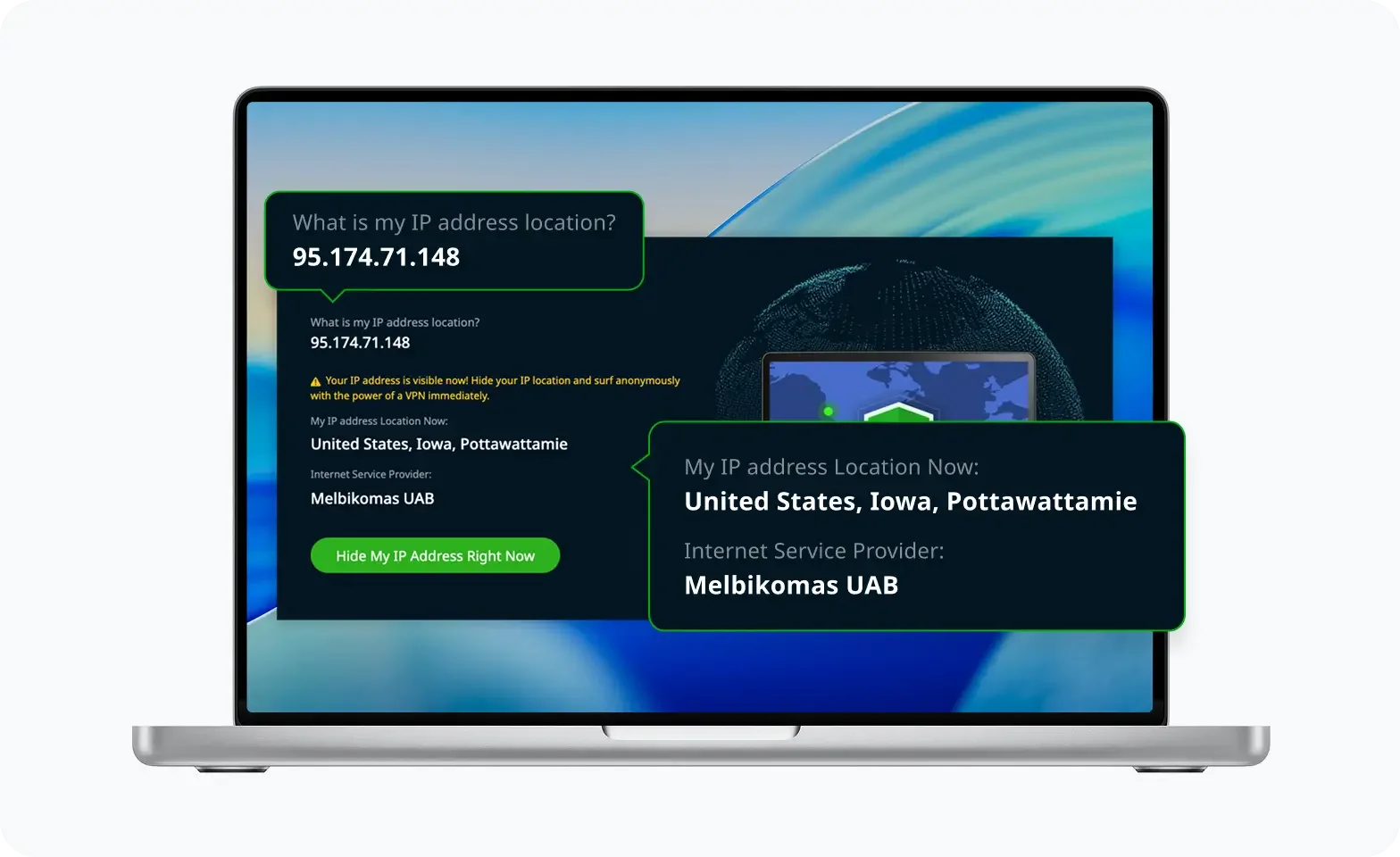
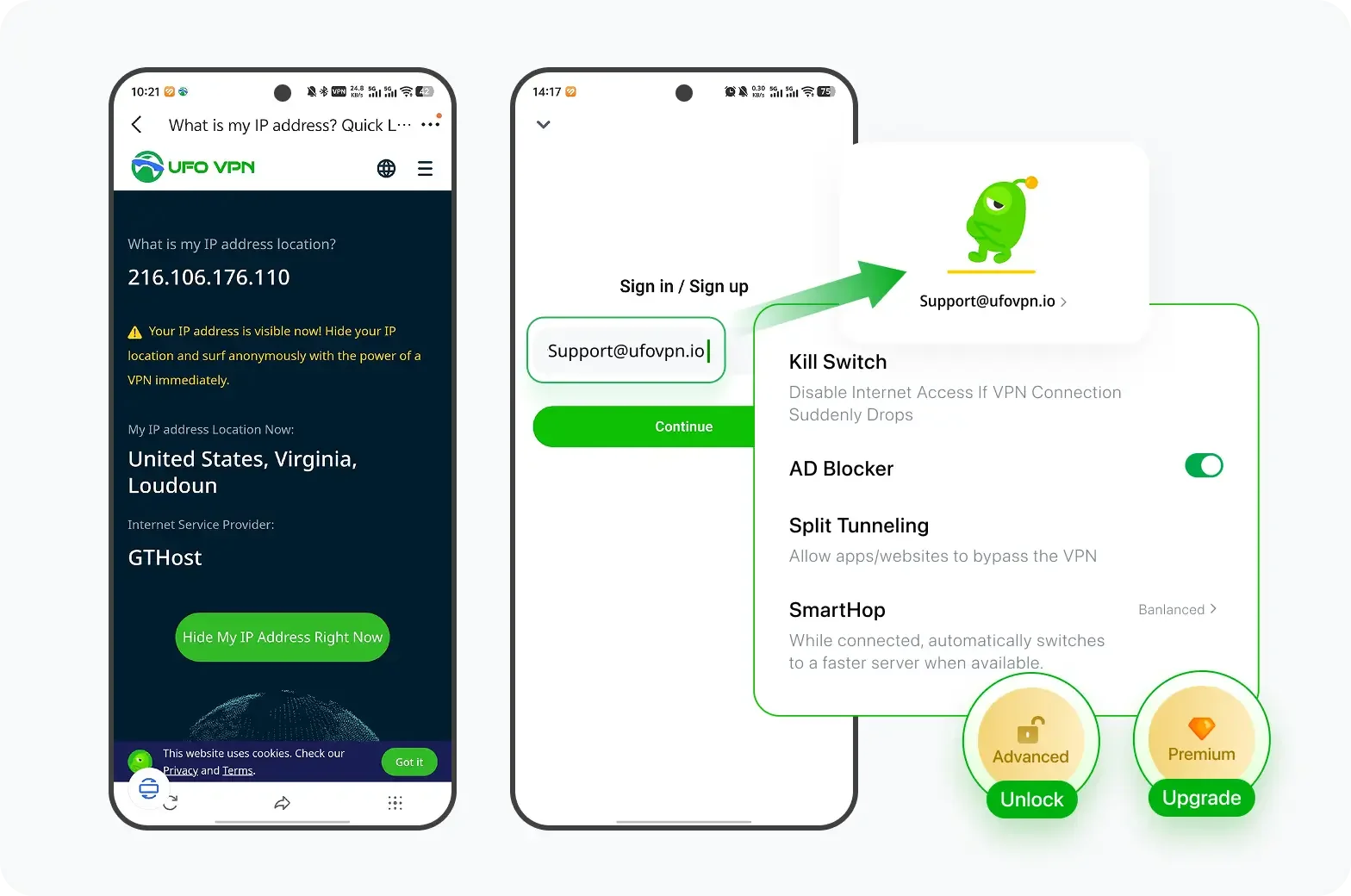
Проверьте свой IP сейчас
Используйте функцию UFO VPN « Какой у меня IP », чтобы увидеть свой новый IP и местоположение. Это подтверждает, что ваше соединение безопасно, анонимно и готово к защищённому просмотру в любом месте и в любое время.
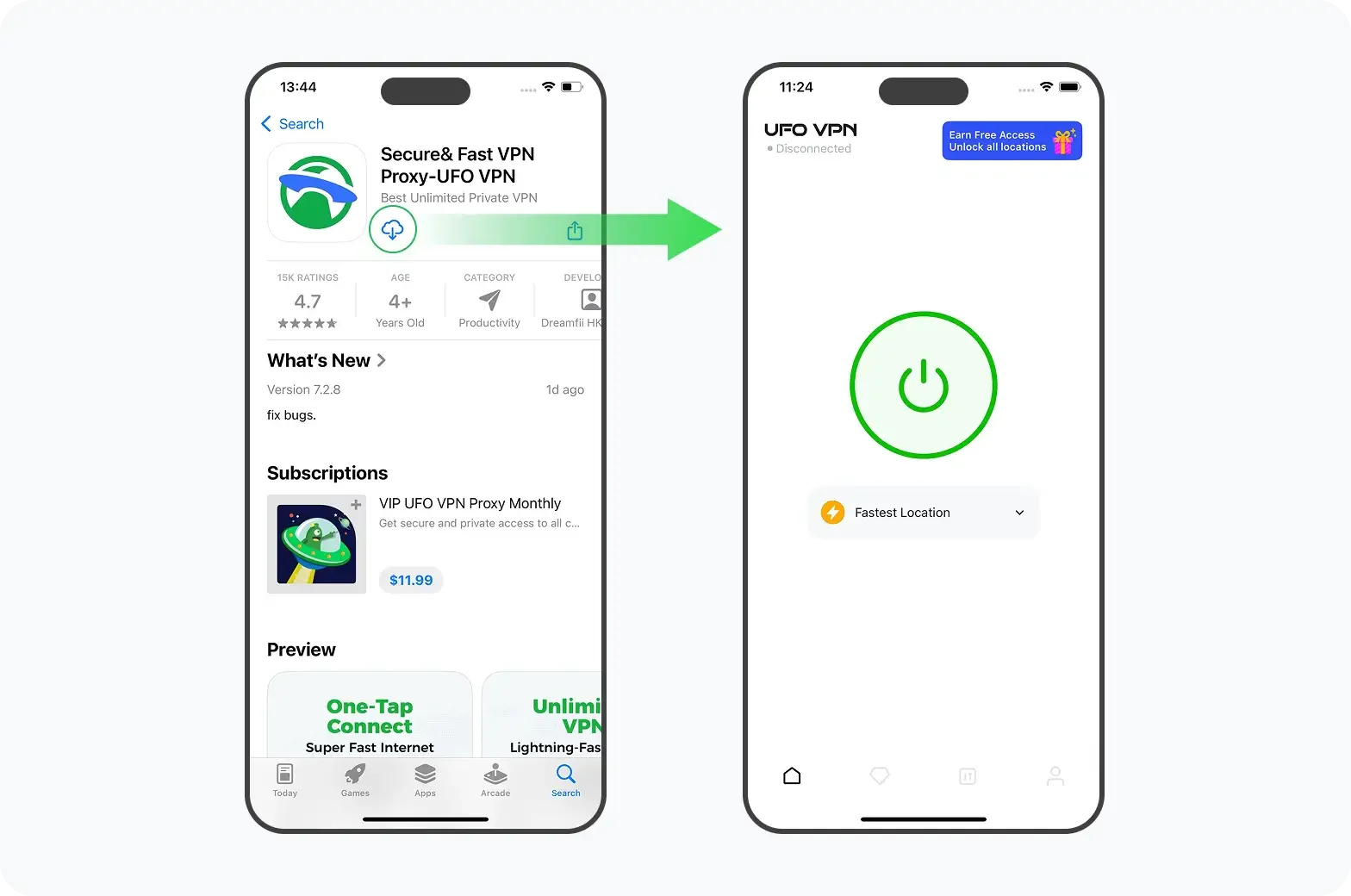
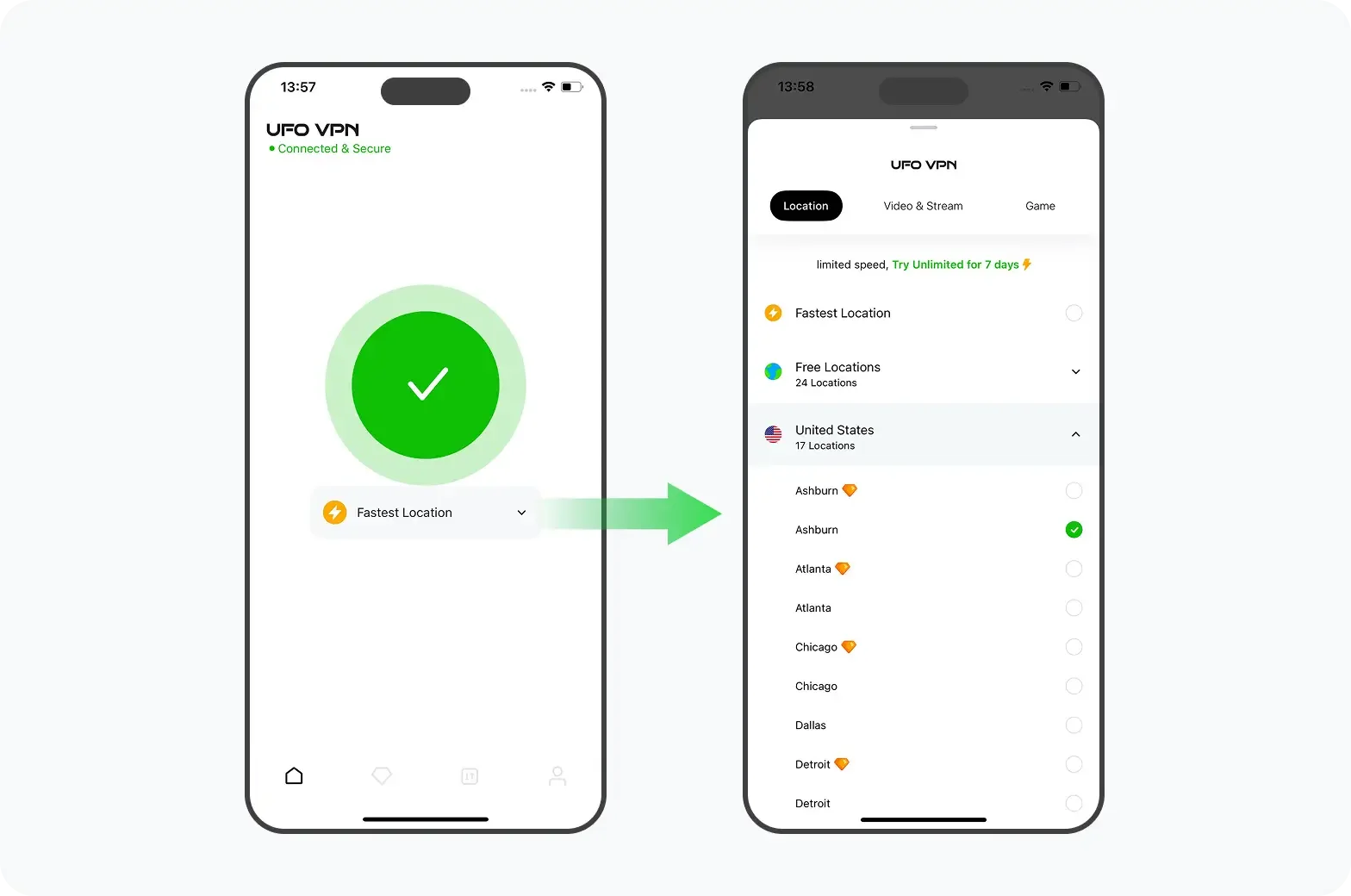
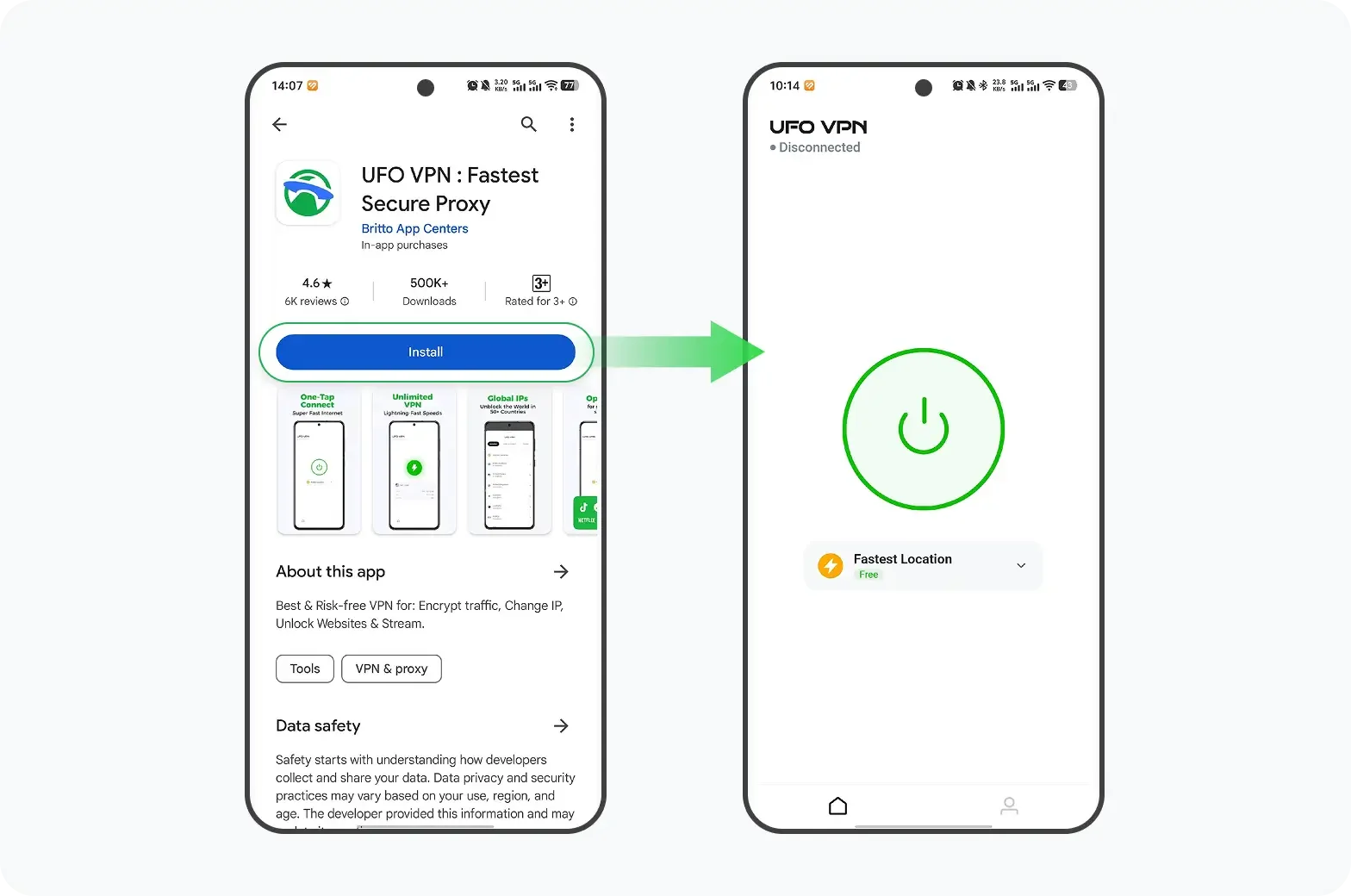
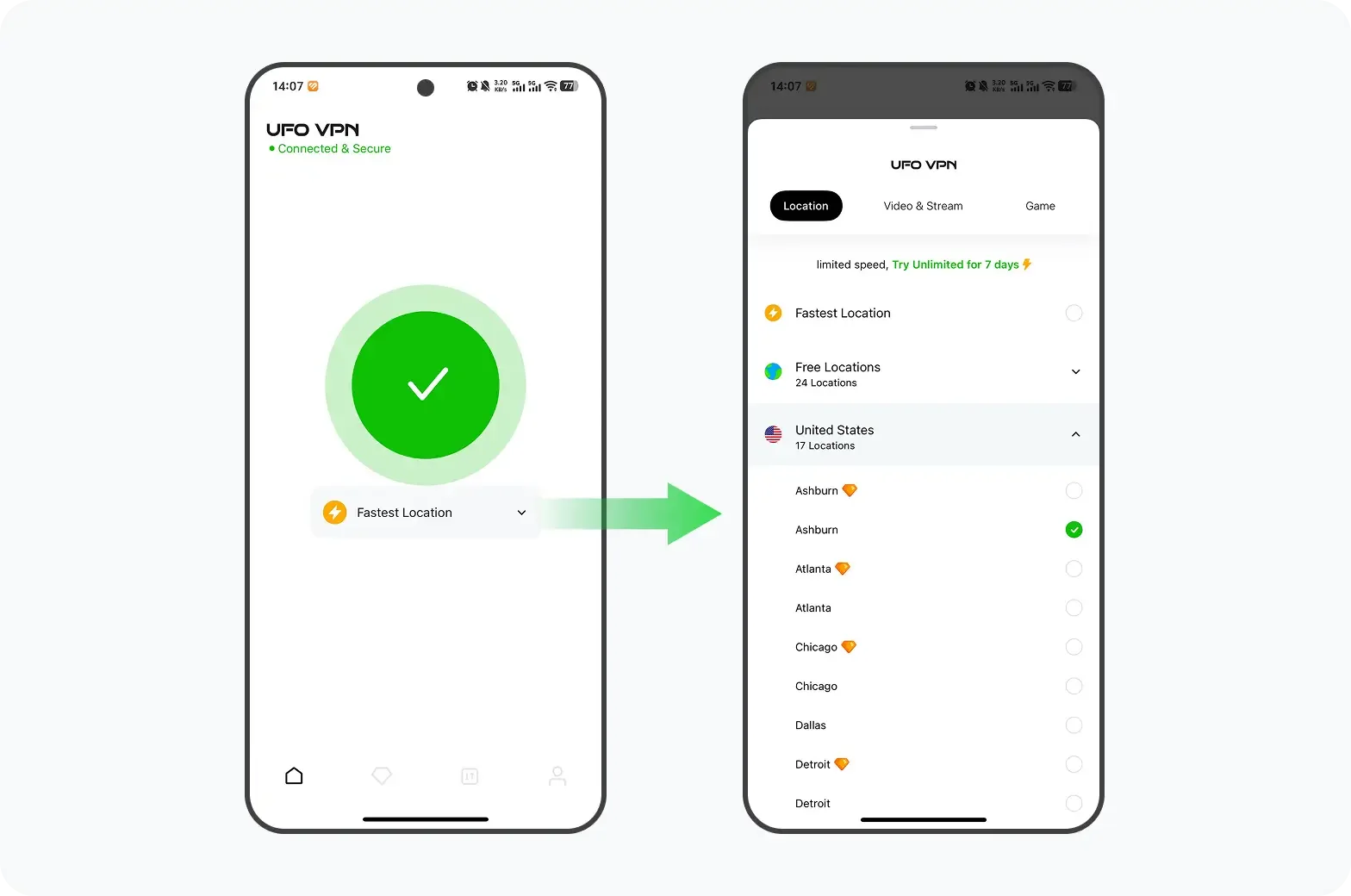
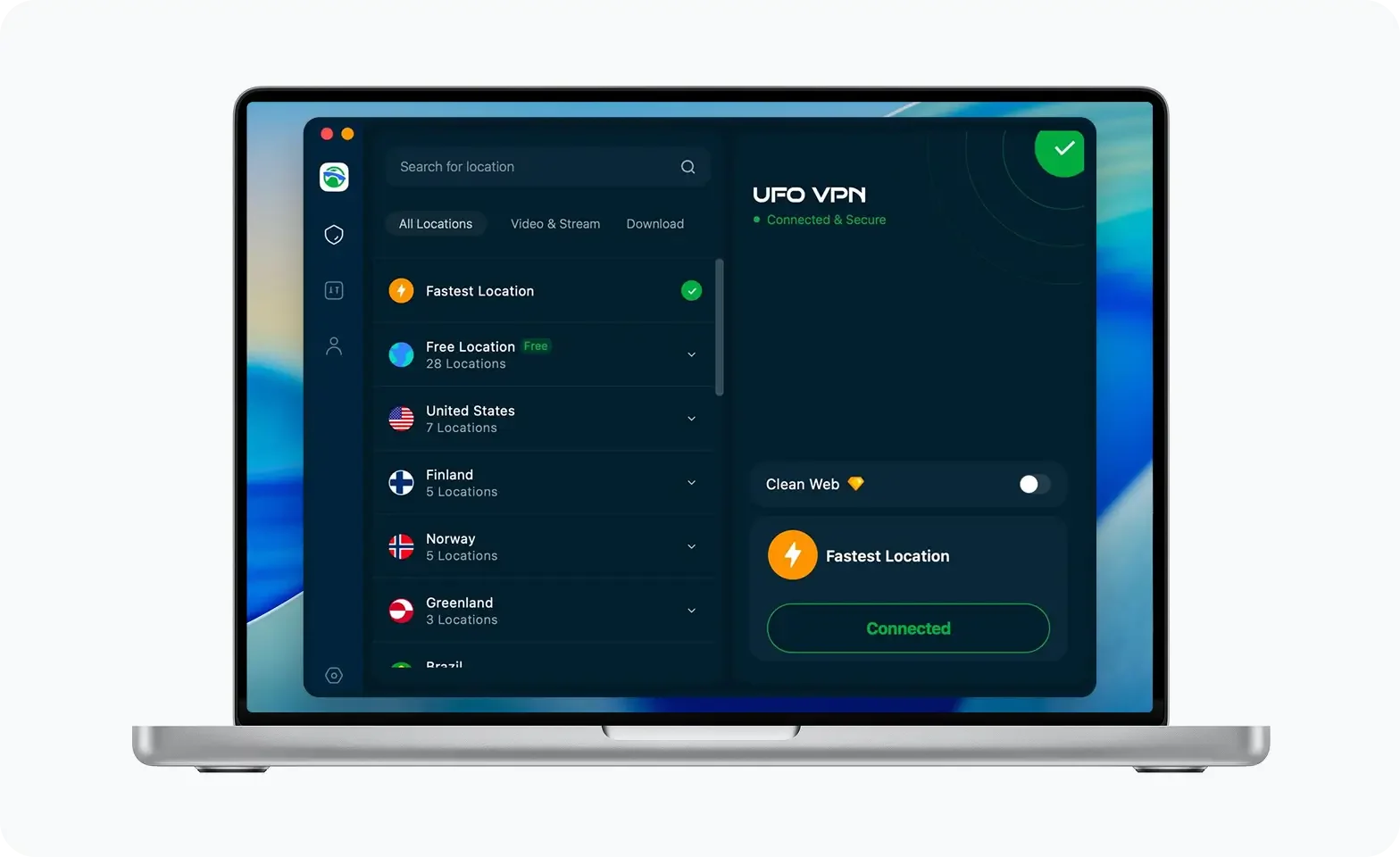
Откройте приложение для браузера или Facebook - сайт теперь будет загружаться как обычно.
2. Используйте прокси -сайты
Веб -прокси действуют как посредники, получая контент Facebook от вашего имени. Тем не менее, прокси часто не хватает шифрования, могут быть медленными, и многие также заблокированы. Некоторые браузеры (например, Opera) предлагают встроенные функции прокси или VPN, которые вы можете получить доступ к заблокированным сайтам, но они могут не быть безопасными для персональных данных.
1. Посетите безопасное прокси -сайт
Примеры:
hide.me/proxy
proxysite.com
whoer.net/webproxy
2. Введите URL Facebook
Пример:
https://www.facebook.com
3. Выберите прокси -место за пределами России
4. Нажмите «Подключиться» или «Go»
Вы будете перенаправлены на полезную сеанс Facebook через браузер Proxy.
3. Используйте браузер Tor
Tor направляет ваше соединение через несколько серверов добровольцев по всему миру, чтобы анонимизировать трафик и цензуру. TOR бесплатный и открытый источник, но он может быть медленнее, чем VPN, и некоторые функции Facebook могут работать должным образом.
-
Скачать браузер Tor
-
Доступно для Windows, Mac и Linux от https://www.torproject.org
-
-
Установите и запустите браузер
-
Подождите, пока соединение с сетью TOR
-
Посетите луковый адрес Facebook
-
Facebook имеет
.onionверсия:https://facebookcorewwwi.onion/
-
⚠ может быть медленнее из-за многослойного шифрования, но оно очень личное.
4. Используйте SmartDns Services
Smart DNS изменяет запросы DNS вашего устройства на разблокировку гео-ограниченного контента. Это быстрее, чем VPN, потому что он не шифрует трафик, но не будет защищать вашу конфиденциальность и не обходить глубокую цензуру.
-
Подписаться на поставщика SmartDNS
Примеры: SmartDns Proxy, Unlocator -
Установите IP DNS на вашем устройстве вручную
-
Обычно в настройках сети> DNS> Введите новый адрес DNS
-
-
Перезагрузите устройство
-
Откройте Facebook в вашем браузере или приложении
В отличие от VPNS, SmartDNS не шифрует трафик - используйте только в доверенных сетях.
5. Используйте зеркало или альтернативный домен
Иногда Facebook или другие поставщики предлагают альтернативные URL -адреса во время ограничений.
-
Поиск URL -адресов зеркала Facebook Использование DuckDuckgo или другой поисковой системы без цензуры
-
Попробуйте войти в систему со своими учетными данными
-
Некоторые могут перенаправить на основную платформу Facebook после входа в систему
-
⚠ Этот метод часто является ненадежным и недолговечным. Используйте только в качестве последней среды.
Советы по безопасному и надежному доступу на Facebook в России
-
Всегда используйте Доверенный провайдер VPN с сильным шифрованием и политикой без лога.
-
Давать возможность запутанный или скрытый режим Замаскировать трафик VPN от DPI (глубокий инспекция пакетов).
-
Избегайте бесплатных или неизвестных VPN, которые могут поставить под угрозу ваши данные.
-
Использовать HTTPS соединения и включить двухфакторную аутентификацию на Facebook.
-
Держите ваше приложение VPN обновлять, чтобы избежать обнаружения.
-
Объединить использование VPN с Браузеры, ориентированные на конфиденциальность (например, смелый, Firefox).
Заключение
Facebook эффективно запрещен в России Из -за государственных усилий по цензуре, что делает прямой доступ почти невозможным. Однако, используя надежные услуги VPN, прокси -инструменты или сети конфиденциальности, такие как Tor, российские пользователи могут разблокировать Facebook и продолжать общаться с друзьями, семьей и глобальным сообществом.
В то время как использование VPN несет в себе юридические риски, информированные пользователи, которые определяют приоритеты в конфиденциальности и безопасности, могут безопасно восстановить доступ. Для наилучшего опыта выберите VPN с функциями запутывания и серверами вблизи России, чтобы максимизировать скорость и надежность.
Часто задаваемые вопросы
1. Как мне разблокировать Facebook в России?
Используйте доверенный VPN для подключения через серверы за пределами России или используйте браузер Tor.
2. Использует ли юридический VPN в России?
VPNS являются законными, но регулируются. Использование VPN для доступа к запрещенным сайтам может рисковать штрафами.
3. Есть ли у Facebook особый российский сайт?
Нет, у Facebook есть только глобальный сайт, который заблокирован в России.