logo

UFO VPN : Best Free VPN You Can Actually Trust

Strong encryption & free access to global apps & websites.

  • No credit card
  • 100% free plan
  • 2000+ servers
blog banner bg

Check Your Valorant Purchase History and Protect It with a VPN

Your Valorant account holds more than just match stats—it also stores your full purchase history, including VP (Valorant Points), skins, battle passes, and more. Many players don’t realize that this data could be vulnerable to leaks or unauthorized access. In this guide, we’ll show you how to check your Valorant purchase history, explain the risks of exposing this data, and offer tips to secure your account using tools like UFO VPN.
Updated on 01/22/2026
5 minutes

Also available in:  Русский

Table of Contents

Security Risks of Valorant: Purchasing Records Leakage
risks of valorant purchasing history leakage

Though your Valorant purchase history may seem harmless, it can expose important details that put your account at risk. Here’s what you need to know:

  • Email Exposure: If a breach reveals the email tied to your Riot account, attackers can target you with phishing attempts.

  • Account Value Targeting: A high purchase history signals a valuable account, making it more appealing to hackers.

  • Billing Info Exposure: While Riot doesn't store full payment details, hackers gaining partial billing data could still attempt scams.

  • Behavioral Profiling: Purchase patterns can be used to track your habits or even guess login times.

Real User Cases:

  • "I noticed someone tried to log into my Riot account a few days after I bought the new bundle. I had to reset everything and enable 2FA." — Reddit user @SilverAce

  • "A friend of mine had his account hacked. The attacker used the purchase history to prove ownership to support and tried to reclaim the account." — Twitter comment by @ViperRush

  • "After a data breach at another site, I got several phishing emails using details from my Valorant payment activity. Be careful!" — Riot Forum user

These examples underline how sensitive your purchase history Valorant data can be. Staying vigilant and limiting exposure through tools like VPNs can make a significant difference.

Pro Tip

We specialize in providing an India VPN for users in India to crack various popular games, and at the same time be able to use it smoothly on mobile, come and try free VPN for Android - UFO VPN (with VPN APK) and free iPhone VPN - UFO VPN for iOS!

How to Check Your Purchase History on Valorant
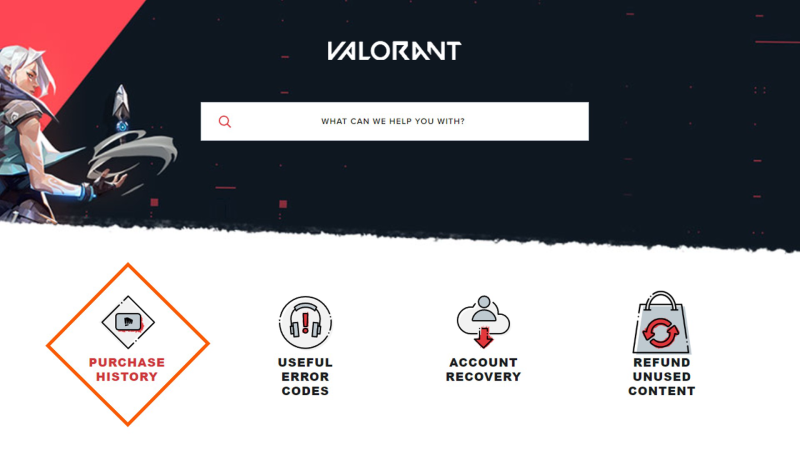
check your purchse history on valorant

Checking your Valorant purchase history is easy and takes just a few clicks. Here’s how to do it securely:

Step-by-Step Guide

  1. Go to Riot's Official Support Page
    Visit https://support-valorant.riotgames.com

  2. Log into Your Riot Account
    Use your Riot ID and password. Ensure you’re on a secure network to avoid credential theft.

  3. Access Purchase History Tool
    Under the "Useful Links" section, select "Purchase History."

  4. View Your Records
    You’ll see a full list of your VP purchases, including the amount spent, method of payment, and date.

Tip: If you're using public Wi-Fi while accessing this info, use free proxy VPN - UFO VPN to encrypt your connection and prevent snooping.

Related Posts
2025 valorant champions tour
How to
date icon 2025-06-30 15:33:46
How to Watch Valorant Champions 2026 & VCT Americas
is valorant down
Gaming
date icon 2025-05-26 18:27:35
Is Valorant Down? Quick Fixes|UFO VPN

Secure Your Valorant Account with a VPN
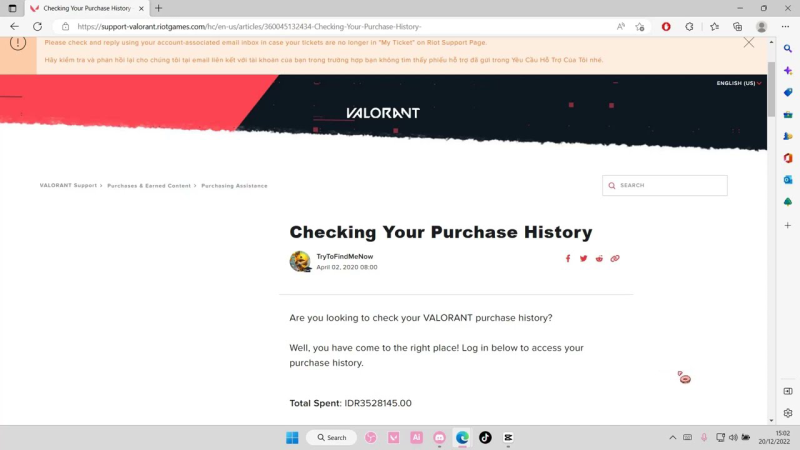
secure your valorant account with vpn

A VPN isn’t just for streaming geo-blocked content—it’s a must-have for gamers concerned with online security.

Why Use UFO VPN for Valorant?

  • Protect Login Data: UFO VPN encrypts your connection, preventing credential leaks on public or untrusted networks.

  • Avoid Throttling: Some ISPs throttle traffic to game servers. VPNs bypass this limitation, giving you smoother performance.

  • Prevent DDoS Attacks: Competitive players risk being targeted. With a VPN, your real IP stays hidden.

  • Access Regional Shops: Want better skin bundles or exclusive deals? Switch servers to access the Valorant shop from different regions.

How to Set It Up on Your Device

Step 1
Grab the free Windows VPN installer right below. UFO VPN is lightweight and secure on all Windows systems. Double-click the downloaded file and complete the installation. Once installed, launch UFO VPN.
windows1
Step 2
Select a VPN Server
Inside the app, you can click the "Connect" button for quick connection, or browse the list of servers by Location or categroy: Video& Stream, Game, etc. Choosing the right server ensures fast speeds and smooth access.
windows2
Pro Tip

UFO VPN is an all-in-one VPN that offers unlimited access to 4D streaming like Netlfix, Disney Plus, no-ping gaming as PUBG, Roblox, CODM and social networking for YouTube, X, Facebook and more.


Step 3
Enable Advanced Features
In addition to basic functions, we recommend you turn on extra protections via Ad Blocker and features like Kill Switch, Split Tunneling and Smart Hop. Users can optimize online gaming/streaming/chatting as much as possible.
windows3
Step 4
Check Your New IP
Use UFO VPN's built-in " What is My IP" feature to see your new IP address and location. This confirms your VPN is working, hides your real IP, and ensures privacy while browsing.
windows4
Step 1 Download and install UFO VPN for macOS
Click the button below to download offcial Mac VPN free. Open the .dmg file, drag UFO VPN to your Applications folder, and launch it. You're just a few clicks away from secure browsing.
macos1
Step 2 Pick Your IP Server
Tap "Connect" button for the fastest server automatically. Or you can select a server from the global server list in 100+ countries. UFO VPN is an UFO VPN is an all-in-one VPN or gaming, video streaming, social platforms, and AI tools.
macos2
Step 3

Unlock Pro Features

If you have upgraded to premium plan , feel free to enjoy premium servers for 4K streaming and advanced features like Kill Switch, Split Tunneling, and gaming acceleration. Your Mac is now fully optimized and protected. Inaddition to basic functions, we recommend you turn on

macos3
Step 4

Verify Your IP Now

Use UFO VPN's " What is My IP " feature to see your new IP and location. This confirms your connection is secure, anonymous, and ready for safe browsing online anywhere at any time.


macos4
Step 1 Download and install UFO VPN for iPhone/iPad
Download this free iOS VPN via official link or App Store. Once installed, launch the app to get started. UFO VPN is now trusted by over 2 million users worldwide with optimzed service.
ios1
Step 2 Select a Perfect Server
Hit "Connect" button for the fastest server near you instantly. Or you can choose a favorite location/platform from the server list manually for full control. UFO VPN is an all-in-one VPN companion for gaming, streaming, social media, and AI tools.
ios2
Step 3 Lookup IP and Enable Pro Features
Now you can check your current IP via built-in IP lookup tool. Pro features in premium plan offer you premium servers, blazing speeds, Kill Switch, Split Tunneling, and Multi-device login, so you can protect your iPhone, iPad, and other Apple devices all at once.
ios3
Step 1 install UFO VPN for Android
Get free Android VPN from offcial website or Google Play Store. Follow the instructions for easy download. Then open the app and get ready to surf safely.
android1
Step 2 Choose Your Ideal Server
UFO VPN is an all-in-one powerhouse for gaming, video streaming, social apps, and AI tools. The"Connect" button links you to the fastest server instantly, or you can choose among the server list manually via Location/ Video&Stream/Games for easy access.
android2
Step 3 Power Up Pro Features
Pro users can look up current IP via built-in "What Is My IP" feature, and unlock premium features like 4K servers, turbo speeds, Kill Switch, Split Tunneling, and Multi-device login, keeping all your Android phones, tablets, and other devices safe at once.
android3

By using UFO VPN, you add a solid layer of protection to both your gameplay and your account data.

FAQs

Can someone hack my Valorant account using purchase history?

Not directly. But if other data (like email or IP) leaks, purchase logs can increase the chances of targeting.

Does Riot allow VPN usage with Valorant?

Yes, VPNs are allowed. Just avoid using servers flagged for abuse or cheating.

Can I delete my Valorant purchase history?

No, Riot doesn't offer an option to delete purchase history. You can view but not remove it.

Is UFO VPN free to use for gaming?

UFO VPN offers both free and premium plans. Free users get limited speed and server access, while premium users enjoy better stability for gaming.

How often should I check my purchase history?

Check once every few months, or after major events or purchases, to ensure your account wasn’t compromised.

Bypass blocks. Stay private.

Use UFO VPN — the best free VPN that works anywhere

Also available in:  Русский

Ryan Brooks
Ryan Brooks

About This Author

I’m Ryan Brooks, a freelance writer passionate about gaming, tech, and internet culture. If there’s a trend online, I’m probably deep in the rabbit hole figuring out how it all connects.