What Is DeepSeek AI?
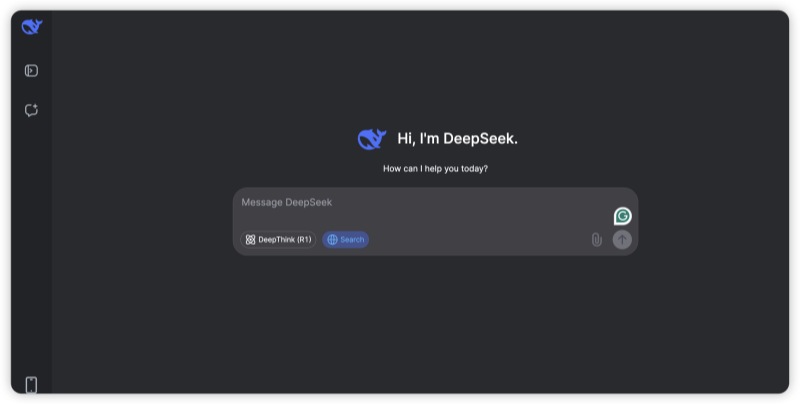
DeepSeek AI is a large language model (LLM) developed by DeepSeek Lab to compete with major AI models like OpenAI’s ChatGPT. It aims to provide high-quality text generation, natural language understanding, and AI-powered applications.
Is DeepSeek Free to Use?
Yes, DeepSeek AI is 100% free to use and does not require a subscription for its core features. However, the availability of DeepSeek may vary from countries to countries.
Who Is the Founder of DeepSeek AI?
DeepSeek AI was developed by DeepSeek Lab in China, a research-focused AI company. While specific founders are not widely publicized, the team consists of AI engineers and researchers specializing in large-scale AI models and machine learning.
reference: DeepSeek by Wikipedia
What is ChatGPT?
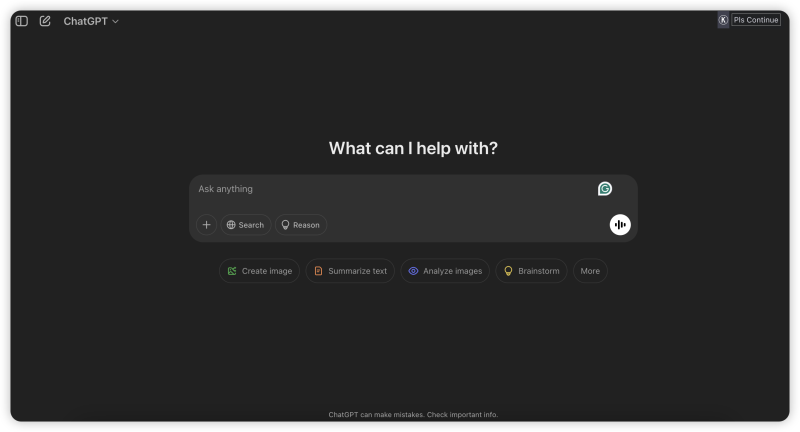
ChatGPT is an AI language model developed by OpenAI, based on the Generative Pre-trained Transformer (GPT) architecture. It is widely used for:
- Conversational AI
- Text generation and summarization
- Code assistance
- Creative writing
ChatGPT is available in different versions, including GPT-3.5 (free) and GPT-4 (paid, $20/month).
reference: Chatgpt by Wikipedia
Did DeepSeek Use OpenAI Technology?
No, DeepSeek AI did not directly use OpenAI’s technology. However, it is built on ssimilar transformer-based AI architecture, making it comparable to OpenAI’s ChatGPT in terms of performance and functionality.
| Feature | DeepSeek AI | ChatGPT (GPT-4) |
|---|---|---|
| Developer | DeepSeek Lab | OpenAI |
| Model Type | Transformer-based AI | GPT-based AI |
| Training Data | Independently trained | Proprietary OpenAI dataset |
| Availability | Available in China, U.S., and select regions | Available worldwide (except blocked regions) |
| Pricing | Free version available | GPT-3.5 (free), GPT-4 (paid) |
DeepSeek vs. ChatGPT: Feature Comparison
1. Performance and Accuracy
- ChatGPT has better conversational memory, making it more effective for long discussions and creative writing.
- DeepSeek performs well in text analysis, summarization, and direct Q&A, but may not handle long conversations as fluidly.
👑Winner: ChatGPT (better for complex queries and context retention).
2. Speed and Response Time
- DeepSeek has been reported to offer faster response times due to optimized processing.
- ChatGPT can slow down during peak hours, especially for free-tier users.
👑Winner: DeepSeek (better speed and efficiency).
3. Availability and Accessibility
- DeepSeek is available in China, the U.S., and select regions.
- ChatGPT is more globally accessible, except in China, Russia, Iran, and a few restricted locations.
👑Winner: ChatGPT (better global availability).
4. Free vs. Paid Options
- DeepSeek is free to use with no paywall for core features.
- ChatGPT offers GPT-3.5 for free, but GPT-4 requires a paid subscription ($20/month).
👑Winner: DeepSeek (better free access).
5. Pros and Cons
DeepSeek AI: Pros & Cons
✅ Pros:
- Free access with no paywall
- Faster response speed
- Strong text summarization and analysis
❌ Cons:
- Not as widely available as ChatGPT
- Less advanced conversational memory
ChatGPT: Pros & Cons
✅ Pros:
- More advanced language model
- Stronger memory for long conversations
- Plugin and API support
❌ Cons:
- GPT-4 requires a paid subscription
- Can slow down during peak hours
📖Related Reading
- Find Free Apps like DeepSeek Use DeepSeek with Pro Prompts
How to Use DeepSeek
Method 1. Using DeepSeek Without a VPN
If DeepSeek is available in your country, you can access it directly via deepsek.com or API.
Method 2. Using DeepSeek With a VPN (If Blocked)
In regions where DeepSeek is blocked, you can bypass restrictions using a Virtual Private Network (VPN) like UFO VPN. Its optimized routing and fast international servers help reduce buffering and latency, allowing you to access DeepSeek smoothly and enjoy high-quality performance. Follow the steps below to set it up on your devices:


Pro Tip
UFO VPN is an all-in-one VPN that offers unlimited access to 4K streaming like Netlfix, Disney Plus, no-ping gaming as PUBG, Roblox, CODM and social networking for YouTube, X, Facebook and more.




Unlock Pro Features
If you have upgraded to premium plan , feel free to enjoy premium servers for 4K streaming and advanced features like Kill Switch, Split Tunneling, and gaming acceleration. Your Mac is now fully optimized and protected. Inaddition to basic functions, we recommend you turn on

Verify Your IP Now
Use UFO VPN's " What is My IP " feature to see your new IP and location. This confirms your connection is secure, anonymous, and ready for safe browsing online anywhere at any time.







Pro Tips
UFO VPN prioritizes your privacy by blocking ISPs, advertisers, and cybercriminals from harvesting data about your device or habits. Recognized as the best VPN for PC and best VPN for Mac, its advanced encryption anonymizes your connection, ensuring activities like visiting onion sites never reveal your hardware specs, browser fingerprints, or real IP address.
With one-click activation, UFO VPN simplifies security—no technical expertise needed. Start shielding your data by using best VPN for PC and browse with uncompromised confidence.
FAQs
Is DeepSeek better than ChatGPT?
It depends on your needs: DeepSeek is better for free access and fast responses; ChatGPT is better for long conversations and advanced AI capabilities.
Can I use DeepSeek without a VPN?
Yes, DeepSeek is available in many regions, including China and most countries in the world. However, if blocked in your area, a VPN can help bypass restrictions.
Is DeepSeek really free?
Yes, DeepSeek is currently free to use for most features, allowing users to chat and generate content without paying. However, the company has hinted that future versions may introduce premium features or subscription plans as the platform continues to grow.
Why is ChatGPT paid while DeepSeek is free?
OpenAI charges for GPT-4 access due to high computational costs, while DeepSeek remains free as part of its expansion strategy.
Which VPN should I use for accessing AI models?
UFO VPN is a strong pick for fast and secure AI access, thanks to its low-latency servers and no-log policy, which helps avoid connection throttling or regional restrictions.
NordVPN and ExpressVPN are also reliable premium options with larger server networks and advanced privacy features, making them suitable for users who want consistent performance and long-term security.
Final Thoughts: Which AI Model Should You Choose?
Both AI models have strengths, so your choice depends on accessibility, features, and budget. For those facing regional restrictions, a VPN is the best way to access AI models freely. Want to try DeepSeek? Visit its official website and start exploring AI-powered conversations today!