Why Is Epic Games Store Not Showing on Google Play
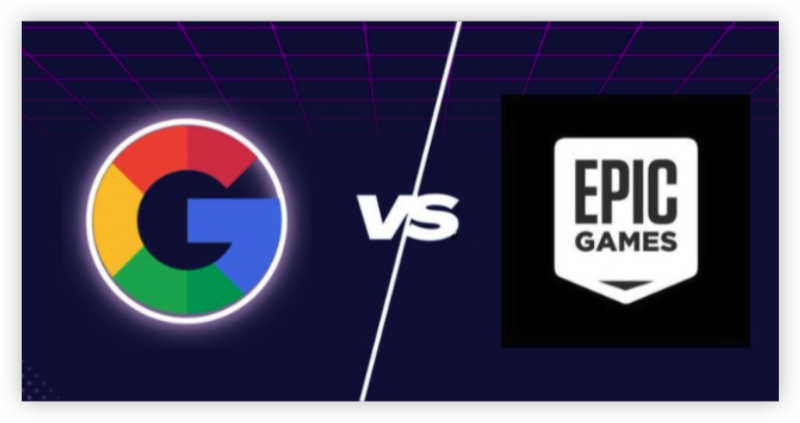
Unlike other game apps, the Epic Games Store is not distributed via Google Play Store. The reason lies in a high-profile business dispute between Epic Games and Google.
🎯 Epic vs. Google: The Core Issue
Epic Games, the company behind Fortnite and other blockbuster titles, opted to avoid Google Play’s 30% commission fee on in-app purchases. Instead, they chose to distribute their app independently—outside of the Play Store ecosystem.
🔍 Result: You won’t find it in Google Play search.
✅ Official statement from Epic Games:
“We believe in an open platform. Our goal is to provide a more direct connection between us and the players, without platform fees.”
Is It Safe to Download Epic Games Store Outside Google Play
Yes—as long as you download it from epicgames.com or their verified mobile page. The Epic Games Store is globally available via APK, but access and installation can vary depending on your region. Avoid APK mirror sites or unofficial sources and check if your Epic Games launcher is down whenever you access the platform.
| Regions | Epic Games Store Access | VPN Needed |
|---|---|---|
| United States | ✅ | ❌ |
| UK / EU | ✅ | ❌ |
| Middle East | ⚠️ May be restricted | ✅ Yes (Use UFO VPN) |
| China | ❌ Official site blocked | ✅ Yes (Use VPN) |
| India | ✅ Access may vary by provider | ⚠️ Sometimes |
| Africa (varies) | ⚠️ Some countries block APKs | ✅ Recommended |
Install Epic Games Store on Android
Even though it’s not on Google Play, you can still install Epic Games Store easily on your Android device by following these steps:
Step 1: Visit the Official Website
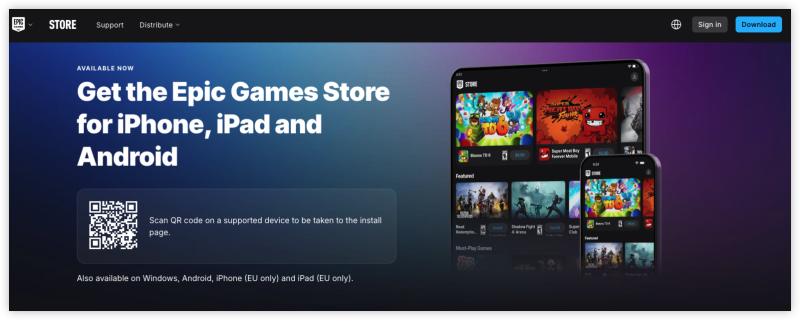
Open your Android browser (Chrome, Firefox, etc.) and go to:
👉 https://www.epicgames.com/mobile
Step 2: Download the APK
Tap the “Download Epic Games App” button. This will download an APK file—the installer for the Epic Games Store.
Step 3: Enable 'Install from Unknown Sources'
Before you can install the APK, Android will ask you to allow installations from unknown sources:
-
Go to Settings > Security > Install unknown apps
-
Find your browser (e.g., Chrome) and enable permissions
Step 4: Install the App
Tap the downloaded APK and install it. The Epic Games Store app should now appear in your app drawer.
Step 5: Launch and Start Downloading Games
Open the app, log in to your Epic account (or create one), and download titles like Fortnite, Battle Breakers, and more.

Troubleshooting: Can't Install Epic Games Store
If you encounter issues like:
-
The website doesn’t load,
-
The APK won’t install, or
-
The app crashes on launch...
It could be due to device settings or regional restrictions.
Fix 1: Use a VPN for Region-Locked Access
In some countries (e.g., China, Iran, UAE), you may not be able to access the Epic Games site or install the APK.
💡 Solution: Use a VPN like UFO VPN
Connect to a server in the US, UK, or Germany
Reload the Epic Games website
Try downloading again


UFO VPN is an all-in-one VPN that offers unlimited access to 4K streaming like Netlfix, Disney Plus, no-ping gaming as PUBG, Roblox, CODM and social networking for YouTube, X, Facebook and more.




Unlock Pro Features
If you have upgraded to premium plan , feel free to enjoy premium servers for 4K streaming and advanced features like Kill Switch, Split Tunneling, and gaming acceleration. Your Mac is now fully optimized and protected. Inaddition to basic functions, we recommend you turn on

Verify Your IP Now
Use UFO VPN's " What is My IP " feature to see your new IP and location. This confirms your connection is secure, anonymous, and ready for safe browsing online anywhere at any time.







Fix 2: Unsupported Devices
Older Android devices or custom ROMs may not support the app. Consider updating your OS or switching to a newer device.
Conclusion
The Epic Games Store is not on Google Play by design, not by accident. Epic Games wants full control over its revenue, so it chose to offer the app directly through its website.
But that doesn’t mean you're locked out—you can still install the store in just a few easy steps, and VPNs can help overcome any location-based limits.
Whether you’re looking to download Fortnite or explore Epic’s growing game library, now you know exactly where—and how—to get started.
FAQs
Q1: Can I find Epic Games on Google Play in the future?
Possibly, if Epic and Google reach a revenue agreement. For now, it remains independent.
Q2: Is it illegal to install the Epic Games APK?
Not at all. Installing APKs from official sources is 100% legal on Android.
Q3: Why do I get an error when launching the Epic Games app?
Your Android version may be outdated or the installation was corrupted. Try reinstalling or updating your OS.
Q4: Can I play Fortnite without the Epic Games app?
Not on Android. The Epic Games app is required to download and update Fortnite on Android devices.