What Is Gimkit Game?
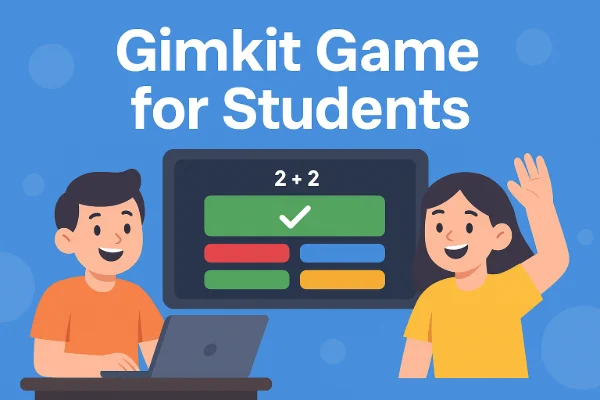
Gimkit is a game-based learning platform designed to make studying fun and engaging. Unlike traditional quiz tools, it combines knowledge questions with interactive gameplay, allowing students to earn virtual currency called KitCash, which they can use to purchase in-game items, upgrade characters, or interact strategically with others.
Originally launched under a different name, Gimkit now attracts millions of students worldwide, especially in English-speaking countries, for both classroom learning and remote study. Its interactive nature has made it a favorite among teachers aiming to increase participation and retention.
Key Features and Gameplay Modes:
-
Quiz-Based Learning: Core knowledge questions let students earn KitCash while reinforcing lesson content.
-
2D Mini-Games: Modes like “Don’t Look Down” introduce platformer mechanics where players must navigate challenges while answering questions.
-
Competitive & Social Modes: Games such as Trust No One add social deduction and strategy, making learning fun and interactive.
-
Customization & Collaboration: Teachers can create KitCollabs, merge multiple kits, or customize questions for class-specific content.
-
Interactive Rewards: Players can unlock pets, avatars, and other in-game bonuses to boost motivation and engagement.
What to Know: Gimkit may be blocked in some schools or regions due to network restrictions on game-based learning platforms. If you can’t access it, you can use a free proxy VPN in UFO VPN to unblock it quickly. This works by connecting to a server where Gimkit is accessible, allowing you to join games safely from anywhere.
How to Start a Gimkit Game As a Teacher
Starting a game as a teacher is straightforward:
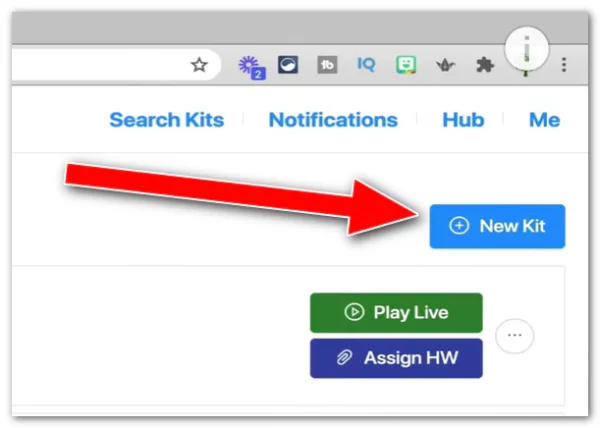
Step 1: Create a Kit
Log in to Gimkit.com and select “+ New Kit” to add questions or import them from existing resources.
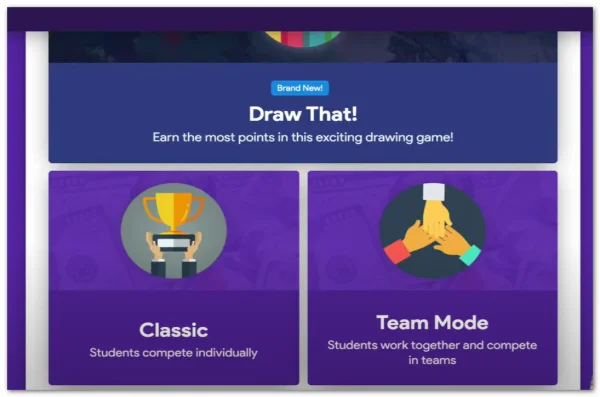
Step 2: Choose a Mode
Decide between classic quiz mode or one of the 2D mini-games for added engagement.
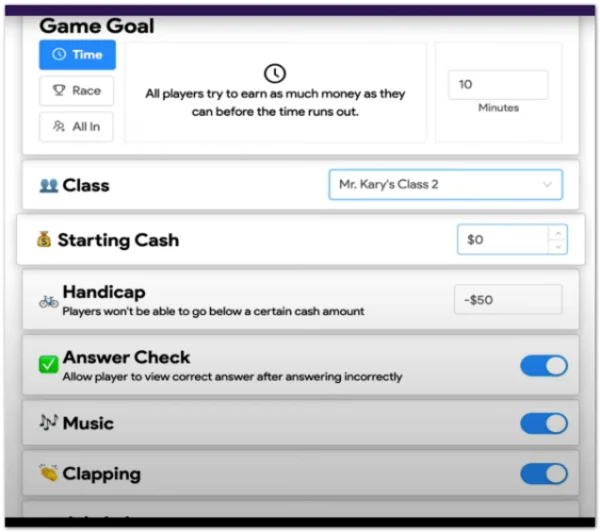
Step 3: Set Game Rules
Configure time limits, point multipliers, and maximum players, etc.
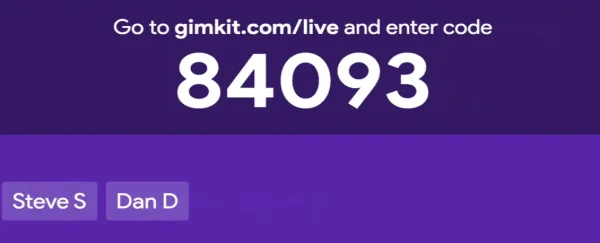
Step 4: Share Join Code
Gimkit generates a unique code that students enter to join.
Teachers can also create KitCollabs, where multiple kits or questions are combined, or merge two existing kits for a larger quiz experience. This flexibility makes Gimkit ideal for both small classroom sessions and larger online events.
How to Join a Gimkit Game
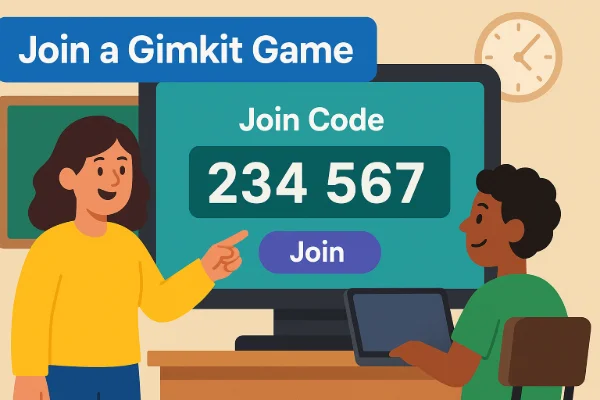
For students or participants, joining a Gimkit game is simple:
-
Go to gimkit.com/join or use gimkit.join URL variants.
-
Enter the Join Code provided by the host or teacher.
-
Select your name or avatar to enter the game.
Students typically need a specific join code provided by the teacher to enter a Gimkit game, ensuring only invited participants can access the quiz.
Some users search for ways to join random games or play without a code, reflecting interest in exploring Gimkit outside structured classroom sessions, though public access is limited.
Some modes have additional requirements. For example, in "Don’t Look Down", students need to navigate mini-game challenges while answering questions, making gameplay more interactive.
Why Is Gimkit Blocked in Some Schools & Countries?
Many schools and educational institutions restrict access to Gimkit due to:
-
Network Policies: Preventing access to game-based websites during class hours.
-
Bandwidth or Server Concerns: Some school networks limit access to platforms that use interactive WebSocket connections.
-
Content Control: Administrators may restrict platforms that allow interactive social features.
In countries with stricter internet regulations, direct access may be limited due to server location and firewall policies. Students and teachers in these areas may have trouble accessing quizzes and interactive games for learning purposes. The best solution is to use a VPN for gaming.
How to Unblock the Gimkit Join Game from Anywhere
When Gimkit is blocked, there are safe ways to regain access. The most effective method is using a VPN like UFO VPN, which:
-
Routes your connection through a server in a different country (e.g., the US), bypassing geo-blocks or network restrictions.
-
Encrypts your data to maintain security while using school or public networks.
-
Provides stable connections for real-time gameplay, which is essential for mini-games and interactive modes.
By connecting to a fast, reliable VPN node, students can safely join games like Don’t Look Down Gimkit, or other classroom kits, even if their network would normally block the platform.
How to access the Gimkit join game with UFO VPN:


UFO VPN is an all-in-one VPN that offers unlimited access to 4K streaming like Netlfix, Disney Plus, no-ping gaming as PUBG, Roblox, CODM and social networking for YouTube, X, Facebook and more.




Unlock Pro Features
If you have upgraded to premium plan , feel free to enjoy premium servers for 4K streaming and advanced features like Kill Switch, Split Tunneling, and gaming acceleration. Your Mac is now fully optimized and protected. Inaddition to basic functions, we recommend you turn on

Verify Your IP Now
Use UFO VPN's " What is My IP " feature to see your new IP and location. This confirms your connection is secure, anonymous, and ready for safe browsing online anywhere at any time.







Gimkit Not Working? Quick Fixes
If Gimkit isn’t loading or you face issues joining a game:
-
Check the Join Code: Ensure the code is typed correctly and has not expired.
-
Switch Browser: Chrome or Edge often works best; clear cache if needed.
-
Try Another Network: School Wi-Fi may block WebSocket connections required for real-time gameplay.
-
Use a VPN: For blocked networks, a VPN can restore access quickly.
These fixes usually resolve most connectivity problems, allowing uninterrupted learning and gameplay.
Safety Tips for Joining Gimkit Game
Bear in mind the following safety tips for Gimkit:
-
Only join games from trusted sources or teacher-provided codes.
-
Avoid clicking suspicious links or using unofficial hacks; these can compromise your device or data.
-
If using a VPN, choose a reputable service like UFO VPN that doesn’t log your activity and ensures encrypted connections.
-
Monitor your screen for classroom-appropriate behavior, especially in competitive modes with other students.
Following these tips ensures that students can enjoy Gimkit without exposing personal information or violating network rules.
FAQs
Why is Gimkit 13+?
Gimkit requires users to be 13+ due to data privacy regulations and interactive features that involve online gameplay and communication.
How to join a public Gimkit?
Visit gimkit.com/join and look for public codes shared by teachers or community hosts.
What is the join code for Don’t Look Down Gimkit?
Join codes are generated by the host; check classroom announcements or teacher instructions.
How do I find a Gimkit game to join?
Use official channels, teacher-provided codes, or explore public game listings if available.
Why can only 5 people join Gimkit?
Free accounts may have participant limits; premium plans increase player capacity.
How do students join a Gimkit?
Visit gimkit.com/join, enter the code, and select a name/avatar to enter the game.
How to get the golden retriever in Gimkit?
Some avatars or pets are unlocked via in-game rewards or special kits.
What is a KitCollab in Gimkit?
KitCollab allows teachers to merge multiple kits for a larger, collaborative game experience.
Can you merge two Gimkits?
Yes, using KitCollab or the merge features available for teachers to combine content.
Conclusion
Gimkit Join games combine learning with interactive gameplay, but network restrictions can prevent students and teachers from accessing them. By understanding how to join, start games, and unblock access safely, users can enjoy features like Don’t Look Down, KitCollab, and other mini-game modes. Following safe practices ensures uninterrupted learning while keeping gameplay secure and fun.