What Is the Internet Archive and Why Should You Use It?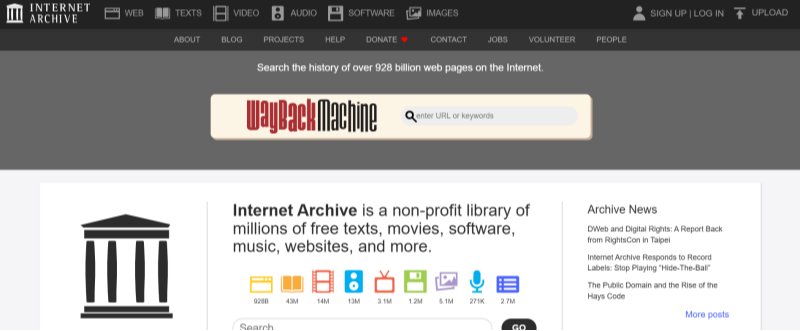
Overview of the Internet Archive
The Internet Archive is a non-profit digital library offering free access to a wide range of digital content, including archived web pages, music, movies, books, and software. Its mission is to provide “universal access to all knowledge” by preserving digital artifacts and making them available to the public. Users can explore historical versions of websites via the Wayback Machine or download rare media and literature.
Benefits of Using the Internet Archive
-
Vast Collection: Offers millions of archived web pages, documents, and media files.
-
Research and Education: An invaluable resource for researchers, students, and educators.
-
Cultural Preservation: Helps preserve historical data and digital heritage for future generations.
Potential Risks When Browsing the Internet Archive
While the Internet Archive is a treasure trove of information, there are potential security and privacy risks to be aware of:
-
Digital Tracking: As with many free online platforms, some third-party trackers might be embedded in archived pages.
-
Malicious Ads: Certain pages may include outdated or malicious ads that can compromise your device.
-
Privacy Exposure: Your IP address and browsing data can be collected, especially when accessing older, unmaintained web pages.
Assessing the Safety of the Internet Archive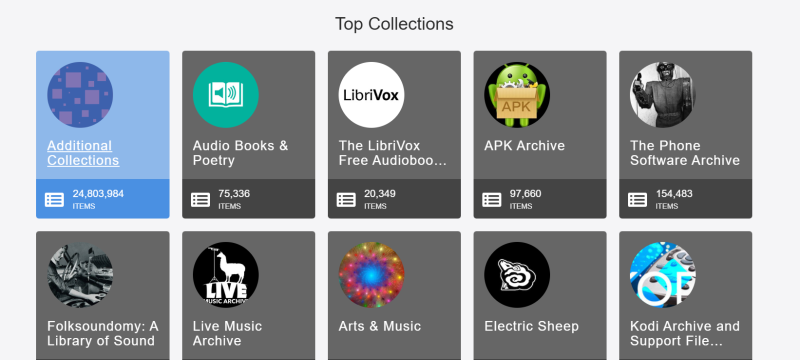
Security Concerns
Although the Internet Archive itself is a reputable organization, its vast collection includes content from many sources. Some archived websites may no longer be secure, potentially hosting outdated scripts or malicious advertisements. While the Archive does not intentionally compromise your safety, the decentralized nature of the content means caution is needed when interacting with certain pages.
Privacy Risks
When you browse the Internet Archive, your IP address may be logged by third-party services embedded in some archived pages. Additionally, older sites might not follow modern security protocols, leaving you vulnerable to tracking or data breaches.
Best Practices for Secure Browsing on the Internet Archive
Secure Your Connection with Best free VPN
One of the most effective ways to protect your privacy while using the Internet Archive is by using a VPN. UFO VPN is an excellent choice for this purpose. It encrypts your internet connection, masks your IP address, and blocks trackers, ensuring that your browsing remains private and secure.
Benefits of Using UFO VPN:
-
Encrypts Your Data: UFO VPN scrambles your data so that hackers, advertisers, and ISPs cannot monitor your activity.
-
Masks Your IP Address: Your real IP address is hidden, preventing your location from being tracked.
-
Blocks Trackers and Malicious Ads: UFO VPN’s advanced filters stop known harmful websites and tracking scripts.
-
Zero Logs Policy: UFO VPN maintains a strict no-logs policy, ensuring that your browsing history remains private.
Enable Security Extensions in Your Browser
Enhance your security further by installing reputable browser extensions:
-
HTTPS Everywhere: Forces encrypted connections on websites, protecting your data from interception.
-
Privacy Badger or uBlock Origin: Blocks trackers and malicious ads that could compromise your safety.
-
NoScript: Prevents untrusted scripts from running on websites that you visit.
Regularly Update Your Software
Keeping your browser, antivirus software, and operating system updated is critical to protecting yourself from known vulnerabilities. Regular updates ensure you have the latest security patches and performance improvements.
Simple Internet Archive Security Checklist
| Security Measure | Description | Recommended Tools |
|---|---|---|
| VPN Protection | Encrypt your data and mask your IP address | UFO VPN |
| Browser Extensions | Force secure connections and block trackers | HTTPS Everywhere, Privacy Badger |
| Ad Blockers | Prevent malicious ads and pop-ups | uBlock Origin, AdGuard |
| Regular Updates | Keep your OS and software updated | Windows Update, macOS Software Update |
| Clear Browser Data | Remove cookies and cache to minimize tracking | Browser Settings |
This checklist is a quick reference to ensure your safety while exploring the Internet Archive.
💖Bonus Tips💖
How to Set Up UFO VPN for Secure Browsing on the Internet Archive


UFO VPN is an all-in-one VPN that offers unlimited access to 4K streaming like Netlfix, Disney Plus, no-ping gaming as PUBG, Roblox, CODM and social networking for YouTube, X, Facebook and more.




Unlock Pro Features
If you have upgraded to premium plan , feel free to enjoy premium servers for 4K streaming and advanced features like Kill Switch, Split Tunneling, and gaming acceleration. Your Mac is now fully optimized and protected. Inaddition to basic functions, we recommend you turn on

Verify Your IP Now
Use UFO VPN's " What is My IP " feature to see your new IP and location. This confirms your connection is secure, anonymous, and ready for safe browsing online anywhere at any time.







FAQs
Is the Internet Archive safe to use?
While the Internet Archive is a reputable resource for historical content, it may contain third-party trackers and outdated ads. Using a VPN like UFO VPN enhances your security by encrypting your connection and blocking malicious content.
How can I protect my privacy on the Internet Archive?
To protect your privacy, use a VPN such as UFO VPN, enable browser security extensions (e.g., HTTPS Everywhere, Privacy Badger), and regularly update your software. This combination minimizes the risk of digital tracking and data breaches.
Does UFO VPN work on all devices?
Yes, UFO VPN supports various devices including Windows, macOS, Android, and iOS. Its easy-to-use interface and robust security features make it an ideal choice for secure browsing on any platform.
Will using UFO VPN affect my browsing speed on the Internet Archive?
UFO VPN is optimized for minimal speed loss. Although encryption may slightly impact your speed, UFO VPN’s advanced protocols ensure that your browsing experience remains fast and smooth.
Is UFO VPN really free?
Yes, UFO VPN offers a free version that provides essential security features including data encryption, IP masking, and tracker blocking. It’s an excellent solution for safeguarding your browsing activities without any cost.
Conclusion: Browse the Internet Archive Safely in 2026
The Internet Archive is an invaluable resource for preserving our digital heritage, but its vast collection comes with inherent privacy and security risks. By adopting safe browsing practices—using browser security extensions, keeping your software updated, and protecting your connection with UFO VPN—you can explore this digital library with confidence. UFO VPN not only unblocks restricted content but also ensures your data is secure, allowing you to browse anonymously and safely. Start using UFO VPN today to enjoy the Internet Archive without compromising your privacy!