"Poe Is Down" vs "Poe Is Banned": Key Differences
If Poe isn’t loading, it doesn’t always mean it’s “down.” Common reasons include:
-
Network filters — schools, offices, or public Wi-Fi often block AI tools.
-
Regional restrictions — based on government regulations.
-
Account issues — flagged activity or payment problems.
-
Browser conflicts — cache or extensions interfering with web sockets.
1. Poe Is Down (Server-Side Problem)
If Poe’s servers are experiencing technical issues or undergoing maintenance, the problem is on Poe’s end, not yours. Typical signs include:
-
The website or app won’t load, even with a stable connection.
-
Error messages like “Service unavailable” or “500 internal server error.”
-
Other users globally report the same issue.
2. Poe Is Blocked or Restricted (Access Issue)
If Poe works for others but not for you, your region, network, or account might be restricted. This is especially common in countries with AI tool censorship or network filtering.
Common symptoms:
-
The site loads partially or redirects endlessly.
-
Error messages such as “Access denied,” “Not available in your region,” or “This site can’t be reached.”
-
Poe works fine when you switch to another network or location.
Quick Recap:
| Poe Issue Type | Causes | What to Do |
|---|---|---|
| Poe is Down | Server outage or maintenance | Wait until the service is restored |
| Poe is Blocked | Regional or network restriction | Use a trusted free proxy VPN to change location |
| Poe is Partially Restricted | Account/device limitation | Re-login, clear cache, or switch device |
Is Poe AI Down? 4 Ways to Check
Before you panic, it’s worth checking whether Poe is actually down globally or if the issue is local to you.
-
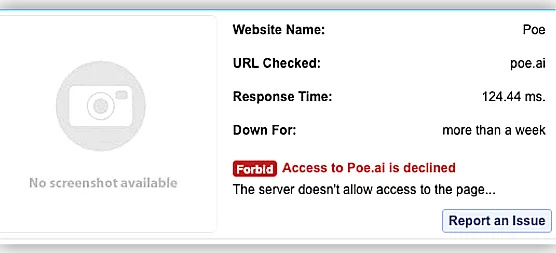
Visit outage trackers like DownDetector or IsItDownRightNow and search “Poe.ai.”
-
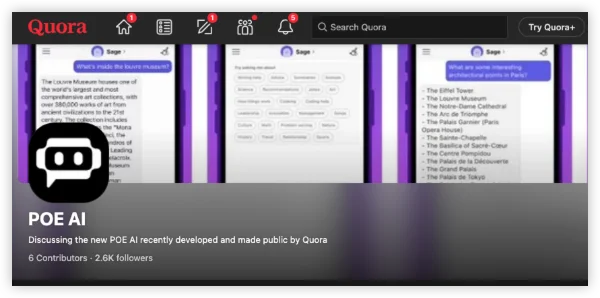
Check @poe_platform or Quora’s official X (Twitter) account — they sometimes post maintenance notices.
-
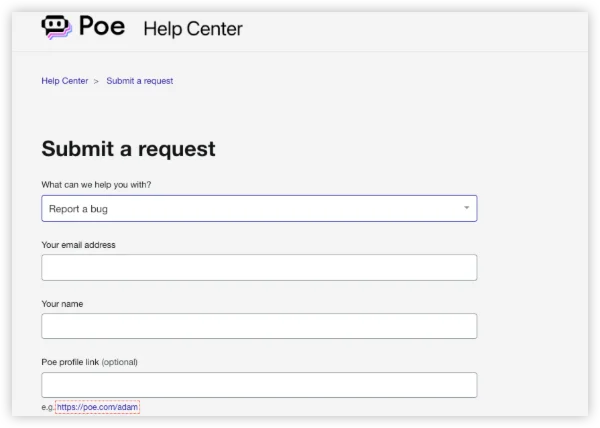
Visit Poe’s Help Center for any planned service updates.
-
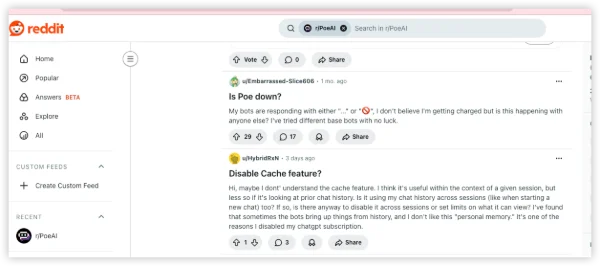
See Reddit threads — users often spot downtime before official statements.
If Poe is down for everyone, the only fix is patience — wait it out. But if others can access it and you can’t, move on to the next section.
How to Fix “Poe AI Bot Not Working” Issues
If Poe refuses to load, shows “Network Error,” or logs you out unexpectedly, the issue could stem from anything between a simple cache problem and regional server restrictions. Below is a professional, methodical troubleshooting checklist you can follow.
Step 1: Confirm the Problem Scope
Before you start changing settings, identify where the issue lies.
-
Try accessing Poe from another device (e.g., your phone instead of your laptop).
-
Switch to mobile data to check if the problem is with your Wi-Fi network.
-
Visit DownDetector or IsItDownRightNow and search “poe.com” to see if others are experiencing downtime.
If Poe loads elsewhere but not on your main device, continue with the next steps.
Step 2: Clear Browser Cache and Cookies
Browser data can get corrupted, especially if you’ve logged into multiple AI tools or Quora services.
Here’s how to clear it properly:
-
Chrome/Edge:
Settings > Privacy and Security > Clear Browsing Data→ select Cookies and Cached Images. -
Safari (Mac/iOS):
Settings > Safari > Clear History and Website Data. -
Firefox:
Settings > Privacy & Security > Cookies and Site Data > Clear Data.
Then, restart your browser and reload https://poe.com
Step 3: Inspect Regional or ISP-Level Restrictions
If you find that Poe AI only rejects your access, it’s possible that your ISP or region restricts Poe’s access.
You can verify this by:
-
Checking if other users in your region face similar problems (on Reddit or X).
-
Trying Poe via a mobile network from another provider.
-
If you’re traveling, note that Poe isn’t accessible in countries like China, Iran, or Russia due to AI content regulations.
For compliant and secure access, you can use a reliable, privacy-first tool like UFO VPN, which offers encrypted routing to Poe’s available regions — always ensuring your connection remains legal and private.


UFO VPN is an all-in-one VPN that offers unlimited access to 4K streaming like Netlfix, Disney Plus, no-ping gaming as PUBG, Roblox, CODM and social networking for YouTube, X, Facebook and more.




Unlock Pro Features
If you have upgraded to premium plan , feel free to enjoy premium servers for 4K streaming and advanced features like Kill Switch, Split Tunneling, and gaming acceleration. Your Mac is now fully optimized and protected. Inaddition to basic functions, we recommend you turn on

Verify Your IP Now
Use UFO VPN's " What is My IP " feature to see your new IP and location. This confirms your connection is secure, anonymous, and ready for safe browsing online anywhere at any time.







Step 4: Disable Additional Settings Temporarily
While VPNs can help with access in restricted regions, sometimes they interfere with Poe’s security checks or network sockets.
-
Disable VPN, Proxy, or Ad Blocker extensions if necessary.
-
If you’re on a corporate or school network, switch to a personal Wi-Fi or mobile hotspot.
-
In your firewall settings, ensure poe.com and quora.com are whitelisted.
Test again — if Poe loads after this, you’ve found the culprit.
Step 5: Use a Supported Browser or Device
Poe’s web app is optimized for Chrome, Edge, and Safari. Some Chromium-based or privacy browsers (like Brave or Opera GX) may cause issues.
Try:
-
Opening Poe in Incognito/Private mode to rule out cached sessions.
-
Updating your browser to the latest version.
-
If you’re on mobile, reinstall the Poe app from the App Store or Google Play.
Step 6: Refresh or Reauthorize Your Poe Account
Sometimes, expired authentication tokens cause loading errors or failed requests.
-
Log out of your Poe account completely.
-
Clear cache once more.
-
Log back in manually — avoid using “Sign in with Google” if you’ve switched accounts recently.
If you use multiple Quora-related services, ensure the same email is used for all.
Step 7: Check DNS or Network Configuration
If Poe.com doesn’t resolve at all, you may have a DNS issue.
Try switching to public DNS servers:
-
Google DNS:
8.8.8.8and8.8.4.4 -
Cloudflare DNS:
1.1.1.1and1.0.0.1
After changing DNS, restart your router or device, then revisit Poe.
If Poe works for others but not for you, your region, network, or account might be restricted. This is especially common in countries with AI tool censorship or network filtering.
Common symptoms:
-
The site loads partially or redirects endlessly.
-
Error messages such as “Access denied,” “Not available in your region,” or “This site can’t be reached.”
-
Poe works fine when you switch to another network or location.
What Is Poe AI?
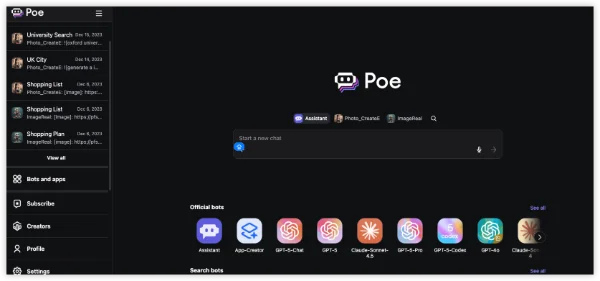
Poe, short for “Platform for Open Exploration,” is Quora’s AI chat hub. It lets users talk to multiple AI models — including GPT, Claude, Llama, and others — all in one interface. You can use Poe for writing, learning, coding, or even testing how different models respond to the same question. It’s available via web and mobile apps, with both free and paid tiers.
In short, Poe makes AI accessible to everyone — but when the service goes down or becomes unavailable in your region- and you don't have a VPN by your side, things get frustrating quickly.
Bonus: Where Is Poe Available Globally
Poe is available in most North American, European, and Asia-Pacific countries, but some regions have restrictions due to AI content regulations.
Countries where Poe works smoothly (as of 2026):
-
United States
-
Canada
-
United Kingdom
-
Australia
-
Singapore
-
Germany
-
France
-
India
Countries with reported restrictions or unavailability:
-
China (mainland) — Poe is blocked by the Great Firewall.
-
Iran — limited access due to AI content filtering.
-
Russia — intermittent restrictions.
-
Some Middle Eastern regions — local compliance filtering.
If you’re traveling or living in one of these areas, Poe might appear “down” even though the servers are fine.
Can You Bypass a Poe Ban Safely?
Let’s be clear: no, you shouldn’t try to bypass restrictions through illegal means.
Doing so can violate Poe’s Terms of Service and even local laws.
If your account or region is blocked:
-
Contact Poe Support to verify if it’s a mistaken restriction.
-
Use Poe in a supported region with legitimate access.
-
Or try verified alternatives below — many work globally and safely.
Safe and Legal Poe AI Alternatives
If you still can’t access Poe or need a backup, here are great options to explore:
1. ChatGPT by OpenAI
-
Why it’s a great alternative: ChatGPT is the most recognized conversational AI globally, powered by OpenAI’s advanced GPT models. It offers free and paid tiers, supports multi-language interactions, and integrates with various productivity tools.
-
Key benefits:
-
Natural and context-aware conversations.
-
Access to the GPT-4 model with a Plus subscription.
-
Privacy-compliant and continuously updated.
-
-
Best for: Professionals, writers, researchers, and general users who want reliable responses and creative assistance.
2. Claude by Anthropic
-
Overview: Claude is designed with an emphasis on ethical AI and safety. Its responses are thoughtful, balanced, and contextually rich, making it ideal for users who prioritize accuracy and tone.
-
Key benefits:
-
Long-context understanding — ideal for analyzing lengthy documents or discussions.
-
Strong privacy policies and transparent data handling.
-
Available in multiple interfaces, including integrations with other tools.
-
-
Best for: Knowledge workers, content creators, and those seeking a dependable AI for research or document analysis.
3. Gemini (formerly Bard) by Google
-
Overview: Gemini (Google’s AI assistant) connects directly with Google Search, YouTube, and Workspace, making it one of the most integrated AI tools available.
-
Key benefits:
-
Real-time web access for up-to-date answers.
-
Smooth integration with Gmail, Docs, and Drive.
-
Free to use with optional advanced features for Google One AI Premium users.
-
-
Best for: Users needing quick, factual responses, research summaries, or productivity integration.
4. Perplexity AI
-
Overview: Perplexity AI combines conversational search with credible source citations, making it a transparent and trustworthy option for fact-based queries.
-
Key benefits:
-
Provides citations for all responses.
-
Supports follow-up questions with contextual understanding.
-
Offers a free plan and an optional “Pro” tier with GPT-4 access.
-
-
Best for: Students, journalists, and anyone looking for verified and sourced information.
5. YouChat (by You.com)
-
Overview: YouChat integrates AI-driven conversations directly with search results, allowing users to chat while browsing.
-
Key benefits:
-
Displays real-time data with integrated search results.
-
Features creative and coding tools within the same interface.
-
Prioritizes transparency and user control.
-
-
Best for: Users who want an AI chat tool combined with a modern search experience.
Pro Tips: Prevent Future Poe Access Problems
Once Poe is working again, keep it stable by following these quick habits:
-
Avoid logging into multiple Poe accounts from the same browser.
-
Clear cache once a month.
-
Keep your browser and app updated.
-
Bookmark Poe’s official status page or social handle for maintenance alerts.
FAQs
Why can’t I use Poe in my country?
Some governments block foreign AI platforms. Poe follows local data laws, which means it can’t operate everywhere.
Will Poe expand to more countries?
Likely yes — Quora has announced ongoing international rollout plans. Check Poe’s Help Center for updates.