Is YesMovies Available in Your Country?

Accessing YesMovies depends heavily on your location. Some countries block streaming sites due to copyright concerns or ISP restrictions. If you try to visit YesMovies.to or YesMovies.lol and encounter errors, it could indicate a local block rather than the site being offline. >>> You can get a free proxy VPN to bypass geo-restriction right now!
You can quickly check if YesMovies is down by:
-
Visiting the site using a different network or device.
-
Using online website status tools (like Downdetector) to see if the server is unreachable.
-
Searching for news about recent domain changes, as YesMovies often switches domains to avoid shutdowns.
Sometimes, the site may be online but load slowly or fail to stream content due to high traffic, server issues, or temporary blocks from your ISP.
How to Access YesMovies Without Restrictions
If YesMovies is blocked in your region, there are several ways to regain access safely:
1. Use a VPN
A VPN masks your IP address and lets you appear in a different country where YesMovies is accessible. For example, connecting through a secure VPN server can bypass geo-blocks and provide stable access. UFO VPN offers fast servers optimized for streaming, helping you watch movies without interruptions while keeping your online activity private.
How to get started with UFO VPN:


UFO VPN is an all-in-one VPN that offers unlimited access to 4K streaming like Netlfix, Disney Plus, no-ping gaming as PUBG, Roblox, CODM and social networking for YouTube, X, Facebook and more.




Unlock Pro Features
If you have upgraded to premium plan , feel free to enjoy premium servers for 4K streaming and advanced features like Kill Switch, Split Tunneling, and gaming acceleration. Your Mac is now fully optimized and protected. Inaddition to basic functions, we recommend you turn on

Verify Your IP Now
Use UFO VPN's " What is My IP " feature to see your new IP and location. This confirms your connection is secure, anonymous, and ready for safe browsing online anywhere at any time.







2. Try a Proxy Server
Proxies can act as a middleman between your device and YesMovies, helping to bypass minor restrictions. However, proxies may slow down your connection and often don’t provide encryption, which is essential for privacy.
3. Check Mirror or Alternative Domains
YesMovies frequently changes its domain. If YesMovies.to is down, try YesMovies.lol or other verified mirrors. Always confirm the legitimacy and security of the domain to avoid phishing or malware risks.
4. Clear Browser Cache and Disable Ad Blockers
Sometimes, cached data or conflicting browser extensions prevent the site from loading. Clearing the cache or temporarily disabling ad blockers can resolve minor access issues.
YesMovies Not Working: Reasons & Fixes
Understanding why YesMovies isn’t working can help troubleshoot effectively:
1. ISP Restrictions
Internet Service Providers in some countries block streaming sites like YesMovies. If your ISP is the cause, using a VPN is the most reliable solution.
2. Domain Changes
YesMovies often switches to new domains to avoid legal action. Visiting an old domain can result in “site not found” errors. Keep updated on the latest verified URLs.
3. Browser or Device Issues
Outdated browsers, incompatible devices, or network problems can interfere with streaming. Updating your browser or trying a different device often resolves these issues.
4. Server Overload
High traffic can slow the site or make it temporarily unavailable. If the site loads slowly, try accessing it during off-peak hours or use a VPN to connect to a server closer to the website’s hosting location.
Is It Safe and Legal to Watch YesMovies?
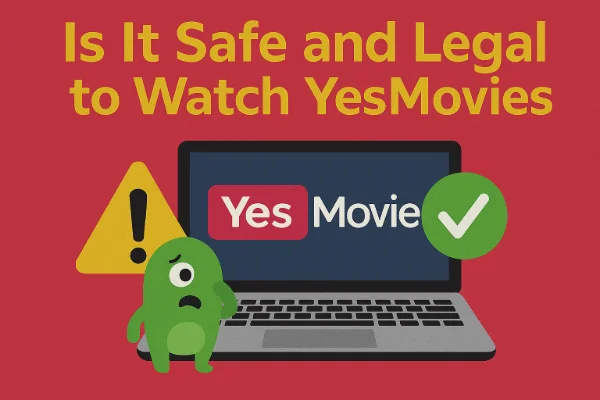
Safety:
YesMovies hosts links to third-party content, which means the site itself may not carry malware, but pop-ups, ads, and redirect links can be risky. To protect yourself:
-
Use a secure VPN when streaming.
-
Avoid clicking on suspicious ads.
-
Consider using ad blockers and antivirus software.
Legality:
Streaming copyrighted content without authorization is illegal in many countries. While browsing for movies may seem harmless, downloading or streaming copyrighted films can have legal consequences. Using legal alternatives or paid streaming services is the safest approach.
Get the Best YesMovies Alternatives (Free & Paid)
If YesMovies is inaccessible or you prefer a safer option, there are several alternatives:
Free Alternatives:
-
123Movies – Offers a wide range of movies and TV shows, but check domain status regularly.
-
SolarMovie – Known for user-friendly navigation and frequent updates.
-
FMovies – Provides fast streaming with categorized lists.
Paid Alternatives:
-
Netflix – Reliable, legal, and available in many countries with a large library.
-
Amazon Prime Video – Offers movies and TV series, including exclusive content.
-
Disney+ – Great for family-friendly and blockbuster films.
Using a VPN like UFO VPN can also enhance access to region-restricted content on these paid platforms.
FAQs
Is YesMovies down permanently?
No, YesMovies is not permanently down, but its accessibility varies by region and domain updates.
Can I use a VPN to access YesMovies safely?
Yes, a VPN like UFO VPN hides your location and secures your connection, making streaming safer.
Are there legal risks using YesMovies?
Yes, streaming copyrighted content without authorization can be illegal. Consider legal platforms or paid alternatives for safety.
What should I do if YesMovies loads but videos don’t play?
Try clearing your browser cache, using a different device, or connecting through a VPN server closer to the hosting region.
Conclusion
YesMovies remains a popular streaming site, but access issues are common due to geo-blocking and domain changes. By understanding why YesMovies might be down, using secure methods like VPNs, and exploring free and paid alternatives, you can enjoy uninterrupted streaming safely. Always prioritize security and legality when choosing how to watch movies online.