Is it legal to unblock FMovies

The legality of unblocking FMovies depends entirely on your country’s copyright and internet laws. In most regions, FMovies is blocked not arbitrarily, but due to its repeated violations of content licensing and piracy regulations.
-
In countries like India, the UK, the US, Germany, and Australia, accessing FMovies (even passively) can be considered unlawful because it hosts pirated movies and TV shows without proper distribution rights.
-
Bypassing ISP blocks via VPN or DNS changes might not be illegal in itself—but using them to stream copyrighted content may violate local anti-piracy laws.
-
Streaming ≠ downloading, but it doesn’t always protect you. Some countries treat streaming pirated content with the same seriousness as torrenting.
✅ Key Advice: Use a free proxy VPN to protect your identity and ensure your browsing activity remains private. Even if you’re just exploring or testing access, your IP address should not be exposed.
Unblock FMovies With a VPN
Here are the most effective VPN-based methods to access FMovies safely:
1. Use UFO VPN (Best Overall Solution)


UFO VPN is an all-in-one VPN that offers unlimited access to 4K streaming like Netlfix, Disney Plus, no-ping gaming as PUBG, Roblox, CODM and social networking for YouTube, X, Facebook and more.




Unlock Pro Features
If you have upgraded to premium plan , feel free to enjoy premium servers for 4K streaming and advanced features like Kill Switch, Split Tunneling, and gaming acceleration. Your Mac is now fully optimized and protected. Inaddition to basic functions, we recommend you turn on

Verify Your IP Now
Use UFO VPN's " What is My IP " feature to see your new IP and location. This confirms your connection is secure, anonymous, and ready for safe browsing online anywhere at any time.







2. Switch VPN Server Locations
-
If one server doesn’t load the site, try others (avoid US/UK/India)
-
Some FMovies mirrors may be blocked in specific regions even with VPN
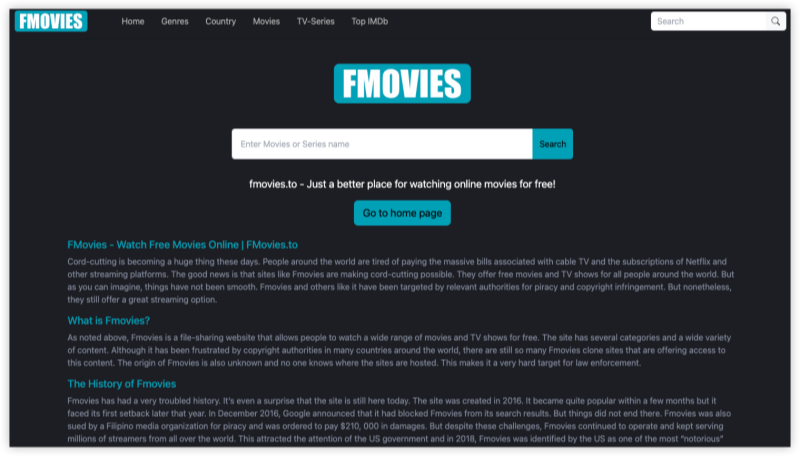
FMovies hosts copyrighted content without official distribution rights. As a result, many countries have ordered ISPs to block access, including India, United States, United Kingdom, Germany and Australia
3. Use a VPN with Ad/Tracker Blocker
-
VPNs like UFO VPN with ad-blockers stop malicious popups and protects your data while browsing
-
Keeps mirror site redirection under control
4. Enable VPN Kill Switch
-
This prevents accidental IP exposure if your VPN connection drops
-
Critical for consistent privacy when streaming
5. Use a VPN Browser Extension
-
Quick setup on Chrome or Firefox
-
Best for users who only want to access FMovies occasionally without a full app
Unblock FMovies Without a VPN
While not as safe, here are five workarounds if you prefer non-VPN solutions to unblock FMovies:
1. Access a FMovies Proxy or Mirror Site
-
Use search terms like “FMovies latest domain” or “FMovies working mirror”
-
Examples:
fmovies.to,fmovie.sc,fmovies.rs -
Be cautious—many mirror sites are clones with malware
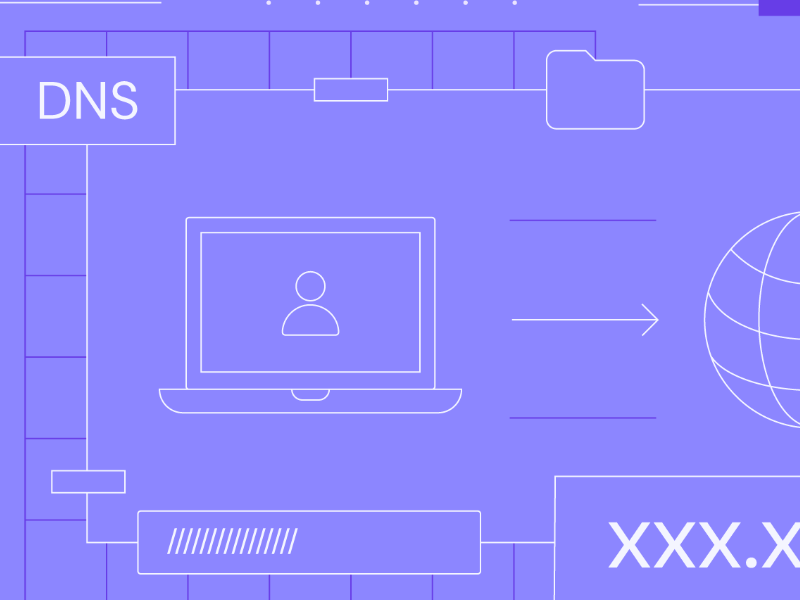
2. Change Your DNS Settings
-
Switch to Google DNS (
8.8.8.8) or Cloudflare (1.1.1.1) -
May bypass ISP-level DNS blocks
-
Works on PC, Mac, and even mobile devices
3. Use the Tor Browser
-
Offers anonymous, encrypted browsing
-
Can bypass deep packet inspection
-
⚠️ Slower speeds, but excellent privacy
4. Use Web-Based Proxy Tools
-
Tools like KProxy or Hidester
-
Just paste the FMovies URL and browse
-
⚠️ Many are slow, filled with ads, or blocked themselves
5. Switch to Mobile Data
-
In some cases, mobile networks don’t block FMovies like broadband providers do
-
Connect your mobile hotspot to your PC
-
⚠️ Not a long-term or secure solution
VPN vs. No VPN: Which Is Better for FMovies Unblock
| Features | VPN (UFO VPN) | No VPN |
|---|---|---|
| Privacy Protection | ✅ Strong encryption | ❌ Weak or none |
| Ad/Malware Protection | ✅ VPN blocks tracking | ❌ High risk |
| Streaming Speed | ✅ Optimized servers | ⚠️ Inconsistent |
| IP Hidden | ✅ Fully anonymous | ❌ Visible |
| Legal Safety | ✅ More secure | ❌ Higher risk |
| Ease of Use | ✅ 1-click access | ⚠️ Manual effort needed |
💡Pro Tip: When using VPN services like UFO VPN, you can test multiple FMovies mirrors safely without exposing your real IP or risking malware.
How Do I Know Which FMovies Site Is Real?
FMovies has been cloned and mirrored hundreds of times, often by third parties trying to profit from its popularity through:
-
Malware-infested fake sites
-
Pop-up ad scams
-
Phishing schemes mimicking FMovies branding
To avoid dangerous imposters, here are 5 smart tips to identify the real or working FMovies site:
1. Use Trusted Online Communities
Check Reddit forums like r/Piracy or sites like TorrentFreak. Users often post the current working domain of FMovies based on global accessibility.
2. Look for HTTPS Encryption
Always choose URLs that begin with https:// (secure protocol). Fake clones often use http or invalid certificates.
3. Avoid Sites with Excessive Popups
A common sign of a fake FMovies site is aggressive redirect behavior—you click once, and three tabs open. Real FMovies mirrors have ads, but not excessive ones.
4. Search "FMovies proxy list"
Stay updated by searching this phrase periodically. FMovies domains change often (e.g., fmovies.to, fmovies.rs, fmovies.wtf) to evade blocks.
5. Never Enter Personal Info or Download Files
FMovies is a streaming site, not a download platform. If a domain asks you to “download a player” or enter credit card details—it’s fake.
Bonus Tips for FMovies Unblocked Access
-
Always use incognito/private mode
-
Install an ad blocker (uBlock Origin recommended)
-
Avoid downloading movies from mirror sites—stream only
-
Double-check URLs before visiting unfamiliar FMovies domains
FAQs
Will unblocking FMovies slow down my internet?
With the right VPN (like UFO VPN), speeds are optimized for streaming. Free proxies and Tor may cause lag.
What is the safest VPN to unblock FMovies?
UFO VPN is one of the most secure and reliable options, with optimized streaming and zero-logs policy.
Can I unblock FMovies without a VPN?
Yes, using proxies or DNS changes—but these are less secure and more prone to malware and tracking.