What is Screen Hacking?
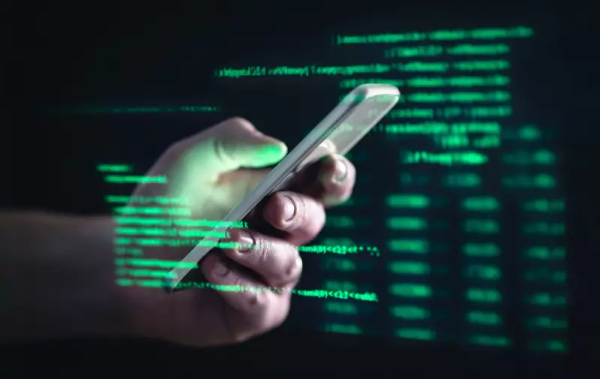
Screen hacking is a form of contactless cyberattack in which attackers use electromagnetic interference (EMI) to manipulate a touchscreen device from a distance. Unlike other types of hacking, screen hacking doesn’t require the attacker to physically touch the device. Instead, they use special equipment to inject fake touchpoints into the touchscreen, causing it to behave as if it’s being tapped or swiped.
The attacker’s device sends electromagnetic signals to the screen’s capacitive sensors, tricking the touchscreen into thinking the user has interacted with it. This allows hackers to take control of your device, type messages, open apps, or even change settings—all without your knowledge.
How Does Screen Hacking Work?
Screen hacking relies on the vulnerability of capacitive touchscreens, which are highly sensitive to electromagnetic interference. Here's how the process typically works:
-
Electromagnetic Interference (EMI): Attackers use special equipment to send electromagnetic signals that interfere with the touchscreen’s sensors. These signals register as touch events, such as taps, swipes, or even long presses.
-
Manipulating the Device: Once the device has been hacked, attackers can execute various actions, such as:
-
Typing messages or accessing your browser
-
Launching apps or opening malicious websites
-
Changing security settings or connecting to malicious Wi-Fi networks
-
Installing malware or tracking software
-
Accessing your data, including social media and private information
-
These attacks are often carried out in public spaces, like cafes or libraries, where the target device is left unattended. The attacker’s device is placed nearby, hidden under a table or surface, and can launch the attack remotely from up to 40 mm away.
Risks of Screen Hacking
While the concept of screen hacking may sound alarming, it poses serious risks to the security and privacy of your device. Here are some potential consequences of a successful screen hacking attack:
-
Unwanted Access to Personal Data: Hackers could gain access to sensitive information, including passwords, personal messages, and social media accounts.
-
Malware Installation: Malicious software, such as viruses, tracking programs, or spyware, can be installed on your device, compromising your security.
-
Privacy Invasion: Hackers could access and change privacy settings on your device, enabling them to gather more information about you or monitor your activity.
-
Financial Loss: Screen hackers can also open malicious links, make unauthorized calls, or sign you up for costly subscriptions, leading to financial losses.
The lack of physical interaction makes screen hacking especially dangerous, as victims are often unaware that their device has been compromised until significant damage has already been done.
Hacking Signs: A Ghost Touch
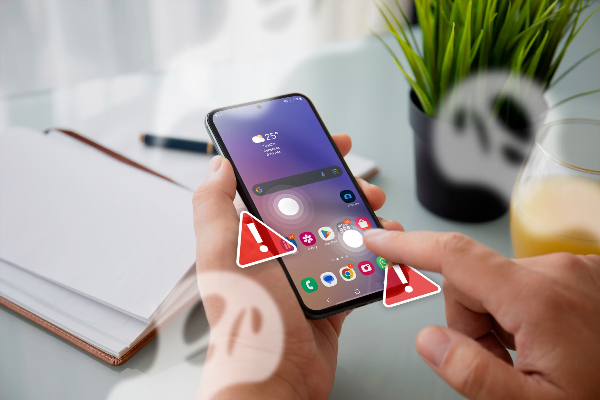
A common misconception related to screen hacking is the term “ghost touch.” Ghost touches refer to a situation where a device registers touches or swipes without anyone physically interacting with the screen. However, these are not always caused by hackers. More often than not, ghost touches are a result of software glitches, hardware issues like a cracked screen, or malfunctioning touch sensors.
While ghost touches can sometimes be alarming, they are usually harmless. In contrast, screen hacking is a deliberate attack designed to gain unauthorized control over your device.
How to Protect Yourself from Screen Hacking
While screen hacking is a sophisticated attack, there are several ways to protect yourself from falling victim to it. Implementing a combination of device settings and security practices will minimize the risk of this threat:
1. Avoid Leaving Your Device Unattended
One of the simplest ways to protect your device from screen hacking is to avoid leaving it unattended in public spaces. If you must place it on a table, ensure that it’s face down to prevent attackers from remotely accessing it.
2. Use Device Encryption
Encrypting your device adds a layer of security, making it harder for attackers to access your data even if they manage to control your screen. Both iOS and Android devices support encryption, which should be enabled in your device settings.
3. Use a VPN for Secure Connections
A free proxy VPN in UFO VPN adds an extra layer of security to your online activities, including when you're using your device in public places. It encrypts your internet traffic, making it harder for cybercriminals to intercept your data or track your online behavior. UFO VPN also masks your IP address, preventing hackers from pinpointing your exact location or gaining unauthorized access to your device.
4. Disable Touchscreen Features
Some devices allow you to disable certain touchscreen features or adjust the sensitivity of the screen. If you don’t need your device’s touchscreen capabilities, you can turn off certain settings to make it less susceptible to interference.
5. Install Security Software
Ensure that your device has reliable security software installed. This will help detect and block any malicious software or unusual activity that may be indicative of screen hacking.
6. Update Your Software Regularly
Keep your device's operating system and apps up to date. Security patches and bug fixes are regularly released by manufacturers to address vulnerabilities that could be exploited by hackers.
How VPN Enhances Your Security on the Internet
Using UFO VPN enhances your online security by providing several key features:
-
Data Encryption: UFO VPN encrypts your internet traffic, ensuring that your sensitive data is protected when using public networks, such as Wi-Fi in cafes or libraries.
-
IP Masking: UFO VPN hides your real IP address, making it difficult for hackers to track your device’s location or gain unauthorized access.
-
Safe Browsing: By encrypting your connection, UFO VPN prevents hackers from monitoring your online activities, protecting you from data theft and privacy violations.
💙4 Steps to Help You Master UFO VPN:


UFO VPN is an all-in-one VPN that offers unlimited access to 4K streaming like Netlfix, Disney Plus, no-ping gaming as PUBG, Roblox, CODM and social networking for YouTube, X, Facebook and more.




Unlock Pro Features
If you have upgraded to premium plan , feel free to enjoy premium servers for 4K streaming and advanced features like Kill Switch, Split Tunneling, and gaming acceleration. Your Mac is now fully optimized and protected. Inaddition to basic functions, we recommend you turn on

Verify Your IP Now
Use UFO VPN's " What is My IP " feature to see your new IP and location. This confirms your connection is secure, anonymous, and ready for safe browsing online anywhere at any time.







By combining UFO VPN with other security practices, you can significantly reduce the chances of falling victim to screen hacking and other cyber threats.
FAQs
How can I tell if my device is being screen hacked?
If your device is performing actions without your input, such as typing or opening apps, it could be a sign of screen hacking. Look for signs of unauthorized activity, such as unusual changes in settings or apps you didn’t open.
Is screen hacking common?
While screen hacking is not widespread, it’s still a significant threat in certain public spaces. It’s a relatively new form of cyberattack, and researchers are actively studying how to defend against it.
Can UFO VPN stop screen hacking?
While UFO VPN does not directly prevent screen hacking, it enhances your overall device security by encrypting your connection and masking your IP address, which can help protect your data from other forms of attack.
Are there any other types of cyberattacks like screen hacking?
Yes, other common cyberattacks include phishing, malware infections, and man-in-the-middle attacks. Each has its own method of targeting devices, but using a VPN, strong passwords, and security software can help protect you.