2026–26 Season Schedules for the Top 5 European Leagues

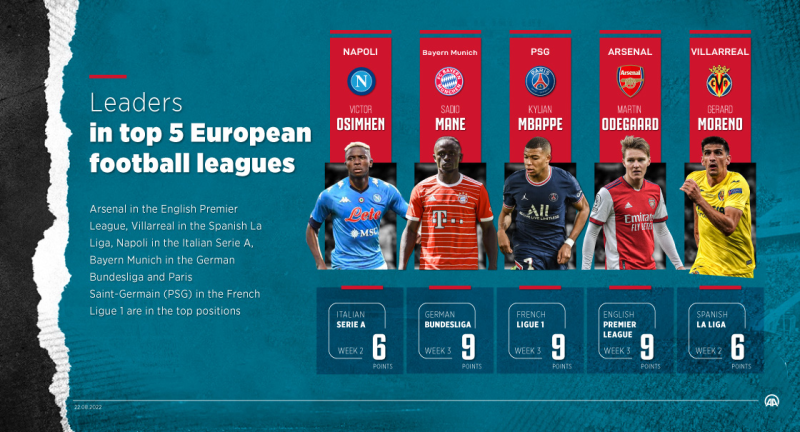
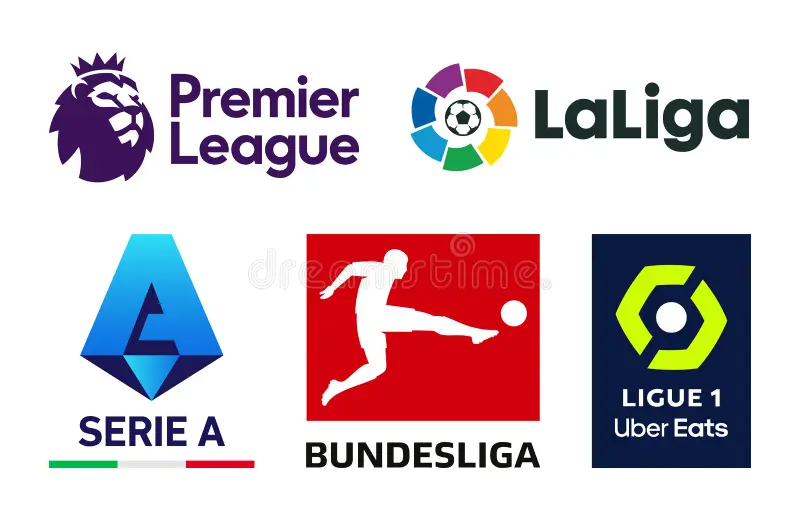
Europe’s football elite coalesces around five flagship domestic leagues, each with its own style, star players, and global following:
-
English Premier League (EPL): 20 clubs compete over 38 matchdays. Known for its high tempo and tactical diversity, the EPL features heavyweights like Manchester City, Liverpool, Arsenal, and rising contenders such as Newcastle United.
-
Spanish La Liga: With Real Madrid, Barcelona, and Atlético Madrid leading 20 teams, La Liga blends technical mastery and flair, showcasing talents like Vinícius Júnior and Pedri. 20 matchdays deliver drama from El Clásico to relegation battles.
-
Italian Serie A: Renowned for defensive organization and strategic play, Italy’s top flight hosts 20 clubs including Juventus, Inter Milan, AC Milan, and emerging sides like Atalanta. Expect passionate derbies like the Derby d’Italia.
-
German Bundesliga: An 18‑team league where Bayern Munich often prevails but fierce competition from Borussia Dortmund, RB Leipzig, and Eintracht Frankfurt keeps fans glued. Bundesliga matches average over 40,000 spectators.
-
French Ligue 1: Home to Paris Saint‑Germain’s global stars and challengers such as Lyon and Marseille, Ligue 1’s 18 clubs deliver a mix of youth development and marquee signings.
2025–26 Season Calendars
| League | Start Date | End Date | Total Matchdays | |
|---|---|---|---|---|
| Premier League | Fri, 15 Aug 2025 | Sun, 24 May 2026 | 38 | Man City vs. Burnley opener, May finals |
| La Liga | Sat, 17 Aug 2025 | Sun, 24 May 2026 | 38 | El Clásico clashes: Oct & Apr |
| Serie A | Sat, 23 Aug 2025 | Sun, 24 May 2026 | 38 | Derby della Madonnina highlights |
| Bundesliga | Fri, 22 Aug 2025 | Sat, 16 May 2026 | 34 | Traditional Revierderby & title run‑in |
| Ligue 1 | Fri, 15 Aug 2025 | Sat, 16 May 2026 | 34 | PSG vs. Marseille season openers |
This combined overview ensures you know when—and where—to tune in. Use these details to schedule viewing parties, adjust for time zones, and plan subscription start dates.
Regional Subscription Prices for the Top 5 European Leagues
Subscription costs for live football vary dramatically by region, driven by broadcast rights, market demand, and local purchasing power. Below is a comparative table of average annual fees for the 2024–25 season:
| Region | Premier League | La Liga | Serie A | Bundesliga | Ligue 1 |
|---|---|---|---|---|---|
| UK | £230 (~$295) | — | — | — | — |
| Spain | — | €120 (~$130) | — | — | — |
| Italy | — | — | €200 (~$220) | — | — |
| Germany | — | — | — | €180 (~$200) | — |
| France | — | — | — | — | €150 (~$165) |
| India / Eastern Europe | $60–$80 bundle | $60–$80 bundle | $60–$80 bundle | $60–$80 bundle | $60–$80 bundle |
Key Insights:
-
A UK Premier League season pass costs £230, while comparable bundles in India can be as low as $60—over 75% cheaper.
-
La Liga viewers in Spain pay €120, yet in Eastern Europe, annual packages often start under $70.
-
Serie A fans in Italy shell out €200, whereas elsewhere they find bundles for nearly $65.
Such disparities mean a simple location change can yield massive savings.
Why Use Free Proxy VPN - UFO VPN?
A VPN masks your IP address, making it appear you’re browsing from a different country. By connecting through a server where subscription rates are lowest, you can:
-
Unlock Regional Deals: Access local pricing tiers unavailable in your home market.
-
Bypass Geo‑Restrictions: Stream live matches from any broadcaster, even if they restrict your region.
-
Protect Privacy: Encrypt traffic to prevent ISP throttling and maintain anonymity on public networks.
With price gaps exceeding 60% in many cases, using VPN is not just convenient—it’s essential for value‑conscious fans.


How to Use UFO VPN for Low‑Cost Access to the Top 5 European Leagues
Follow these steps to maximize your savings and streaming experience:


UFO VPN is an all-in-one VPN that offers unlimited access to 4D streaming like Netlfix, Disney Plus, no-ping gaming as PUBG, Roblox, CODM and social networking for YouTube, X, Facebook and more.




Unlock Pro Features
If you have upgraded to premium plan , feel free to enjoy premium servers for 4K streaming and advanced features like Kill Switch, Split Tunneling, and gaming acceleration. Your Mac is now fully optimized and protected. Inaddition to basic functions, we recommend you turn on

Verify Your IP Now
Use UFO VPN's " What is My IP " feature to see your new IP and location. This confirms your connection is secure, anonymous, and ready for safe browsing online anywhere at any time.







Select the Best Server Location
-
-
UK: Premier League on Sky Sports / NOW TV
-
Spain: La Liga via DAZN Spain
-
Italy: Serie A on Sky Italia / NOW TV Italy
-
Germany: Bundesliga through Sky Deutschland
-
France: Ligue 1 on Canal+
-
Clear Cookies & Use Incognito Mode
-
-
Prevent previous location data from leaking.
-
Subscribe at Local Rates
-
-
Visit the broadcaster’s site and complete payment in local currency. Watch confirmation to ensure you see the local price before checkout.
-
Optimize Settings for Streaming
-
-
Stealth Mode: Bypass VPN blockers on streaming sites.
-
Split Tunneling: Route only streaming traffic through VPN.
-
Auto‑Reconnect: Maintain connection if interrupted.
-
Speed Test: Identify servers with the fastest throughput and lowest latency.
-
Enjoy Buffer‑Free Matches
-
-
With unlimited bandwidth and dedicated streaming protocols, UFO VPN ensures smooth, uninterrupted live coverage.
-
If you want to pursue a big-screen viewing experience, I suggest you to use your computer to watch the game. We also provide you with MAC side and Windows system installation package. Click UFO VPN for PC - best free VPN and free VPN for Mac - UFO VPN to get it.
FAQ
Q1: Is it legal to use a VPN for football streaming?
VPN usage is legal in most jurisdictions, but always review the streaming platform’s terms of service and local regulations.
Q2: How many simultaneous connections does UFO VPN allow?
Most plans support up to 5 devices—perfect for households with multiple viewers.
Q3: Will my streaming quality suffer when using a VPN?
Quality depends on your chosen server’s speed. Use UFO VPN’s speed test to pick high‑performance servers for HD or 4K streams.
Q4: Can I switch regions mid-season to chase new deals?
Yes—you can disconnect and reconnect to any server at any time to take advantage of limited‑time promotions or dynamic pricing.
Q5: What kind of savings have users reported?
Example: A UK user paid £230 for a full Premier League season. By connecting to an Eastern Europe server, they signed up for $65—saving over 70%.
Q6: Are there data limits when streaming?
No—UFO VPN provides unlimited data and bandwidth for all your football streaming needs.