Is Xuper TV Blocked or Shut Down in Argentina?

The short answer: not exactly — but access has become unstable and restricted. Argentina has strengthened digital enforcement policies, particularly regarding content distribution and licensing compliance. As a result:
-
Some ISPs may restrict or filter traffic.
-
Certain Xuper TV domains may become temporarily unavailable without a free proxy VPN.
-
Accounts may trigger regional policy warnings.
-
App downloads may be removed from official stores.
This does not necessarily mean Xuper TV is permanently gone. Instead, access depends heavily on:
-
Your ISP
-
Whether traffic filtering is in place
-
Server stability at the time of access
That’s why some users can still access Xuper TV, while others see instant blocking messages.


Why Is Xuper TV Not Working in Argentina?

If you’re wondering why Xuper TV is not working in Argentina, here are the most common reasons in 2026:
1. Regional IP Restrictions
Streaming platforms can detect your IP address and determine your location. If your IP is flagged or restricted, you may see errors like:
-
“Account cannot be used in your area”
-
“Service unavailable in your region”
-
Login failure messages
This why if you're in Argentina, you see error messages like the above. The most effective way to get a new IP addreess is use a reliable VPN like UFO VPN, which can change your IP address and asign you another one without restrcitions.
2. ISP-Level Blocking
Some internet providers may restrict access to specific domains. This can result in:
-
App not loading
-
Black screen after login
-
Streaming never starting
-
Website failing to resolve
3. DNS Filtering
In some cases, DNS-level filtering prevents your device from properly connecting to Xuper TV servers. Some users have found this reason:
Probably just DNS block? Change DNS servers. 1.1.1.1 and/or 9.9.9.9

4. App Version Issues
Older APK versions sometimes stop working due to backend updates. If you’re using an outdated app, that alone could explain why you can’t access Xuper TV.
5. Server Overload or Domain Changes
Unofficial streaming platforms frequently switch domains. If you’re using an old link, it may simply no longer exist.
What Happens If You Watch Xuper TV Without a VPN?
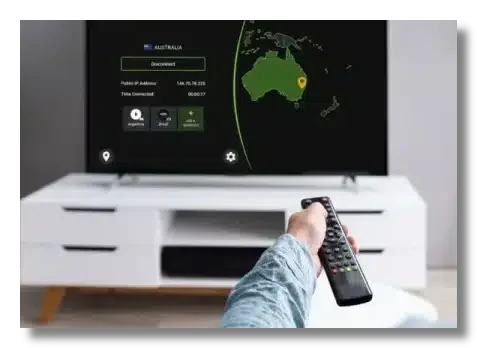
You may ask: Can I watch Xuper TV in Argentina without a VPN? Technically, sometimes yes. But here’s what may happen in curent Argentina:
1. Immediate Access Block
Your connection may be denied instantly based on your Argentine IP address.
2. Account Warning
Some users report account restriction messages tied to geographic policy limits.
3. Slower Speeds
ISP throttling can reduce streaming quality, causing buffering or lower resolution.
4. Privacy Exposure
Without a VPN, your real IP address is visible to:
-
Your ISP
-
The streaming platform
-
Third-party trackers (if present)
This increases both privacy risk and potential service interruption.
5. Inconsistent Availability
Access may work one day and fail the next, depending on enforcement levels.
How to Watch Xuper TV in Argentina in 2026?

Here is a simple step-by-step guide if you want stable Xuper TV access.
Step 1: Choose a Reliable VPN for Xuper TV
Select a VPN with:
-
Multiple international servers
-
Strong encryption
-
Stable streaming performance
-
Android and APK compatibility
For example, a service like UFO VPN offers 2000+ global server coverage, fast connection speeds, and dedicated support for Android and APK-based streaming apps, which makes it suitable for users trying to access Xuper TV in Argentina.
Avoid extremely limited free VPNs that:
-
Offer very few servers
-
Have strict bandwidth caps
-
Leak IP addresses
Step 2: Install the VPN
If you’re on Android, you can get UFO VPN following the steps below:


UFO VPN is an all-in-one VPN that offers unlimited access to 4K streaming like Netlfix, Disney Plus, no-ping gaming as PUBG, Roblox, CODM and social networking for YouTube, X, Facebook and more.




Unlock Pro Features
If you have upgraded to premium plan , feel free to enjoy premium servers for 4K streaming and advanced features like Kill Switch, Split Tunneling, and gaming acceleration. Your Mac is now fully optimized and protected. Inaddition to basic functions, we recommend you turn on

Verify Your IP Now
Use UFO VPN's " What is My IP " feature to see your new IP and location. This confirms your connection is secure, anonymous, and ready for safe browsing online anywhere at any time.







If you’re on Firestick or Android TV, install the APK version manually.
Step 3: Connect to a Supported Region
Open the VPN and connect to a country where Xuper TV access is not restricted.
Common working regions may include:
-
United States
-
Mexico
-
Spain
-
Other Latin American regions (depending on current status)
Wait until the VPN confirms connection.
Step 4: Clear App Cache
Before opening Xuper TV:
-
Go to App Settings
-
Clear cache
-
Force stop the app
This removes location memory from previous sessions.
Step 5: Open Xuper TV
Now launch the app again.
In many cases:
-
The login error disappears.
-
Streaming works normally.
-
Account region warnings stop showing.
That’s essentially how to watch Xuper TV in Argentina safely in 2026.
Best VPN for Xuper TV in Argentina in 2026
When choosing the best VPN for Xuper TV in Argentina, focus on performance and reliability rather than just price.
You need:
-
Fast streaming speeds
-
Low latency
-
No DNS leaks
-
Multiple backup servers
Some VPNs offer optimized streaming nodes designed to bypass ISP restrictions more effectively. For example, solutions like UFO VPN provide:
-
One-tap connection
-
Stable global servers
-
Compatibility with Android APK streaming apps
To help you compare options more clearly, here’s a quick overview of several VPNs that are commonly used for streaming access in Argentina:
| VPN Provider | Streaming Performance | Server Coverage | Android / APK Support | Free Version | Best For | Rating |
|---|---|---|---|---|---|---|
| UFO VPN | Stable HD streaming, optimized nodes | 50+ countries | Full Android + APK compatible | Limited free plan | Easy setup & casual streaming |
|
| NordVPN | Very fast, strong unblocking ability | 60+ countries | Android, TV, manual APK | No free plan | High-speed & advanced users |
|
| Surfshark | Good for streaming & multi-device use | 100+ countries | Android, Firestick, APK | No free plan | Budget-friendly multi-device use |
|
| Proton VPN | Moderate speed (free plan slower) | 60+ countries | Android supported | Yes (limited servers) | Privacy-focused users |
The key is consistency. A VPN that connects but constantly disconnects won’t help.
Always test:
-
Different server locations
-
Different protocols
-
Speed before launching the stream
Is Xuper TV Safe & Legal to Watch?
This is an important question before you watch Xuper TV in Argentina
For Safety
From a technical perspective:
-
APK downloads from unofficial sites can contain malware.
-
Some clones imitate the real app.
-
Your IP and browsing activity may be exposed without encryption.
If you choose to use it:
-
Download only from trusted sources.
-
Keep your device updated.
-
Use protection against suspicious traffic.
For Legality
The legality of Xuper TV depends on:
-
The content it streams
-
Licensing agreements
-
Local copyright enforcement laws
In Argentina, authorities have increased efforts to combat unlicensed content distribution. That doesn’t always mean individual users are targeted, but platforms themselves may face enforcement.
If you prefer a completely risk-free option, licensed streaming services remain the safest route.
To reduce potential risks, keep these practical guidelines in mind:
Do verify the download source before installing any APK file.
Do use a secure internet connection to protect your IP and browsing activity.
Do keep your streaming app updated to avoid compatibility errors.
Do check local regulations if you are unsure about content legality.
Do consider legal alternatives if stability and compliance matter to you.
Don’t download modified or “premium unlocked” versions from unknown websites.
Don’t share your account credentials on forums or unofficial groups.
Don’t ignore security warnings from your device or antivirus software.
Don’t assume availability today guarantees access tomorrow, as regional policies can change.
Don’t rely on unstable free tools that may expose your real IP or data.
Bonus: Best Apps to Replace Xuper TV
If Xuper TV stops working entirely, here are some alternatives to consider.
1. Pluto TV
-
Free and legal
-
Ad-supported
-
Offers live channels and movies
Available in multiple regions including Latin America.
2. Tubi TV
-
Large free library
-
Legal streaming
-
No subscription required
Content varies by region.
3. Plex
-
Free streaming section
-
Live channels
-
Option to organize personal media
These alternatives are fully licensed and reduce legal uncertainty.
Final Thoughts
If you’re searching for how to watch Xuper TV in Argentina in 2026, the main issue usually comes down to regional restrictions or ISP filtering. Using a stable VPN can help restore access, improve privacy, and prevent account errors. However, always consider safety and legality before streaming. Whether you choose to unblock Xuper TV or switch to licensed alternatives, staying informed is the smartest move.
FAQs
Why does Xuper TV say my account cannot be used in my area?
This usually happens because your IP address is detected as being in a restricted region. Some ISPs in Argentina may also apply filtering policies that block certain streaming platforms. Changing your connection location often resolves this issue.
Can I watch Xuper TV in Argentina without a VPN?
In some cases, yes — but access may be unstable or inconsistent. Depending on your internet provider, the platform could load slowly, show errors, or stop working entirely. Many users searching how to watch Xuper TV in Argentina use a VPN for more reliable access.
Which country should I connect to with a VPN?
If Xuper TV is not working in Argentina, try connecting to regions where restrictions are less likely, such as the United States, Mexico, or Spain. The best option may vary over time, so testing a few nearby servers is recommended. Choose a location that provides stable speed and low latency.
Is using a VPN legal in Argentina?
Yes, VPN usage itself is legal in Argentina. However, the legality of streaming content depends on licensing agreements and local copyright laws. Always stay informed about regional regulations.
What if Xuper TV still doesn’t work after connecting to a VPN?
Try clearing the app cache, switching to a different server, or restarting your device. If the issue continues, update or reinstall the latest APK version. Sometimes outdated app versions cause access errors rather than regional restrictions.