Why Look for AirTag Alternatives?
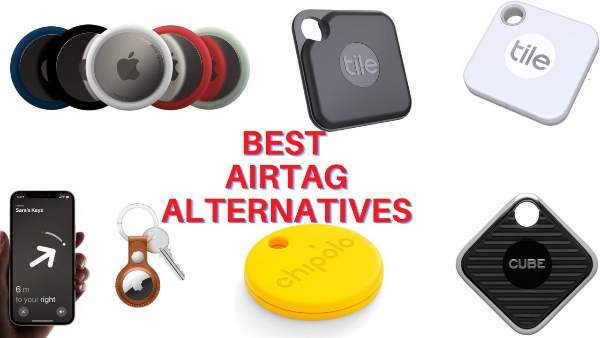
While AirTags offer great functionality, they are not without limitations. Here are some reasons why you might consider alternatives:
-
Platform Compatibility: AirTags are specifically designed for Apple devices. For Android users, the experience can be less seamless.
-
Cost: At around $29 per AirTag, some users may prefer more affordable tracking devices.
-
Privacy Concerns: Despite improvements in security, there have been concerns about AirTags being used for stalking or unauthorized tracking.
With these considerations in mind, it’s important to explore alternatives that may offer better value or more features.
What to Look for in an AirTag Alternative
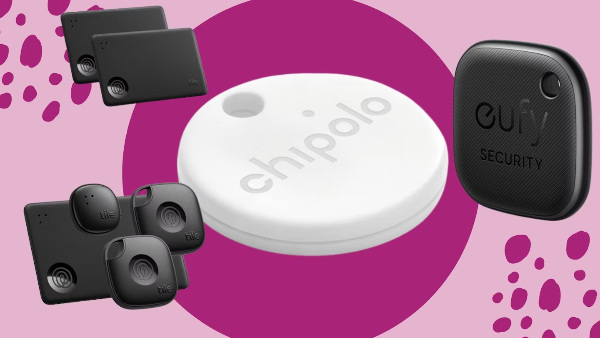
Before diving into the best alternatives, it's important to know what to look for in a tracking device. Here are the key features you should consider:
-
Tracking Technology: Different trackers use Bluetooth, GPS, or even cellular networks to track your items. Bluetooth trackers, like AirTags, rely on nearby devices to relay location data.
-
Battery Life: Look for a device with long-lasting battery life. The longer the battery, the less maintenance required.
-
Compatibility: Ensure the tracker works with both your phone and the apps you use.
-
Privacy and Security: Some trackers come with additional security features to protect against misuse, such as notifications when an unknown tracker is nearby.
These factors will help guide your decision when selecting the best tracking device for your needs.
Top AirTag Alternatives
Here are some of the best AirTag alternatives currently available for both iPhone and Android users:
1. Tile Pro
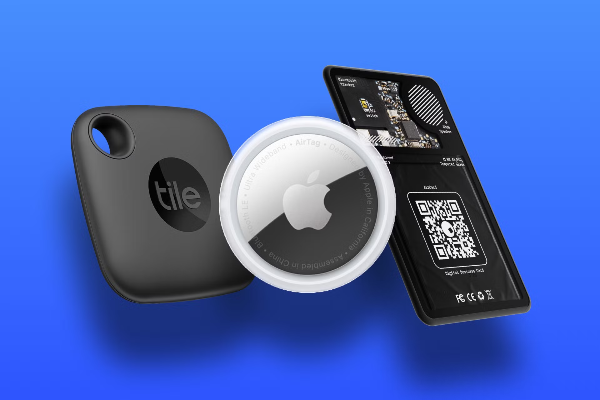
Tile is one of the most popular Bluetooth tracking devices and has been around for years. The Tile Pro is a reliable alternative to AirTags, offering a long Bluetooth range and strong app support.
-
Features:
-
400 ft Bluetooth range
-
Replaceable battery
-
Works with both Android and iOS devices
-
Easy integration with Amazon Alexa and Google Assistant
-
-
Why It’s Great: Tile Pro has a strong, long-lasting design and is ideal for tracking items like keys, bags, or backpacks. With its wider compatibility and long range, Tile is a perfect option for both iPhone and Android users.
2. Chipolo ONE
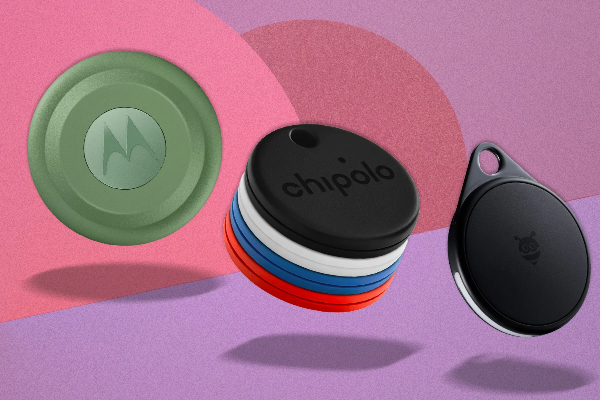
Chipolo offers a range of trackers, and the Chipolo ONE is an affordable and effective alternative to AirTags.
-
Features:
-
200 ft Bluetooth range
-
Works with iOS and Android
-
2-year battery life
-
Customizable sound alerts for locating items
-
-
Why It’s Great: Chipolo ONE offers a solid range of features and a lower price point than AirTags, making it an attractive option for those looking to track smaller items, such as wallets or bags. The app also sends notifications if you leave your items behind.
3. Tracki GPS Tracker
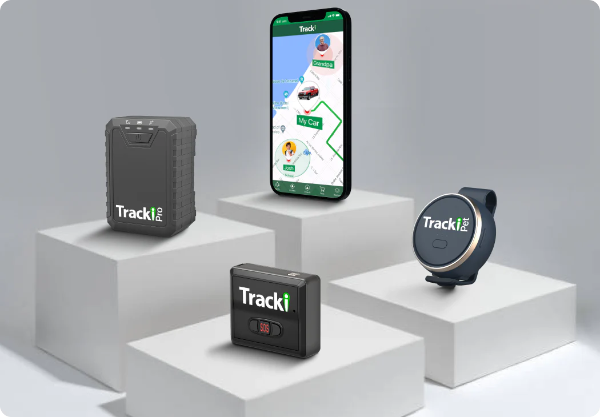
Unlike AirTags, Tracki GPS Tracker uses a GPS network to provide real-time tracking.
-
Features:
-
Real-time GPS tracking via cellular network
-
Global coverage
-
Battery life of up to 5 days (depending on usage)
-
Geofencing and alerts
-
-
Why It’s Great: Tracki offers a more advanced solution with real-time tracking across larger distances. If you need to track vehicles or larger assets, Tracki provides more flexibility and global coverage compared to Bluetooth-based trackers.
4. Samsung Galaxy SmartTag+
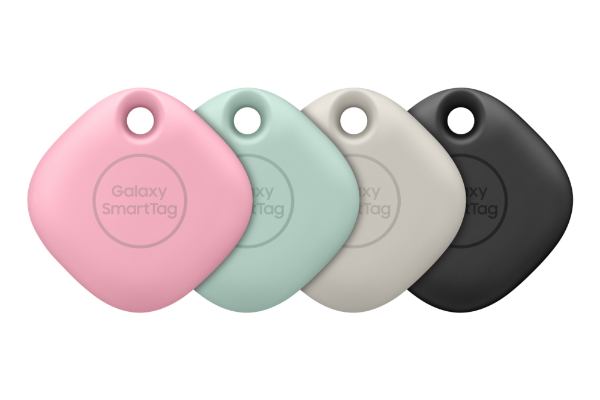
For Samsung users, the Galaxy SmartTag+ is an excellent alternative to Apple’s AirTag, especially since it integrates with the Samsung SmartThings ecosystem.
-
Features:
-
Works with Samsung SmartThings
-
Ultra-wideband (UWB) technology
-
130m range
-
Compatible with Android devices
-
-
Why It’s Great: Galaxy SmartTag+ offers enhanced precision tracking using UWB, a feature found in newer Samsung devices. It’s a great choice for users looking for an alternative in the Samsung ecosystem.
5. Cube Tracker
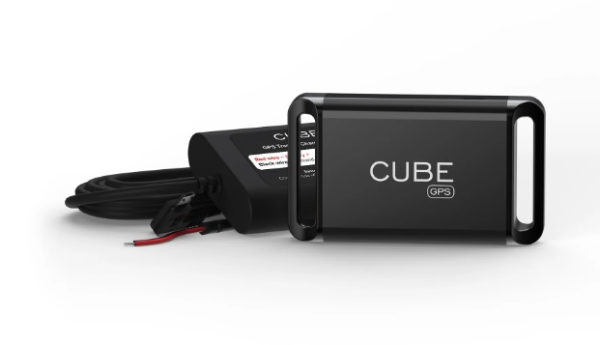
The Cube Tracker offers a solid range of features for an affordable price, and it is available in multiple colors, making it a fun and functional alternative.
-
Features:
-
200 ft Bluetooth range
-
Replaceable battery
-
Works with both iOS and Android
-
Attach to a variety of items (keys, bags, pets)
-
-
Why It’s Great: Cube Tracker is lightweight, affordable, and offers a solid performance for daily item tracking. Its simple design and user-friendly app make it an excellent choice for casual users.
How VPN Can Help Secure Your Devices
While tracking your belongings is essential, it’s equally important to secure the information associated with your devices. A free proxy VPN in UFO VPN can help protect your privacy and data in the following ways:
-
Encrypt Your Connection: UFO VPN encrypts your internet traffic, preventing hackers from intercepting sensitive data as you track or manage your devices online.
-
Bypass Geo-Restrictions: If you're trying to access tracking data or use certain services in regions with restrictions, UFO VPN allows you to bypass these geo-blocks by masking your real location.
-
Prevent Tracking: With UFO VPN, your real IP address is hidden, reducing the risk of your online activities being tracked by malicious actors.
Using UFO VPN alongside your tracking device can ensure both the physical and digital security of your personal items.
🧡4 Steps: Go with UFO VPN


UFO VPN is an all-in-one VPN that offers unlimited access to 4K streaming like Netlfix, Disney Plus, no-ping gaming as PUBG, Roblox, CODM and social networking for YouTube, X, Facebook and more.




Unlock Pro Features
If you have upgraded to premium plan , feel free to enjoy premium servers for 4K streaming and advanced features like Kill Switch, Split Tunneling, and gaming acceleration. Your Mac is now fully optimized and protected. Inaddition to basic functions, we recommend you turn on

Verify Your IP Now
Use UFO VPN's " What is My IP " feature to see your new IP and location. This confirms your connection is secure, anonymous, and ready for safe browsing online anywhere at any time.







FAQs
Can I use these trackers without a smartphone?
Most of these trackers require a smartphone to pair and manage the devices. However, Tracki GPS can be used without a smartphone through its web interface, making it ideal for large-scale tracking.
Are Tile trackers compatible with iPhones?
Yes, Tile trackers work with both iOS and Android devices. Tile offers a seamless experience across platforms, allowing you to track your items easily.
How does UFO VPN help with tracking devices?
UFO VPN ensures your device's online communication remains private by encrypting your data and masking your IP address, protecting your personal information while you track your belongings.
Can I use multiple tracking devices?
Yes, you can use multiple trackers from different brands like Tile, Chipolo, or Tracki on various items, providing flexibility to track everything from keys to pets.