Why BBC iPlayer Blocks VPN?
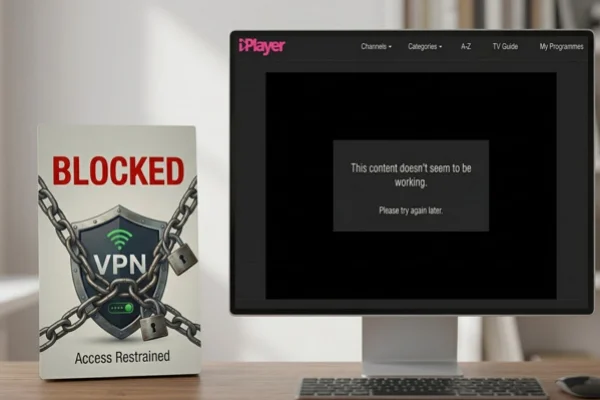
The BBC licenses most of its content only for viewers located in the United Kingdom. Because of this, the platform checks users’ locations before allowing them to stream. If something looks unusual, the service may block the connection.
Here are some common reasons why BBC iPlayer VPN free users are blocked.
1. Your IP address is not located in the UK: BBC iPlayer checks the IP address of every visitor. If the address belongs to another country, the system immediately blocks playback. This is the most basic filter used by the platform. (Use a UK VPN free to get a virtual UK IP address)
2. The VPN server is on a blocked list: Streaming services maintain large databases of known VPN server IP addresses. If your VPN connects through one of these servers, the site can recognize it and deny access.
3. Multiple users share the same VPN IP address: VPN providers often assign one IP address to hundreds or thousands of users. When the system sees many connections from the same address, it may flag the server as a VPN node.
4. Your device location does not match the IP address: Some devices provide GPS or system location data. If your device reports a location outside the UK while your IP address appears to be in the UK, the platform may detect the mismatch.
5. DNS requests reveal your real location: Even if your IP address is changed by a VPN, your DNS queries may still go through your local internet provider. This can expose your real country and trigger a block.
6. Browser cookies reveal previous location data: Websites store small files called cookies in your browser. These files sometimes contain regional information from previous visits. If BBC iPlayer sees cookies linked to another country, it may reject the connection.
7. WebRTC leaks your original IP address: Some browsers support WebRTC technology for real-time communication. In certain cases, this feature can reveal your actual IP address even while a VPN is active.
8. Your VPN server is overloaded: If a server is heavily used, connection patterns may become abnormal. Streaming services sometimes block such servers because they resemble automated traffic.
How BBC iPlayer Detects VPN?
The technology the BBC uses is quite smart. They don't just look at your IP address; they look at the "fingerprint" of your connection.
First, they use massive databases that list every known VPN and proxy server in existence. If your connection matches a number on that list, you are out. Second, they use "Deep Packet Inspection." This is a way of looking at the data packets you send to see if they look like they have been encrypted by a VPN tunnel. They also look for "Geo-IP" mismatches.
If your IP says you are in Manchester but your computer's clock is set to Tokyo time, the BBC's system flags this as suspicious behavior and cuts the stream. This is why a basic, cheap VPN rarely works—it doesn't have the tools to hide these tiny technical clues.
A Reliable VPN That Is Still Working with BBC iPlayer
If you want to watch the BBC without seeing that error message every five minutes, you need a VPN that stays one step ahead. A good VPN for this task needs a few specific features.
It must have hundreds of different UK servers so that if one gets blocked, you have others to choose from. It also needs "obfuscation" technology, which makes VPN data look like normal, everyday internet traffic.
UFO VPN fits this description perfectly. It is designed with high-speed streaming in mind and offers several features that help it bypass the BBC's tough filters:
-
Dedicated Streaming Servers: It has specific nodes optimized just for UK streaming services.
-
Fast Speeds: You won't have to deal with the spinning circle of death (buffering) while trying to watch in HD.
-
Automatic Kill Switch: If the VPN connection drops for a second, it cuts your internet, so the BBC never sees your real location.
-
Frequent IP Updates: They cycle through new IP addresses constantly, making it very hard for the BBC to keep its blacklist updated.
With just a few simple steps, you can quickly install and use this efficient tool on various devices:


UFO VPN is an all-in-one VPN that offers unlimited access to 4K streaming like Netlfix, Disney Plus, no-ping gaming as PUBG, Roblox, CODM and social networking for YouTube, X, Facebook and more.




Unlock Pro Features
If you have upgraded to premium plan , feel free to enjoy premium servers for 4K streaming and advanced features like Kill Switch, Split Tunneling, and gaming acceleration. Your Mac is now fully optimized and protected. Inaddition to basic functions, we recommend you turn on

Verify Your IP Now
Use UFO VPN's " What is My IP " feature to see your new IP and location. This confirms your connection is secure, anonymous, and ready for safe browsing online anywhere at any time.







10 Solutions to BBC iPlayer Not Working with VPN
If you are seeing that dreaded error message, don't panic. Try these ten methods in order, and one of them will almost certainly get you back into the stream.
Method 1: Switch to a Different UK Server
This is the oldest trick in the book because it works. If the BBC has blocked the specific IP address you are using, simply disconnect your VPN and pick a different UK city or server number. Most VPNs have multiple options in London, Manchester, or Glasgow. Keep trying different ones until you find a "clean" IP that hasn't been flagged yet.
Method 2: Clear Your Browser Cookies and Cache
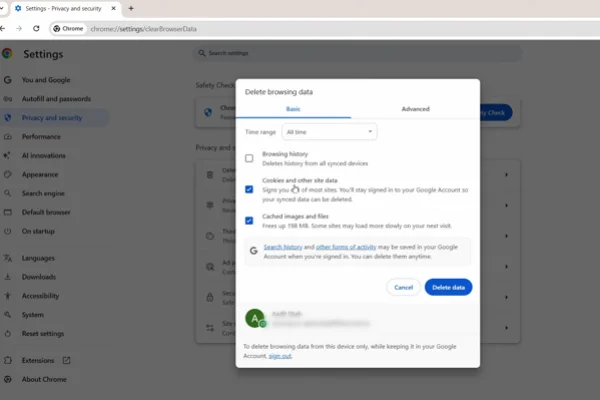
Your browser is like a diary; it remembers everywhere you have been. Even with a VPN on, the BBC can read your old cookies and see your real location from your last visit.
Go into your browser settings (Chrome, Safari, or Firefox), find the "Privacy" or "History" section, and clear your cookies and cached images. Close your browser entirely, restart the VPN, and try again.
Method 3: Check for DNS Leaks
A DNS leak is a silent killer for streaming. You think you are hidden, but your computer is leaking your real location. You can go to a site like dnsleaktest.com while your VPN is on.
If you see your real country's flag or your real ISP's name on that list, your VPN is leaking. Then you should enter your VPN settings and make sure "DNS Leak Protection" is turned on.
Method 4: Change Your VPN Protocol
VPNs use different "languages" to send data, called protocols. Some are faster, and some are more "stealthy." If you are using "WireGuard" and it isn't working, try switching to "OpenVPN" or "IKEv2" in your VPN app's settings. Sometimes the BBC's filters are better at catching one protocol than another.
Method 5: Use Incognito or Private Browsing Mode
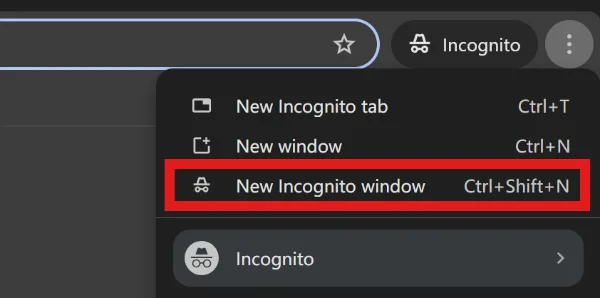
Opening a "New Incognito Window" is a quick way to browse without any of your old data interfering. It creates a clean slate where no cookies or history are active. This is often the fastest way to check if your main browser settings are the reason the BBC is blocking you.
Method 6: Disable Mobile Location Services (GPS)
If you are watching on an iPhone, Android, or iPad, the BBC iPlayer app will ask for permission to see your location. If you say yes, it uses your GPS, which a VPN cannot change.
To disable your GPS, you can enter the phone settings and find the BBC iPlayer app, and set location permissions to "Never." It is usually better to watch through a mobile browser instead of the official app if the app keeps blocking you.
Method 7: Update Your VPN Software
VPN companies are constantly playing a game of cat and mouse with the BBC. When the BBC finds a new way to block them, the VPN company releases an update with a fix. If you haven't updated your VPN app in a few weeks, you might be using an old version that the BBC has already figured out how to block.
Method 8: Restart Your Device and Router
It sounds like tech support 101, but a simple restart can clear out old network settings that are stuck. Turn off your laptop and your internet router for about 30 seconds. When everything comes back online, the connection will be fresh, and any temporary IP conflicts might be resolved.
Method 9: Try a Different Browser
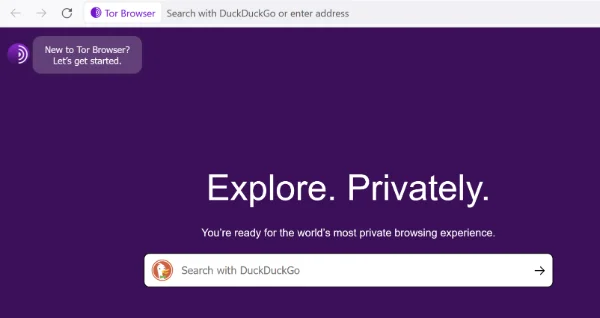
Sometimes a specific browser has security features that clash with a VPN. If Chrome isn't working, try Tor browser, Firefox or Microsoft Edge. Some browsers are "leakier" than others. Brave Browser, for example, has very strong privacy tools that can help keep your real location hidden from the BBC's detection scripts.
Method 10: Use a Dedicated IP Address
Some VPN providers, like UFO VPN, offer "Dedicated IPs." This means you get a UK IP address that only you use. Since you aren't sharing it with thousands of other people, the BBC won't see the massive traffic spikes that usually tip them off to a VPN. It looks just like a regular person sitting in a house in London.
Pro Tips for a Better BBC iPlayer Streaming Experience
Once you have your VPN up and running, there are a few extra steps you can take to make sure your video quality is perfect, and your connection never drops. Use these expert tips to get the most out of your BBC iPlayer setup:
✅ Use a Valid UK Postcode for Your Account
When you sign up for a BBC account, the website will ask you for a UK postcode. You don't need to live there, but the site uses this to determine which local news and weather you see. You can easily find a real UK postcode online (like "W1A 1AA" for the BBC's own headquarters) to ensure your account looks legitimate and works correctly.
✅ Say "Yes" to the TV License Prompt
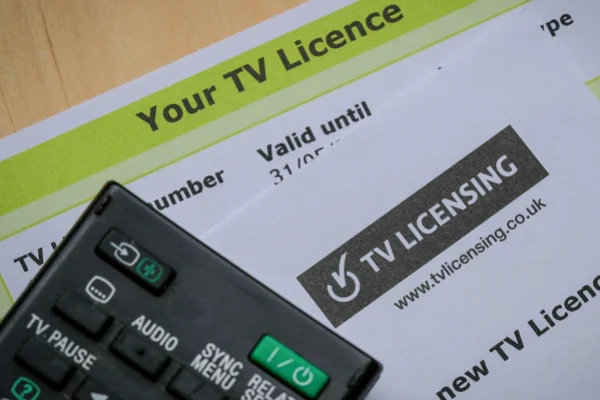
Whenever you start a video on iPlayer, a pop-up will ask if you have a UK TV license. There is no complex verification process or "log-in" for a license number. You simply click the button that says "I have a TV license. Watch now." As long as your VPN is active and your IP address looks like it's in the UK, the video will start immediately.
✅ Stick to Ethernet for 4K Content
BBC iPlayer offers a lot of content in "Ultra HD" or 4K. Because a VPN adds an extra layer of encryption, it can slightly slow down your speeds.
If you experience any lagging or the picture looks blurry, try plugging your computer directly into your router with an Ethernet cable. A wired connection is much more stable than Wi-Fi and handles the high data needs of 4K streaming much better.
✅ Keep Your VPN "Kill Switch" Active
This is the most important security setting. If your Wi-Fi flickers and the VPN disconnects for even one second, your computer will immediately reveal your real, non-UK IP address to the BBC. If the BBC sees this "jump" from London to your real location, they will flag your account session. A Kill Switch prevents this by cutting your internet entirely until the VPN is safely reconnected.
✅ Match Your Device Time Zone to London
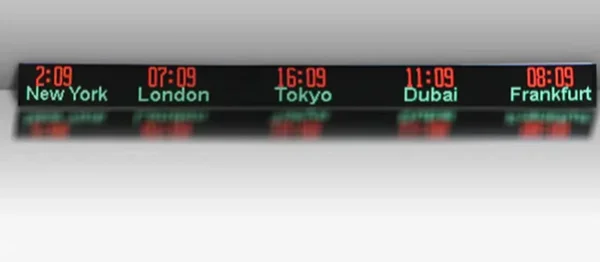
Websites can see what time your computer's clock is set to. If your IP address says you are in the UK but your clock is set to New York or Dubai time, the BBC's security scripts will flag the mismatch. Before you start streaming, manually change your computer or phone's time zone to "GMT" or "London Time." This small detail makes your connection look much more natural.
✅ Try the "Media Streamer" or "Smart DNS" for Smart TVs
If you want to watch on a big screen but your TV doesn't support VPN apps, look for a feature called "Smart DNS" in your UFO VPN settings. It allows you to change the DNS settings on your LG or Samsung TV directly. It doesn't encrypt your data like a full VPN, but it tricks the BBC into thinking the TV is in the UK, which is often enough for a fast, high-quality stream.
Conclusion
Streaming restrictions exist because broadcasters must follow licensing agreements for television programs. This is why platforms like BBC iPlayer regularly update their systems to detect VPN traffic.
Users who want to maintain access usually need a VPN provider that updates its servers often and offers multiple UK IP addresses. With the right tools and a few simple adjustments, it is still possible to connect and stream programs without constant error messages.
FAQs
Do I need a UK account to watch BBC iPlayer?
Yes. BBC iPlayer requires users to sign in with a BBC account. During registration, the platform asks for a UK postcode.
What does the "This content is not available in your location" mean?
This message usually appears when the platform detects an IP address outside the UK or identifies the connection as a VPN server.
Can mobile devices use a VPN with BBC iPlayer?
Yes. VPN applications are available for smartphones and tablets. However, device location services may need to be turned off to avoid location conflicts.
Does internet speed affect BBC iPlayer streaming with a VPN?
Yes. Video streaming requires stable bandwidth. If the VPN server is slow or far away, you may experience buffering or lower video quality.
Is it safe to use a VPN while streaming?
Using a VPN encrypts your internet traffic and hides your IP address from websites and internet providers. This can improve privacy while browsing or streaming online.