What IoT Actually Means
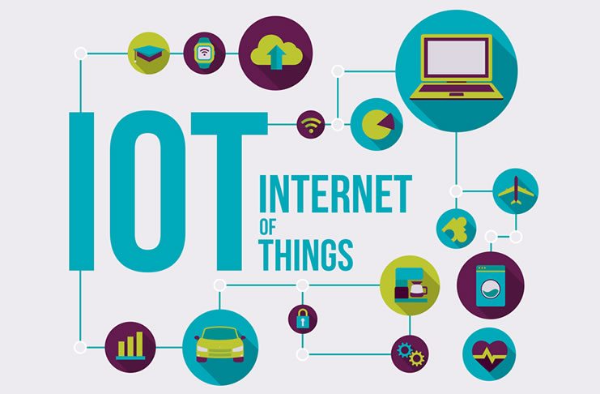
The Internet of Things (IoT) connects physical devices—sensors, cameras, thermostats, wearables, vehicles—to the internet so they can collect data and act on it. Think doorbells that stream video to your phone, industrial sensors that predict machine failures, or city lights that dim automatically after midnight. Understanding this foundation clarifies where the benefits of IoT come from: real-time data plus automation that cuts waste, time, and cost.
Key ideas:
-
Sensing: Devices sample temperature, motion, vibration, position, energy use.
-
Connectivity: Wi-Fi, Ethernet, cellular (4G/5G), LPWAN (LoRaWAN, NB-IoT), Bluetooth.
-
Intelligence: Edge processing or cloud analytics trigger alerts, rules, and actions.
-
Control: Apps, dashboards, or APIs adjust devices remotely.
Key Benefits of IoT for Work and Home
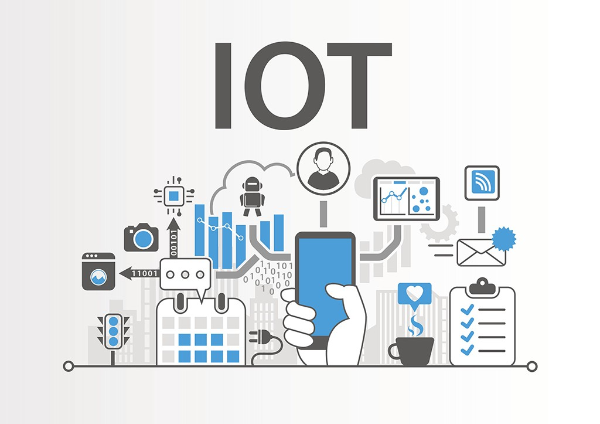
This is where the benefits of IoT turn into day-to-day wins you can observe and measure.
-
Efficiency & automation
-
Automate climate control, lighting, and equipment schedules.
-
Reduce manual checks with sensors that alert you to exceptions.
-
Top IoT advantages: fewer human errors, faster reactions, lower labor cost.
-
-
Predictive maintenance & uptime
-
Vibration and temperature sensors on machines forecast failures.
-
Swap “fix after it breaks” for “fix before it fails,” shrinking downtime.
-
-
Energy savings & sustainability
-
Smart meters and plugs reveal waste; schedules and occupancy rules cut kWh.
-
The benefits of IoT in sustainability include emissions reductions and lower bills.
-
-
Safety & loss prevention
-
Cameras, door/window sensors, and leak detectors notify you instantly.
-
Industrial IoT applications include gas detection and zone safety alerts.
-
-
Better customer experience
-
Retail beacons, kiosks, and smart shelves keep inventory accurate and experiences consistent.
-
Wearables and trackers speed service and shorten lines.
-
-
Data-driven decisions
-
Dashboards show trends (usage, dwell time, cycle count) so teams invest where results are proven.
-
In short: the benefits of IoT come from timely data + automation—no guesswork.
Real-World IoT Applications
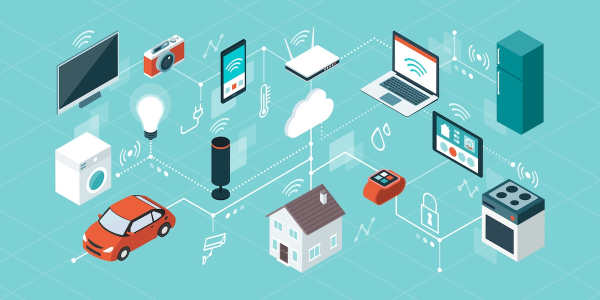
Seeing IoT applications in context helps you plan deployments with clear outcomes.
Smart home
-
Thermostats, plugs, lighting, cameras, doorbells, robot vacuums.
-
Practical benefits of IoT in smart homes: comfort, energy savings, better visibility when away.
Small business & offices
-
Smart locks and access logs, occupancy sensors for meeting rooms, printer/asset trackers.
-
SMBs see benefits of IoT in inventory accuracy, reduced shrink, and simplified facility management.
Industrial & logistics
-
Condition monitoring for motors/pumps, telematics for fleets, pallet and container trackers.
-
Benefits of IoT for businesses: fewer breakdowns, on-time shipments, lower fuel and maintenance costs.
Healthcare & fitness
-
Remote patient monitoring, medication reminders, fitness wearables.
-
Benefits of IoT in healthcare include early interventions and better adherence.
Smart cities & utilities
-
Lighting that dims on empty streets, waste bins that signal pickup, water networks that detect leaks.
-
Benefits of IoT in cities: safer streets, lower operating costs, less waste.
As 5G matures and chips sip even less power, the benefits of IoT expand to more locations and longer battery life.
Risks and Trade-Offs You Should Plan For
The benefits of IoT are real, but so are the trade-offs. Planning for them is part of good IoT security.
-
Weak defaults & unpatched firmware: Many devices ship with default passwords or slow updates.
-
Shadow devices: Unknown gadgets appear on Wi-Fi (visitors, contractors, smart TVs).
-
Data exposure: Streams and telemetry can reveal routines or sensitive operations.
-
Supply-chain risk: Cheap clones or abandoned brands stop updating early.
-
Complexity: Dozens of devices mean more points of failure without a clear management plan.
Understanding the benefits of IoT also means facing risks—and adopting the controls below so advantages outweigh exposure.
Security Playbook: Make IoT Safer and Faster
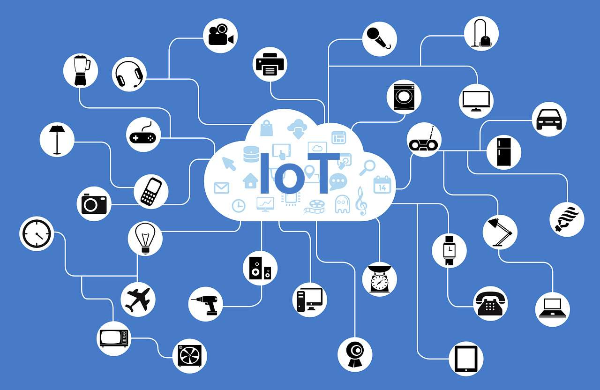
To unlock the benefits of IoT securely, implement these basics from day one. They’re boring—and they work.
-
Segment your network
-
Create a separate SSID/VLAN for IoT. Keep laptops/phones on a different network.
-
Disable lateral discovery between segments so a compromised camera can’t reach your workstation.
-
-
Strong identity & updates
-
Change default passwords; use a manager to store unique credentials.
-
Turn on automatic firmware updates where possible; schedule periodic checks otherwise.
-
-
Least privilege & logging
-
Grant apps the minimum rights they need; revoke old integrations.
-
Enable device and router logs; review new devices weekly.
-
-
Encrypt traffic & admin sessions
-
Prefer devices that support TLS for cloud links and HTTPS for local panels.
-
If remote access is required, avoid port-forwarding straight to devices.
-
-
Use VPN where it actually helps
-
Many devices don’t support VPN clients natively, but the benefits of IoT still improve when you secure the surrounding path:
-
On your phone/laptop: Use free proxy VPN in UFO VPN when you administer devices or view cameras on public Wi-Fi.
-
Router-level protection (where supported): Some routers support a VPN tunnel for an entire SSID/VLAN. That wraps device traffic in encryption as it leaves your home or branch.
-
When traveling: Viewing a doorbell or NVR from a hotel? Connect UFO VPN to the nearest location first to protect sessions from captive-portal snooping and on-path tampering.
-
-
Step 1Download UFO VPN for WindowsGrab the free Windows VPN installer right below. UFO VPN is lightweight and secure on all Windows systems. Double-click the downloaded file and complete the installation. Once installed, launch UFO VPN.
 Step 2Select a VPN ServerInside the app, you can click the "Connect" button for quick connection, or browse the list of servers by Location or categroy: Video& Stream, Game, etc. Choosing the right server ensures fast speeds and smooth access.
UFO VPN is an all-in-one VPN that offers unlimited access to 4K streaming like Netlfix, Disney Plus, no-ping gaming as PUBG, Roblox, CODM and social networking for YouTube, X, Facebook and more.
Step 3Enable Advanced FeaturesIn addition to basic functions, we recommend you turn on extra protections via Ad Blocker and features like Kill Switch, Split Tunneling and Smart Hop. Users can optimize online gaming/streaming/chatting as much as possible. Step 4Check Your New IPUse UFO VPN's built-in " What is My IP" feature to see your new IP address and location. This confirms your VPN is working, hides your real IP, and ensures privacy while browsing.
 Step 1 Download and install UFO VPN for macOSClick the button below to download offcial Mac VPN free. Open the .dmg file, drag UFO VPN to your Applications folder, and launch it. You're just a few clicks away from secure browsing.
 Step 2 Pick Your IP ServerTap "Connect" button for the fastest server automatically. Or you can select a server from the global server list in 100+ countries. UFO VPN is an UFO VPN is an all-in-one VPN or gaming, video streaming, social platforms, and AI tools.
 Step 3
Unlock Pro Features
If you have upgraded to premium plan , feel free to enjoy premium servers for 4K streaming and advanced features like Kill Switch, Split Tunneling, and gaming acceleration. Your Mac is now fully optimized and protected. Inaddition to basic functions, we recommend you turn on
 Step 4
Verify Your IP Now
Use UFO VPN's " What is My IP " feature to see your new IP and location. This confirms your connection is secure, anonymous, and ready for safe browsing online anywhere at any time.
 Step 1 Download and install UFO VPN for iPhone/iPadDownload this free iOS VPN via official link or App Store. Once installed, launch the app to get started. UFO VPN is now trusted by over 2 million users worldwide with optimzed service.
 Step 2 Select a Perfect ServerHit "Connect" button for the fastest server near you instantly. Or you can choose a favorite location/platform from the server list manually for full control. UFO VPN is an all-in-one VPN companion for gaming, streaming, social media, and AI tools.
 Step 3 Lookup IP and Enable Pro FeaturesNow you can check your current IP via built-in IP lookup tool. Pro features in premium plan offer you premium servers, blazing speeds, Kill Switch, Split Tunneling, and Multi-device login, so you can protect your iPhone, iPad, and other Apple devices all at once.
 Step 1 install UFO VPN for AndroidGet free Android VPN from offcial website or Google Play Store. Follow the instructions for easy download. Then open the app and get ready to surf safely.
 Step 2 Choose Your Ideal ServerUFO VPN is an all-in-one powerhouse for gaming, video streaming, social apps, and AI tools. The"Connect" button links you to the fastest server instantly, or you can choose among the server list manually via Location/ Video&Stream/Games for easy access.
 Step 3 Power Up Pro FeaturesPro users can look up current IP via built-in "What Is My IP" feature, and unlock premium features like 4K servers, turbo speeds, Kill Switch, Split Tunneling, and Multi-device login, keeping all your Android phones, tablets, and other devices safe at once.
-
-
Procure better
-
Favor brands with transparent security pages, CVE handling, and long update windows.
-
Test one device first; then scale.
-
Router-level VPN to protect the benefits of IoT devices at home is powerful when available; otherwise, protect admin traffic with UFO VPN on your phone or laptop.
How to Choose and Deploy IoT for Real ROI

Success isn’t random. Tie the benefits of IoT to specific metrics.
1) Start with a measurable problem
-
Example KPIs: energy per square foot, unplanned downtime hours, inventory accuracy, SLA response time.
-
When evaluating vendors, map benefits of IoT to KPIs you already track.
2) Pilot small, then scale
-
Prove the case in one room/line/vehicle. Document baseline vs. after.
-
Measuring benefits of IoT: baseline metrics ensure your rollout is justified.
3) Design for maintenance
-
Pick devices with clear update paths and replaceable batteries.
-
Keep a register (model, MAC, firmware, SSID, VLAN, install date).
4) Plan connectivity and power
-
Wi-Fi for high-bandwidth; LPWAN for long-life sensors; cellular for mobility.
-
Avoid dead spots; consider mesh or repeaters where needed.
5) Prepare for growth
-
New devices will arrive—budget IP ranges, SSIDs, and inventory time.
-
As teams mature, the benefits of IoT expand from quick wins to predictive analytics.
SMBs see benefits of IoT in inventory tracking and loss prevention first; enterprises often start with energy and uptime. Either way, keep the playbook tight and repeatable.
FAQs
What are the benefits of IoT in one sentence?
Timely sensor data plus automation cuts waste, improves uptime, and informs better decisions—those are the core benefits of IoT.
What are typical IoT advantages for a small business?
Lower energy use, better inventory accuracy, fewer missed maintenance windows, and faster customer service—practical IoT advantages with short payback.
Which IoT applications deliver the fastest ROI?
Smart plugs/meters (energy), leak detection (damage avoidance), access control (loss prevention), and machine condition monitoring (uptime) are high-impact IoT applications.
Is a VPN required for IoT security?
Not always. Many devices already encrypt cloud links. Use a VPN (e.g., UFO VPN) to protect admin sessions on public Wi-Fi and, if supported, to tunnel an IoT-only SSID at the router.
How do I stop cheap devices from risking my network?
Segment them on a separate SSID/VLAN, change defaults, disable UPnP, and log traffic. If support is poor, replace the weakest links.