Where Is UEFA Champions League Streamed?
The UEFA Champions League is available through different broadcasters depending on your country. Some regions also have free-to-air coverage for selected matches, while others require a paid subscription.
For the 2026/27 season, UEFA lists official broadcast partners across Europe and other regions. For example, Germany has DAZN, Amazon Prime Video, and ZDF; Ireland has RTÉ and Premier Sports; Belgium has several broadcasters including RTL Belgium and Proximus; and Turkey has TRT.
| Country | Main Broadcasters | Free Viewing | Get an IP |
|---|---|---|---|
| Germany | DAZN, Amazon Prime Video, ZDF | Selected matches/final | |
| Ireland | RTÉ, Premier Sports, Virgin Media | Selected live matches | |
| Turkey | TRT | Selected coverage | |
| Belgium | RTL Belgium, Proximus, Telenet, DPG Media | Depends on broadcaster |
💡 Key Note: Free coverage does not necessarily mean that every Champions League match is available for free. Check the broadcaster's current schedule before the match.
In Ireland, for example, RTÉ has secured free-to-air Champions League rights, including first-pick Wednesday matches and the final from 2027 to 2031.
Why Is a VPN Necessary to Watch the UEFA Champions League?
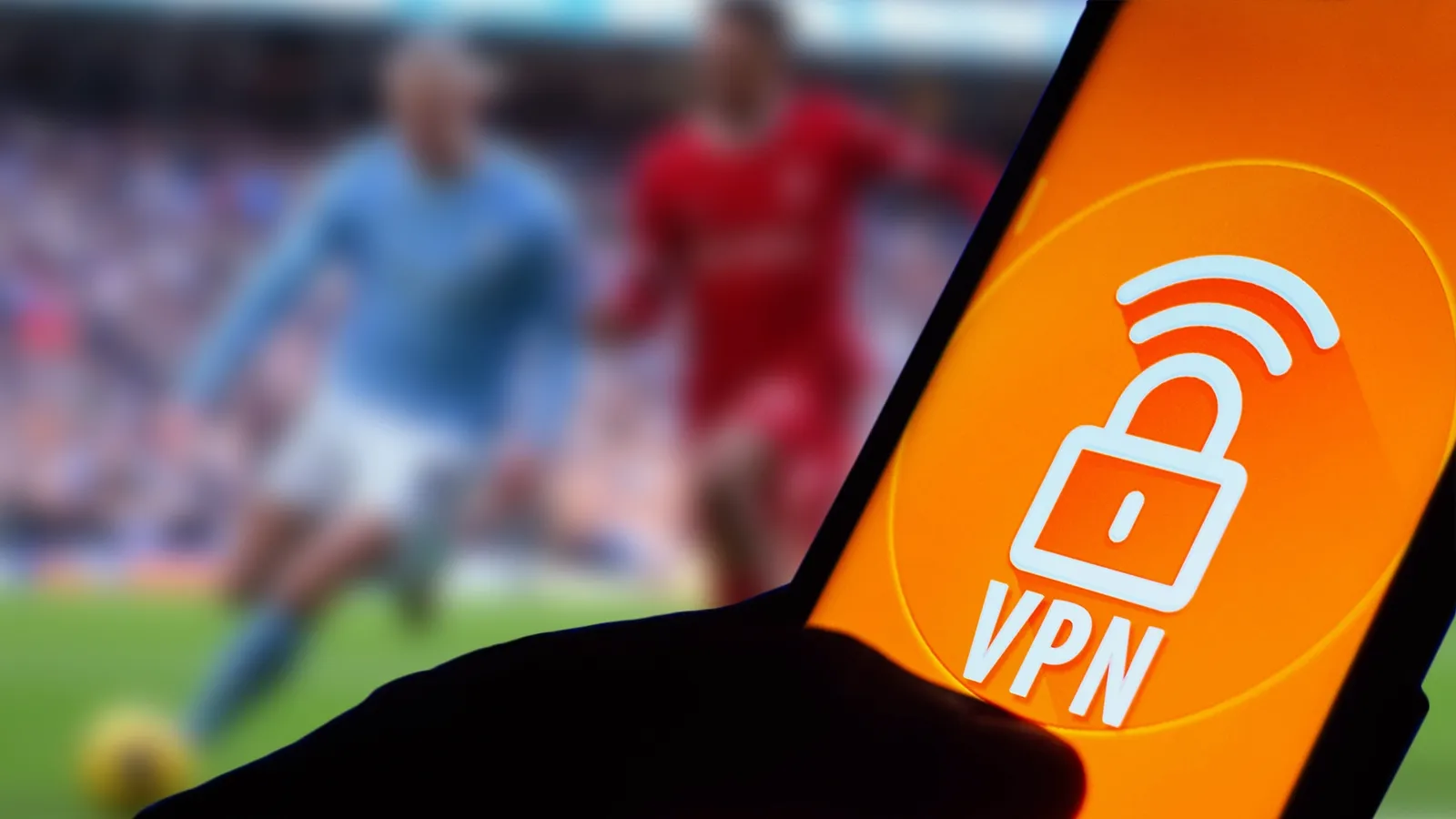
You may not always need a VPN. If the match you want is officially available in your country, the easiest option is to use the local broadcaster.
A VPN can be useful when you are traveling or trying to access a legitimate broadcast that is available in another location.
Here are the main reasons you may want to use one:
- Bypass location restrictions: A VPN can give you an IP address from another country, which may allow you to access a regional service that you are normally unable to reach.
- Keep your connection private: A VPN encrypts your internet traffic, which can add an extra layer of privacy when you stream.
- Use your usual services while traveling: Some streaming platforms may work differently when you leave your home country.
- Avoid confusing regional blocks: A match may be available in one country but unavailable in another because broadcasting rights differ.
- Reduce connection-related issues: A reliable VPN can sometimes help when your ISP or network has routing problems.
For a simple way to change your virtual location, you can try UFO VPN. Choose a suitable server, connect, and then reopen the streaming service to check whether the regional restriction has changed.


UFO VPN is an all-in-one VPN that offers unlimited access to 4K streaming like Netlfix, Disney Plus, no-ping gaming as PUBG, Roblox, CODM and social networking for YouTube, X, Facebook and more.




Unlock Pro Features
If you have upgraded to premium plan , feel free to enjoy premium servers for 4K streaming and advanced features like Kill Switch, Split Tunneling, and gaming acceleration. Your Mac is now fully optimized and protected. Inaddition to basic functions, we recommend you turn on

Verify Your IP Now
Use UFO VPN's " What is My IP " feature to see your new IP and location. This confirms your connection is secure, anonymous, and ready for safe browsing online anywhere at any time.







How Do You Avoid an IP Ban When Streaming?
A VPN can change your IP address, but that does not guarantee that every streaming platform will accept the connection. Some services actively detect VPN traffic. If you run into an IP ban or connection issue, try these practical steps.
1. Don't Keep Switching Servers Too Quickly
If one server does not work, give it a moment before switching repeatedly. Constantly changing IP addresses can sometimes trigger additional security checks. Try staying connected to one server for a while before deciding whether you need another one.
2. Use a Stable Server
Choose a server with a strong connection instead of simply picking the first available option. A stable IP can provide a smoother streaming experience.
💡 Key Steps:
- Choose a server in the country where the streaming service is officially available.
- Check the connection quality before starting the stream.
- Stay connected to the same server while watching.
- If the connection is slow or blocked, switch to another reliable server.
3. Clear Your Browser Data
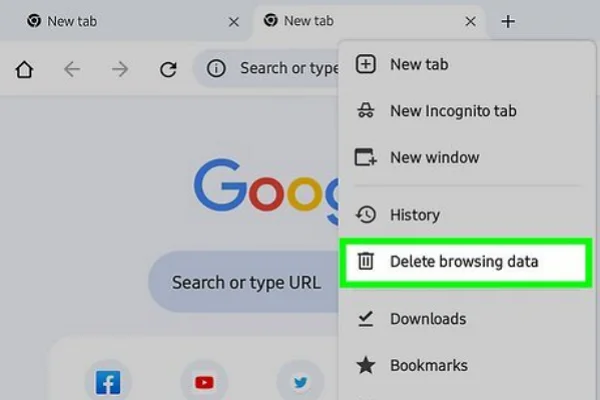
If the streaming platform still shows your old location, your browser may have stored cookies or cached data from your previous connection. Clearing them can help the service recognize your current connection.
💡 Key Steps:
- Disconnect from the VPN.
- Clear your browser's cookies and cached site data.
- Reconnect to your preferred VPN server.
- Open the streaming service again in a new tab.
4. Follow the Streaming Service's Rules
A VPN does not override a platform's terms of service. If a service does not allow VPN connections, you may need to use an officially supported viewing option instead.

Common UEFA Champions League Streaming Problems and Fix
Even with the right broadcaster and a good connection, you may still run into problems. The good news is that most streaming issues have a simple cause and can be fixed in a few steps.
❗The Match is "Not Available in Your Region"
This usually means the broadcaster has location-based rights. The match may be available in another country but restricted where you currently are.
👉 Try this:
- Check which country officially carries the match.
- Connect to a VPN server in that country.
- Clear the streaming site's cookies and reopen the page.
❗Your Stream Keeps Buffering
Buffering is often caused by a slow connection, an overloaded VPN server, or network congestion. Start with the simplest fixes before changing too many settings.
👉 Try this:
- Close other apps or downloads using your bandwidth.
- Switch to a less crowded VPN server.
- Move closer to your Wi-Fi router.
- Lower the video quality temporarily if the problem continues.
❗The Stream Works but the Video Is Very Low Quality
A blurry or low-resolution stream does not always mean your VPN is the problem. The broadcaster may adjust the quality based on your connection speed.
👉 Try this:
- Wait a few seconds to see whether the quality improves automatically.
- Test another server in the same country.
- Pause other downloads or high-bandwidth activities.
❗The Website Detects Your VPN
Some streaming platforms can recognize known VPN IP addresses. In this case, reconnecting to the same server repeatedly may not help.
👉 Try this:
- Disconnect from the current server.
- Connect to another server in the same supported country.
- Check whether the broadcaster officially permits VPN connections.
- If VPN access is restricted, use an officially supported viewing option.
❗The Stream Suddenly Stops During the Match
A stream can stop if your session expires, the broadcaster updates the page, or the connection drops temporarily. You may not need to change your VPN at all.
👉 Try this:
- Refresh the streaming page.
- Sign in again if the service asks you to.
- Check the broadcaster's official schedule to make sure the match is still being shown.
❗You See Too Many Pop-Ups or Redirects
Too many pop-ups, automatic redirects, or unexpected download prompts are warning signs, especially on unfamiliar free streaming websites.
👉 Try this:
- Close the page without clicking suspicious buttons.
- Do not download unknown software or browser extensions.
- Never enter your payment or account information on an unfamiliar page.
- Switch to an official broadcaster whenever possible.
❗Your VPN Connects but the Service Still Knows Your Location
Your browser may still have location-related cookies or permissions that reveal information from your previous connection. This can make it appear as though the VPN has not changed your location.
👉 Try this:
- Clear the streaming site's cookies and cached data.
- Check your browser's location permissions.
- Restart the browser completely.
- Reconnect to the VPN before opening the streaming service.
- If the issue remains, try opening the service in a private browsing window.
Conclusion
Watching the Champions League should not turn into a battle with confusing regional restrictions, unstable streams, or endless pop-ups. A reliable VPN can make the process much easier. With UFO VPN, you can connect to a server in Germany, Ireland, Türkiye, or Belgium, depending on where the match is officially available, and enjoy a more stable connection throughout the game. Just choose the appropriate server, connect before kickoff, and use an official streaming service whenever possible.
FAQs
Can I watch every UEFA Champions League match for free?
No. Free coverage depends on your country and the specific broadcasting rights. Some broadcasters show selected matches or the final for free, while many other games require a subscription.
Does the Champions League have the same broadcaster in every country?
No. UEFA sells broadcasting rights by territory, so the available platforms can be very different from one country to another. UEFA's official broadcast-partner list is the best place to check your region.
Can I watch Champions League matches on my phone?
Yes. Most official streaming platforms offer mobile apps or mobile-friendly websites. Your experience will depend on the broadcaster, your location, and your internet connection.
What internet speed do I need for live Champions League streaming?
A stable connection is more important than chasing a specific speed. For HD streaming, a reasonably fast broadband or mobile connection should usually be enough, but higher-quality video needs more bandwidth.
Why does the Champions League stream look different in another country?
Broadcasting rights differ by region. A broadcaster may show different matches, commentary, graphics, or even different pre-match coverage depending on where you are watching.