logo

UFO VPN : Best Free VPN You Can Actually Trust

Strong encryption & free access to global apps & websites.

  • No credit card
  • 100% free plan
  • 2000+ servers
blog banner bg

Vegamovies Unblocked: Availability, 4K Options & How to Access Securely

Are you on the hunt for 4K movies or the latest blockbusters on Vegamovies? You’re not alone. Vegamovies remains a favorite for free streaming, but it’s often hit with regional restrictions and site blocks. If you're wondering “where is Vegamovies available?”, how to unblock Vegamovies, or how to enjoy it safely—this guide has you covered. Let’s dive in and make sure you’re streaming smart and safe in 2025.
Updated on 06/13/2025
5 minutes

Also available in:  Русский

Table of Contents

Where Is Vegamovies Available to Watch

vegamovies official website

Vegamovies is a free streaming platform popular in some regions—but banned, blocked, or inaccessible in others. Here's a clearer picture:

Country Available/Blocked Notes
Canada ⚠️ Partial access Some ISPs block it, VPN helps
United States ❌ Blocked Mostly restricted by ISPs
United Kingdom ❌ Blocked Government crackdown on piracy
India ❌ Blocked ISPs actively restrict domains
Australia ❌ Blocked ISP-level filtering enforced
Philippines ✅ Accessible Full access, minimal restrictions
South Africa ✅ Accessible Works well for most users
Romania / Mexico ✅ Accessible No major blockades
Singapore / Malaysia ⚠️ Inconsistent Some mirrors load, others don’t

If you’re in a blocked country, you just need the right approach like a free proxy VPN to get back to VegaMovies 4K streaming.

How to Unblock Vegamovies Legally

You might try mirror domains, but accessing Vegamovies without protection is risky. That’s why a free proxy VPN like UFO VPN is essential—it offers encryption, IP masking, server options, and streaming-optimized performance.

🛸Why UFOVPN for VegaMovies?
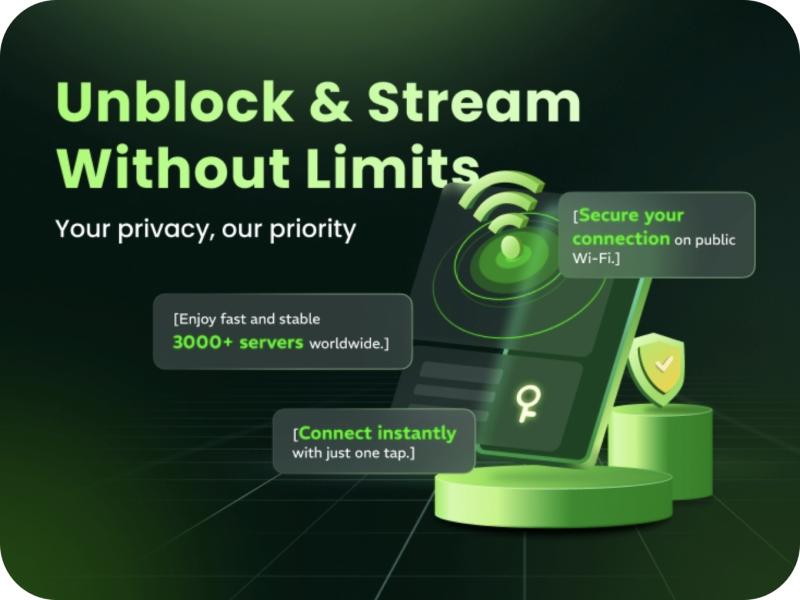
  • Built-in malware/ad-blocking features
  • Military-grade AES-256 encryption

  • Unlimited bandwidth and no speed throttling

  • Streaming-optimized servers, especially Iran VPN server and India VPN server.

  • Strict no-logs policy ensures your privacy

How to use UFO VPN

Step 1
Grab the free Windows VPN installer right below. UFO VPN is lightweight and secure on all Windows systems. Double-click the downloaded file and complete the installation. Once installed, launch UFO VPN.
windows1
Step 2
Select a VPN Server
Inside the app, you can click the "Connect" button for quick connection, or browse the list of servers by Location or categroy: Video& Stream, Game, etc. Choosing the right server ensures fast speeds and smooth access.
windows2
Pro Tip

UFO VPN is an all-in-one VPN that offers unlimited access to 4D streaming like Netlfix, Disney Plus, no-ping gaming as PUBG, Roblox, CODM and social networking for YouTube, X, Facebook and more.


Step 3
Enable Advanced Features
In addition to basic functions, we recommend you turn on extra protections via Ad Blocker and features like Kill Switch, Split Tunneling and Smart Hop. Users can optimize online gaming/streaming/chatting as much as possible.
windows3
Step 4
Check Your New IP
Use UFO VPN's built-in " What is My IP" feature to see your new IP address and location. This confirms your VPN is working, hides your real IP, and ensures privacy while browsing.
windows4
Step 1 Download and install UFO VPN for macOS
Click the button below to download offcial Mac VPN free. Open the .dmg file, drag UFO VPN to your Applications folder, and launch it. You're just a few clicks away from secure browsing.
macos1
Step 2 Pick Your IP Server
Tap "Connect" button for the fastest server automatically. Or you can select a server from the global server list in 100+ countries. UFO VPN is an UFO VPN is an all-in-one VPN or gaming, video streaming, social platforms, and AI tools.
macos2
Step 3

Unlock Pro Features

If you have upgraded to premium plan , feel free to enjoy premium servers for 4K streaming and advanced features like Kill Switch, Split Tunneling, and gaming acceleration. Your Mac is now fully optimized and protected. Inaddition to basic functions, we recommend you turn on

macos3
Step 4

Verify Your IP Now

Use UFO VPN's " What is My IP " feature to see your new IP and location. This confirms your connection is secure, anonymous, and ready for safe browsing online anywhere at any time.


macos4
Step 1 Download and install UFO VPN for iPhone/iPad
Download this free iOS VPN via official link or App Store. Once installed, launch the app to get started. UFO VPN is now trusted by over 2 million users worldwide with optimzed service.
ios1
Step 2 Select a Perfect Server
Hit "Connect" button for the fastest server near you instantly. Or you can choose a favorite location/platform from the server list manually for full control. UFO VPN is an all-in-one VPN companion for gaming, streaming, social media, and AI tools.
ios2
Step 3 Lookup IP and Enable Pro Features
Now you can check your current IP via built-in IP lookup tool. Pro features in premium plan offer you premium servers, blazing speeds, Kill Switch, Split Tunneling, and Multi-device login, so you can protect your iPhone, iPad, and other Apple devices all at once.
ios3
Step 1 install UFO VPN for Android
Get free Android VPN from offcial website or Google Play Store. Follow the instructions for easy download. Then open the app and get ready to surf safely.
android1
Step 2 Choose Your Ideal Server
UFO VPN is an all-in-one powerhouse for gaming, video streaming, social apps, and AI tools. The"Connect" button links you to the fastest server instantly, or you can choose among the server list manually via Location/ Video&Stream/Games for easy access.
android2
Step 3 Power Up Pro Features
Pro users can look up current IP via built-in "What Is My IP" feature, and unlock premium features like 4K servers, turbo speeds, Kill Switch, Split Tunneling, and Multi-device login, keeping all your Android phones, tablets, and other devices safe at once.
android3

Stream in 4K or get desired content using the tips below—safely and anonymously.

Tips for Accessing Vegamovies in 4K

Vegamovies stands out for offering HD and 4K content—if the source file is available. Here’s how to maximize your experience:

  • Use UFO VPN’s streaming server for stable bandwidth.
  • Choose trusted mirrors, as only they reliably host 4K files.

  • Check the video metadata—look for “4K” or “2160p” labels.

  • Use a stable, high-speed connection (minimum 25 Mbps) for 4K streaming.

  • Allow buffering or preload time before hitting play, helping avoid stutters.

For downloads:

  • Pick higher file sizes (10–20 GB for full 4K films).

  • Use JDownloader or Internet Download Manager (IDM) to manage big files.

  • Enable accelerated downloads to prevent interruption.

Related Posts
Streaming
date icon 2025-05-29 15:08:28
Best Bollywood Movies Download Sites (2026) | Free HD MKV 1080p Downloads
pornhub video downloader tool
How-to Guide
date icon 2025-05-16 12:19:17
How to Download Videos from Pornhub & Any Website [Tools]

Conclusion

Vegamovies remains a magnet for 4K movie lovers, but accessing it safely in 2025 requires more than just browsing—it needs the right tools and smarts. In short, if you want to unblock 4K movies on Vegamovies, put security first. With UFO VPN, you get privacy and performance—letting you enjoy cinema-level quality without worrying about your data or access.

FAQs

1. Can I use Vegamovies without a VPN?

Technically, yes—if the mirror isn’t blocked. But without a VPN, your IP and activity are exposed. Always use UFOVPN for privacy and safety.

2. Does UFOVPN support 4K streaming speeds?

Yes! UFO VPN’s servers are optimized for high-speed video, supporting smooth playback at 4K quality with no bandwidth caps.

3. Are Vegamovies mirrors safe to use?

Only when accessed via a VPN. Use an ad blocker and verify download links—never click on suspicious pop-ups or external prompts.

4. What if the mirror I use is blocked?

Clear your browser cache, switch UFOVPN to another location, and try a different mirror list from trusted online communities.

5. Is downloading from Vegamovies legal?

No. Most content is unlicensed. Downloads may carry legal and security risks, so UFOVPN helps anonymize your activity.

Bypass blocks. Stay private.

Use UFO VPN — the best free VPN that works anywhere

Also available in:  Русский

Ryan Brooks
Ryan Brooks

About This Author

I’m Ryan Brooks, a freelance writer passionate about gaming, tech, and internet culture. If there’s a trend online, I’m probably deep in the rabbit hole figuring out how it all connects.