Before Streaming: Key Things to Prepare
A little preparation can make match night much smoother. Before you open a stream, check whether the broadcaster is available in your region, make sure your connection is stable, and have a backup option ready in case your first choice doesn't work.
1. Activate a Reliable VPN
If you're traveling or living outside the country where a particular broadcaster is available, you may run into regional restrictions. A reliable VPN like UFO VPN can help you connect through a server in a supported location and access services that are legitimately available there.
For example, if you're trying to access a broadcaster that is normally available in Germany, you can connect to a Germany VPN server first and then visit the broadcaster's official website.


UFO VPN is an all-in-one VPN that offers unlimited access to 4K streaming like Netlfix, Disney Plus, no-ping gaming as PUBG, Roblox, CODM and social networking for YouTube, X, Facebook and more.




Unlock Pro Features
If you have upgraded to premium plan , feel free to enjoy premium servers for 4K streaming and advanced features like Kill Switch, Split Tunneling, and gaming acceleration. Your Mac is now fully optimized and protected. Inaddition to basic functions, we recommend you turn on

Verify Your IP Now
Use UFO VPN's " What is My IP " feature to see your new IP and location. This confirms your connection is secure, anonymous, and ready for safe browsing online anywhere at any time.







2. Check the Local Broadcast Rights
Don't assume that every Champions League match is available for free in your country. Broadcast rights can vary by match, day, and territory.
Before kickoff, check the official UEFA Where to Watch information or the broadcaster's own schedule. UEFA lists Germany, Ireland, Türkiye, Belgium, and other territories separately because the available broadcasters are different in each market.
3. Test Your Internet Connection
Nothing ruins a big match faster than buffering right before a penalty.
Before the game starts, check your connection and close apps or downloads that may be using bandwidth. If you're watching on Wi-Fi, moving closer to your router can also help.
4. Prepare a Backup Device
If possible, have another device ready. You can watch on a laptop, phone, tablet, or compatible smart TV depending on the broadcaster.
This is especially useful when an app suddenly logs you out or your browser refuses to load the player.
How to Find Free Streaming Links for UEFA Champions League?
Finding a working free stream can take a little digging, especially when a site changes its domain or stops working without warning. If you want to save time, you can use proxy directories, online communities, and social platforms to check whether a streaming page is still accessible. Here are several practical ways to find the latest viewing information.
1. Check a Free Proxy Site Directory
Free proxy directories can help you discover proxy websites when a page is unavailable on your current network. Some directories regularly update their listings, so you don't always have to rely on an old bookmark that may no longer work.
If you're searching for a free proxy, you can check directories such as:
- ProxySite.com – Browse websites through a proxy connection directly from your browser, with no software installation required.
- CroxyProxy.com – Designed for browser-based proxy access, offering an alternative way to connect to websites.
- 4everproxy.com – Choose from different server locations and access websites through its web-based proxy service.
- ProxySite.pro – Use its free web proxy options to connect to websites through different proxy servers.
- Proxyium.com – Browse through an alternative IP address using its web-based proxy service.
Keep in mind that a proxy only changes how you connect to a website. It doesn't make an unauthorized stream legal or automatically make an unsafe website trustworthy. Before you enter any personal information or download anything, check the site carefully.
2. Hunt for Match-Day Tips on Reddit
Reddit can be a useful place to see what other football fans are saying before and during a Champions League match. Match threads and football communities often discuss where a game is being shown, whether a broadcaster is working, and whether viewers are experiencing regional restrictions.
Instead of searching for random links, try using the exact fixture name with terms such as:
- "Champions League live"
- "where to watch Champions League"
- "[Team A] vs [Team B] watch"
- ”Champions League broadcaster“
This can help you find fresh discussions instead of outdated posts. If someone shares a streaming link, check where it leads before opening it or entering any information.
3. Follow Telegram Groups
Telegram groups can be useful for quick match-day updates. Football communities may share information about kickoff times, broadcast changes, regional availability, and other viewing tips.
However, be careful with groups that promise instant “free HD” access. Some links may lead to aggressive pop-ups, fake video players, or suspicious downloads.
A better approach is to use Telegram as a place to find information, then verify the broadcaster through its official website before watching.
4. Check X for Real-Time Updates
X can be particularly useful in the minutes before kickoff. Search for the match name, team names, or hashtags such as #UCL to see what broadcasters, football journalists, and fans are posting.
You can narrow your search with phrases such as:
- where to watch
- watch Champions League live
- Champions League TV channel
- [Team A] vs [Team B] live
The fastest way to cut through the noise is to prioritize posts from official broadcasters, clubs, UEFA, and established football journalists. That way, you can quickly check whether a match is available in your region without wasting time on links that have already gone offline.
Free Streaming Links for UEFA Champions League
A quick search can bring up plenty of sites claiming to offer free Champions League streams. These platforms often work as aggregators, collecting links from different sources rather than hosting the broadcasts themselves.
1. StreamEast
If you want a site that covers more than just football, StreamEast is built around a wide range of live sports. Champions League fixtures are typically listed alongside other major sporting events, with several stream options sometimes available for the same game.
Pros
- Multiple stream options may be available
- Covers football and other major sports
- Usually doesn't require account registration
- Simple match-based browsing
- Can be accessed from common desktop and mobile browsers
Cons
- Aggressive advertising can affect navigation
- Some links may stop working without warning
- Stream quality can vary considerably
- Mirror domains may appear from time to time
2. Buffstreams
The appeal of Buffstreams comes from its relatively straightforward layout. Instead of making you browse through a large amount of unrelated content, the site focuses on live sports listings, making it easier to look for a particular game.
Pros
- Straightforward interface
- Football matches are easy to locate
- Usually no sign-up process
- Works across common browsers
Cons
- Pop-ups can interrupt the viewing process
- Some links may disappear during a match
- Coverage can be inconsistent for less popular fixtures
- Several redirects may appear before the player loads
3. VIPLeague

VIPLeague takes a broader approach, bringing football together with sports such as basketball, tennis, motorsports, and more. That wider selection can be useful if you want to keep the same site bookmarked for different sporting events.
Pros
- Covers many different sports
- Several stream sources may be listed
- Champions League games are generally easy to find
- No conventional subscription wall
- Useful if you follow more than one sport
Cons
- Advertising can be heavy
- The interface looks dated
- Video quality depends on the individual source
- Some links may become unavailable
4. SportSurge
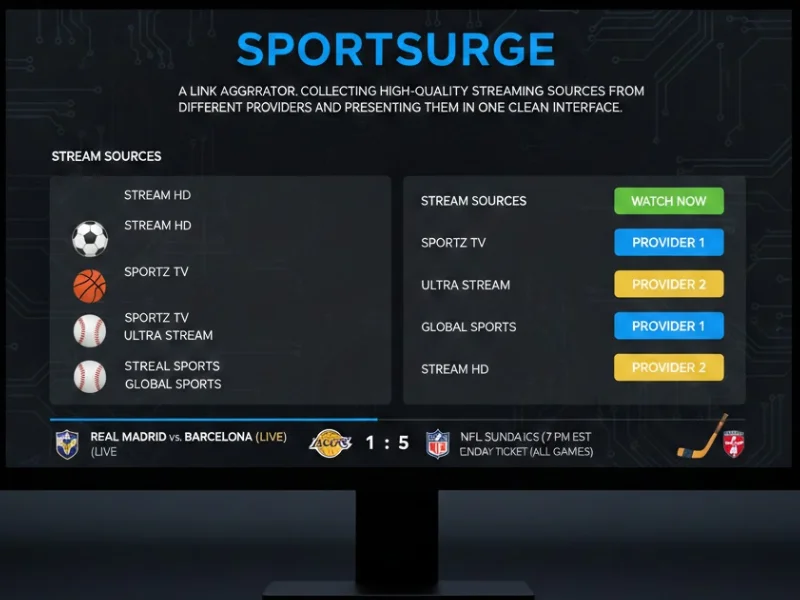
Rather than relying on one video player, SportSurge works more like a directory of streaming sources. That gives you more than one option when a particular link is slow or stops working, although the quality can differ from one source to another.
Pros
- Multiple links can provide backup options
- Covers football and other sports
- Match listings are relatively easy to browse
- No standard registration requirement
Cons
- Source quality is inconsistent
- Some links expire quickly
- Ads can appear during navigation
- You may need to test several sources before finding a working one
5. TotalSportek
Football is the main focus here, which makes TotalSportek more relevant if you mainly follow European competitions. Its listings can cover Champions League fixtures alongside domestic leagues and other major football events.
Pros
- Strong focus on football
- Useful for following several competitions
- Multiple sources may be listed for one fixture
- Match schedules are relatively easy to scan
Cons
- Links may send you to external pages
- Advertising can be intrusive
- Some matches may have fewer available sources
- Availability can change close to kickoff
6. Hesgoal
Hesgoal has long been associated with football-focused streaming, so its appeal is fairly simple: you can concentrate on football matches without sorting through a long list of unrelated sports. Big fixtures tend to attract more attention and may have more links available.
Pros
- Football-centered content
- Simple match-list format
- Popular fixtures usually receive more attention
- Mobile browsing is possible
- No traditional paid membership
Cons
- Heavy advertising is common
- Domain availability can change
- Some streams have inconsistent quality
- Smaller fixtures may have limited options
7. Stream2Watch
For someone who follows several types of sport, Stream2Watch offers a broader selection instead of focusing exclusively on football. Champions League games may appear alongside other European competitions and international sporting events.
Pros
- Wide selection of sports
- Multiple viewing options may be available
- No standard sign-up process
- Useful for checking different competitions in one place
Cons
- Interface can feel crowded
- Pop-ups may appear frequently
- Some streams may go offline
- Link quality is not consistent across events
8. VIPBox
VIPBox puts a variety of sports under one roof, making it more useful if football isn't the only thing you watch. Its Champions League listings can sit alongside streams for tennis, basketball, motorsports, and other events.
Pros
- Broad sports selection
- Multiple mirrors may be available
- Football categories are easy to locate
- Free access without a regular subscription
- Useful for following different sports
Cons
- Advertising can be excessive
- Some links may lag or fail
- The design is less polished
- Mirror availability can change
9. Footy100
Football fans looking for a more focused selection may come across Footy100, which centers its listings around football competitions. That narrower focus makes it easier to move between Champions League matches and other major European leagues.
Pros
- Primarily focused on football
- Multiple sources may be offered
- No regular registration required
- Easy to compare different fixtures
Cons
- Smaller selection than broader sports aggregators
- Source quality can vary
- Advertising may interrupt navigation
- Some less popular matches may have limited coverage

Summing Up
Finding a way to watch a big European football match shouldn't feel like a second job. Your best bet is to check availability early, compare the viewing options in your region, and avoid pages that make you jump through endless redirects just to press Play. When you choose free streaming sites for UEFA Champions League, a little caution can go a long way. If you need a more flexible connection while traveling, you can also try UFO VPN, as long as your use follows the streaming service's terms.
FAQs
What is the cheapest way to watch UEFA Champions League?
The cheapest option depends on your country. If a local broadcaster offers selected matches for free, you may not need a paid subscription at all. Otherwise, compare the available official streaming plans before choosing one.
Can I watch Champions League highlights for free?
Yes. You can usually find official highlights through UEFA and participating broadcasters. Highlights are a good option if you miss the live match or only want to catch the key moments.
What time do Champions League matches usually start?
Champions League matches commonly use evening kickoff times in European time zones, but the exact local time depends on the fixture and your location. Always check the match schedule in your own time zone.
Can I cast a Champions League stream to my TV?
In many cases, yes. If the official streaming service supports Chromecast, AirPlay, or another casting feature, you can send the match from your phone or computer to a compatible TV.
Why does a free Champions League stream keep buffering?
Buffering can happen because of an unstable connection, an overloaded streaming server, high video quality, or heavy network traffic. Try lowering the video quality, closing background apps, or switching to a more stable connection.