Check Real-Time Minecraft Status
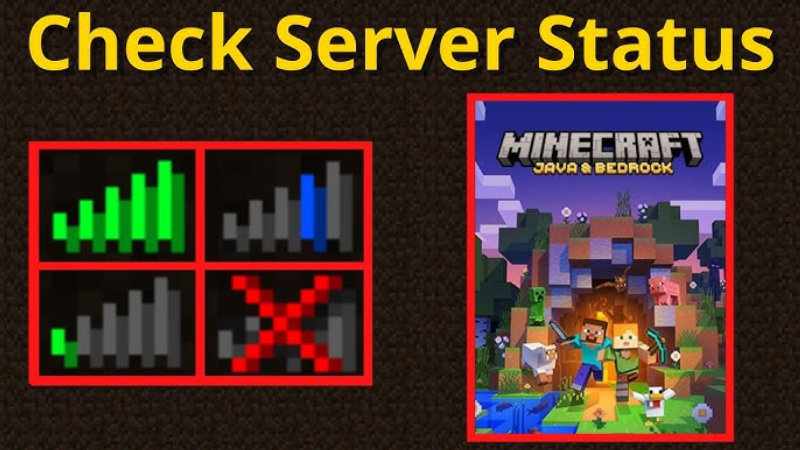
Before troubleshooting, you need to confirm whether Minecraft is down for everyone or just you. Here’s how to check in seconds:
-
Official Mojang/Minecraft Status Page
-
Visit status.minecraft.net for real-time updates on Java Edition, Bedrock Edition, Marketplace, and authentication services.
-
Green icons mean systems are online; yellow or red flags indicate issues.
-
-
DownDetector Community Reports
-
Head to the DownDetector “Minecraft” page. A surge in “is Minecraft down right now” reports signals a widespread outage.
-
Read the latest user comments to see which platforms (PC, console, mobile) are affected.
-
-
In-Game Launcher Notifications
-
Open the Minecraft Launcher. If authentication servers are offline, you’ll see an error message (e.g., “Microsoft services unavailable”).
-
Clicking the error often provides a link to the Mojang status site.
-
-
Social Media & Forums
-
Check the official @Minecraft Twitter/X account for urgent maintenance alerts.
-
Visit r/Minecraft on Reddit and filter by “new” to see real-time player reports.
-
-
Using UFO VPN for Diagnostics
-
If the status pages are green but you can’t log in, connect through UFO VPN to test an alternate route.
-
UFO VPN switch can reveal whether your local ISP is causing the “Minecraft down” symptom, rather than a global outage.
-
If you are located in the Middle East where internet blocking is strict, such as Iran, try our Iran VPN free now, or there are UFO VPN for PC - best free VPN and free VPN for Mac - UFO VPN for you to choose from, download and use for free to get a safe and fast gaming experience!
Quick Troubleshooting Steps
If Minecraft is down right now only for you, try these simple fixes to restore access:
-
Restart Your Game & Launcher
Fully close both the game and launcher, then reopen. This clears temporary glitches. -
Check Your Internet Connection
Run a speed test. If your ping is high or you see packet loss, reset your router or switch to a wired connection. -
Flush DNS Cache
-
Windows: open Command Prompt, type
ipconfig /flushdns→ Enter. -
macOS: open Terminal, type
sudo dscacheutil -flushcache; sudo killall -HUP mDNSResponder→ Enter.
-
-
Update the Launcher
Outdated clients can’t reach updated servers. Ensure you have the latest Minecraft Launcher version. -
Use a free VPN Proxy by UFO VPN
If local routing is the culprit, a gaming VPN like UFO VPN can reroute traffic through optimized nodes, often restoring connection within seconds. 🔒🚀


UFO VPN is an all-in-one VPN that offers unlimited access to 4K streaming like Netlfix, Disney Plus, no-ping gaming as PUBG, Roblox, CODM and social networking for YouTube, X, Facebook and more.




Unlock Pro Features
If you have upgraded to premium plan , feel free to enjoy premium servers for 4K streaming and advanced features like Kill Switch, Split Tunneling, and gaming acceleration. Your Mac is now fully optimized and protected. Inaddition to basic functions, we recommend you turn on

Verify Your IP Now
Use UFO VPN's " What is My IP " feature to see your new IP and location. This confirms your connection is secure, anonymous, and ready for safe browsing online anywhere at any time.







Top Reasons Minecraft Servers Go Offline
Understanding why Minecraft servers go offline helps you anticipate downtime:
-
Scheduled Maintenance & Updates
Major patches (new biomes, mobs, or game mechanics) often require brief server restarts—typically announced 24–48 hours ahead. -
Unexpected Server Overload
A new snapshot or viral trend (like community-built minigames) can draw massive player surges, overwhelming authentication or matchmaking services. -
DDoS Attacks
Malicious actors occasionally target Minecraft’s network, causing authentication failures or lag spikes. -
Data Center Outages
Power failures, cooling issues, or hardware faults in hosting centers can knock servers offline in specific regions. -
ISP or Local Network Problems
Sometimes the game itself is fine, but regional ISPs experience routing failures, making it seem like Minecraft is down only for you.
FAQ
Q1: How often does Minecraft have unplanned downtime?
Unplanned outages are rare—usually under 1% of play time—but scheduled maintenance happens about once a month for Java and Bedrock updates.
Q2: Can I play single-player if the servers are down?
Yes. Single-player worlds don’t require authentication beyond the initial login. You can still build and explore offline.
Q3: Does using a VPN help when Minecraft is down right now for me?
Absolutely. If your ISP path is broken, a VPN like UFO VPN can route you through a healthy network, often bypassing regional issues and restoring your session quickly.
Q4: Will a VPN increase my ping?
Top gaming VPNs optimize routes, sometimes lowering ping compared to congested ISP paths. Test different server locations for the best performance.
Q5: How can I get notified of future outages?
– Follow @Minecraft on Twitter/X
– Subscribe to Mojang status RSS feeds
– Use third-party apps like DownNotifier