Understanding Shein's Data Collection Practices
When you sign up for Shein, you agree to share a certain amount of your personal data. This is standard for e-commerce platforms, but the scale is worth understanding. Shein collects information necessary to fulfill your orders, like your name, address, and payment details. However, its data gathering often extends further, tracking your browsing behavior, purchase history, device information, and even your location.
The purpose of this collection, as outlined in its privacy policy, ranges from improving user experience to targeted marketing. The concern for many users lies in the volume of data and how it is protected. Being informed about these practices is a core part of Shein data security. Always review privacy policies and adjust your account settings to limit sharing where possible.
Shein App Safety: Permissions and Potential Risks

The mobile app is where many data privacy concerns become most apparent. During installation, the Shein app requests various permissions on your phone. Some are logical, like access to storage for saving product photos. Others, such as precise location tracking, can give users pause.
While such data can be used for legitimate purposes like estimating delivery times, it also enriches the profile the company builds about you. The risk is not necessarily malicious intent from Shein itself, but the fact that any large database is a tempting target for hackers. A breach could expose your personal information. Using a VPN like UFO VPN on your mobile device can help shield your IP address and general location from unnecessary tracking, adding a valuable layer of anonymity to your browsing.
Financial Security: Are Your Payments Protected?
When you enter your credit card details, you need to know they are secure. Shein uses standard encryption technology to protect your payment information as it travels from your browser to its servers. This is the same security used by major banks and is a fundamental aspect of Shein app safety.
For even greater financial protection, consider using intermediary payment services like PayPal, Apple Pay, or Google Pay. These methods allow you to pay without directly sharing your credit card number with Shein, compartmentalizing your financial data. Always check for the padlock symbol in your web browser's address bar before making any purchase, a universal sign of a secure connection.

The Threat of Phishing and Imposter Scams
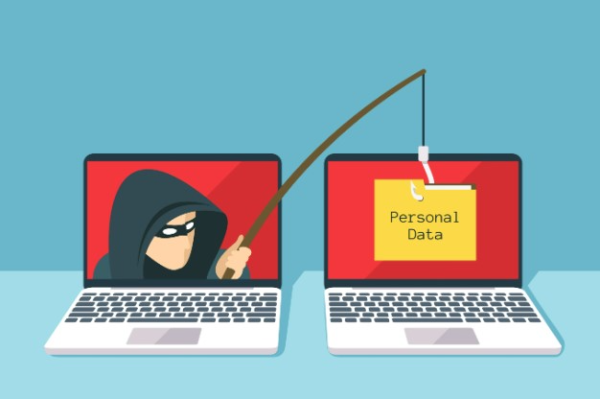
Shein's popularity has made it a major target for phishing scams. These are fraudulent attempts, often through email or text messages, that pretend to be from Shein to steal your login information or credit card details. These scams are independent of Shein's own security but pose a direct threat to you.
Staying safe requires vigilance. Be skeptical of emails offering deals that seem too good to be true. Never click on links in suspicious emails; instead, navigate directly to the Shein website yourself. A reliable security tool like a free proxy VPN in UFO VPN can also provide features that help block known malicious websites, offering a proactive defense against these kinds of online threats.
Proactive Steps for Secure Shein Shopping
You do not have to stop using Shein to protect yourself. By adopting a few smart habits, you can significantly reduce your risks and shop with greater confidence.
- First, strengthen your Shein account. Use a unique, strong password that you do not use on any other site. If Shein offers two-factor authentication, enable it for an extra login security step.
- Second, manage your app permissions. Regularly check your phone's settings to see what permissions the Shein app has and revoke any that are not essential for its function.
- Third, use a Virtual Private Network. A VPN is a powerful tool for any online shopper. By routing your internet traffic through an encrypted tunnel, UFO VPN hides your IP address and makes it much harder for third parties to track your online activity or steal your data, especially on public Wi-Fi networks.
Why a VPN is a Shopper's Best Friend
Integrating a VPN into your online routine is one of the most effective steps you can take for your digital privacy. While a VPN does not change Shein's own data practices, it protects your end of the connection. UFO VPN encrypts all the data leaving your device, turning it into an unreadable code for anyone who might be monitoring the network. This is crucial for safeguarding your login credentials and personal information.
Furthermore, by masking your real IP address, UFO VPN allows you to browse with a greater degree of anonymity. This limits the amount of location-based data that can be collected about you, enhancing your overall Shein data security. It is a simple tool that provides significant peace of mind for the modern online consumer.
🤎4 Steps to Help You Protect Shopping Safety:


UFO VPN is an all-in-one VPN that offers unlimited access to 4K streaming like Netlfix, Disney Plus, no-ping gaming as PUBG, Roblox, CODM and social networking for YouTube, X, Facebook and more.




Unlock Pro Features
If you have upgraded to premium plan , feel free to enjoy premium servers for 4K streaming and advanced features like Kill Switch, Split Tunneling, and gaming acceleration. Your Mac is now fully optimized and protected. Inaddition to basic functions, we recommend you turn on

Verify Your IP Now
Use UFO VPN's " What is My IP " feature to see your new IP and location. This confirms your connection is secure, anonymous, and ready for safe browsing online anywhere at any time.







FAQs
Is it safe to link my social media account to Shein?
Linking your social media account can be convenient, but it often grants Shein access to certain data from your social profile. For maximum privacy, it is safer to create a separate account using your email address.
Can Shein install malware on my device through the official app?
The official Shein app from the Apple App Store or Google Play Store is very unlikely to contain malware. The real risk comes from downloading the app from third-party or unofficial sources, which should always be avoided.
How does a VPN specifically protect me when I shop on Shein?
A VPN like UFO VPN protects you in two key ways. First, it encrypts your internet traffic, securing your login and payment information from hackers. Second, it hides your IP address, preventing your location and browsing habits from being easily tracked.
I heard Shein was hacked in the past. Should I be worried?
Shein has experienced data breaches in the past. While the company addressed those specific issues, any historical breach is a reminder that no large company is immune. This underscores the importance of using unique passwords and security layers like a VPN.