Is Twidouga Safe or Legit?
Before you paste a single link into Twidouga, you need to understand the risks involved. This section addresses the primary concern every user has: will this site harm my device or steal my data?
We will analyze the behavior typical of these saving tools to give you a clear verdict on whether Twidouga is a helpful tool or a digital trap. To start, it's necessary to look at two distinct aspects: the functionality and the environment.
🎯 The Functionality: It Works as Promised. Technically, Twidouga is a legitimate service. It fulfills its core promise: converting Twitter links into downloadable MP4 files.
🎯 Not a Scam: Since the tool is generally free, it isn't trying to trick you out of money. It acts as a "bridge" between Twitter's servers and your device, stripping away the interface so you can grab the raw video file.
However, the "safety" aspect is where things get complicated. Most free Twitter video saving sites monetize their traffic through aggressive advertising networks. These aren't the clean ads you see on major social media sites; they are often low-quality networks that may display:
-
Misleading Saving Buttons: Large, green "Save" buttons that actually trigger an ad or a software download you didn't ask for.
-
Pop-up Redirects: Clicking anywhere on the page might open a new tab leading to betting sites, adult content, or "scareware" telling you your computer is infected.
-
Cookie Tracking: Aggressive tracking scripts that build a profile of your browsing habits to sell to third parties.
So, while the tool itself is likely legit, the environment in which it operates can be hostile. A free proxy VPN in UFO VPN will instantly secure your connection, preventing aggressive ads and scripts from tracking your real footprint.
How to Access Twidouga Safely?
Now that you know the potential pitfalls of using third-party downloaders, this section provides the solution. You shouldn't have to give up on saving videos just because of a few bad ads.
Here, we will address how to mitigate those risks and ensure that your experience accessing Twidouga safely is smooth, private, and secure.
1. Use a VPN
A VPN is the ultimate safety net when browsing sites with questionable security standards. It creates an encrypted tunnel between your device and the internet.
When you switch it on, your data travels through this tunnel, becoming unreadable to hackers, ISP trackers, and the website itself.
While there are many VPNs on the market, UFO VPN stands out as an exceptional choice for streaming due to key features like:
- Bank-Grade Encryption: UFO VPN uses AES-256 encryption. This means that even if a malicious script tried to intercept your data, all they would see is gibberish.
- Anonymity: By masking your real IP address, UFO VPN ensures that Twidouga and its advertisers cannot determine your physical location or identity.
- Bypass Restrictions: Sometimes, specific Twitter videos are geo-blocked in your country. UFO VPN allows you to change your virtual location to anywhere in the world, granting you access to content you otherwise couldn't view.
- Lightning Fast Speed: Unlike sluggish free proxies, UFO VPN offers optimized servers that ensure your saving speeds remain high, so you aren't waiting forever for that clip to save.
You can follow the simple steps below to set up UFO VPN:


UFO VPN is an all-in-one VPN that offers unlimited access to 4K streaming like Netlfix, Disney Plus, no-ping gaming as PUBG, Roblox, CODM and social networking for YouTube, X, Facebook and more.




Unlock Pro Features
If you have upgraded to premium plan , feel free to enjoy premium servers for 4K streaming and advanced features like Kill Switch, Split Tunneling, and gaming acceleration. Your Mac is now fully optimized and protected. Inaddition to basic functions, we recommend you turn on

Verify Your IP Now
Use UFO VPN's " What is My IP " feature to see your new IP and location. This confirms your connection is secure, anonymous, and ready for safe browsing online anywhere at any time.







2. Inspect the URL
Inspecting the url is also important, and you should consider three major aspects when doing this:
- Watch for Typos: Cybercriminals often register domains that look almost identical to popular sites (e.g., "Twidouga" instead of "Twidouga") to catch users who mistype the name. This technique, known as typosquatting, can lead you to look-alike sites designed to steal data.
- Check the File Type: A legitimate video saving tool has one job: to provide you with a media file, usually ending in
.MP4. If a site prompts you to keep an.exe,.apk, or.dmgfile, cancel the action immediately. - Avoid Unnecessary Extensions: Be wary of sites that force you to add a browser extension just to capture a single clip. These extensions can gain read/write access to all your browsing data, which is a major privacy risk.
3. Update Your Browser
Modern browsers like Chrome, Firefox, and Edge maintain databases of known malicious sites.
By keeping your browser on the latest version, you ensure these "blocklists" are current, allowing the browser to alert you with a red warning screen if you stumble upon a dangerous page.
Meanwhile, hackers often exploit outdated code in older browser versions to inject scripts. Regular updates patch these holes, ensuring that malicious scripts cannot execute on your system while you are saving content.
4. Use a Robust Ad-Blocker
One of the trickiest tactics these sites use is displaying large, colorful buttons that say "Start" or "Play," which are actually advertisements. A good ad-blocker removes these visual traps, leaving only the legitimate interface visible.
It also helps block those ads that contain code that executes simply by loading on your screen, without you even clicking them.
And many pop-ups will suddenly show up. This just intefere the experience of using Twuidoga. But with a reliable ad-blocker, you can easily keep your browsing experience clean and focused on the task at hand.

Top 5 Twidouga Alternatives
No single tool is perfect forever. Websites go down, change their policies, or become overloaded with ads. This section addresses the issue of reliability by providing you with a diversified toolkit.
If Twidouga fails, you need a backup plan. And we have curated a list of the top 5 alternatives for Twitter video saving below.
1. TWSaver

TWSaver distinguishes itself by prioritizing raw speed and efficiency over flashy graphics. It is a lightweight, web-based utility optimized specifically for mobile browsers, ensuring that users on slower data connections can still capture content without lag.
Unlike heavier sites that load a dozen scripts before the main content, TWSaver keeps things minimal.
Pros:
✅ No account or sign-up required
✅ Clean layout with fewer misleading buttons
✅ Works smoothly on low-end or older devices
Cons:
❌ Limited features beyond basic downloading
❌ No batch download support
❌ Can slow down during peak traffic hours
2. Snaptube (Android App)

For users who prefer a dedicated application rather than visiting a website every time, Snaptube is a titan in the media-saving industry.
It functions as a complete multimedia manager, allowing you to organize, play, and store content from over 50 different social platforms, including Twitter, Facebook, and Instagram.
Pros:
✅ Supports background downloads
✅ Built-in media player for offline viewing
✅ Suitable for frequent and long-term use
Cons:
❌ Android-only
❌ Requires app installation and storage space
❌ Download access may be restricted in some regions
3. SaveTweetVid

SaveTweetVid is more than just a video saver; it is a versatile converter tool. It recognizes that users often want more than just the visual clip - sometimes you only need the audio track for a remix, or the GIF for a reaction.
This platform automatically detects the media type within the tweet and offers you options to convert it into MP3 (audio), MP4 (video), or GIF formats immediately.
Pros:
✅ Clear format options for different use cases
✅ Useful for creators who need audio or GIF files
✅ Good recognition for short clips and reactions
Cons:
❌ Ad-heavy interface
❌ Less stable with longer videos
❌ No manual quality selection
4. SSSTwitter
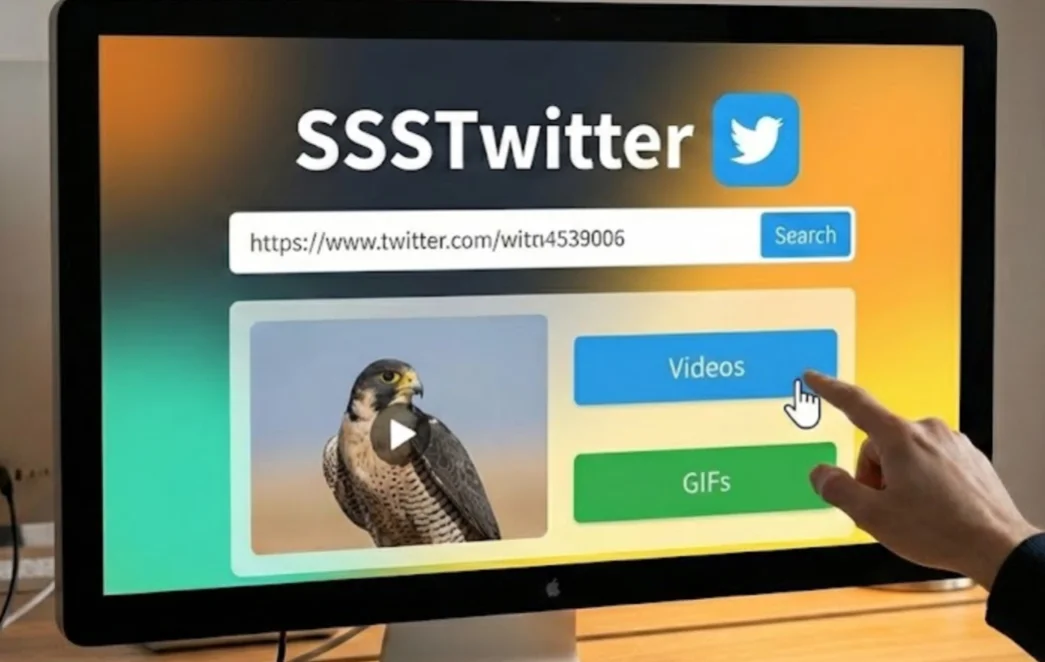
Arguably the most recognized name in this niche, SSSTwitter offers a balance of simplicity and power. It mirrors the Twitter interface’s clean aesthetic, making it very intuitive for new users.
Once you paste a link, the tool parses the source and presents a clear list of quality options, ranging from data-saving low resolution (320p) to crystal-clear high definition (1080p).
Pros
✅ Very easy to use for first-time users
✅ Multiple resolution options available
✅ Stable performance on desktop browsers
Cons
❌ High ad frequency
❌ Occasional redirects on mobile
❌ Slower loading on weak networks
5. GetMyTweet

GetMyTweet positions itself as a robust, no-nonsense backup when other major sites are overloaded.
It uses a different parsing algorithm than its competitors, meaning it can sometimes successfully fetch videos that other tools fail to recognize. The interface is stripped back to the bare essentials: a text box and a button.
Pros
✅ Can handle links that other tools fail to process
✅ Minimal interface with no distractions
✅ Lower failure rate due to simple structure
Cons
❌ Interface may feel too basic for new users
❌ No clear quality or format labels
❌ No preview before downloading


Conclusion
In the digital age, saving your favorite content shouldn't be a gamble with your security. To answer the question "Is Twidouga Safe?", it is generally a legit tool for functionality, but the environment of free downloaders always carries inherent risks of ads and tracking.
By understanding whether the tool is Legit or a scam, you can navigate the web with confidence. However, confidence shouldn't mean carelessness. To truly access Twidouga safely, you must layer your defenses. Just remember, an ad-blocker and a powerful VPN are must-have tools.
FAQs
Is Twidouga free to use?
Yes, Twidouga is completely free to use for Twitter video saving. You do not need to pay a subscription fee, though the site supports itself through advertisements that you should navigate carefully.
Can I use Twidouga on my iPhone or Android?
Absolutely, Twidouga is a web-based tool, meaning it works directly in your mobile browser (like Safari or Chrome). You do not need to install a specific app, which makes it versatile for mobile users.
Why does my antivirus warn me when visiting Twidouga?
Antivirus software may flag the site due to "adware" or aggressive tracking cookies found in the advertising networks the site uses. This is why using UFO VPN and an ad-blocker is highly recommended to prevent these malicious scripts from loading.
What should I do if Twidouga isn't working?
If the site is down, first check your internet connection, then clear your browser cache. If it still doesn't work, try enabling UFO VPN to rule out ISP blocking, or simply switch to one of the 5 alternatives listed in this guide, like SSSTwitter.