Does a VPN Protect You on Public Wi-Fi?
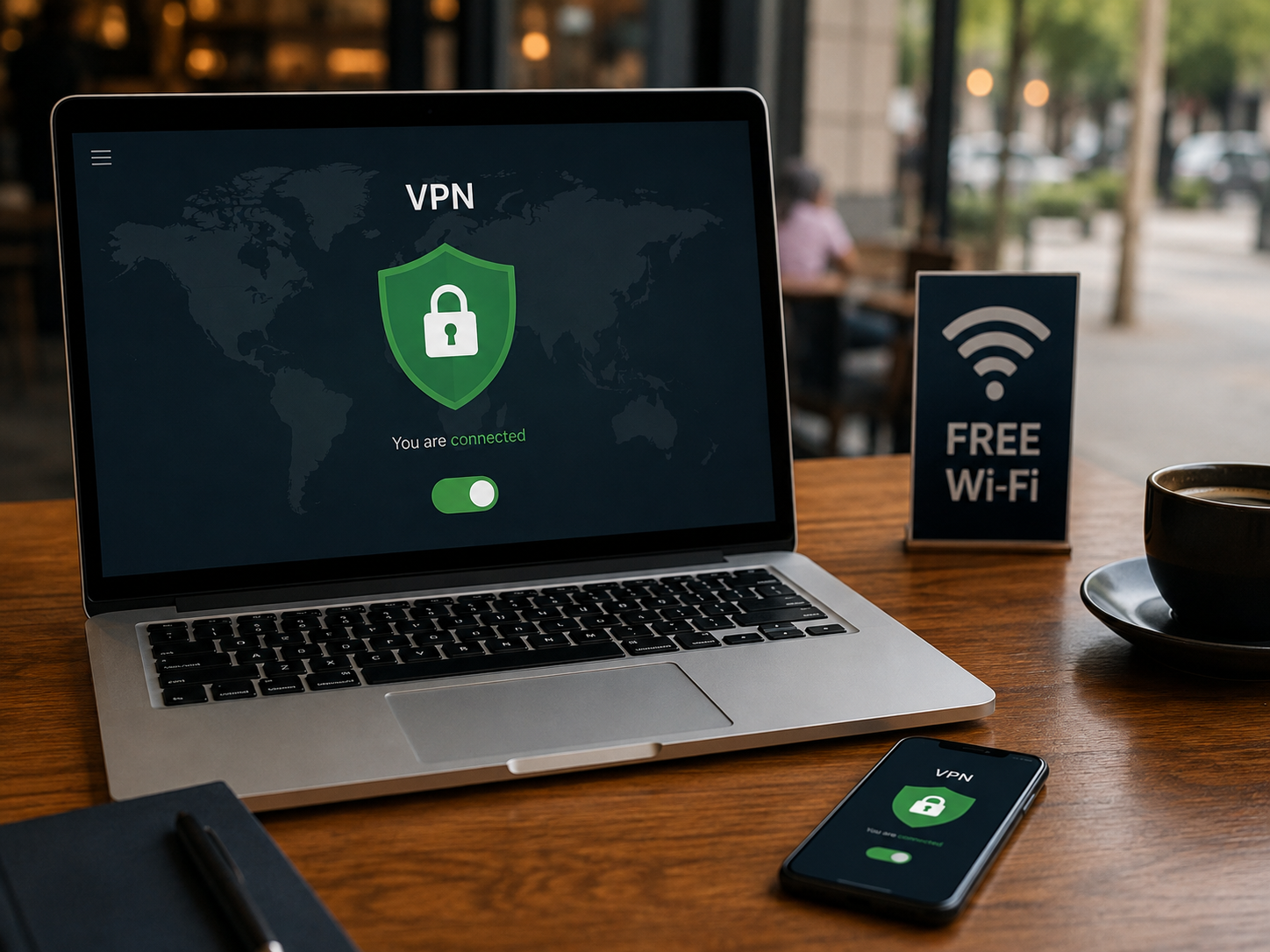
Yes. A VPN makes public Wi-Fi safer by creating an encrypted connection for your internet traffic. This is particularly useful on networks you don't control, such as Wi-Fi at airports, hotels, cafés, libraries, and shopping malls.
To understand the practical difference, here is how your connection changes:
| With a VPN | Without a VPN |
|---|---|
| Traffic is encrypted through the VPN tunnel | Network can observe more connection metadata |
| Websites see the VPN server's IP | IP address is exposed to websites |
| VPN encrypts traffic before it crosses the hotspot | Unencrypted traffic may be intercepted |
| VPN can route DNS requests through its encrypted tunnel | Network operator may observe DNS/domain activity depending on setup |
How Does a VPN Work With Wi-Fi?
To understand how VPN works with Wi-Fi, it helps to clarify a common misconception: Wi-Fi, the Internet, and a VPN are not the same thing.
- Wi-Fi is the local wireless network you connect to.
- The Internet is the global network of websites and services.
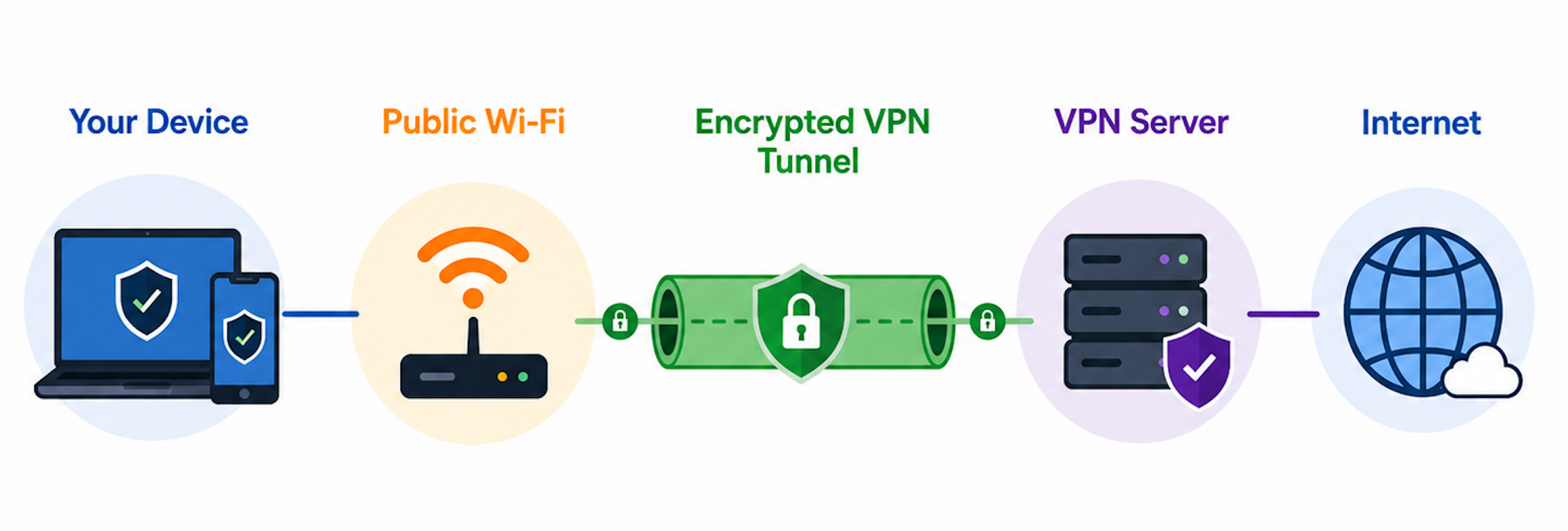
- A VPN is a secure tunnel built over your Wi-Fi connection to reach the Internet safely.
The data flow looks like this:
🔐 It Encrypts Your Internet Traffic
A VPN scrambles your data before it ever leaves your device. Because the data travels through an encrypted tunnel, anyone attempting to intercept it on the local network will only see illegible strings of characters rather than your passwords, messages, or browsing activity.
🌐 It Hides Your IP Address
The public Wi-Fi router still knows your device is connected, but the websites and apps you visit will only see the IP address of your VPN server. This masks your true location and identity from the wider web.
👁️ It Helps Keep Your Browsing Private From the Wi-Fi Operator
Can public Wi-Fi see what you are doing with a VPN? No. The network owner or hotspot operator can see that you are connected and transferring data, but they cannot see which websites you are visiting, what files you are downloading, or the contents of your communications.
What Public Wi-Fi Threats Can a VPN Protect You From?
Connecting to an open network exposes you to various risks, but a VPN is designed to neutralise specific vulnerabilities.
| Public WiFi Threat | Does a VPN Help? | How |
|---|---|---|
| WiFi sniffing | Yes | Encrypts network traffic |
| Man-in-the-middle attacks | Yes, significantly | Makes intercepted traffic unreadable |
| Network monitoring | Yes | Hides browsing traffic from local network observers |
| Evil twin WiFi | Partly | Encrypts traffic, but cannot tell you every fake hotspot is legitimate |
| DNS snooping/hijacking | Often | Secure VPN DNS can reduce exposure |
| Phishing | No | VPN cannot stop you entering credentials into a fake site |
| Malware already on device | No | VPN isn't antivirus software |
Is It Safe to Use Public Wi-Fi With a VPN?
Even just using a self-hosted VPN server like wireguard would make the whole thing much safer than not using at all

Yes, using a VPN can make public Wi-Fi safer. However, safer doesn't mean completely risk-free.
Using a VPN significantly reduces your attack surface, but the level of safety depends on what you are doing. Here is a realistic look at common scenarios:
- Browsing and searching: Generally safer with a VPN.
- Checking email: Safer, but Multi-Factor Authentication (MFA) is still highly recommended.
- Work accounts: Requires a VPN, MFA, and adherence to your company's security policy.
- Online banking: Preferably done on a trusted network or mobile data when possible, even with a VPN.
- Downloading unknown files: A VPN does not make a malicious file safe to open.

Do You Still Need a VPN on Public Wi-Fi If Websites Use HTTPS?
A common counter-argument is that modern encryption renders VPNs obsolete. It is true that HTTPS has made public Wi-Fi significantly safer than it used to be.
However, HTTPS and VPNs protect different parts of your connection.
- HTTPS protects: The link between your browser and an individual website.
- A VPN protects: The link between your device and the VPN server.
Furthermore, a VPN for public Wi-Fi covers much more than just your browser. It encrypts app traffic, secures DNS requests (depending on your configuration), and provides network-level privacy. If you are using a network you do not control—like at a hotel or café—a VPN acts as a crucial, comprehensive privacy layer.
What a VPN Does NOT Protect You From on Public Wi-Fi
A VPN is a powerful security tool, but it is not a magic shield against all cyber threats. Understanding its limitations is vital.
🎣 Phishing Websites
If you voluntarily type your passwords into a fake website designed to look like your bank, a VPN cannot stop you.
🦠 Malware Already on Your Device
A VPN encrypts data in transit. It does not scan your hard drive for viruses or remove malicious software that is already installed.
🔑 Weak or Reused Passwords
Encryption keeps hackers from stealing your passwords out of thin air, but it won't help if your password is easily guessable or has been compromised in a previous data breach.
📥 Malicious Downloads
If you download and install a compromised file over a public network, a VPN will encrypt the download process, but the file will still infect your device once opened.
👀 Physical Device Theft or Shoulder Surfing
A VPN provides digital privacy. It cannot stop someone sitting behind you in a café from reading your screen or stealing your physical laptop.
How to Use a VPN on Public Wi-Fi Safely
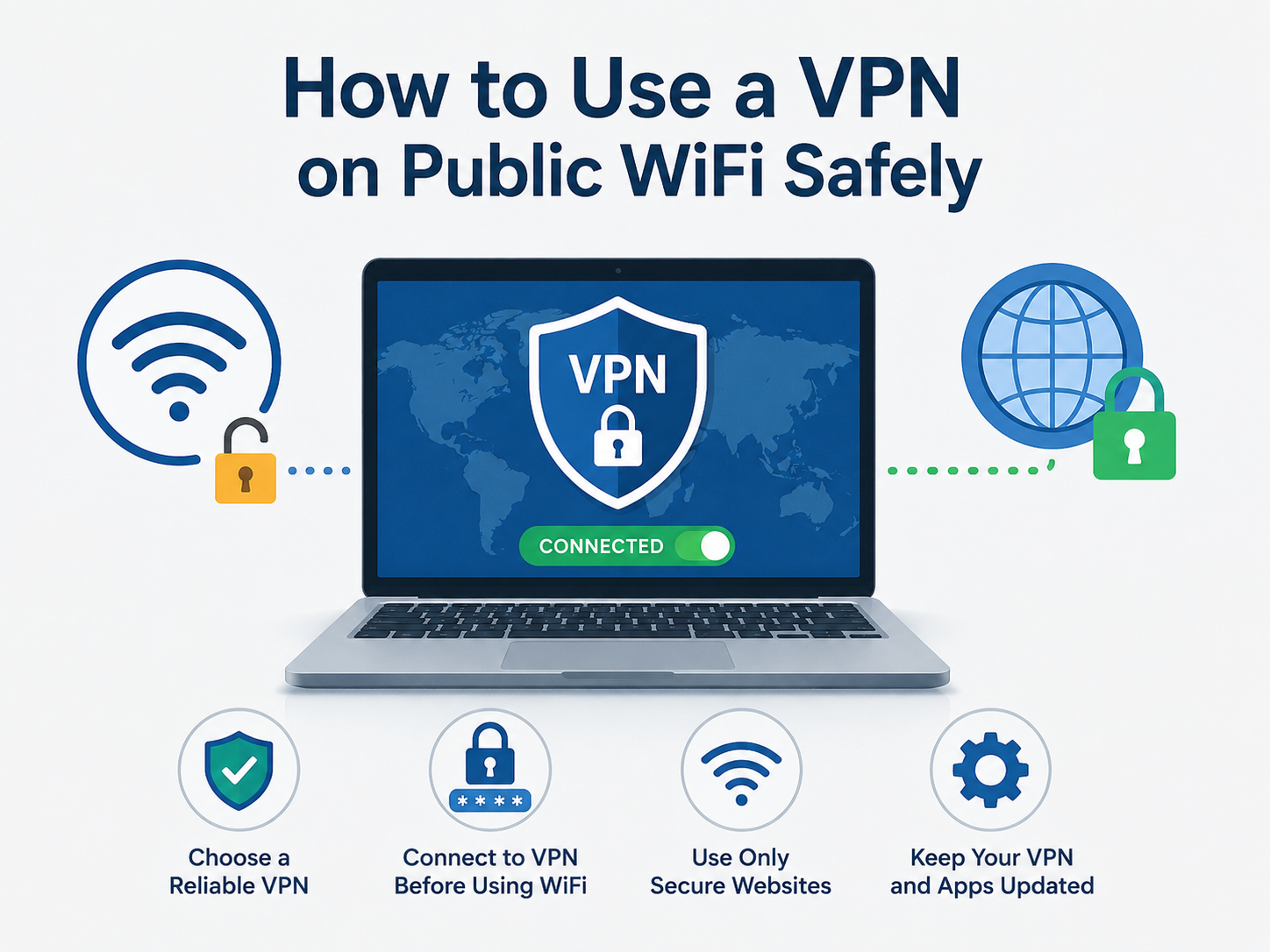
To get the most out of your public Wi-Fi VPN, follow these step-by-step best practices.
1. Confirm the Correct Wi-Fi Network
Always ask a staff member for the official network name. Avoid connecting to generic names like "Airport_Free_Wi-Fi," as these could be "evil twin" networks set up by hackers.
2. Complete the Wi-Fi Login Page If Required
Many public networks use a "Captive Portal" (a web page where you must agree to terms or enter a room number). You usually need to follow this sequence:
Connect to Wi-Fi → Complete the login/accept page → Connect your VPN.
3. Turn On Your VPN
Once the local network grants you internet access, immediately open your VPN app and connect to a nearby server for the best speeds. Remember to check the VPN is connected before browsing.
Check the quick steps for UFO VPN free downloading and using:


UFO VPN is an all-in-one VPN that offers unlimited access to 4K streaming like Netlfix, Disney Plus, no-ping gaming as PUBG, Roblox, CODM and social networking for YouTube, X, Facebook and more.




Unlock Pro Features
If you have upgraded to premium plan , feel free to enjoy premium servers for 4K streaming and advanced features like Kill Switch, Split Tunneling, and gaming acceleration. Your Mac is now fully optimized and protected. Inaddition to basic functions, we recommend you turn on

Verify Your IP Now
Use UFO VPN's " What is My IP " feature to see your new IP and location. This confirms your connection is secure, anonymous, and ready for safe browsing online anywhere at any time.







4. Keep the VPN On Until You Leave the Network
Avoid toggling your VPN off and on while still connected to the public hotspot, as this can momentarily leak your data.
Best VPN for Public Wi-Fi: What Features Actually Matter?
When looking for the best VPN for public Wi-Fi, skip the flashy marketing and focus on the technical features that provide tangible security on untrusted networks:
- Strong encryption: AES-256 or ChaCha20 to ensure data is unreadable.
- Kill switch: Automatically cuts your internet if the VPN drops, preventing data leaks.
- Stable connections: Protocols like WireGuard or OpenVPN for reliability.
- Fast nearby servers: To minimise the speed drop often associated with encryption.
- DNS leak protection: Ensures your web requests don't bypass the tunnel.
- Cross-platform apps: Easy-to-use software for Android, iOS, Windows, and macOS.
- Easy connection for travellers: A simple interface for quick activation.
Other Ways to Stay Safe on Public Wi-Fi
Beyond using a VPN, you should adopt these fundamental security habits:
- Verify the network name: Always confirm the exact SSID with the venue staff.
- Disable automatic Wi-Fi connections: Prevent your phone from silently connecting to open networks in your pocket.
- Keep your OS and apps updated: Patch known security vulnerabilities promptly.
- Use HTTPS websites: Look for the padlock icon in your browser.
- Enable MFA: Require a secondary code for all important logins.
- Avoid unknown downloads: Wait until you are on a trusted network to update software.
- Turn off file sharing: Disable AirDrop, nearby sharing, and network discovery.
- Forget the network after leaving: Stop your device from remembering the hotspot.
- Use mobile data for highly sensitive activities: Switch to 4G/5G for banking when practical.
FAQs
Should I leave my VPN on all the time when using public WiFi?
Generally, yes. If you've chosen to use a VPN on an airport, hotel, café, or other public network, keeping it connected throughout your session avoids gaps in protection. If you need to complete a captive portal first, connect the VPN immediately after the portal login is finished.
Can hackers see my data if I use a VPN on public WiFi?
A properly configured VPN encrypts traffic between your device and its VPN server, making that traffic much harder for someone monitoring the local WiFi network to read. However, a VPN can't protect information you voluntarily enter into a phishing site or prevent every type of attack.
Can the WiFi owner see what sites I visit with a VPN?
The network operator can generally tell that your device is connected and may see that you're communicating with a VPN server, but they can't simply inspect the contents of traffic inside a properly encrypted VPN tunnel. A VPN improves network privacy; it doesn't make your device completely invisible.
Should I use a VPN on hotel WiFi?
It's a useful additional layer of privacy, particularly if you're working, checking accounts, or spending a long time online. Complete the hotel's captive portal first if necessary, then connect your VPN before beginning private activities.
Should I use a VPN on airport WiFi?
The same advice applies. Verify the airport's official network name, complete any required login page, and then connect the VPN. This is especially useful if you'll be working or accessing personal accounts while waiting for your flight.
Do I need a VPN on password-protected public WiFi?
A password doesn't automatically make a public network private. If every hotel guest or café customer receives the same password, it's still a shared network you don't control. A VPN can provide an additional privacy layer even when the hotspot requires a password.
Should I connect to WiFi or VPN first?
For most public networks, the practical order is:
Connect to WiFi → Complete the captive portal if required → Connect your VPN → Start browsing.
If no portal is required, connect the VPN as soon as you've joined the WiFi network. Once the VPN shows an active connection, you can start using the internet through its encrypted tunnel.