Risks of Using WeChat
Privacy Concerns & Chinese Government Monitoring
WeChat is developed by Tencent, a Chinese company that is legally required to comply with China’s cybersecurity laws. This means the platform must assist government agencies with data access and censorship if requested.
Unlike apps like Signal or WhatsApp that offer full end-to-end encryption, WeChat's encryption protocols are limited and not end-to-end. In practice, this means:
-
WeChat can access the content of your messages if needed.
-
Sensitive topics such as politics, protests, or human rights may trigger automated content monitoring or account restrictions.
-
Certain content can be filtered or blocked—even in private conversations.
This raises major concerns for users who prioritize privacy or freedom of expression.
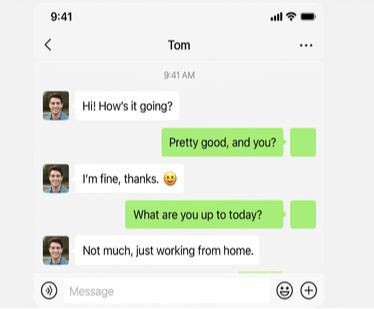
Data Storage & Encryption
Although WeChat uses some encryption during message transmission, it does not offer true end-to-end encryption. Messages are encrypted in transit but can be decrypted by WeChat’s servers. Tencent has stated that it may retain user data for:
-
Legal compliance
-
Operational needs
-
User safety investigations
This model gives the company broad access to message content, usage logs, contacts, payment activity, and device information.
Furthermore, where your data is stored also matters. Much of WeChat’s infrastructure is based in China, where data privacy regulations differ significantly from those in the U.S. or Europe.
Payment & Credit Card Safety
Beyond messaging and social features, WeChat is also widely used as a mobile payment platform—especially in China, where WeChat Pay is accepted almost everywhere. But when financial transactions are involved, safety becomes an even bigger concern. WeChat Pay allows users to:
-
Link a debit or credit card
-
Send and receive money
-
Make in-store purchases or online payments
-
Top up phone credit or public transport cards
Payment security itself is encrypted and monitored. However, several concerns remain:
-
WeChat collects payment metadata—including merchant, amount, location, and time
-
In the case of a compromised account, your linked payment method could be exposed
-
Your financial data may be shared with authorities if flagged for investigation
For casual users, it’s generally safe to make small payments or transfers. But it’s best to avoid linking primary bank accounts or storing large balances in the app.
How to Use WeChat Safely in 2026
While WeChat’s risks are real, they don’t mean you need to avoid the app completely. With the right precautions, you can protect your privacy and data.
Using VPN & Secondary Accounts
A VPN (Virtual Private Network) is essential if you're accessing WeChat from outside China, or if you're concerned about ISP surveillance, geo-blocking, or data interception.
Using a VPN helps:
-
Mask your IP address and location
-
Bypass regional restrictions
-
Avoid local network monitoring
-
Secure your traffic from untrusted networks (like public Wi-Fi)
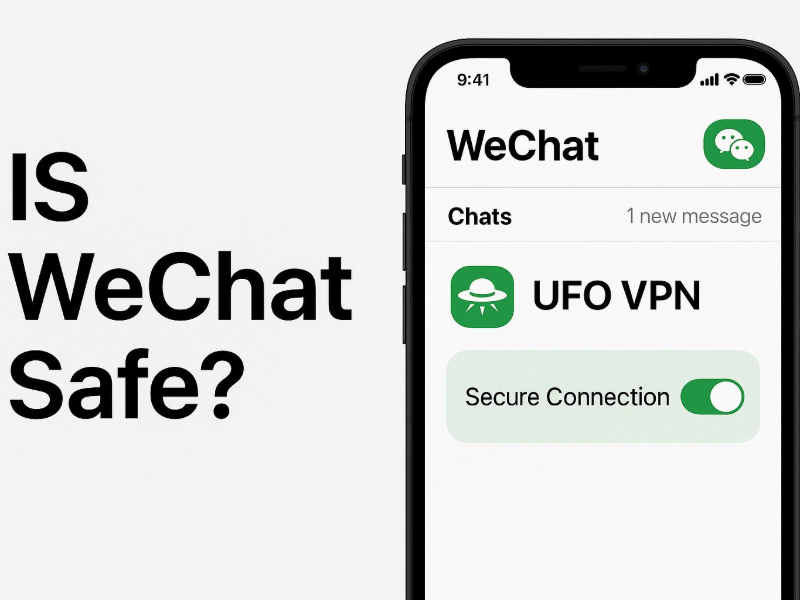
Tools like UFO VPN offer encrypted connections and servers in multiple regions, allowing you to safely use WeChat even in restricted or monitored environments.


UFO VPN is an all-in-one VPN that offers unlimited access to 4D streaming like Netlfix, Disney Plus, no-ping gaming as PUBG, Roblox, CODM and social networking for YouTube, X, Facebook and more.




Unlock Pro Features
If you have upgraded to premium plan , feel free to enjoy premium servers for 4K streaming and advanced features like Kill Switch, Split Tunneling, and gaming acceleration. Your Mac is now fully optimized and protected. Inaddition to basic functions, we recommend you turn on

Verify Your IP Now
Use UFO VPN's " What is My IP " feature to see your new IP and location. This confirms your connection is secure, anonymous, and ready for safe browsing online anywhere at any time.







In addition, consider using a secondary phone number or email when signing up. This limits how much personally identifiable information you share with the app and reduces risks if your account is ever compromised.
Tips for Privacy & Security Settings
WeChat includes built-in settings to help you control your exposure. Make sure to review and adjust the following:
✔ Account Settings
-
Set a strong password and update it regularly
-
Enable two-step verification where possible
-
Review and manage authorized devices
✔ Privacy Settings
-
Limit who can find you via phone number
-
Disable “People Nearby” and “Shake” features if unused
-
Set Moments to “Visible to Friends Only” or limit visibility by group
✔ Permissions
-
Restrict camera, microphone, and location access when not in use
-
Avoid syncing contacts unless absolutely necessary
-
Turn off access to your photo gallery unless uploading manually
Taking control of these settings reduces how much data WeChat can collect and limits potential exposure from device-level tracking.
Is WeChat Safer than WhatsApp?
Not really—especially if you care about privacy.
| Feature | ||
|---|---|---|
| End-to-End Encryption | ❌ (Not default, limited use) | ✅ Enabled by default |
| Government Data Access | High (Chinese jurisdiction) | Moderate (U.S. jurisdiction) |
| Transparency Reports | No public reports | Regularly published |
| Open Source Security | ❌ Closed platform | ✅ Open encryption protocol |
| Content Censorship | ✅ Present in some regions | ❌ Not applicable |
While WhatsApp is owned by Meta and carries its own concerns (like metadata collection), it still offers stronger technical safeguards such as full encryption and better transparency. WeChat prioritizes integration and convenience over privacy, which may be acceptable for casual use, but not for sensitive communications.
FAQs
Is WeChat free to use?
Yes. The core app is free, including messaging, calls, and Moments. Some in-app purchases or third-party services may incur costs.
Is WeChat safe for Americans?
Yes, but cautiously. There are concerns around data privacy and national security. WeChat is legal to use in the U.S., but not recommended for business or sensitive discussions.
Is WeChat safe for kids?
Not really. The app lacks parental controls, content filtering, and age-specific protections. Children could be exposed to inappropriate content or online strangers.
Is it safe to link a credit card to WeChat?
WeChat Pay is secure in terms of transaction encryption, but it’s best to link low-risk payment methods (like prepaid cards) and avoid storing large balances.
What content is restricted on WeChat?
Topics such as:
Criticism of the Chinese government
Political activism
Sensitive keywords (e.g., Tiananmen, Hong Kong protests)
Adult or violent content
...may be censored or flagged.
Is WeChat safe to use on your iPhone?
Yes, from a technical standpoint. But keep in mind that iOS-level security can’t protect against WeChat’s own server-side monitoring. Always manage app permissions and limit sensitive data.
Why do Chinese people use WeChat instead of WhatsApp?
WeChat is more than a messenger—it includes payment, social feeds, public services, and more. WhatsApp is also blocked in mainland China, making WeChat the default for everyday digital life.
Conclusion
WeChat is powerful, versatile, and deeply embedded in the lives of millions. But its security model prioritizes convenience and control over privacy and encryption. For users, the key to using WeChat safely lies in understanding its limitations—and taking steps to protect yourself.
✅ Limit what personal or financial data you share
✅ Use a VPN like UFO VPN to safeguard your connection
✅ Set strong privacy and permission controls
✅ Avoid sensitive discussions on the platform
Used with awareness and caution, WeChat can still be a valuable tool—just don’t assume it’s as private or secure as it looks.