What Are Attack on Titan Revolution Codes?

Before redeeming any rewards, you need to clearly understand what Attack on Titan Revolution Codes are, where they come from, and how they impact your progression. Many players waste time grinding or miss limited-time rewards simply because they don’t recognize which codes are official. In this section, you will learn how these codes work and why using them correctly can directly speed up your progress and reduce unnecessary effort.
Attack on Titan Revolution codes are developer-released promo codes that reward players with free in-game items, such as:
-
Spins (used for perks and abilities)
-
Gems (premium currency)
-
Boosts or limited-time bonuses
These codes are usually released during game updates, milestones, events, or holidays. Reading this section helps you avoid wasting time grinding when free rewards are already available—and ensures you don’t miss out on limited-time benefits.
Active Attack on Titan Revolution Codes
Below are the currently active Attack on Titan Revolution codes you can redeem right now. Make sure to enter them exactly as shown, since codes are case-sensitive.
CHRISTMAS2025 - 300 Spins + 1 2x Gold Potion [2H],1 2x Luck Potion [2H], and 1 2x XP Potion [2H]
LIKES1M - 400 Spins, 10 Emperor Keys, 1 2x Gold Potion, 1 2x Luck Potion, 1 2x XP Potion
LIKES950K - 250 Spins, 5 Emperor Keys, and 2x Luck, 2x XP, and 2x Gold Potion[1H] (New)
HALLOWEEN2025 - 300 Spins, 10 Emperor Keys, and 2x Luck Potion for 1 hour
LIKES900K - 250 Spins, 5 Keys and and 1 2x Gold Potion [1H]
LIKES850K - 250 Spins + 5 Keys + 1 2x Luck Potion [1H]
FREECODE2 - 100 Spins
VISITS500M - 300 Spins + 7 Emperor Keys + 1 2x Gold Potion [2H] + 1 2x Luck Potion [2H] + 1 2x XP Potion [2H] (expires July 22) (new!)
LIKES800K - 250 Spins + 5 Keys + 1 2x Gold Potion [1H] + 1 2x XP Potion [1H]
LIKES750K - 250 Spins + 5 Emperor Keys + 1 2x Luck Potion [1H]
Redeem these codes as soon as possible. Most Attack on Titan Revolution codes expire quickly, especially after major updates.
Expired Attack on Titan Revolution Codes
This section helps you avoid wasting time trying codes that no longer work. If a code is listed below, it has already expired and can’t be redeemed again.
- UPDATE4PENDING
- LIKES700K
- LIKES675K
- SUB2EK3
- HOLIDAYS2024
- UPDATE2DEMON
- UPDATE2SPINS
- CODESEXPIREAFTER1WEEK
- UPDATE2PATCH
- LIKES350K
- ARMOREDTITANSOON
- SOSORRY4DELAY
- WELOVEBRASIL
- ROBLOXFIX
- LIKES325K
If a code doesn’t work, it’s usually because it has expired or you’ve already redeemed it on your account.
How to Speed Up Attack on Titan Revolution?
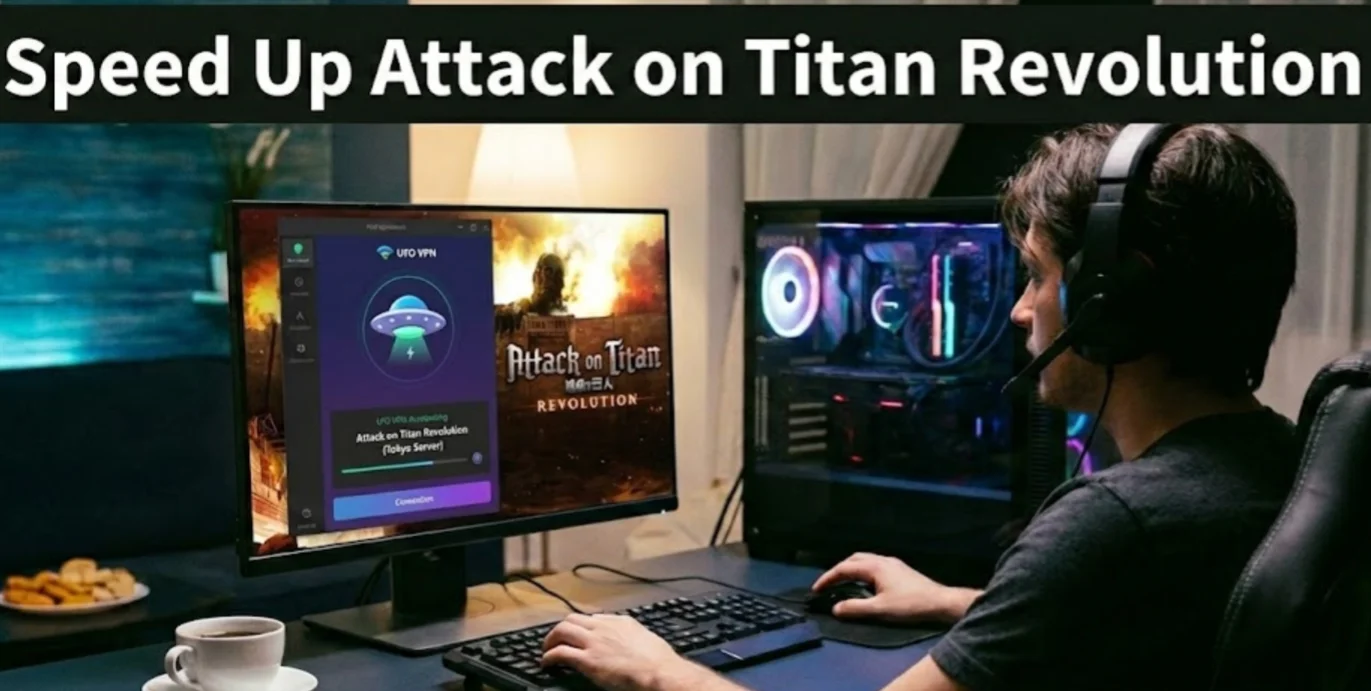
After using Attack on Titan Revolution Codes to gain free Spins and Gems, you may still find your progress limited—not by resources, but by lag, delayed inputs, or unstable connections, especially during peak Roblox traffic hours. In this situation, using a free proxy VPN like UFO VPN becomes one of the most effective ways to speed up Attack on Titan Revolution and keep your gameplay smooth and responsive.
Why Use a VPN for Attack on Titan Revolution?
-
Reduce lag and input delay: Connect to faster routes closer to Roblox game servers
-
Avoid ISP throttling: Prevent your internet provider from slowing down gaming traffic
-
Improve stability: Minimize disconnects during combat, farming, and boosted sessions
-
Play smoothly during peak hours: Maintain consistent performance when servers are crowded
Recommended VPN for Attack on Titan Revolution
UFO VPN is a reliable VPN designed to improve speed, stability, and privacy while gaming. It’s especially useful if you experience lag spikes or inconsistent performance in Attack on Titan Revolution.
It offers:
-
Fast servers in 100+ countries for optimized routing
-
No-log policy with strong encryption to protect your connection
-
Built-in ad blocker for a cleaner experience
-
Easy setup on PC and mobile, no technical skills required
If your connection feels slow or unstable, simply connect to a nearby server using VPN before launching the game. This small step can noticeably improve your response time and overall experience—especially when farming missions or using Spins quickly.
How to Use UFO VPN to Speed Up the Game:


UFO VPN is an all-in-one VPN that offers unlimited access to 4K streaming like Netlfix, Disney Plus, no-ping gaming as PUBG, Roblox, CODM and social networking for YouTube, X, Facebook and more.




Unlock Pro Features
If you have upgraded to premium plan , feel free to enjoy premium servers for 4K streaming and advanced features like Kill Switch, Split Tunneling, and gaming acceleration. Your Mac is now fully optimized and protected. Inaddition to basic functions, we recommend you turn on

Verify Your IP Now
Use UFO VPN's " What is My IP " feature to see your new IP and location. This confirms your connection is secure, anonymous, and ready for safe browsing online anywhere at any time.







How to Redeem Codes in Attack on Titan Revolution?

Once your game is running smoothly, the next common problem is codes failing to work due to incorrect redemption steps. Many players lose free Spins and Gems not because the codes are invalid, but because they enter them in the wrong place or miss a required step. The following steps walk you through how to redeem codes in Attack on Titan Revolution correctly, ensuring every valid code rewards your account as intended.
-
Launch Attack on Titan Revolution on Roblox
-
Click the Codes button (usually on the main menu or side UI)
-
Enter the code exactly as shown
-
Press Redeem
-
Enjoy your free rewards instantly
If a code doesn’t work:
-
Double-check spelling and capitalization
-
Make sure the code isn’t expired
-
Restart the game and try again
Redeeming codes correctly ensures you don’t miss out on valuable Spins and Gems.
Where to Find More Attack on Titan Revolution Codes?

After learning how to redeem codes correctly, the next challenge is finding new Attack on Titan Revolution Codes before they expire. Many players miss out on free Spins and Gems simply because they rely only on in-game notices or outdated sources. In this part, we will show you where to find more codes reliably, so you can stay updated and claim every available reward on time.
Here are the best places to find more Attack on Titan Revolution codes:
-
Official Roblox game page (check update notes)
-
Developer’s Twitter/X or Discord
-
Community Discord servers
-
Reddit and Roblox forums
-
Trusted gaming blogs (bookmark them)
To avoid region-based access issues or blocked social platforms, using UFO VPN can help you access official channels smoothly, especially if certain sites load slowly or are restricted on your network.

Tips for Leveling Up Fast in Attack on Titan Revolution

Even with a steady supply of codes, Spins, and Gems, you may still level up slowly, perhaps because you use resources inefficiently or focus on the wrong activities. This section addresses that problem by breaking down practical strategies to level up faster in Attack on Titan Revolution, helping you turn your rewards into real progression instead of wasted effort.
Spend Your Gems and Spins Efficiently
Instead of spending Gems and Spins immediately, you should:
-
Save Spins for higher-level rolls
-
Avoid rerolling low-impact perks
-
Use Gems during events or updates for better odds
Strategic spending helps you grow stronger faster without burning through resources.
Best Early-Game Missions for Fast Leveling
Early-game progression is crucial. Focus on missions that:
-
Offer high XP per minute
-
Can be completed solo quickly
-
Don’t require heavy combat investment
Repeating efficient missions is far better than jumping between random tasks.
Maximizing Your Boosts
Boosts are time-limited, so use them wisely:
-
Activate boosts when you have uninterrupted playtime
-
Combine boosts with high-XP missions
-
Ensure stable connection with UFO VPN to avoid disconnects during boosted sessions
This ensures you get the full value from every boost.


Conclusion
Attack on Titan Revolution doesn’t have to feel slow or frustrating. By using Attack on Titan Revolution Codes, redeeming them correctly, and knowing where to find more codes, you can gain free Spins, Gems, and boosts that significantly improve your progress. Beyond codes, optimizing your gameplay experience matters just as much. Tools like a reliable VPN help you speed up the game, reduce lag, and maintain stable performance—giving you a real advantage during missions and events.
FAQs
What are Attack on Titan Revolution Codes used for?
Attack on Titan Revolution Codes give you free rewards like Spins, Gems, and boosts. These rewards help you progress faster without grinding or spending Robux.
How often are new Attack on Titan Revolution codes released?
New codes are usually released during updates, special events, or milestones. Checking official sources regularly helps you avoid missing limited-time rewards.
Can using a VPN improve Attack on Titan Revolution gameplay?
Yes, a VPN like UFO VPN can reduce lag and improve stability by optimizing your connection. This is especially useful during peak hours or on unstable networks.
Why does my Attack on Titan Revolution codes not work when I redeem it?
A code may not work if it has expired, was entered incorrectly, or has already been redeemed on your account. Restarting the game and double-checking the spelling often fixes the issue.