What Are eBay Scams?
eBay scams are fraudulent activities that take place on the eBay platform, affecting both buyers and sellers. These scams can take many forms, ranging from counterfeit products to fake payment methods. Cybercriminals target eBay users by offering goods at too-good-to-be-true prices, requesting sensitive payment information, or even stealing user accounts.
Understanding what is eBay fraud is the first step to staying safe while buying and selling on the platform. With millions of active users, eBay is a frequent target for scammers.
Types of eBay Scams to Watch Out For
1. Fake Product Listings
One of the most common types of eBay scams is fake product listings. Scammers often list high-demand items, such as electronics or designer goods, at unbelievably low prices. Once the buyer makes the purchase, the scammer either doesn’t ship the item at all or sends an inferior or counterfeit product.
Tip: Always check the seller's feedback score and read reviews before purchasing. A reputable seller will have a positive rating and reviews from past buyers.
2. Non-Delivery of Items
Another scam involves sellers who claim to ship the item but never do. These sellers may disappear after receiving payment, leaving the buyer without any recourse. Sometimes, these sellers claim the item was lost or damaged during shipping.
Tip: Use eBay’s secure payment methods, like PayPal, which can provide buyer protection in case an item is not delivered. Always ask for tracking numbers for shipped items.
3. Payment Fraud
Some scammers will ask buyers to pay outside of eBay’s secure system, such as through wire transfer or direct bank deposit. This is a significant red flag because eBay and PayPal offer buyer protection only for payments made through their official systems. Paying outside of these methods voids that protection.
Tip: Always make payments through eBay’s secure checkout process. Avoid requests for direct payment to bank accounts or through third-party apps.
4. Account Hijacking
Scammers may attempt to hijack your eBay account by obtaining your login credentials. This usually occurs through phishing emails that prompt you to enter your eBay login details on a fake eBay website. Once they have your credentials, they can make unauthorized purchases and even change your account information.
Tip: Use two-factor authentication (2FA) to secure your eBay account and ensure you're only logging in from trusted devices.
5. Fake Buyer Protection Claims
Scammers may attempt to make fake claims for buyer protection after receiving the item. They may falsely claim that the item was damaged or that it didn’t match the description to get a refund while keeping the goods.
Tip: Always document your purchase with clear photos and keep all correspondence. If you ever face a claim, having a record of the transaction can help prove your case.
How to Protect Yourself from eBay Scams
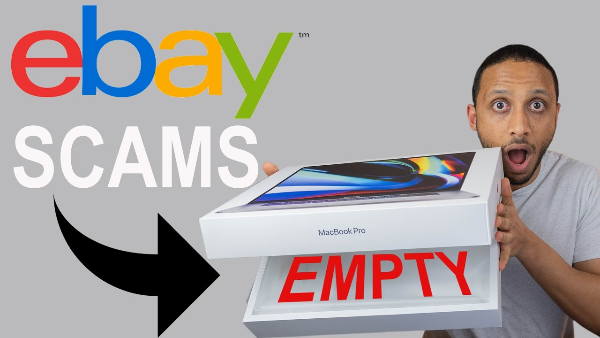
Knowing how to avoid eBay scams is crucial for a safe online shopping experience. Here are some steps you can take to reduce your risk:
1. Research Sellers and Products Thoroughly
Before making any purchase, take time to research both the product and the seller. Check the seller’s ratings and read their reviews to ensure they have a trustworthy reputation. Look for negative reviews or complaints about similar issues, such as non-delivery or counterfeit items.
2. Use PayPal for Secure Transactions
PayPal is the most secure payment method on eBay, offering buyer protection in case things go wrong. With PayPal, you can dispute any unauthorized charges and even request a refund if your item doesn’t arrive or isn’t as described.
3. Enable Two-Factor Authentication (2FA)
Adding two-factor authentication (2FA) to your eBay account provides an extra layer of protection against hackers. Even if someone obtains your login details, they won’t be able to access your account without the second authentication method.
4. Avoid Unusual Payment Methods
As mentioned earlier, avoid sellers who ask for payment outside of eBay’s payment methods. These payment methods often bypass buyer protection and make it difficult for you to get your money back if the transaction goes awry.
5. Look for Red Flags
If the deal seems too good to be true, it probably is. Low prices, a lack of return policies, or requests to make off-platform payments should immediately raise a red flag. Take the time to verify the legitimacy of a deal before committing.
How VPN Helps Protect You from eBay Scams
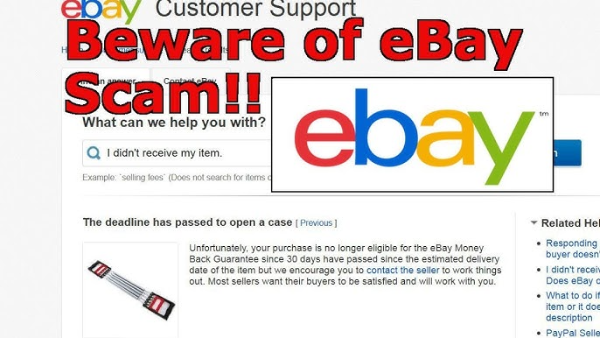
While the tips above help reduce your risk when using eBay, another layer of protection comes from securing your online activity with a VPN. The free proxy VPN in UFO VPN is a powerful tool that encrypts your internet connection, protecting your browsing and online transactions from hackers and malicious actors. Here’s how UFO VPN can enhance your security:
-
Mask Your IP Address: UFO VPN hides your true IP address, making it harder for cybercriminals to track your online activities or access your personal information.
-
Encrypt Your Connection: When using public Wi-Fi or untrusted networks, UFO VPN encrypts your data, making it much more difficult for hackers to intercept sensitive information like login credentials or payment details.
-
Bypass Geolocation Restrictions: Some scams are region-specific. UFO VPN lets you connect to servers in different countries, helping you avoid region-based scams and access eBay listings that may be restricted in your location.
💚4 Steps to Open UFO VPN💚


UFO VPN is an all-in-one VPN that offers unlimited access to 4K streaming like Netlfix, Disney Plus, no-ping gaming as PUBG, Roblox, CODM and social networking for YouTube, X, Facebook and more.




Unlock Pro Features
If you have upgraded to premium plan , feel free to enjoy premium servers for 4K streaming and advanced features like Kill Switch, Split Tunneling, and gaming acceleration. Your Mac is now fully optimized and protected. Inaddition to basic functions, we recommend you turn on

Verify Your IP Now
Use UFO VPN's " What is My IP " feature to see your new IP and location. This confirms your connection is secure, anonymous, and ready for safe browsing online anywhere at any time.







Using UFO VPN is an easy way to enhance your privacy and security while shopping online and interacting with platforms like eBay. It ensures your data remains safe from prying eyes, adding an extra layer of protection against eBay scams.
FAQs
What are the most common eBay scams?
Some of the most common eBay scams include fake product listings, non-delivery of items, payment fraud, account hijacking, and fake buyer protection claims.
How can I spot a fake eBay seller?
Look for signs like an unusually low price, no seller reviews, or poor ratings. You can also check if the seller has a verified PayPal account and ask questions about the product.
Is it safe to use PayPal on eBay?
Yes, PayPal is the safest method of payment on eBay. It offers buyer protection and the ability to dispute unauthorized charges or item issues.
How can UFO VPN help protect me on eBay?
UFO VPN encrypts your connection and masks your IP address, protecting your sensitive data from hackers. It also helps you avoid region-specific scams by allowing you to access eBay from a different location.
How do I recover my eBay account if it’s hacked?
If your eBay account is hijacked, immediately change your password and contact eBay support. Enabling two-factor authentication can help prevent future unauthorized access.