logo

UFO VPN : Best Free VPN You Can Actually Trust

Strong encryption & free access to global apps & websites.

  • No credit card
  • 100% free plan
  • 2000+ servers
blog banner bg

"How to Identify and Avoid Scam Shopping Websites in 2026"

As online shopping becomes more popular, so do the scams targeting unsuspecting buyers. Scam shopping websites often mimic legitimate stores, offering enticing deals that seem too good to pass up. However, these sites are designed to steal personal information or money from unsuspecting shoppers. It's essential to be aware of the risks and take steps to protect yourself while browsing and purchasing online. In this post, we’ll explore how scam shopping websites operate, how to recognize them, and how you can stay safe. 
Updated on 01/23/2026
5 minutes

Table of Contents

What Are Scam Shopping Websites?
what are scam shopping website

Scam shopping websites are fraudulent sites that deceive users into making purchases without delivering the promised products or services. Some of these sites also collect personal data, including payment details, to use or sell. To avoid falling victim to these scams, it’s important to recognize the signs of a fraudulent site and know how to protect yourself.

How Do Scam Shopping Websites Work?

Scam shopping sites use several tactics to trick consumers:

  1. Fake Products at Low Prices: Scam websites often advertise products at prices that seem too good to be true. Once you place an order, you either receive counterfeit items or nothing at all.

  2. Phishing Tactics: Some scam sites use phishing techniques, luring users with emails or social media ads that direct them to fake stores.

  3. Financial Exploitation: These websites can steal your credit card information by tricking you into entering payment details on insecure pages.

  4. Malware and Tracking: Many scam sites also attempt to infect your device with malware or adware, which can steal sensitive data from your device.

4 Common Types of Scam Shopping Websites

10 common types of scam shopping websites

Scam websites come in many forms. Some of the most common types include:

  • Phishing Websites: These mimic legitimate online stores or services to steal login credentials or payment details.

  • Fake Shopping Sites: They promise deals on popular products but never fulfill the orders.

  • Malware Distribution Sites: These are designed to infect your device with viruses or spyware.

  • Fake Review Sites: These promote fake products by posting fake reviews, luring buyers into making purchases.

Related Posts
amazon-scams
How to
date icon 2025-09-03 15:09:40
5 Amazon Scams: How to Stay Safe While Shopping
what are ebay scams
Online Safety
date icon 2025-10-24 14:19:37
How to Avoid eBay Scams: Tips for Safe Online Shopping

How to Avoid Being Scammed by Shopping Websites
how to avoid being scammed by scam websites

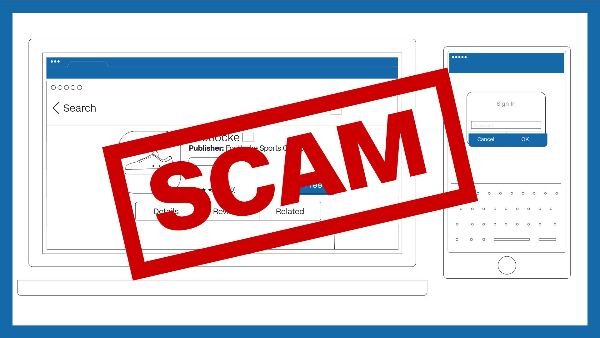
Here are some essential tips to protect yourself from scam shopping sites:

  1. Check the URL: Always ensure that the website URL starts with "https://" and includes a padlock symbol, indicating it's secure.

  2. Look for Contact Information: Legitimate sites will have clear and accessible contact details.

  3. Read Reviews: Look for independent reviews from reliable sources to verify the site’s credibility.

  4. Use a Secure Payment Method: Always pay using credit cards or payment services that offer buyer protection.

  5. Be Cautious of Too-Good-to-Be-True Deals: If a deal seems too good to be true, it probably is.

How VPN Protects You While Shopping Online

Unlock, Protect and Go Free
Access any site
Lifetime free
3000+ global IPs
1-click connection

While these steps are important, they don’t fully protect you from all online threats. Scammers often use insecure public Wi-Fi or compromised networks to carry out their activities. A free proxy VPN in UFO VPN helps safeguard your personal data and privacy during online shopping. Here’s how:

  • Encrypt Your Data: UFO VPN uses AES-256 encryption to secure your data, making it unreadable to hackers or third parties.

  • Mask Your IP Address: With UFO VPN, your real IP address is hidden, making it harder for malicious sites to track your activities.

  • Prevent Data Interception: UFO VPN protects you from man-in-the-middle attacks, ensuring your information is safe even on unsecured networks.

Using UFO VPN while shopping online adds an extra layer of security, ensuring that your personal information remains private.

💛4 Steps to Get Your Shopping Helper:

Step 1
Grab the free Windows VPN installer right below. UFO VPN is lightweight and secure on all Windows systems. Double-click the downloaded file and complete the installation. Once installed, launch UFO VPN.
windows1
Step 2
Select a VPN Server
Inside the app, you can click the "Connect" button for quick connection, or browse the list of servers by Location or categroy: Video& Stream, Game, etc. Choosing the right server ensures fast speeds and smooth access.
windows2
Pro Tip

UFO VPN is an all-in-one VPN that offers unlimited access to 4D streaming like Netlfix, Disney Plus, no-ping gaming as PUBG, Roblox, CODM and social networking for YouTube, X, Facebook and more.


Step 3
Enable Advanced Features
In addition to basic functions, we recommend you turn on extra protections via Ad Blocker and features like Kill Switch, Split Tunneling and Smart Hop. Users can optimize online gaming/streaming/chatting as much as possible.
windows3
Step 4
Check Your New IP
Use UFO VPN's built-in " What is My IP" feature to see your new IP address and location. This confirms your VPN is working, hides your real IP, and ensures privacy while browsing.
windows4
Step 1 Download and install UFO VPN for macOS
Click the button below to download offcial Mac VPN free. Open the .dmg file, drag UFO VPN to your Applications folder, and launch it. You're just a few clicks away from secure browsing.
macos1
Step 2 Pick Your IP Server
Tap "Connect" button for the fastest server automatically. Or you can select a server from the global server list in 100+ countries. UFO VPN is an UFO VPN is an all-in-one VPN or gaming, video streaming, social platforms, and AI tools.
macos2
Step 3

Unlock Pro Features

If you have upgraded to premium plan , feel free to enjoy premium servers for 4K streaming and advanced features like Kill Switch, Split Tunneling, and gaming acceleration. Your Mac is now fully optimized and protected. Inaddition to basic functions, we recommend you turn on

macos3
Step 4

Verify Your IP Now

Use UFO VPN's " What is My IP " feature to see your new IP and location. This confirms your connection is secure, anonymous, and ready for safe browsing online anywhere at any time.


macos4
Step 1 Download and install UFO VPN for iPhone/iPad
Download this free iOS VPN via official link or App Store. Once installed, launch the app to get started. UFO VPN is now trusted by over 2 million users worldwide with optimzed service.
ios1
Step 2 Select a Perfect Server
Hit "Connect" button for the fastest server near you instantly. Or you can choose a favorite location/platform from the server list manually for full control. UFO VPN is an all-in-one VPN companion for gaming, streaming, social media, and AI tools.
ios2
Step 3 Lookup IP and Enable Pro Features
Now you can check your current IP via built-in IP lookup tool. Pro features in premium plan offer you premium servers, blazing speeds, Kill Switch, Split Tunneling, and Multi-device login, so you can protect your iPhone, iPad, and other Apple devices all at once.
ios3
Step 1 install UFO VPN for Android
Get free Android VPN from offcial website or Google Play Store. Follow the instructions for easy download. Then open the app and get ready to surf safely.
android1
Step 2 Choose Your Ideal Server
UFO VPN is an all-in-one powerhouse for gaming, video streaming, social apps, and AI tools. The"Connect" button links you to the fastest server instantly, or you can choose among the server list manually via Location/ Video&Stream/Games for easy access.
android2
Step 3 Power Up Pro Features
Pro users can look up current IP via built-in "What Is My IP" feature, and unlock premium features like 4K servers, turbo speeds, Kill Switch, Split Tunneling, and Multi-device login, keeping all your Android phones, tablets, and other devices safe at once.
android3

FAQs

What are the signs of a scam shopping website?

Look out for suspiciously low prices, lack of contact information, and insecure URLs. Also, check for user reviews and compare prices with trusted sources.

Can I get my money back if I fall for a scam website?

It depends on your payment method. Credit card companies may offer fraud protection, but it’s always better to prevent scams before they happen.

How can UFO VPN help me while shopping online?

UFO VPN encrypts your connection, hides your IP address, and protects you from hackers, ensuring a secure shopping experience even on public Wi-Fi.

What should I do if I think I've purchased from a scam website?

Contact your bank or credit card company immediately, report the website, and monitor your accounts for any unauthorized activity.

Bypass blocks. Stay private.

Use UFO VPN — the best free VPN that works anywhere

Ethan Carter
Ethan Carter

About This Author

I’m Ethan Carter, a New York-based writer with a background in cybersecurity and digital trends. I love breaking down complex tech topics into digestible insights, helping people navigate the online world safely and smartly.