Is VPN Blocked in Russia?
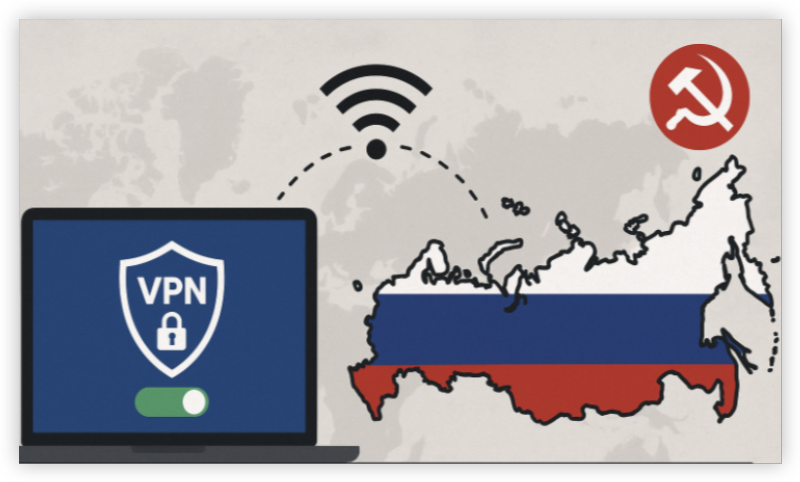
Yes, VPNs are largely restricted or blocked in Russia. Since 2017, Russian authorities have tightened regulations, banning VPNs that do not comply with the country’s censorship laws. In 2026, this crackdown has intensified, making it difficult to find a reliable, working VPN in Russia.
However, using a VPN is not technically illegal unless you use it to access content that violates Russian law. But it’s important to note that many popular VPN apps have been removed from app stores or are being throttled by local ISPs.
VPN Not Working in Russia: Reasons & Fixes
If your VPN is not working in Russia, the reasons could include:
-
Blocked VPN servers or IP ranges
-
Deep Packet Inspection (DPI) used by Russian ISPs to detect and block VPN traffic
-
Outdated VPN protocols that are easily detected
-
Government pressure on app stores causing removal or restrictions on installation
Here are fixes to try if your VPN fails:
-
✅ Switch to obfuscated/stealth servers
-
✅ Change protocol to WireGuard or TCP
-
✅ Connect to less common countries (e.g., Czech Republic VPN server, Latvia VPN server)
-
✅ Clear DNS cache and app data
-
✅ Reinstall the app using a secure browser like Tor
How to Connect to a Russia VPN
To bypass restrictions and use a VPN in Russia safely, follow these best practices with UFO VPN - a free proxy VPN:


UFO VPN is an all-in-one VPN that offers unlimited access to 4K streaming like Netlfix, Disney Plus, no-ping gaming as PUBG, Roblox, CODM and social networking for YouTube, X, Facebook and more.




Unlock Pro Features
If you have upgraded to premium plan , feel free to enjoy premium servers for 4K streaming and advanced features like Kill Switch, Split Tunneling, and gaming acceleration. Your Mac is now fully optimized and protected. Inaddition to basic functions, we recommend you turn on

Verify Your IP Now
Use UFO VPN's " What is My IP " feature to see your new IP and location. This confirms your connection is secure, anonymous, and ready for safe browsing online anywhere at any time.







In the meantime, here are additional tips for using a Russia VPN:
-
Use obfuscated servers (stealth mode or camouflaged servers) to bypass DPI.
-
Choose VPNs like UFO VPN with a no-log policy and strong encryption (AES-256).
- Use WireGuard or OpenVPN protocols with obfuscation.
Tips: How to Make VPNs Work in Russia Again
-
Use browser-based extensions (some VPNs offer Chrome plugins)
-
Try bridge servers or shadowsocks in extreme censorship cases
-
Consider port forwarding via ports like 443 or 8443
-
Use dual VPN or multihop (only available in advanced services like NordVPN or UFO VPN)
-
Use browser-based extensions (some VPNs like UFOVPN offer Chrome plugins)
-
Try bridge servers or shadowsocks in extreme censorship cases
-
Consider port forwarding via ports like 443 or 8443
-
Use dual VPN or multihop (only available in advanced services like NordVPN or UFO VPN)
Bonus: Best VPNs That Still Work in Russia
Free VPNs in Russia are hit or miss. Many are blocked, slow, or dangerous. If you must use a free option: UFO VPN offers a free tier with stealth features. Avoid unknown free VPNs that may log or sell your data, especially in high-surveillance regions.
| VPN Brand | Obfuscated Servers | App OS Support | Free Plan | Kill Switch | Highlights |
|---|---|---|---|---|---|
| UFO VPN | ✅ Yes | Android, iOS, Windows | ✅ Free & Paid | ✅ Yes | Lightweight, reliable, stealth support |
| ExpressVPN | ✅ Yes | All platforms | ❌ No | ✅ Yes | Premium, known for bypassing restrictions |
| NordVPN | ✅ Yes | All platforms | ❌ No | ✅ Yes | Strong obfuscation mode |
| ProtonVPN | ✅ Yes (Plus plan) | All platforms | ✅ Yes (limited) | ✅ Yes | Open-source, secure |
| Windscribe | ✅ Yes (Stealth Mode) | All platforms | ✅ Yes (10GB/mo) | ✅ Yes | Strong free plan option |
Stay Safe, Stay Connected
Internet access in Russia is becoming more restricted by the day, but that doesn’t mean you have to give up your digital freedom when VPNs are not working in Russia. While VPNs in Russia are being blocked, there are still reliable services like UFO VPN, ProtonVPN, and NordVPN that help users maintain access.
FAQs
Is it illegal to use a VPN in Russia?
Not technically, but using it to access banned content can lead to legal issues.
Which VPNs are blocked in Russia?
Services like Hola, TunnelBear, and Betternet are commonly blocked or throttled.
Can I use a VPN on my phone in Russia?
Yes, but download and configure it before arriving in Russia.
Are there VPNs available on Russian app stores?
Many are removed, so sideloading or using alternate app stores is necessary.
Can I use free VPNs like UFO VPN in Russia?
Yes, but make sure to enable stealth or obfuscated servers.