What Is the iPhone & Android VPN Usage Warning?
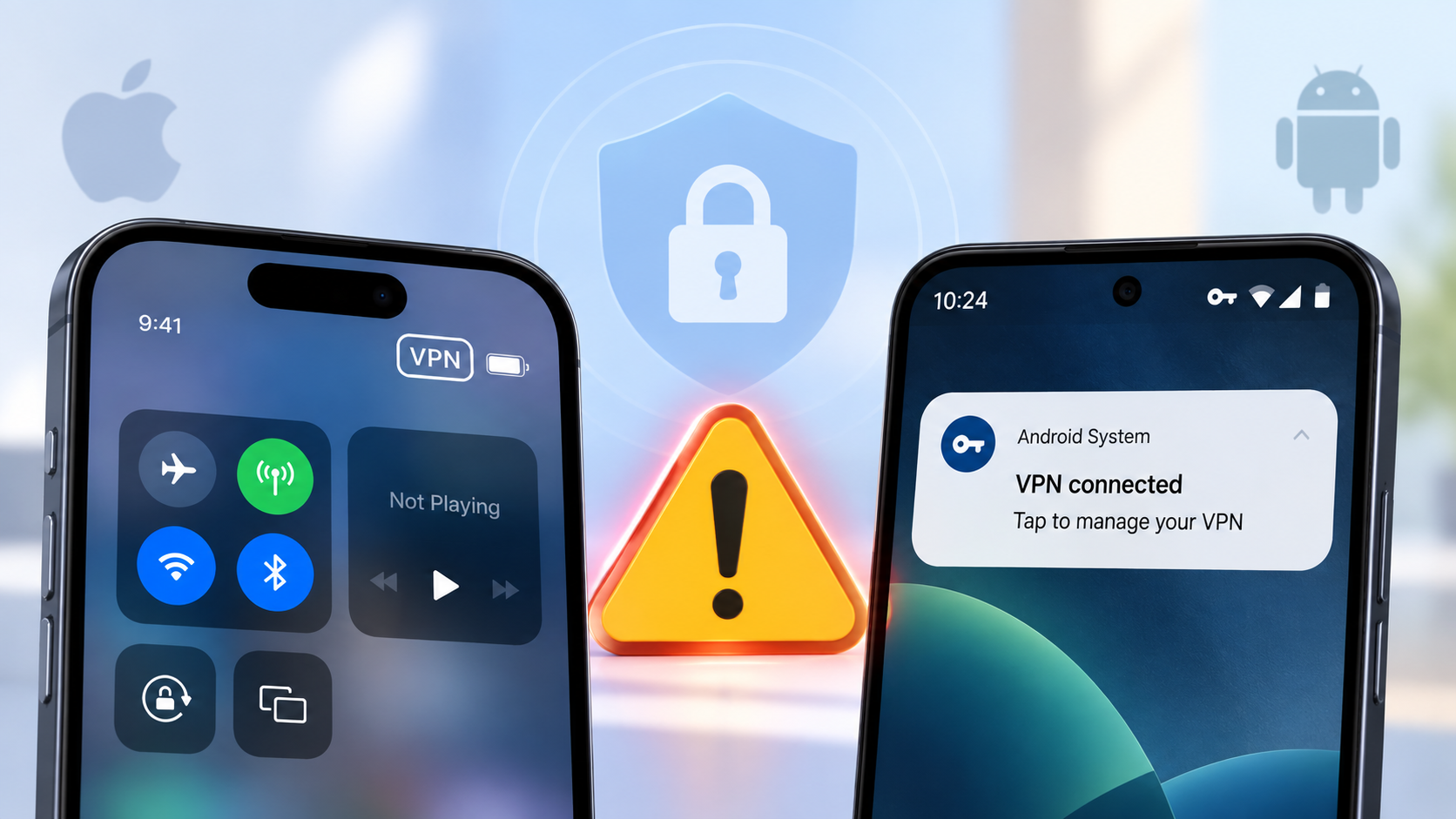
The warning does not mean Apple, Google or the U.S. government has told everyone to stop using VPNs.
In its Mobile Communications Best Practice Guidance, CISA advises high-risk users not to use a personal VPN, saying that these services can shift residual risk from the ISP to the VPN provider and may increase the device's attack surface. It also notes that many free and commercial VPN providers have questionable security or privacy policies. Corporate VPNs required by an organization are treated as a different use case.
So the issue is not simply “VPN = unsafe.” It is more about whether the VPN provider itself deserves your trust.
| What You Want to Know | Quick Answer |
|---|---|
| Did the U.S. government ban VPNs? | No. |
| Did Apple tell iPhone users to stop using VPNs? | No. |
| Did Google tell all Android users to uninstall VPNs? | No. |
| Did CISA warn about personal VPNs? | Yes. |
| Are all VPNs unsafe? | No. |
| Can an untrusted VPN create privacy or security risks? | Yes. |
Why Did CISA Warn About Personal VPNs?
The main concern is simple: a VPN does not remove the need for trust; it changes who you trust. Without a VPN, your connection goes roughly through your ISP before reaching the internet. With a VPN, your traffic first travels through an encrypted tunnel to the VPN provider's server. That can reduce what your ISP can directly observe, but the VPN company now becomes an important part of your connection.
If you install an unknown free VPN just because you need one quickly, the app may successfully change your IP address and encrypt the connection. But if the company behind it has unclear ownership, poor security practices or an aggressive data-collection model, you've simply introduced another risk.
CISA also points out that adding a personal VPN can increase the device's “attack surface.” In practical terms, that means you're adding another app, service and server infrastructure that also needs to be secure.
Should You Stop Using a VPN?
Not necessarily. A VPN can still be useful when you want to protect traffic on less-trusted networks, reduce ISP visibility, access an approved company network or change your visible IP location. The bigger question is whether you trust the provider.
| Situation | What to Do |
|---|---|
| You use a VPN from a provider you know and trust | Usually fine to continue |
| Your employer requires its own VPN | Follow your organization's policy |
| You installed a random free VPN with unclear ownership | Reconsider using it |
| The VPN asks for unrelated permissions | Check why before allowing them |
| The app has no clear privacy policy or support contact | Treat that as a warning sign |
| You downloaded it from an unknown APK site | Be especially cautious |
So if your real question is “Should I uninstall the VPN on my phone?”, the answer depends much more on which VPN you're using than on the fact that it is a VPN.
What Makes a Mobile VPN Risky?
You don't need to perform a full cybersecurity audit. A few warning signs can tell you a lot.
🚩 The Provider Is Hard to Verify
You should be able to find a real website, company information, privacy policy and support contact. If an app has a generic name, vague developer information and no clear company behind it, don't give it control over your internet connection simply because it says “Free VPN.”
🚩 It Requests Permissions That Don't Make Sense
A VPN needs permission to create a network connection, but that doesn't automatically justify access to your photos, contacts, microphone or other unrelated data. On Android, Google only permits VpnService for VPN apps and several specific categories such as parental controls, enterprise management, device security, firewalls and network tools. Apps using it must also disclose their use and encrypt data to the VPN endpoint.
🚩 Its Privacy Policy Is Too Vague
Look for clear explanations of:
- what information is collected;
- whether browsing activity is logged;
- how long data is retained;
- whether data is shared;
- and why any operational data is needed.
A sentence like “we value your privacy” doesn't tell you much.
🚩 It Makes Impossible Promises
Claims such as “100% anonymous browsing,” “impossible to track” or “complete protection from hackers” should make you more cautious. A VPN can protect part of your network connection. It cannot stop phishing, remove malware already on your device or protect you from every online threat.
How to Choose a Safer VPN on iPhone or Android
If you still want to use a VPN, focus on a few practical checks rather than the biggest feature list.
⭐ Know who operates it. The provider should be easy to identify and contact.
⭐ Read the privacy policy. You should understand what the service logs and why.
⭐ Check permissions. A VPN shouldn't ask for unrelated access without a clear reason.
⭐ Use an official source. Download from the provider's official site or a trusted app store rather than a random APK page.
⭐ Look for useful controls. Features such as Kill Switch or Split Tunneling can be helpful because they solve real connection problems.
For example, if you're using public Wi-Fi and the VPN suddenly disconnects, a Kill Switch can prevent your device from immediately falling back to the normal connection. If one app needs the VPN while another doesn't work with it, Split Tunneling can help separate that traffic.
If you use UFO VPN, its iOS and Android apps provide controls including Kill Switch and Split Tunneling, so you can manage how the VPN behaves instead of simply leaving everything on by default.
Seeing a VPN Warning or Icon on Your Phone Instead?
If your concern is an actual message or icon appearing on your phone, that's not the same warning discussed by CISA. In most cases, it simply means that a VPN or VPN-based service is active.
| What You See | Example | What It Usually Means | What to Do |
|---|---|---|---|
| VPN on iPhone | 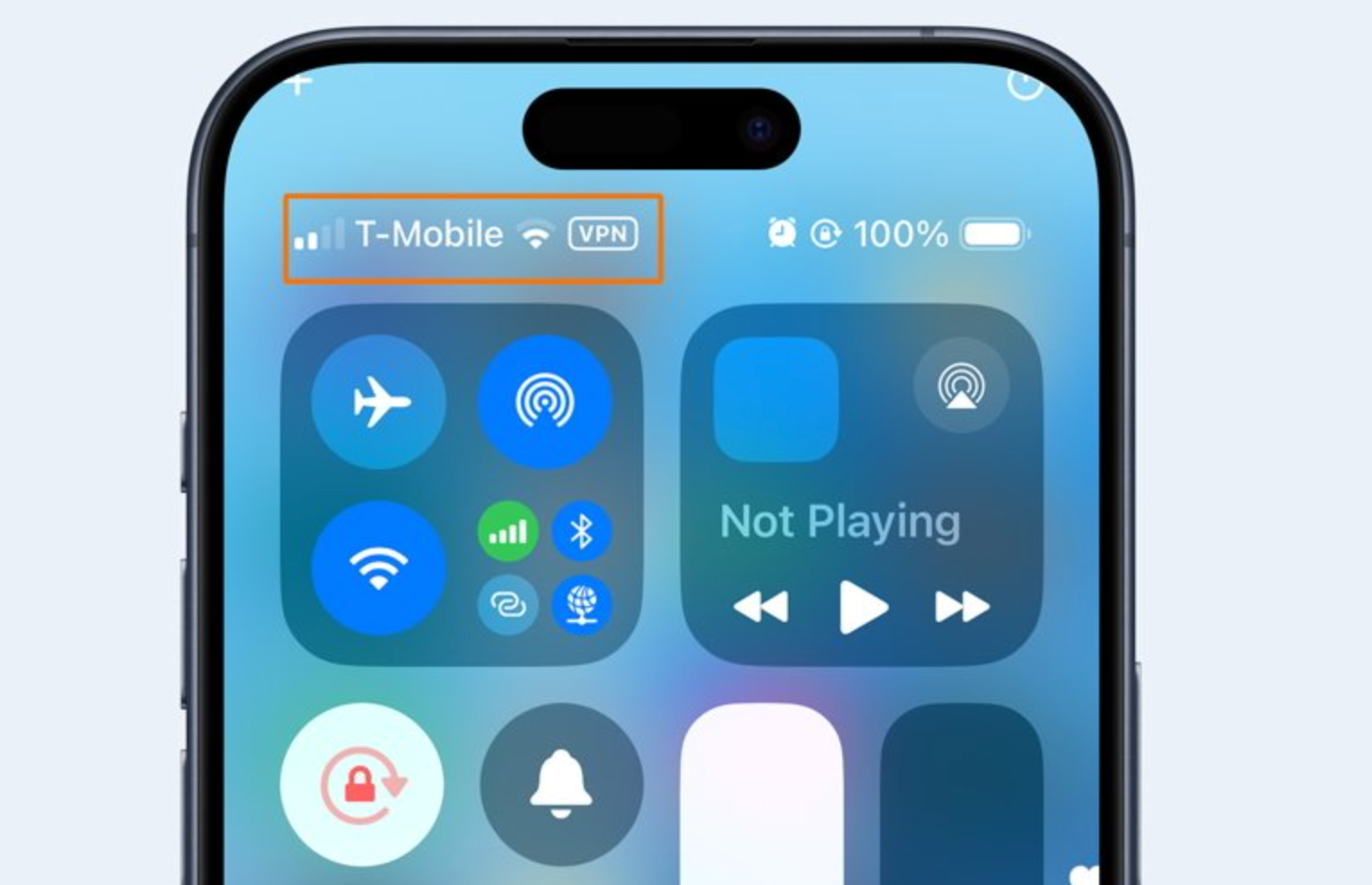 |
A VPN connection is active | Check your VPN app or settings |
| VPN/key icon on Android | 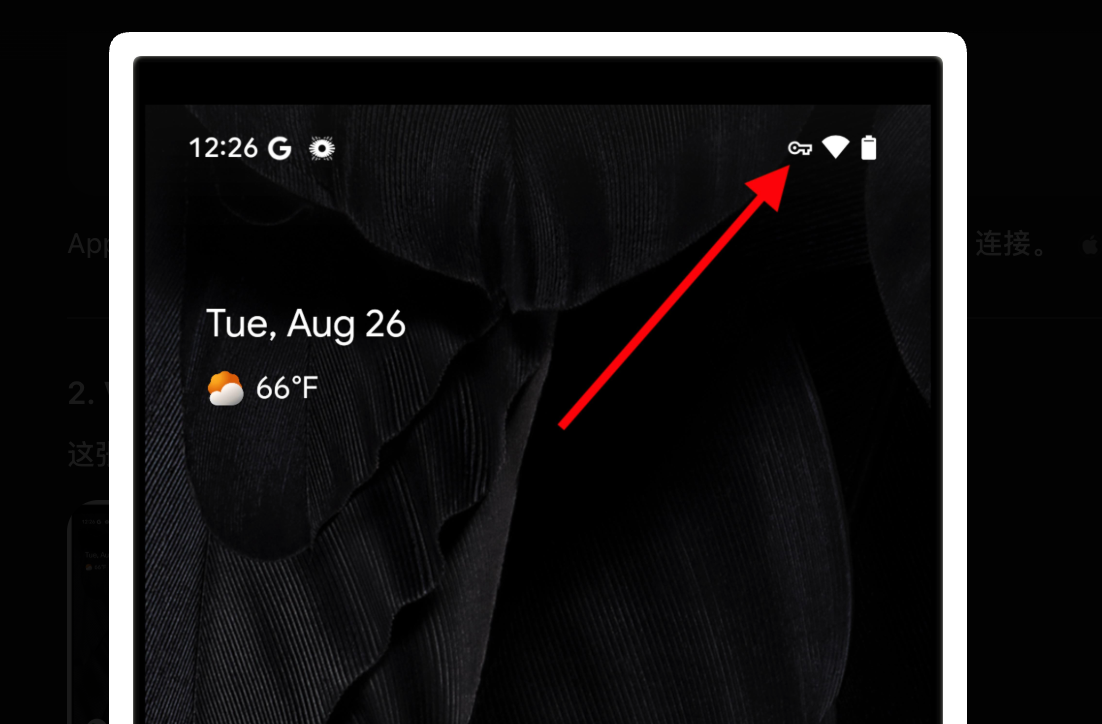 |
A VPN service is active | Check Android VPN settings |
| Persistent VPN notification | 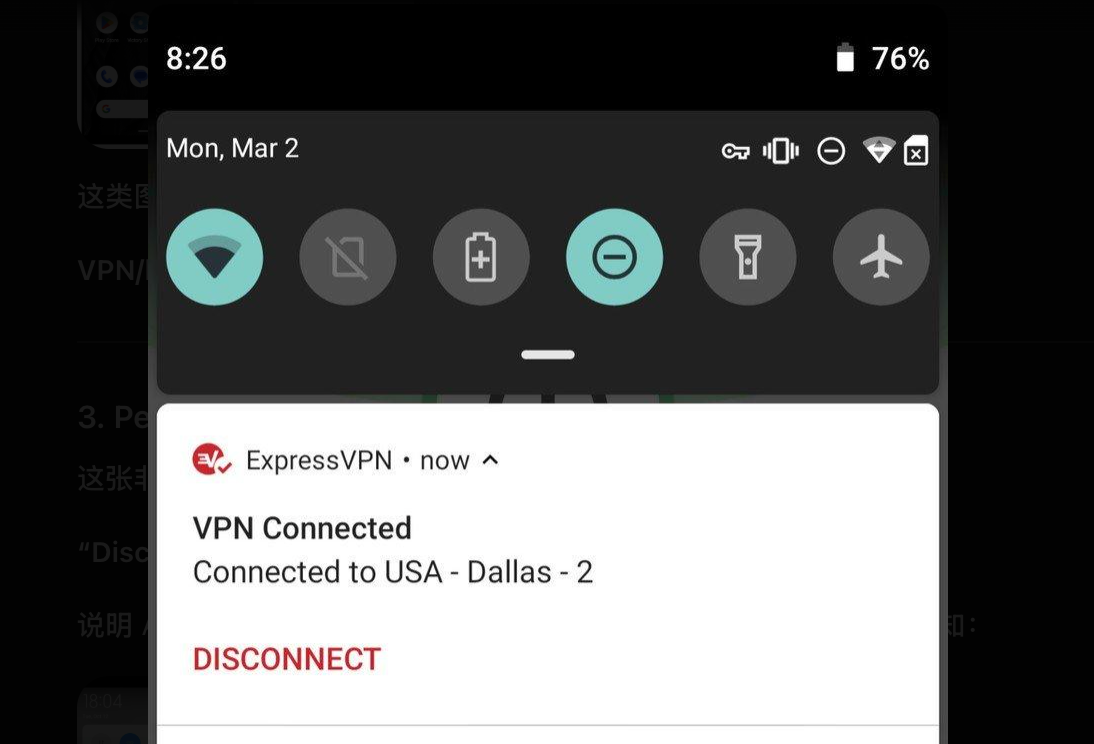 |
Always-on or background VPN may be active | Review Always-on VPN |
| “VPN detected” inside an app | 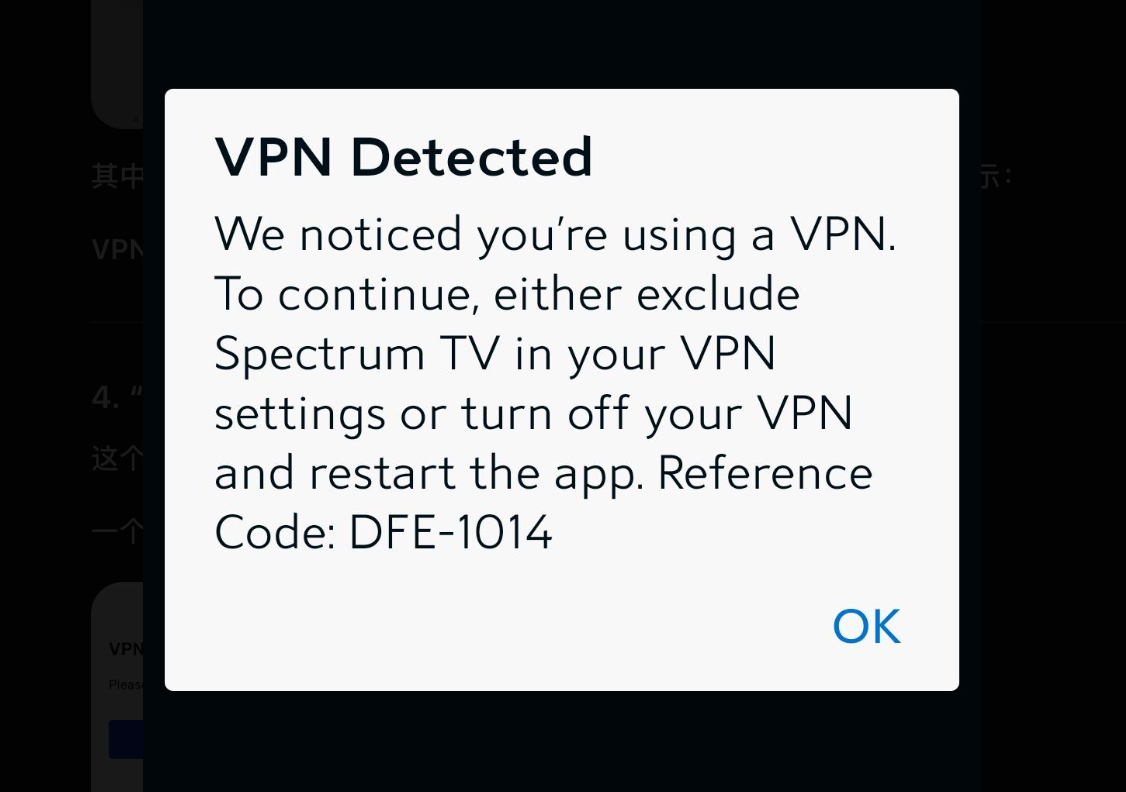 |
That app detected your VPN | Check the app's VPN policy |
| VPN appears unexpectedly | None | Another app or profile may be using VPN functionality | Identify the source first |
If you connected your VPN yourself, there is usually nothing unusual about seeing the indicator.
If you didn't turn one on, check whether the connection comes from:
- auto-connect;
- Always-on VPN;
- a work or school profile;
- parental-control software;
- antivirus or firewall apps;
- or another network-management tool.
On Android, Google specifically allows some of these app categories to use VpnService, so seeing a VPN connection does not automatically mean that you installed a dedicated VPN app.
When Should You Actually Worry?
The word “VPN” itself is not the warning sign. An unexplained or untrustworthy VPN is.
| Situation | Concern Level | Best Next Step |
|---|---|---|
| You connected your own trusted VPN | 🟢 Low | Nothing unusual |
| Your work VPN connects automatically | 🟢 Low | Ask IT if unsure |
| An app says “VPN detected” | 🟡 Low–Medium | Check that app's VPN policy |
| VPN keeps reconnecting unexpectedly | 🟡 Medium | Check auto-connect or Always-on settings |
| You can't identify where the VPN came from | 🟠 Medium | Review apps and profiles |
| The VPN asks for unrelated sensitive permissions | 🔴 High | Review or remove it |
| The developer or privacy policy is unclear | 🔴 High | Avoid trusting the service |
| You're told to disable device security before installing it | 🔴 High | Stop the installation |
Final Takeaway
The 2025 iPhone and Android VPN usage warning doesn't mean VPNs are suddenly unsafe. CISA's concern is mainly that a personal VPN can shift trust from your ISP to the VPN provider and introduce another potential security weak point if that provider is poorly operated.
So don't react to the word “warning” by automatically deleting every VPN. Instead, ask: Who runs this VPN? Why is it active? Do I trust the provider? If you can answer those clearly, you'll have a much better idea of whether the VPN should stay on your phone.
FAQs
Did Apple or Google tell users to stop using VPNs?
No. The widely discussed warning mainly comes from CISA's mobile security guidance, which advises certain high-risk users against personal VPNs because of provider trust and attack-surface concerns.
Is a free VPN more dangerous than a paid VPN?
Not automatically. A free VPN can be legitimate, and a paid VPN can still have poor privacy practices. The more useful questions are who owns the service, what it logs, how it makes money and whether its permissions make sense.
Can a VPN provider see my internet traffic?
A VPN provider becomes part of your network path, so provider trust matters. Most modern websites use HTTPS, which encrypts page content between your browser and the website, but the VPN provider may still be able to see some connection-related information depending on how the service is designed.
Why does my phone show VPN if I never installed a VPN app?
Another app may be using VPN functionality. On Android, parental-control, enterprise-management, security, firewall and some network apps are allowed to use Google's VpnService.
Work or school profiles may also configure network connections automatically.
Can I leave a VPN on all the time?
Yes, if you trust the provider and want continuous VPN protection. Just remember that an always-connected VPN means more of your traffic consistently passes through that provider, so choosing a service you trust becomes even more important.