What Is GamePix? (Main Features)
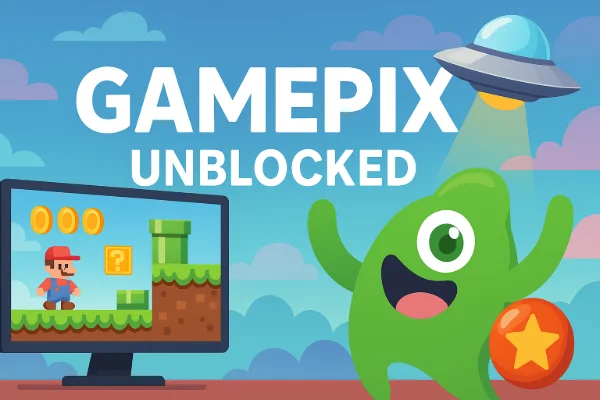
GamePix is a browser-based gaming hub that has become a favorite for students and casual players worldwide. Unlike traditional PC or console games, GamePix titles run directly in a web browser, meaning you don’t need downloads or installations. This makes it ideal for quick breaks between classes or short play sessions.
Main Features of GamePix
-
Instant Play – Simply open your browser, visit GamePix.com, and start playing without setup.
-
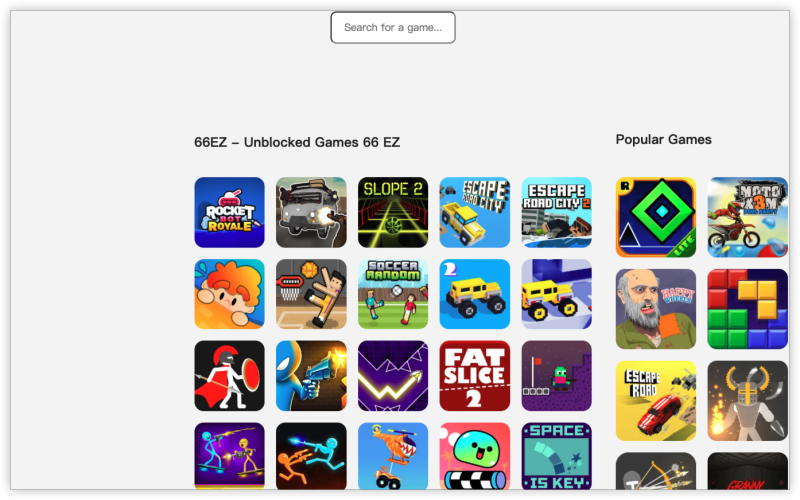
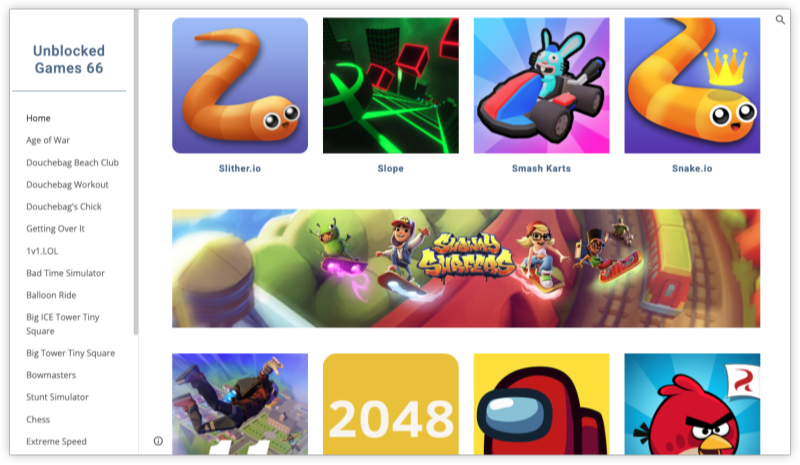
Large Game Library – GamePix hosts hundreds of titles across categories like puzzle, strategy, racing, and multiplayer shooters.
-
Cross-Device Access – The site works on desktops, laptops, tablets, and even mobile phones.
-
Free-to-Play Model – Most games are free, with optional ads or in-game purchases.
Popular Titles on GamePix
-
Shell Shockers – A quirky multiplayer shooter where you battle as eggs with guns. The phrase “shell shockers unblocked gamepix” is frequently searched because students want to bypass restrictions to enjoy this game during downtime.
-
Among Us (GamePix version) – Many users look up “gamepix unblocked among us” because it’s a lightweight browser adaptation of the social deduction hit.
-
Classic Arcade Games – From chess to racing to strategy, GamePix has nostalgic and modern games alike.
Because GamePix is accessible worldwide, it’s often blocked in restricted networks such as schools. A free proxy VPN in UFO VPN can help you bypass these blocks by encrypting your connection and routing it through an outside server, letting you enjoy GamePix.com unblocked, including games like Shell Shockers or Among Us.
How to Unblock GamePix at School in 2026?
Students constantly look for safe ways to play during free time at school. The good news: there are several methods to access GamePix.com unblocked without resorting to risky sites.
1. Use a VPN (Recommended)
The most reliable method is to use a virtual private network (VPN). A VPN reroutes your internet connection through a secure server, hiding your real location and bypassing network restrictions.
-
With a VPN, you can instantly access GamePix and enjoy games like Shell Shockers without hitting a block screen.
-
A trustworthy VPN also encrypts your traffic, keeping your browsing private from school Wi-Fi logs.
-
Tip: Choose a VPN that offers servers close to your region for faster speeds. Services like UFO VPN are known for stable connections and quick setup, making them student-friendly.
How to Play GamePix with UFO VPN:


UFO VPN is an all-in-one VPN that offers unlimited access to 4K streaming like Netlfix, Disney Plus, no-ping gaming as PUBG, Roblox, CODM and social networking for YouTube, X, Facebook and more.




Unlock Pro Features
If you have upgraded to premium plan , feel free to enjoy premium servers for 4K streaming and advanced features like Kill Switch, Split Tunneling, and gaming acceleration. Your Mac is now fully optimized and protected. Inaddition to basic functions, we recommend you turn on

Verify Your IP Now
Use UFO VPN's " What is My IP " feature to see your new IP and location. This confirms your connection is secure, anonymous, and ready for safe browsing online anywhere at any time.







2. Proxy or Mirror Links
Another way is to search for GamePix mirror websites. Proxies and mirrors act like alternative gateways to the same content. However, these are less secure than VPNs:
-
Some proxies inject ads or track your data.
-
Mirrors can suddenly disappear if taken down.
So while they might get you into gamepix.com unblocked, they aren’t always reliable.
3. Use Mobile Data or Hotspot
If your school Wi-Fi blocks GamePix, switching to your phone’s mobile data is a simple workaround. You can then hotspot your laptop to bypass restrictions. The downside:
-
Consumes mobile data quickly.
-
May be slower depending on your signal.
4. Download GamePix-Compatible Apps
Some GamePix games are available as standalone apps or through other distribution platforms. If your school blocks the site but not app stores, you might still play.
👉 In short, for stability, privacy, and speed, a VPN remains the most effective option for unblocking GamePix in 2026.
Is It Safe, Legal, or Ethical to Play Unblocked GamePix in School?
Many students ask not just “how to access blocked games in school?” but also whether it’s okay to do so. Let’s break this down:
Safety
-
Risks of unsafe methods: Using random proxy sites can expose you to malware or intrusive ads.
-
Better option: Stick to secure VPNs and the official GamePix platform rather than shady mirrors.
Legal Aspect
-
Playing free online games like those on GamePix is not illegal. The issue lies in bypassing network restrictions.
-
Schools often block gaming platforms to keep students focused, not because the content is unlawful.
Ethical Considerations
-
During class, gaming can distract you and disrupt learning. It might also break school rules.
-
Ethically, the safest route is to play during breaks, lunch, or after school, respecting your school’s policies.
So, while it’s technically safe and legal to use tools like UFO VPN to access GamePix, it’s not always ethical if it interferes with education. Balance is key.
Safety Tips for Playing GamePix Unblocked at School
Want to enjoy GamePix unblocked among us or a quick Shell Shockers match without issues? Follow these safety guidelines:
-
Play Only in Breaks – Avoid sneaking games during class.
-
Use a Secure Connection – VPNs protect your browsing data and reduce risks.
-
Beware of Pop-Ups – Stick to the official GamePix site; don’t click random ads.
-
Don’t Share Personal Info – GamePix is safe, but be careful with chat features in multiplayer games.
-
Balance Study and Play – Think of gaming as a quick reward, not a classroom distraction.
These tips let you enjoy the fun while staying responsible.
FAQs
How do I unblock GamePix.com at school?
The simplest way is by using a VPN like UFO VPN. It hides your activity and helps you access GamePix securely.
Does GamePix have Among Us unblocked?
Yes. Many students search “gamepix unblocked among us”. The browser version on GamePix lets you play without downloading.
Can I play Shell Shockers on GamePix unblocked?
Absolutely. Shell Shockers unblocked gamepix is one of the platform’s most popular searches. A VPN ensures you can access it even on restricted networks.
Is it ethical to play unblocked games at school?
It depends. It’s safe and legal, but ethically questionable if you play during lessons. Playing during breaks is usually fine.
How to access blocked games in school safely?
Avoid risky proxies. A VPN is the safest option since it encrypts traffic and prevents monitoring.
What is the GamePix partner program?
GamePix works with developers, advertisers, and publishers. If you search “GamePix partner”, you’ll find opportunities for monetization and collaboration through their official website.
Conclusion
GamePix is a fun, browser-based platform with titles like Shell Shockers and Among Us, but many schools block it. With methods like VPNs—particularly reliable services such as UFO VPN—you can safely get GamePix unblocked at school in 2026. Just remember: while it’s legal and secure, be mindful of when and how you play. Gaming is best enjoyed responsibly, during breaks or after school.