Where Can You Download PUBG Mobile (KR) Version?

The PUBG Mobile KR version can’t always be found in the Google Play Store or Apple App Store if you’re outside Korea or Japan. That’s why players often look for alternative sources. Here are the common options:
1. Official Stores (Restricted by Region)
If you’re in South Korea or Japan, you can directly download PUBG Mobile KR from the Google Play Store or Apple App Store. This is the safest and most reliable method since updates are automatic. However, players abroad will typically see a message saying the app isn’t available in their region. >>>Quick Solution: Try a free proxy VPN in UFO VPN to change your IP address to Korea or Japan!
2. Third-Party Platforms
For international players, trusted third-party sites are the next option. Popular sources include:
-
APKPure – Frequently updated with the latest PUBG Mobile KR APK files.
-
Sportskeeda download pages – Some gamers follow their links for the newest versions.
-
OBB file bundles – In some cases, you’ll need both the APK and OBB data file to run the game smoothly.
⚠️ Safety Note: Always double-check the source. Unofficial APK files from random websites may contain malware or unsafe modifications. Stick to well-known platforms.
How to Access PUBG Mobile (KR) Without Restrictions?
Even if you download the APK and OBB files, region restrictions can block you from logging in or updating PUBG Mobile KR. This is where many players face difficulties.
The simplest way to solve this is by using a reliable VPN service with a South Korea VPN free or a Japan VPN free. Connecting through a local IP address tricks the game servers into recognizing you as if you were in the official region.
For example, UFO VPN provides optimized gaming servers in South Korea and Japan. This allows you to:
-
Bypass region locks.
-
Download updates without error messages.
-
Play with reduced ping and a stable connection.
- Play BGMI in South Korea with optimized BGMI VPN free servers.
🔴 Without a VPN, you may successfully install PUBG Mobile KR, but you’ll likely hit login errors or update failures.
🟢 With a VPN, you can enjoy the game as if you were playing inside Korea.
How to get started with UFO VPN:


UFO VPN is an all-in-one VPN that offers unlimited access to 4K streaming like Netlfix, Disney Plus, no-ping gaming as PUBG, Roblox, CODM and social networking for YouTube, X, Facebook and more.




Unlock Pro Features
If you have upgraded to premium plan , feel free to enjoy premium servers for 4K streaming and advanced features like Kill Switch, Split Tunneling, and gaming acceleration. Your Mac is now fully optimized and protected. Inaddition to basic functions, we recommend you turn on

Verify Your IP Now
Use UFO VPN's " What is My IP " feature to see your new IP and location. This confirms your connection is secure, anonymous, and ready for safe browsing online anywhere at any time.







How to Install PUBG Mobile (KR) Version on PC? (Step-by-Step Guide)
Many players prefer the PC experience for better controls and smoother graphics. While PUBG Mobile KR doesn’t have an official PC client, you can install it using an Android emulator.
Step 1: Download an Emulator
Popular choices include BlueStacks, LDPlayer, or Gameloop (Tencent’s official emulator).
Step 2: Get the APK + OBB
Download the latest PUBG Mobile KR APK file and the required OBB data file from APKPure or another trusted source.
Step 3: Install the APK
Open the emulator, drag and drop the APK file to start installation.
Step 4: Add the OBB File
Locate the emulator’s Android folder (usually under /Android/obb/com.pubg.krmobile) and paste the OBB file there.
Step 5: Launch the Game
Open PUBG Mobile KR from the emulator’s menu. If you face login restrictions, connect your VPN to a Korean or Japanese server first.
Should You Play PUBG Korean Hack/Mod Version?
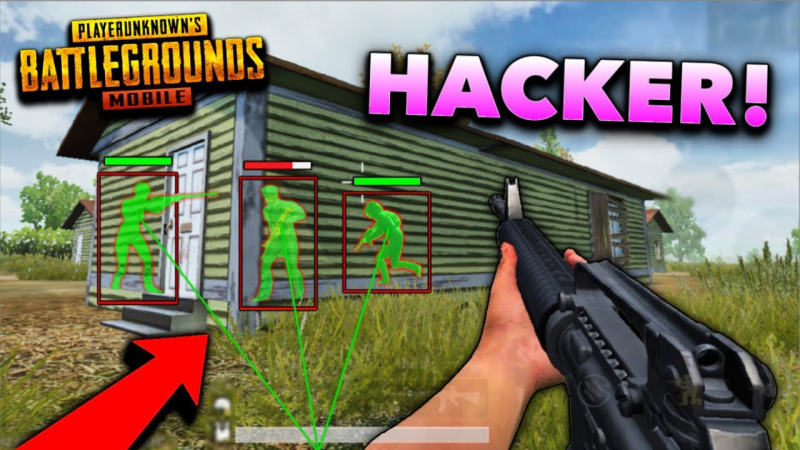
When searching for PUBG Mobile KR downloads, you’ll often see terms like “PUBG Korean version hack” or “mod APK.” While they might sound tempting—unlimited UC, free skins, or aimbots—these versions come with serious risks:
-
Account Ban: PUBG has strict anti-cheat systems. Using a hacked client can get your account permanently banned.
-
Security Risks: Many hacked APKs are bundled with malware or spyware.
-
Unstable Gameplay: Mods often cause crashes, lag, or update issues.
👉 If you value your account and device security, stick to the official PUBG Mobile KR version. Instead of hacks, use legit strategies, stable servers, and VPN connections to improve your gaming experience.
Tips for Better PUBG Mobile (KR) Gaming
-
Use a VPN with Low Ping Servers – A stable South Korean or Japanese server can significantly reduce lag.
-
Optimize Your Device Settings – Lower graphics settings if you experience frame drops, and free up RAM before launching the game.
-
Update Regularly – Always keep your APK and OBB files updated to avoid login errors.
-
Play During Off-Peak Hours – Fewer players on the server often means smoother connections.
-
Stay Secure – Avoid mod APKs, hacks, or shady downloads. They cause more harm than good.
FAQs
1. Is PUBG Mobile KR better than the global version?
Many players say yes—KR has smoother performance, exclusive cosmetics, and fewer bugs.
2. Can I play PUBG Mobile KR without a VPN?
You might install it, but login and updates are often blocked outside Korea and Japan. A VPN is highly recommended.
3. Do APK + OBB files update automatically?
No, you’ll need to download the latest version manually from a trusted site.
4. Can I use my global PUBG account on KR?
Generally, you’ll need a fresh account. Progress from the global version doesn’t always transfer.
Conclusion
Downloading PUBG Mobile KR version can be straightforward if you know the right sources and steps. By getting the APK and OBB files from reliable platforms, using a VPN to bypass region restrictions, and installing the game correctly on Android or PC, you can enjoy exclusive PUBG KR content without hassle. Just avoid hacks or mod versions to keep your account safe—focus on stable connections, fair play, and you’ll have the best experience possible.