Typical VPN Price Ranges
When evaluating how much does a VPN cost, it helps to look at the market averages:
-
$2–$4 per month (long-term deals): Often tied to 1–2 year commitments; best for those willing to pay upfront.
-
$5–$8 per month (mid-range): Flexible without being too expensive.
-
$10–$15+ per month (monthly plans): Highest convenience, but least cost-effective.
These ranges reflect industry norms. UFO VPN’s $2.39/month long-term plan fits right into the lowest end, proving that strong performance and affordability can coexist.
What Drives VPN Pricing
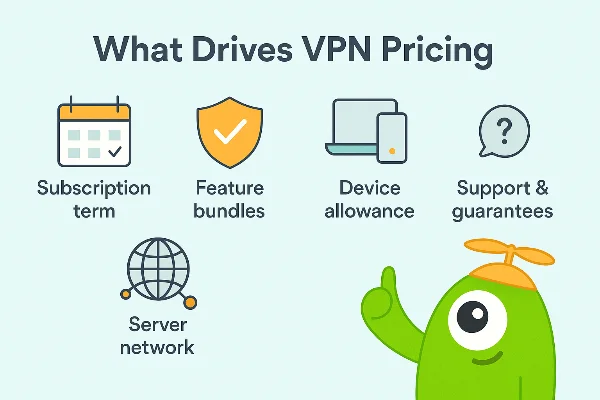
Several factors explain why VPN services sit at different price points:
-
Subscription Term: Monthly billing is the most expensive. Long-term (1–2 years) dramatically reduces the average monthly cost.
-
Feature Bundles: Extras like malware blocking, ad filters, dedicated IPs, or data breach monitoring raise the price.
-
Server Network Scale: Maintaining thousands of servers across many regions is costly.
-
Device Allowance: Plans covering 6–10 devices typically cost more than single-device options.
-
Support & Guarantees: 24/7 customer service, money-back policies, and independent audits all add operational cost.
So when asking how much does a VPN cost, you’re really weighing how many of these elements matter to you personally.
UFO VPN Pricing (2026 Special Offers)
According to the UFO VPN special offer page :
-
Monthly plan: $11.99/month (30-day money-back guarantee).
-
1 Year + 3 Months Free: $2.99/month, billed $35.89 for 15 months.
-
2 Years + 6 Months Free (most popular): $2.39/month, billed $71.79 for 30 months (80% off).
Every UFO VPN Premium plan includes:
-
Military-grade encryption
-
Access to 2000+ servers worldwide
-
Optimized streaming (Netflix, Hulu, YouTube, etc.)
-
Unlimited HD bandwidth
-
Up to 6 devices simultaneously
Get Netflix VPN free to bypass geo-restrictions.
Price vs Value: How to Choose
Price alone doesn’t determine quality. Evaluate value by checking:
-
What’s included: Kill switch, split tunneling, or obfuscation should be standard.
-
Streaming support: Can it unlock Netflix, Hulu, Disney+, BBC iPlayer? UFO VPN does.
-
Device count: 6 devices on free proxy VPN in UFO VPN policy and strong encryption are non-negotiable.
-
Refund period: UFO VPN’s 30-day money-back guarantee reduces risk.
Comparing UFO VPN With Industry Averages
Here’s how UFO VPN’s pricing stacks against market benchmarks:
| Plan Type | Industry Average | UFO VPN Offer | Value Assessment |
|---|---|---|---|
| Monthly | $10–$15/mo | $11.99/mo | On par with competitors |
| 1 Year | $4–$7/mo | $2.99/mo | Much cheaper than average |
| 2 Years+ | $2–$4/mo | $2.39/mo | One of the lowest prices available |
🌟Get Your Dream VPN in 3 Steps


UFO VPN is an all-in-one VPN that offers unlimited access to 4K streaming like Netlfix, Disney Plus, no-ping gaming as PUBG, Roblox, CODM and social networking for YouTube, X, Facebook and more.




Unlock Pro Features
If you have upgraded to premium plan , feel free to enjoy premium servers for 4K streaming and advanced features like Kill Switch, Split Tunneling, and gaming acceleration. Your Mac is now fully optimized and protected. Inaddition to basic functions, we recommend you turn on

Verify Your IP Now
Use UFO VPN's " What is My IP " feature to see your new IP and location. This confirms your connection is secure, anonymous, and ready for safe browsing online anywhere at any time.







Tips to Reduce VPN Costs
To stretch your dollar without sacrificing quality, consider:
-
Commit long-term: Multi-year plans like UFO VPN’s $2.39/month are unbeatable.
-
Watch for sales: UFO VPN frequently runs seasonal promotions (up to 80% off).
-
Use refund policies: Test the service risk-free within the 30-day window.
-
Avoid unused extras: Don’t overpay for add-ons you won’t use.
-
Check renewal rates: Always read terms to avoid unexpected price hikes later.
How to choose a reliable VPN
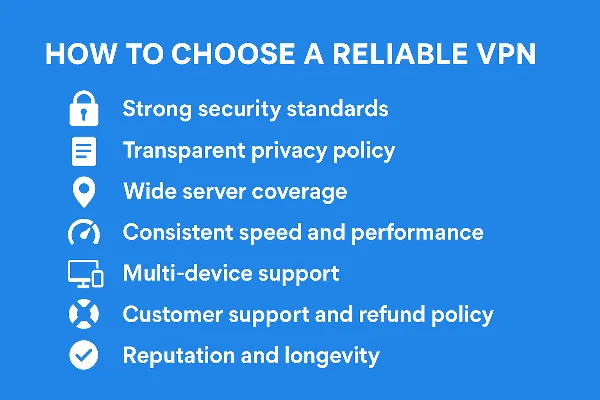
Price is only one part of the decision. When deciding how much does a VPN cost, you should also focus on reliability and trust. A “cheap” VPN that compromises on privacy or service quality can end up costing you more in the long run. Here are the key factors to check before committing:
-
Strong Security Standards
Look for VPNs that offer military-grade encryption (AES-256 or equivalent), secure tunneling protocols (like WireGuard or OpenVPN), and built-in protections such as kill switch and DNS leak prevention. UFO VPN includes these essentials, ensuring your data stays safe no matter where you connect. -
Transparent Privacy Policy
A reliable VPN should clearly state its no-logs policy, meaning it does not store your browsing history or connection metadata. Check for independent audits or transparent statements that back this up. -
Wide Server Coverage
The more servers and regions available, the easier it is to find fast, uncrowded connections and bypass geo-blocks. UFO VPN offers 2000+ servers worldwide, optimized for streaming and gaming. -
Consistent Speed and Performance
Reliability means stable speeds even during peak hours. Test or read reviews about streaming quality, torrenting capability, and latency. UFO VPN highlights unlimited HD streaming support, which is critical for users who value performance. -
Multi-Device Support
In today’s multi-screen households, you’ll want coverage for several devices. UFO VPN supports up to 6 devices on one subscription—ideal for families or power users. -
Customer Support and Refund Policy
Trustworthy VPNs back their service with 24/7 support and a clear money-back guarantee. UFO VPN offers a 30-day refund period, giving you confidence to try before fully committing. -
Reputation and Longevity
Finally, consider the provider’s track record, user base, and reviews. A reliable VPN will have consistent updates and an active support ecosystem.
👉 By using this checklist, you’re not just asking “how much does a VPN cost?”—you’re asking, “what do I get for my money, and can I trust it long-term?” UFO VPN balances affordable pricing with the reliability factors above, making it a solid choice for both new and experienced VPN users.
FAQs
How much does a VPN cost on average?
Most quality VPNs range between $3–$10/month depending on features and billing terms.
Why are monthly VPNs more expensive?
Month-to-month plans carry no commitment, so providers offset the flexibility with higher pricing. UFO VPN charges $11.99/month for its monthly plan.
What’s the cheapest UFO VPN plan right now?
The 2 Years + 6 Months Free offer: $2.39/month, billed $71.79 for 30 months .
Are cheap VPNs reliable?
Yes, if they maintain strong infrastructure. UFO VPN offers 2000+ servers, HD streaming, and 6 device slots even on its cheapest plan.
Can I get a refund if I don’t like the service?
Yes—UFO VPN provides a 30-day money-back guarantee, so you can test without risk.
What makes UFO VPN good value?
Beyond price, it delivers streaming support, multi-device coverage, global servers, and consistent security—making its $2.39/month long-term deal an excellent bargain.