What Is Character AI?
Character.AI is an AI chatbot platform where users can interact with virtual “characters” that are powered by large language models. Anyone can create a custom character with its own personality, backstory, and conversational style — or choose from thousands of characters created by others.
Unlike traditional chatbots that focus on answering factual questions, C.AI is designed for role-play, storytelling, and creative conversation. This makes it more interactive and entertaining, but it also means conversations can go in unpredictable directions depending on the character and the prompts provided by the user.
Why Is Character AI Popular Among Teens?
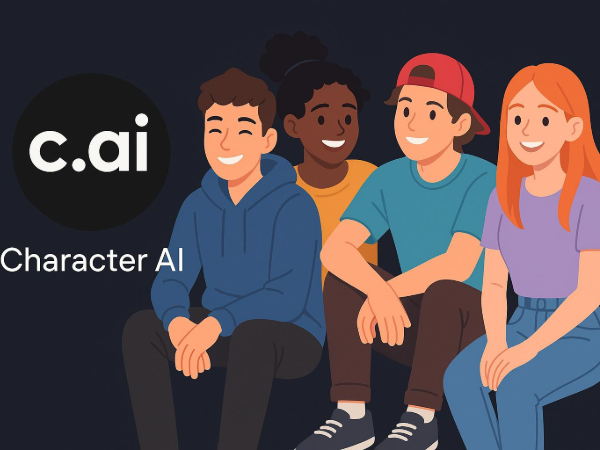
Teens are drawn to Character.AI for several reasons:
-
Personalized interaction – Users can create or choose characters that align with their interests, whether it’s a favorite anime hero or a historical leader.
-
Creative expression – Writing prompts, developing personalities, and crafting dialogue give teens a creative outlet.
-
Social sharing – Popular characters can be shared with friends or the wider C.AI community, creating a sense of belonging.
-
Free access – While premium features exist, much of the platform is accessible without payment, lowering the barrier for younger users.
-
Always available – Unlike human friends, AI characters are ready to chat anytime, making them a go-to for boredom or companionship.
However, the same features that make C.AI fun can also introduce risks, especially when unsupervised.
Age Requirements for Using Character AI
According to Character.AI’s Terms of Service, the platform is intended for users aged 13 and older. In some regions, such as the European Union, additional parental consent may be required for minors under 16 due to GDPR-K regulations.
For kids younger than 13, creating an account would typically violate the platform’s rules and may also breach child online privacy laws like COPPA in the United States.
Parents should also be aware that even with an age limit in place, C.AI doesn’t currently have a strict age-verification system, so younger children could potentially access it if they bypass these restrictions.
Is C.AI Safe for Kids?
The answer is nuanced. Character.AI uses content moderation and filtering systems to block explicit language, hate speech, and harmful content. However, because AI responses are generated dynamically, they are not 100% predictable. This means that in certain role-play scenarios, teens could still encounter:
-
Suggestive or mature themes are not suitable for younger audiences
-
Misinformation or biased responses due to AI limitations
-
Emotional dependency if teens rely heavily on AI companionship
-
Exposure to other users’ content that may not be age-appropriate
Parents concerned about character AI safety should know that while filters reduce the risk, they can’t completely eliminate it. Active involvement — discussing online experiences, setting boundaries, and checking in regularly — is key to ensuring a safe environment.
Does Character AI Read Your Chats or Track You?
Yes — but not in the “human reading every message” sense. Character.AI’s privacy policy explains that conversations may be stored and reviewed for moderation, training, or improving the service. This means chats are not entirely private.
In terms of tracking, C.AI can collect:
-
IP addresses and device information
-
Cookies for session management and analytics
-
Usage logs, including conversation history
While this is common for many online platforms, parents should be aware that these logs exist and may be stored for an extended period.
If privacy is a major concern, using tools like a trusted VPN, like a free proxy VPN can help mask IP addresses and add an extra layer of protection, which is why many families choose options like UFO VPN to safeguard location data while browsing.
You can set up UFO VPN on your kids' devices with the following steps:


UFO VPN is an all-in-one VPN that offers unlimited access to 4D streaming like Netlfix, Disney Plus, no-ping gaming as PUBG, Roblox, CODM and social networking for YouTube, X, Facebook and more.




Unlock Pro Features
If you have upgraded to premium plan , feel free to enjoy premium servers for 4K streaming and advanced features like Kill Switch, Split Tunneling, and gaming acceleration. Your Mac is now fully optimized and protected. Inaddition to basic functions, we recommend you turn on

Verify Your IP Now
Use UFO VPN's " What is My IP " feature to see your new IP and location. This confirms your connection is secure, anonymous, and ready for safe browsing online anywhere at any time.







Tips for Parents to Keep Teens Safe on C.AI
If you decide to allow your teen to use Character.AI, here are some practical steps to promote safe and responsible use:
-
Set clear boundaries – Decide on acceptable types of characters and conversation topics.
-
Encourage transparency – Ask your teen to share interesting or unusual interactions they have on the platform.
-
Limit screen time – Prevent excessive use by setting daily or weekly limits.
-
Discuss personal information safety – Remind them never to share real names, addresses, or school details.
-
Use privacy tools – Consider a VPN to protect IP addresses and prevent unnecessary location tracking.
-
Stay informed – Familiarize yourself with Character.AI’s updates, community guidelines, and privacy policies.
FAQs
Q1. How old do you have to be to use Character AI?
Officially, 13 years old (with possible regional differences). Younger users are not permitted under the Terms of Service.
Q2. Is Character AI safe for 12- or 14-year-olds?
While 14-year-olds meet the age requirement, parents should still monitor usage. For 12-year-olds, the platform is not recommended due to both policy and content risks.
Q3. Does Character AI track my child?
Yes, to some extent, it collects IP addresses, device data, and usage logs, which is standard practice for many web platforms.
Q4. Can parents monitor Character AI usage?
C.AI doesn’t have built-in parental monitoring tools, so involvement relies on open communication and agreed-upon rules.
Conclusion
So, is Character AI safe? For teens who meet the age requirement, it can be an engaging and creative platform, but it’s not risk-free. Content filters help, yet AI’s unpredictability means mature or misleading material could still appear. Add in privacy considerations, and it’s clear that parental guidance remains essential. By understanding the age rules, potential risks, and privacy policies — and by using safety measures like VPNs to protect location data — parents can help ensure their teens enjoy C.AI in a secure, responsible way.