Country List: Where Is Character AI Age Verify Required?
Character AI requires stricter age verification in regions with digital-safety laws:
Mandatory or Strongly Enforced
-
United States (various state youth safety laws)
-
United Kingdom
-
European Union (DSA compliance)
-
Australia
-
Canada (provincial age-gate policies)
Standard (Soft Age Check Only)
-
South America
-
Asia
-
Middle East
-
Africa
In strict regions, age changes are harder to request.
How to Bypass Character AI Age Ban Quickly
Way 1. Sign Up for a New Character AI Account
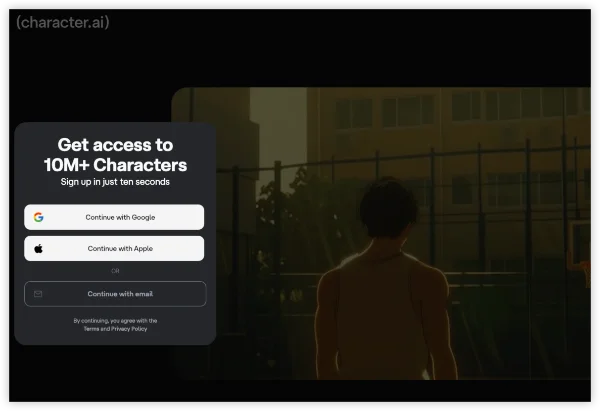
- Log out of current account.
- Clear app/browser data (Settings > Apps > Character.AI > Storage > Clear Cache/Data; or Ctrl+Shift+Del in browser).
- Open character.ai in incognito mode or fresh app install.
- Sign up with a new email (e.g., Gmail alias) and set birthdate to 18+ (e.g., Jan 1, 2007).
- Complete setup → Skip any prompts → Test open chat; full access granted.
Way 2. Switch Your IP with a VPN


UFO VPN is an all-in-one VPN that offers unlimited access to 4K streaming like Netlfix, Disney Plus, no-ping gaming as PUBG, Roblox, CODM and social networking for YouTube, X, Facebook and more.




Unlock Pro Features
If you have upgraded to premium plan , feel free to enjoy premium servers for 4K streaming and advanced features like Kill Switch, Split Tunneling, and gaming acceleration. Your Mac is now fully optimized and protected. Inaddition to basic functions, we recommend you turn on

Verify Your IP Now
Use UFO VPN's " What is My IP " feature to see your new IP and location. This confirms your connection is secure, anonymous, and ready for safe browsing online anywhere at any time.







Clear cache and log in/create account in Character AI. When AI sees non-restricted IP, the prompts would be skipped.
Way 3. Share a Parental Account with Others
- Have a trusted 18+ friend/alt verify via selfie (Persona estimates age).
- Log out of your account on shared device/browser.
- Log in with their verified account → Access full chats.
- Switch back to yours via incognito (or use family mode for supervised sharing).
- For long-term: Create linked alts under their "umbrella" account.
Never share credentials—use incognito; avoid if privacy concerns.
Bonus: Is Incognito Mode Working with Character AI Age Verification?
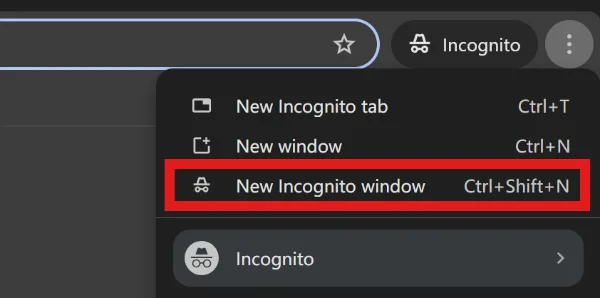
Many users try switching to Incognito Mode as a quick workaround when the age check on Character AI fails or blocks access. However, Incognito Mode does not bypass Character AI’s age verification system, and in most cases it can actually cause the age check to fail more often. Since Character AI’s age-gate relies on:
-
account-level age data stored on platform servers
-
device/browser fingerprint checks
-
repeated login pattern detection
-
safety policies for under-age accounts
And incognito Mode only disables local browser storage, such as:
-
cookies
-
browsing history
-
cached login sessions
Can You Change Your Age on Character AI After Verification?
Yes, but only in limited situations. Character AI restricts age changes to prevent minors from switching to “adult mode.”
You Can change your age if:
-
You have not yet completed age verification
-
You made a typo the first time
-
You contact support and provide legitimate reasons
While You can't change your age on Character AI if:
-
You verified as a minor
-
You triggered adult-content protection
-
You repeatedly attempted to bypass restrictions
Character AI will not ask for government ID, but may ask clarifying questions.

What Is Character AI Age Verification?
Is Character AI Age Restricted Now?
Character AI does restrict content based on age, especially for users under 18. Due to AI-safety changes and regulatory pressure, Character AI now requires age confirmation to prevent minors from accessing restricted or explicit content.
| Age | Access Level |
|---|---|
| Under 13 | Cannot use Character AI (COPPA compliance) |
| 13–17 | Allowed to use the platform but restricted from mature content, flagged roleplays, or explicit characters |
| 18+ | Full access, including adult-allowed characters |
What's New in Character AI Age Ban?
Character AI age verification ensures your account is assigned the correct age category (minor or adult) so the platform can apply restrictions. It replaces the old “typing your age once” system.
Old System (Before 2024):
-
You entered your age manually
-
No re-verification
-
Restrictions were easy to bypass
-
No parental controls
Updated System (2024–2026)
-
Age confirmation required after login
-
Suspicious activity may trigger a re-check
-
Some regions require parental consent
-
Attempts to access mature content may trigger a “Verify Age” popup
-
Age changes may be locked after verification
Types of Character AI Verification: An Insight
1. Age Confirmation Prompt
Steps
-
Log in to your Character.AI.
-
If prompted, tap Verify Age
-
Choose your correct age range
-
Save and continue
Features
-
No ID required
-
Immediate access adjustment
-
Works worldwide
Downside
If you enter under 18 by mistake, you cannot freely revert it.
2. Age Verification Through Profile Settings
Steps
-
Open Settings
-
Go to Account
-
Find Age & Safety
-
Confirm or update your age (only available before final verification)
Important:
Once your age is locked by the system, you may need support intervention to change it.
3. Adult Check for Mature Content
If you try to open restricted characters or NSFW roleplays:
-
Character AI pops up “You must be 18+”
-
You must confirm your age
-
If you confirm incorrectly, your content access locks
This is the most common trigger.
(Fixed) Character AI Age Verification Not Working
If your verification doesn’t load, doesn’t save, or keeps failing — try these.
1. Clear Cache & Cookies
Fixes 80% of age-verification loop bugs.
-
Open browser settings
-
Clear site data for Character.ai
-
Restart your browser
2. Switch Browser (Chrome ⇆ Firefox ⇆ Safari)
Some older sessions or extensions block verification popups.
3. Disable Ad Blocker / Script Blockers
Character AI uses frontend scripts for the verification modal.
-
Disable uBlock Origin, Ghostery, Brave Shields, etc.
-
Refresh the page
4. Use Incognito Mode
Prevents corrupted cookies from blocking the age-check process.
5. Log Out & Back In
This forces a new verification token.
6. VPN Interference Fix
Sometimes a VPN triggers regional mismatches.
Fix:
-
Connect to U.S., Canada, Netherlands
-
Upgrade to premium VPN plans.
7. Server-Side Issue (Wait 30–60 min)
During heavy traffic, the age-verification API may fail.
8. Contact Support (Final Option)
If nothing works, submit a ticket under Age Verification Issue.
Conclusion
Character AI’s updated 2025 age-verification system is stricter, more automated, and tied to global youth-safety laws. Understanding how verification works, how to change your age, and how to fix issues ensures you get full access while avoiding account restrictions. If your age verification still doesn’t work, hope all these troubleshooting tips in this guide can help.
FAQs
Why can’t I change my age on Character AI?
Once verified, Character AI locks your age to comply with safety policies.
Why is Character AI asking me to verify my age again?
Usually because:
1. You triggered an adult conversation
2. A new regulation applies to your region
3. Your account activity looks under 18
4. You logged in from a new device
Can I use a VPN to verify my age on Character AI?
A VPN can fix regional errors and mask your real IP, but does not bypass age rules itself. Make sure you stick to local regulations and laws before you use a VPN.