Why is Discord Banned in China?
The Great Firewall and Internet Censorship in China
The Great Firewall is a series of laws and technological tools employed by China to monitor and restrict internet access. It’s designed to prevent access to foreign websites, apps, and services that don’t comply with Chinese regulations. This includes social media platforms, messaging apps, and even news outlets.
Why Discord Specifically?
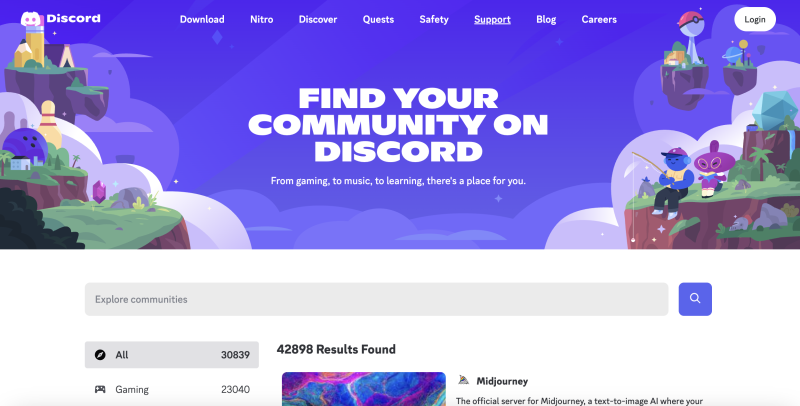
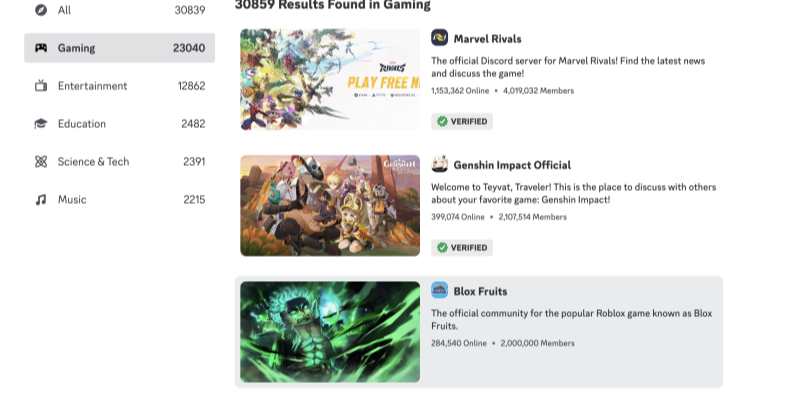
Discord is popular among gamers, streamers, and general internet communities for voice chat, text messaging, and video communication. However, the platform's unrestricted nature makes it a target for censorship in China. Discord allows free speech, open discussions, and real-time interactions, which China may see as a potential avenue for anti-government activities, especially if it’s used to organize protests or share sensitive information.
While Discord has not been officially banned in China, it has been effectively blocked by the Chinese government due to its encrypted chat features and unmoderated nature. This means that unless you have a method to bypass the Great Firewall, accessing Discord in China can be impossible.
How to Unblock Discord in China
Use Best free VPN to Bypass the Great Firewall
The most reliable way to unblock Discord in China is by using a VPN (Virtual Private Network). UFO VPN is the best free VPN option for users in China who need to access blocked content. Here’s how UFO VPN can help you bypass the Great Firewall:
How UFO VPN Helps You Unblock Discord:
-
Bypasses Geo-Restrictions: UFO VPN allows you to connect to servers in regions where Discord is accessible, effectively bypassing Chinese censorship.
-
Encrypts Your Traffic: UFO VPN encrypts your internet connection, ensuring your online activities remain private and protected from surveillance.
-
Hides Your IP Address: By masking your real IP address, UFO VPN makes it nearly impossible for the Chinese authorities to track your online behavior or detect your use of Discord.
How to Use UFO VPN to Unblock Discord in China:


UFO VPN is an all-in-one VPN that offers unlimited access to 4D streaming like Netlfix, Disney Plus, no-ping gaming as PUBG, Roblox, CODM and social networking for YouTube, X, Facebook and more.




Unlock Pro Features
If you have upgraded to premium plan , feel free to enjoy premium servers for 4K streaming and advanced features like Kill Switch, Split Tunneling, and gaming acceleration. Your Mac is now fully optimized and protected. Inaddition to basic functions, we recommend you turn on

Verify Your IP Now
Use UFO VPN's " What is My IP " feature to see your new IP and location. This confirms your connection is secure, anonymous, and ready for safe browsing online anywhere at any time.







Pro Tip: Always connect to UFO VPN before accessing Discord to ensure your connection is secure and your real IP address is masked.
Additional Methods to Access Discord in China
While UFO VPN is the best solution, there are other methods to try if you’re having trouble unblocking Discord:
1 Use a Proxy Server
A proxy server can also mask your IP address and route your traffic through an external location. However, proxies are not as secure as VPNs and may still expose your traffic to third-party surveillance.
2 Try Using Tor Browser
The Tor browser is a privacy-focused tool that allows you to access the internet anonymously. It can help you circumvent some forms of censorship. However, it can be slow and is not always reliable for streaming or real-time communication apps like Discord.
3 Use a Smart DNS Service
Smart DNS services allow you to route certain traffic through a server in another country, bypassing geo-restrictions. However, these services do not offer the same level of encryption and security as a VPN, which may expose you to privacy risks.
Discord Safety FAQ
Can Discord be accessed in China?
Discord is blocked in China due to the government’s internet censorship laws. However, by using a VPN like UFO VPN, you can bypass the Great Firewall and access Discord securely from anywhere in China.
Is UFO VPN free to use for accessing Discord?
Yes, UFO VPN offers a free plan that provides essential features like server access and encryption. If you need faster speeds or access to additional servers, UFO VPN also offers affordable premium plans.
Does UFO VPN slow down my internet connection in China?
UFO VPN is optimized for high-speed connections and minimal latency. While some slight slowdown is normal when using any VPN, UFO VPN uses high-quality servers to ensure that your Discord experience remains smooth, even while bypassing the Great Firewall.
Is it legal to use a VPN in China?
While VPNs are technically legal in China for personal use, the Chinese government heavily regulates and controls internet access. Using a VPN to bypass government censorship can be risky, so it’s important to use a reliable and secure service like UFO VPN to minimize your exposure.
Will my data be secure when using Discord with UFO VPN?
Yes, UFO VPN uses military-grade encryption to protect your data while you use Discord. This ensures that your online activities remain private and safe from surveillance or hacking attempts.
Conclusion: Unblock Discord in China with UFO VPN
If you’re in China and looking to access Discord, UFO VPN is your best solution. With its advanced encryption, fast speeds, and no-logs policy, UFO VPN helps you bypass the Great Firewall and access Discord securely. Whether you’re chatting with friends, gaming, or exploring communities, UFO VPN ensures your privacy is protected every time you connect. Today, accessing Discord in China doesn’t have to be a challenge. Download UFO VPN Free today and start chatting with your global Discord community without restrictions. Stay connected, stay secure, and break through China’s firewall with UFO VPN.