What government surveillance actually is
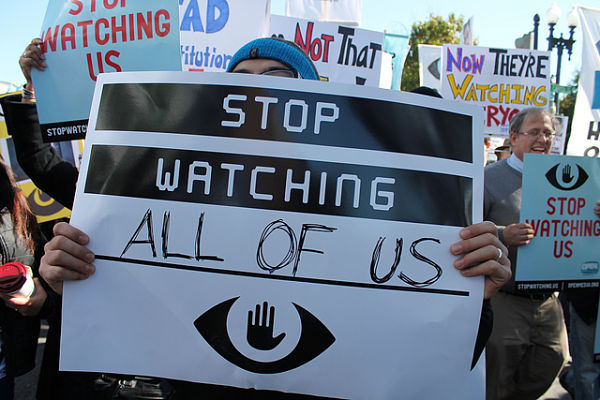
When people type is the government watching me into a search bar, they’re usually thinking about phones, browsing, and social media. In reality, surveillance is an umbrella term covering online and offline collection: internet traffic via ISPs, requests to platforms (social networks, search engines, browsers), camera networks with facial recognition, and location trails from devices and travel records. If you’re not a specific target, your data can still be swept into bulk collection and accessed later if needed. That’s the nature of mass surveillance today.
A companion piece also notes that governments can learn about your online activity by requesting information from ISPs and tech companies—and in some cases by hacking devices or using techniques like browser fingerprinting. This is why privacy protections must account for both corporate and state actors.
The government's common collection channels

If you’re wondering is the government watching me, it helps to map the most common data flows:
-
Your internet connection (via ISP): ISPs see destination IPs/domains and timing metadata. In many jurisdictions, they can be compelled to log or hand over records. A VPN can hide your traffic contents from the ISP and mask your IP from sites you visit.
-
Platforms & cloud services: Social networks, search engines, email, and cloud tools retain rich behavioral logs while you’re signed in. Governments can request or subpoena these records. (If you’re signed out, a free proxy VPN in UFO VPN can still help by masking IP/location.)
-
Phones & location: Cell metadata (who/when/where) and device telemetry can be obtained with legal orders—or in some places, via invasive hacking approaches.
-
Cameras & biometrics: CCTV, license-plate readers, and facial recognition systems link physical movement to identities. (Prevalence varies by country, but the trend is expansion.)
-
Financial & travel records: Bookings, border crossings, and purchases create auditable trails even when communications are encrypted.
This mosaic explains why the answer to is the government watching me is often “not directly—but your data probably is, somewhere.”
Are you personally being watched? A reality check
It’s useful to separate targeted surveillance (focused on individuals for a specific reason) from mass surveillance (bulk collection). Most people reading is the government watching me are not the subject of an active investigation; however, their data is still captured by broad systems and may be queryable later. Red flags that you could be under elevated scrutiny include legal notices, unusual account-access alerts, or contact from investigators. If none of those apply, assume you’re part of the background dataset and focus on reducing exposure. That perspective aligns with reporting that emphasizes unknown but extensive government capabilities and the likelihood that “nobody” data is nevertheless available on demand.
Practical exposure audit
When your gut asks is the government watching me, run this quick, structured audit. It won’t answer definitively, but it will tighten your privacy:
-
Account review: Visit account dashboards for Google, Apple, Meta, Microsoft, and your carrier. Disable unnecessary history, refine ad settings, enable 2FA, and prune old connected apps.
-
Device hygiene: Update OS/firmware, remove unneeded apps, and lock down app permissions (especially location, microphone, camera).
-
Browser check: Minimize https://ufovpn.io/blog/are-chrome-extensions-safe clear cookies, and use site-isolation options.
-
Network posture: On untrusted Wi-Fi, use a free proxy VPN in UFO VPN; on home networks, update the router and use WPA3 if available.
-
Data brokers: Consider opt-outs from people-search sites in your region.
-
Threat model: If you have higher-risk activities (journalism, activism, sensitive research), consider compartmentalized devices and hardened messaging.
No single step answers is the government watching me, but combined they reduce the amount and quality of data available about you.

Defensive playbook: what works—and what doesn’t
Here’s how to stop government surveillance in practice (or, more accurately, limit its surface area):
A. Encrypt the path
-
VPN: A reputable VPN encrypts traffic between you and the VPN server, hiding content from local networks/ISPs and masking your IP to sites. This is powerful on public Wi-Fi and against routine ISP logging. Note the limitation: If you stay signed in to platforms, those services can still associate activity with your account—even over VPN.
-
HTTPS everywhere: Most sites already use HTTPS; always ensure the lock icon is present.
B. Encrypt the content
-
End-to-end messaging (Signal/WhatsApp E2EE, iMessage): Stops providers from reading message content (though metadata may persist).
-
Local device encryption: Keep phones and laptops full-disk encrypted with strong passcodes.
C. Minimize identifiers
-
Signed-out mode: If you don’t need a platform’s personalized features, browse signed out to avoid account-level logging (your VPN still hides IP/location).
-
Private windows & tracker blocking: Reduce cross-site profiles built by adtech.
D. Harden devices
-
Least-privilege apps: Only grant permissions apps truly need.
-
Anti-malware & updates: Prevent compromise that could bypass all other protections. Governments sometimes hack directly—your best defense is patching and app hygiene.
These measures won’t erase every trace, but they dramatically change the answer to is the government watching me from “easily” to “expensively and narrowly.”
Where VPN fits (cleverly, without overpromising)
A VPN is one layer of a balanced privacy stack. UFO VPN is built for the parts of how to stop government surveillance you can actually control day-to-day:
-
AES-256 encrypted tunnel: Scrambles your traffic on public Wi-Fi and blocks casual/ISP-level snooping while you browse, stream, or manage accounts.
-
Smart Connect + 2000+ servers in 100+ countries: Finds a stable, nearby route; handy if services are throttled or region-restricted.
-
Split Tunneling: Route only sensitive apps (browser, messaging) through the VPN and keep others local—less overhead, more control.
-
Kill Switch & always-on: Prevents accidental exposure if the VPN drops.
-
No-logs design: Aligns with privacy-first expectations; your sessions shouldn’t create new trails.
🩵4 Steps to Download UFO VPN:


UFO VPN is an all-in-one VPN that offers unlimited access to 4K streaming like Netlfix, Disney Plus, no-ping gaming as PUBG, Roblox, CODM and social networking for YouTube, X, Facebook and more.




Unlock Pro Features
If you have upgraded to premium plan , feel free to enjoy premium servers for 4K streaming and advanced features like Kill Switch, Split Tunneling, and gaming acceleration. Your Mac is now fully optimized and protected. Inaddition to basic functions, we recommend you turn on

Verify Your IP Now
Use UFO VPN's " What is My IP " feature to see your new IP and location. This confirms your connection is secure, anonymous, and ready for safe browsing online anywhere at any time.







Put simply: on hotel, café, or airport Wi-Fi—or any network you don’t control—using UFO VPN is a “privacy seatbelt.” It doesn’t answer is the government watching me with a guaranteed “no,” but it ensures your basic traffic and IP are not trivially visible on the wire.
Threat-aware scenarios
It’s honest to say that if your situation is highly sensitive (e.g., you’re targeted for your work or activism), you need more than a VPN. For advanced scenarios: use verified end-to-end apps, consider Tor for research, compartmentalize devices, disable biometrics when crossing borders, and maintain strict opsec about identities. For most people asking is the government watching me, however, the biggest wins are mundane: encrypt the network path (VPN), reduce platform logging (signed-out mode), and keep devices patched. Those three alone cut a huge amount of casual exposure.
FAQs
Bottom line—is the government watching me?
If you’re a normal user, it’s unlikely you’re under continuous, targeted monitoring—but your data is probably captured by broad systems and can be retrieved later. That’s how modern mass surveillance works.
Can a VPN stop the government from seeing everything I do?
If you're experiencing connectivity issues or unable to access Call of Duty, it might be due to server maintenance or regional outages. You can check Activision’s official server status page or the social media for updates on ongoing maintenance or disruptions.
What online trails are easiest for governments to obtain?
ISP metadata and platform logs (social networks, search providers) are common sources. Requests range from lawful orders to bulk agreements, varying by jurisdiction.
If I’m not important, why would my data be collected at all?
Bulk collection doesn’t discriminate; it stores data for potential future use. That’s why many “nobodies” still ask is the government watching me—because their information exists in these systems.