Why Is TikTok Asking for Age Verification? Trigger Conditions
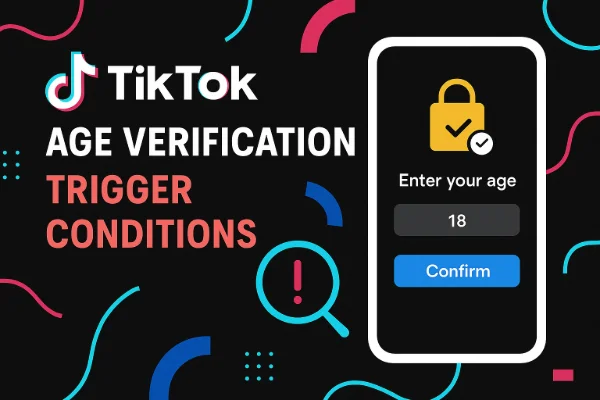
TikTok requires age verification when the system detects inconsistencies, suspicious activity, or actions that legally require proof of adulthood. While the goal is to protect minors, the automated detection system frequently misjudges adults, leading to unnecessary verification prompts and feature restrictions. Here are the most common triggers:
1. Incorrect Birthday or Account Registration Errors
Many users enter the wrong birthday when signing up. Even a one-year difference can automatically place the account under a younger age category (13+, 16+, or 18+ requirements). Once TikTok suspects the user is underage, verification becomes mandatory.
2. New Regional Age-Verification Laws
Countries such as the UK (Online Safety Act) and certain US states require strict age verification for digital platforms. When TikTok detects the user’s region (try a VPN for age verification to change IP location), it may enforce additional checks, particularly on accounts accessing sensitive or adult-oriented features.
3. Attempting to Use 18+ or Restricted Functions
Certain TikTok features require users to be over a specified age:
-
Go Live (18+)
-
Send/receive gifts
-
Access 18+ content
-
Use TikTok Shop
-
Comment or DM in some restricted categories
Using these functions with an unverified or suspiciously young profile forces verification.
4. AI Facial Detection Misjudgment
TikTok’s automated system can estimate age through face scanning in videos. If the algorithm thinks you “look underage,” it may request proof even if your birthday is correct.
5. Repeated Logins, Device Changes, or Suspicious Activity
Frequent device switching, VPN changes, or behavior resembling bot activity can trigger temporary account reviews that include age verification checks.
How to Bypass TikTok Age Verification? (Working Ways)
Below are the practical, tested, and legitimate methods users rely on when they want to use TikTok without uploading ID or when age verification appears by mistake.
Way 1. Use a VPN: Switch to Countries Without Strict Age-Verification Law
Some regions have harsher verification rules, meaning TikTok activates stricter checks. Using a free proxy VPN in UFO VPN allows you to connect to a country with lighter requirements, so TikTok does not push verification as aggressively.
Why a VPN Helps Reduce Age Verification Triggers
-
Different regions require different safety compliance.
-
AI moderation may be lighter in some countries.
-
TikTok may stop asking for ID when your region is not flagged for strict laws.
-
It reduces repeated device/region mismatch warnings.
Best Regions to Switch To
Users typically choose:
-
Singapore
-
Malaysia
-
UAE
-
Mexico
-
Brazil
These countries rarely trigger strict age-verification rules.
UFO VPN offers optimized servers like Singapore VPN free, Malaysia VPN free, UAE VPN free, Mexico VPN free, Brazil VPN free, etc.
Steps:


UFO VPN is an all-in-one VPN that offers unlimited access to 4K streaming like Netlfix, Disney Plus, no-ping gaming as PUBG, Roblox, CODM and social networking for YouTube, X, Facebook and more.




Unlock Pro Features
If you have upgraded to premium plan , feel free to enjoy premium servers for 4K streaming and advanced features like Kill Switch, Split Tunneling, and gaming acceleration. Your Mac is now fully optimized and protected. Inaddition to basic functions, we recommend you turn on

Verify Your IP Now
Use UFO VPN's " What is My IP " feature to see your new IP and location. This confirms your connection is secure, anonymous, and ready for safe browsing online anywhere at any time.







Then, reopen TikTok and clear cache if needed. Try accessing the previously restricted feature again.
A VPN cannot change your actual age or bypass legal restrictions entirely, but it can significantly reduce unnecessary verification requests.
Way 2. Check and Ensure Your Correct Age Information
TikTok often asks for verification because the birthday on your account is missing, incorrect, or flagged.
How to Check Your Age on TikTok
-
Go to Profile
-
Tap Menu (≡) → Settings and Privacy
-
Select Account Information
-
Look for Birthday
If the birthday is inaccurate, most users notice that it cannot be edited manually. TikTok does this to avoid systematic age fraud.
How to Correct a Wrong Birthday Without Full ID
Submit a request to TikTok support:
-
Provide partial identification (censored ID number)
-
Use school ID, library card, student portal screenshot, or government document with your age visible
-
TikTok often accepts documents that clearly show age but not sensitive personal data
This method is essential for a permanent fix if you want full feature access.
Way 3. Use a Backup Account with Adult Birthdate
A large portion of users create a fresh account when the main account is permanently stuck behind age verification.
Why This Works
-
New accounts with a stable, adult birthdate rarely trigger verification
-
TikTok’s automated system reviews new accounts less critically
-
You can regain access to comments, stitches, Live, and messages without providing ID
Tips for Creating a Backup Account
-
Use a different email address or phone number
-
Avoid logging in with the same device if your primary account is repeatedly flagged
-
Turn off TikTok’s “Family Pairing” mode if it is active
-
Set an age well above 18 to avoid borderline flags (e.g., 22, 25, 30)
This is the easiest and fastest workaround used by millions, especially if you only want to watch, comment, or post without verification.
Way 4. Avoid Triggering Features with Mandatory Age Verification
If you want to use TikTok without any verification requests, avoid the actions most likely to trigger them.
Actions That Trigger Verification
-
Attempting to go Live
-
Sending gifts
-
Watching 18+ streams
-
Editing birthday information
-
Submitting suspicious ID photos
-
Appearing visibly young on camera
-
Opening TikTok Shop as a new user
How to Avoid Triggering the System
-
Keep your profile consistent
-
Avoid constant VPN region switching
-
Turn on “Restricted Mode Off” in Settings
-
Avoid editing too many profile fields at once
-
Pause if TikTok temporarily locks features, instead of repeatedly trying
For users who simply want to watch videos or scroll freely, avoiding triggers may eliminate 90% of verification prompts.
Way 5. Request Minimum Age Appeal on TikTok (If Misflagged)
If TikTok mistakenly believes you’re underage—even if your birthday is correct—you must file a Minimum Age Appeal.
How to File an Appeal
-
Open TikTok
-
Tap the age-verification prompt
-
Click Appeal
-
Submit proof that confirms your real age
-
Wait 24–72 hours for review
Accepted Documents (You Can Blur Sensitive Info)
TikTok typically accepts:
-
Government ID with only birthdate visible
-
Student ID
-
Passport with sensitive numbers blurred
-
Birth certificate
-
Driver’s license (with name/ID number hidden)
You are allowed to censor confidential information as long as the date of birth remains visible.
When Appeals Usually Succeed
-
When AI misjudges your appearance
-
When you entered a wrong birthday years ago
-
After device switches triggered a false flag
-
When underage detection was caused by regional laws
An appeal is the only way to fully restore features such as Live, DMs, and gifts without creating a new account.
How to Remove Age Restriction on TikTok Live?
TikTok Live has one of the strictest age gates on the platform. Even if your account looks normal, Live access can be blocked if you do not meet requirements.
TikTok Live Requirements
-
Must be 18 years old
-
Must have 1,000+ followers
-
Must comply with local Live-streaming laws
Fixes to Remove Live Age Restriction
1. Change Region Using a VPN
Some countries restrict Live streaming more aggressively. Switching regions reduces automatic age verification.
2. Remove and Reupload Profile Picture
Sometimes the AI misinterprets your appearance.
3. Clear the App Cache & Update TikTok
A corrupted cache may keep showing outdated restrictions.
4. Submit a Live Access Appeal
If you meet age and follower requirements, TikTok typically restores Live within 48–72 hours.
TikTok Age Restriction Off But Still Showing? Reasons & Fixes
Even with Restricted Mode turned off, TikTok may still show age restriction errors. This usually means:
Possible Reasons
-
Your account is temporarily flagged for underage suspicion
-
Regional laws require extra checks
-
You recently changed birthdays
-
Your face appears young in videos
-
Your device has a parental control setting enabled
-
Cache still stores old restriction data
Fixes
-
Clear cache → restart TikTok
-
Log out & log back in
-
Disable device-level parental controls
-
Disable “Family Pairing” if linked
-
Switch to a different region using a VPN
-
Appeal underage restriction
If the issue is caused by regional policy, only a VPN or appeal will help.
Is It Safe & Legit to Bypass Age Verification on TikTok?
Bypassing TikTok’s system is safe only if you do not violate platform rules. TikTok mainly requires age checks for legal compliance, not surveillance.
Safe Methods
-
Using a VPN to reduce regional restrictions
-
Appealing wrong age flags
-
Correcting birthday information
-
Creating a legitimate adult account
-
Avoiding features that require age proof
The safest way to use TikTok without age verification is to follow the platform's age policy and correctly verify your age on TikTok. Do not look for any unlawful methods. You are sorely responsible for your actions.
Not Safe or Allowed
-
Faking government documents
-
Using minors’ accounts
-
Circumventing laws that require ID
Using a VPN and correcting your account are completely acceptable and widely used by adult users who were mistakenly flagged.
FAQs
Can I use TikTok without uploading my ID?
Yes. You can switch regions with a VPN, use a backup account, or avoid features requiring age verification.
Why does TikTok think I am underage?
AI may misjudge your face, your birthday may be wrong, or you are in a region with strict verification laws.
How do I change my age on TikTok without ID?
You must submit an in-app appeal with partial or alternative documents showing your age.
Why is TikTok Live still restricted even though I turned off age control?
Live has its own requirements; even with restrictions off, region or age suspicion can block it.
Does a VPN really help bypass age verification?
A VPN does not change your age, but it removes regional triggers and reduces unnecessary verification prompts.
Conclusion
TikTok’s age-verification system can be frustrating, especially for adults wrongly flagged as minors. By using a VPN, correcting your birthday, avoiding verification-triggering actions, and appealing misjudged age flags, you can use TikTok without constant ID checks. These methods also help unlock features like TikTok Live and resolve persistent age-restriction issues safely.