What Is Psiphon Pro & How Does It Work?

Psiphon Pro is a free, open-source circumvention tool built to get around internet censorship and network blocks. Instead of using one server, it routes your traffic through a large relay network of volunteer and company-run nodes, automatically switching between VPN, SSH, and HTTP proxy modes to find whatever slips past the block.
That design explains both its strengths and its frustrations. Psiphon is very good at reaching a censored page, but because everyone shares the same relay network, speeds swing wildly when nodes get congested, slower than a dedicated VPN like UFO VPN.
A feature called personal pairing lets you connect through your own dedicated configuration for a steadier route. Keep this in mind: most “won’t connect” and “too slow” complaints come from that shared-network design — not from your device.
How to Connect to Psiphon Pro in 3 Minutes (Simple Steps)
The connecting flow is quick once you know it. Follow the steps below to start using Psiphon Pro on any device.
On Android
To connect Psiphon Pro on Android:
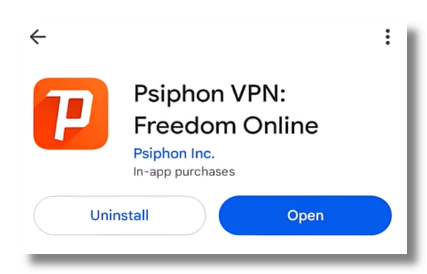
Step 1. Install Psiphon Pro from the Google Play Store, or download the official APK from psiphon.ca (be cautious with a third-party “modded” version).
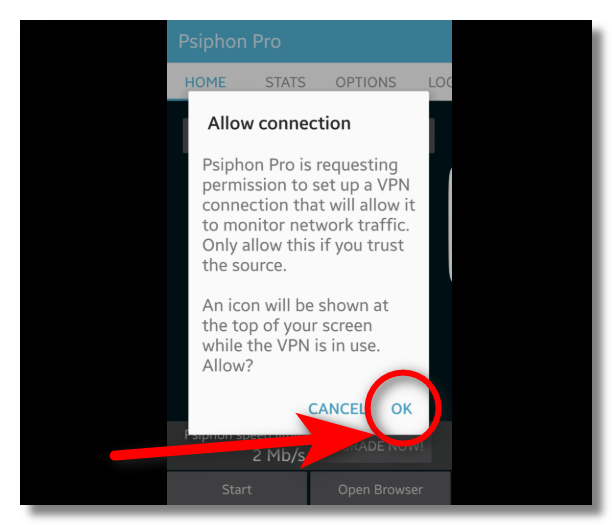
Step 2. Open the app and accept the VPN permission prompt.
Step 3. Tap the Start button.
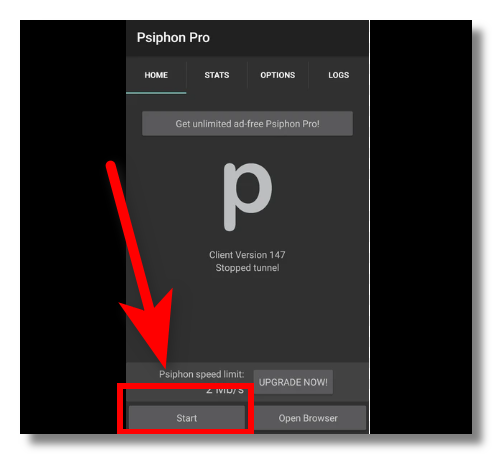
Step 4. Wait until the connection status changes to connected.
On iPhone
Psiphon Pro also supports iOS devices. Follow these steps:
Step 1. Install Psiphon from the App Store.
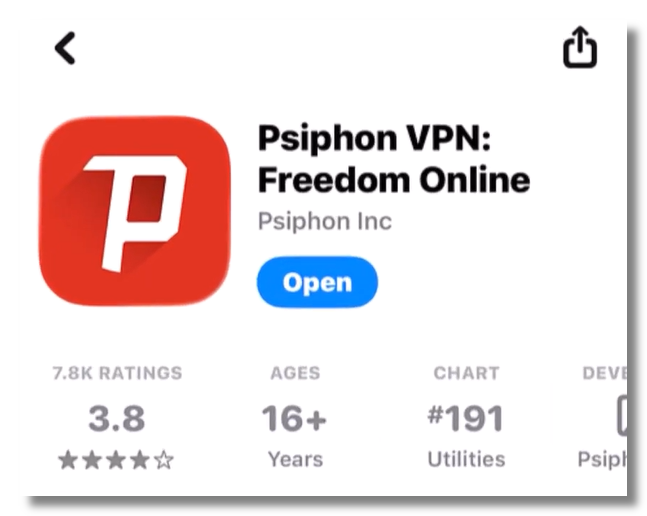
Step 2. Open it and allow the VPN configuration under Settings when prompted.
Step 3. Tap Connect and approve the VPN permission prompt. You’re connected once it shows “Connected.”
On PC (Windows)
To use Psiphon Pro on Windows:
Step 1. Download the Psiphon Pro .exe file from the official site (https://psiphon.ca/) — no full installation needed.
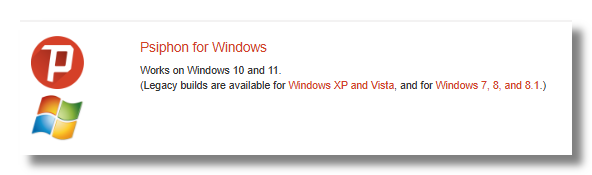
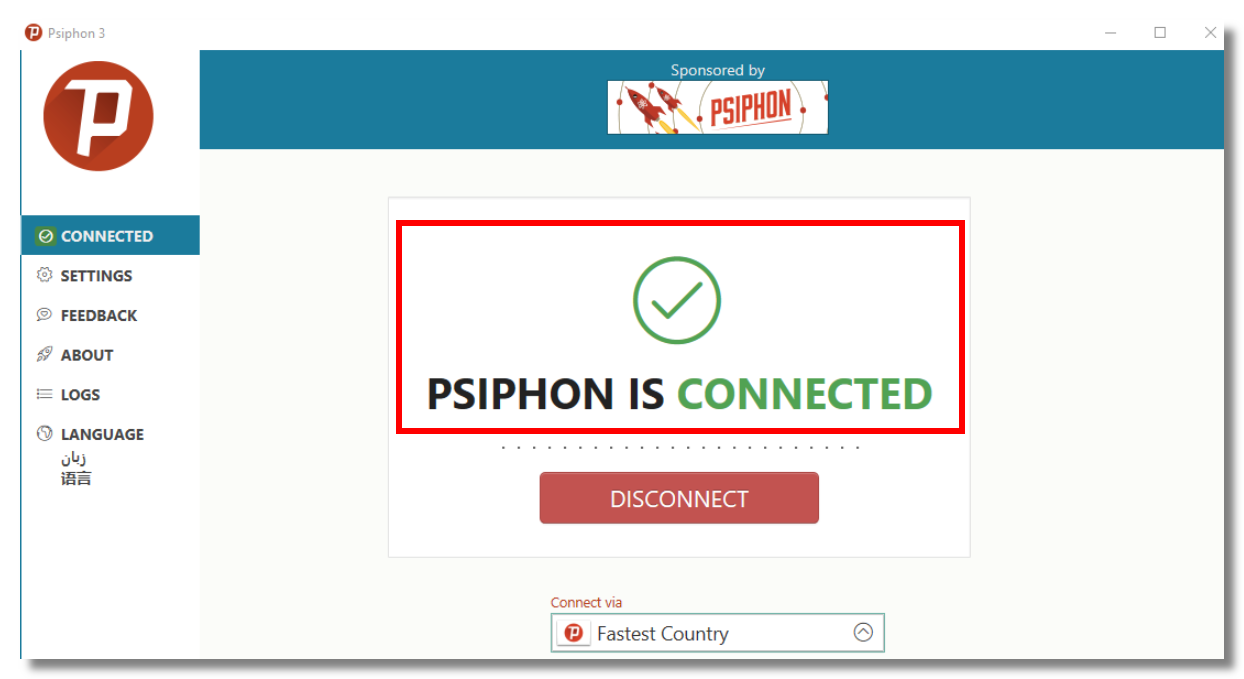
Step 2. Run it. Psiphon will automatically connect when launched.
Step 3. Watch the log until it reads “Psiphon is connected.”
On Mac
Step 1. Download the macOS app from psiphon.ca.

Step 2. Open it and allow access in System Settings → Privacy & Security if needed.
Step 3. Click Connect, then confirm your new IP address on any “what’s my IP” page.
If any platform hangs for more than a minute, don’t keep hitting retry — jump to the fixes below.
Psiphon Pro Not Connecting? Quick Fixes
“Psiphon not connecting” or freezing on “Connecting…” is the most common issue, and it’s usually a quick fix. Try these solutions in order:
1. Check Your Internet Connection
Psiphon cannot establish a VPN connection without a working internet connection.
Try:
- Switching between WiFi and mobile data
- Restarting your router
- Testing another website without Psiphon enabled
2. Restart Psiphon Pro
Temporary app errors may prevent Psiphon from connecting. Close the app completely, reopen it, and try connecting again.
3. Change Connection Settings
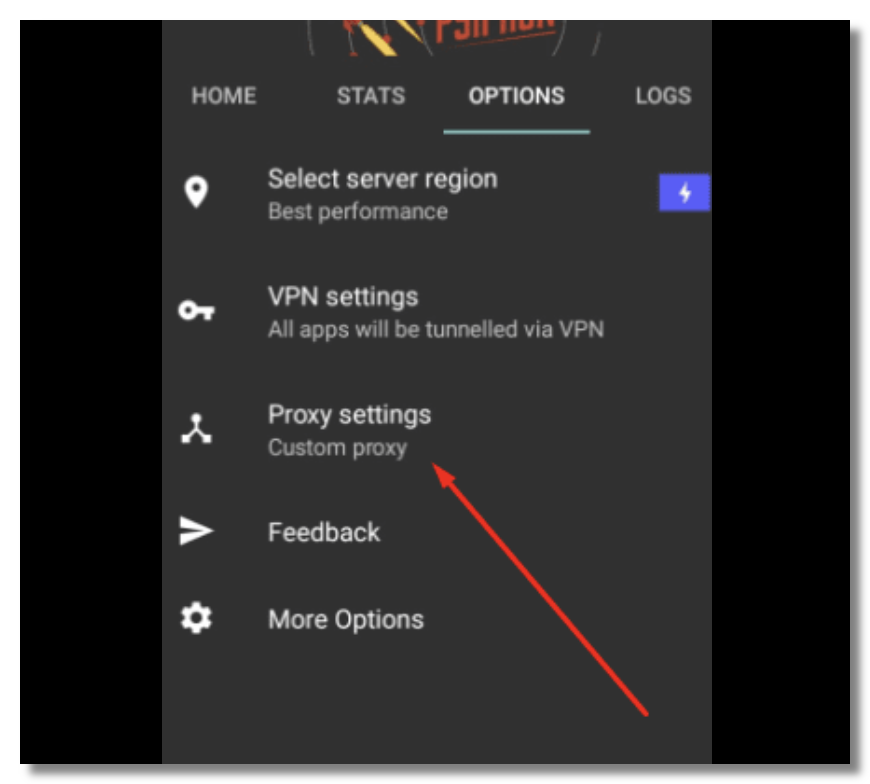
Because Psiphon supports multiple connection methods, changing the connection mode may help.
Try different options, such as:
- VPN mode
- SSH mode
- HTTP proxy mode
A different mode may work better depending on your network environment.
4. Update Psiphon Pro
Older app versions may experience:
- Connection failures
- Compatibility issues
- Performance problems
Check your app store and install the latest version.
5. Disable Battery Restrictions
Some Android devices limit background VPN activity to save battery.
Go to your device settings and allow Psiphon Pro to run without battery restrictions.
6. Restart Your Device
A simple restart can refresh network settings and fix temporary connection problems.


How to Make Psiphon Faster? Practical Tips
Although Psiphon Pro can help you access restricted content, connection speed may vary depending on server availability and network conditions.
Here are some ways to improve Psiphon speed:
- Choose a Better Network Connection: A stable WiFi connection or faster mobile network usually provides better VPN performance. Avoid using weak public WiFi networks when possible.
- Close Background Applications: Apps running in the background may consume bandwidth and reduce available speed. Close unnecessary downloads, streaming apps, and games before using Psiphon.
- Try Different Connection Methods: Different protocols may perform differently depending on your network. Switching between available Psiphon connection modes may improve speed.
- Use a Dedicated VPN for Better Performance: Psiphon focuses mainly on accessibility rather than maximum speed. If you need: HD streaming, online gaming, stable video calls, faster downloads, a dedicated VPN may provide better performance.
Is Psiphon Pro Safe to Use?
Psiphon is open-source, meaning its code is publicly available for review. For basic censorship circumvention, it is generally considered a trustworthy tool.
However, there are two important things to understand before relying on it for sensitive activities.
- Psiphon focuses more on access than privacy protection. It does not include a Kill Switch, meaning your real IP address may become visible if the VPN connection suddenly drops.
- Fake Psiphon apps are a major security risk. Searches for “Psiphon Pro cracked APK” or modified versions from third-party websites may lead to malware-infected installers.
Because VPN apps require extensive network permissions, installing a modified VPN from an unknown source can expose your data.
Only download Psiphon from:
-
Google Play Store
-
Apple App Store
-
Official Psiphon website (psiphon.ca)

Psiphon Pro VPN vs Dedicated VPN: Which One Is Better?
There is no single winner. The better choice depends on what you need in different scenarios.
| If you want to... | Psiphon | Dedicated VPN |
|---|---|---|
| Read blocked news websites | ✅ | ✅ |
| Watch Netflix in HD | ⚠️ | ✅ |
| Play online games | ⚠️ | ✅ |
| Stay protected on airport Wi-Fi | Basic | ✅ |
| Use banking apps while browsing overseas websites | Limited | Split Tunneling |
| Keep your IP protected if the VPN disconnects | No Kill Switch | Kill Switch |
👉Choose Psiphon Pro if you only need to bypass a block occasionally and do not mind unstable speeds.
👉Choose a dedicated VPN like UFO VPN if you need stable connections for streaming, social media, gaming, remote work, or safer public Wi-Fi usage.
Benefits of Using UFO VPN, rather than Psiphon Pro VPN:
- Faster Speeds – Enjoy high-speed servers for smoother browsing, streaming, and downloads, while Psiphon Pro's performance can vary depending on network conditions.
- 2,000+ Global Servers – Choose from a wide range of server locations worldwide instead of relying on Psiphon Pro's automatically selected relay servers.
- Better Streaming & Gaming – Optimized servers provide more stable connections and lower latency for streaming videos and playing online games.
- Advanced Security Features – Benefit from AES-256 encryption, multiple VPN protocols, and a Kill Switch for enhanced online protection.
- More Stable & Reliable Connections – Dedicated VPN infrastructure delivers more consistent performance for everyday browsing, remote work, and public Wi-Fi use.
Download UFO VPN on your devices right now:


UFO VPN is an all-in-one VPN that offers unlimited access to 4K streaming like Netlfix, Disney Plus, no-ping gaming as PUBG, Roblox, CODM and social networking for YouTube, X, Facebook and more.




Unlock Pro Features
If you have upgraded to premium plan , feel free to enjoy premium servers for 4K streaming and advanced features like Kill Switch, Split Tunneling, and gaming acceleration. Your Mac is now fully optimized and protected. Inaddition to basic functions, we recommend you turn on

Verify Your IP Now
Use UFO VPN's " What is My IP " feature to see your new IP and location. This confirms your connection is secure, anonymous, and ready for safe browsing online anywhere at any time.







Final Words
Connecting to Psiphon Pro is simple: install the official app, tap connect, and switch regions if the connection fails.
Most “not connecting” and “too slow” problems are caused by Psiphon’s shared relay network rather than your device. Changing regions and connection modes can help, but a free relay network has natural limits.
If you need reliable speeds for streaming, stronger public Wi-Fi protection, and features like a Kill Switch, UFO VPN provides a more stable way to enjoy a faster and more private internet experience.
FAQs
Is Psiphon Pro a good and safe VPN?
Psiphon is open-source and suitable for basic censorship circumvention. However, it does not provide a Kill Switch and focuses more on access than privacy. For sensitive activities, a privacy-focused VPN, such as UFO VPN, may provide stronger protection.
Is Psiphon Pro really free?
Yes. Psiphon offers a free version supported by ads and a paid option with additional features. However, “free internet” or unlimited mobile data tricks are not official Psiphon features and are generally unreliable.
How do I change the country in Psiphon Pro?
Open Psiphon settings, select the region option, and choose your preferred country. You can also select “Best Performance” to allow automatic server selection.
Why does Psiphon Pro keep disconnecting?
Frequent disconnections are usually caused by congested relay nodes, blocked routes, or unstable networks. Switching regions or connection modes may help.
Can I download a Psiphon Pro APK safely?
Only download Psiphon from official sources such as the Play Store, App Store, or psiphon.ca. Avoid cracked or modified APKs because they may contain malware.
Which is faster, Psiphon Pro or a dedicated VPN?
A dedicated VPN is usually faster and more stable because it uses optimized private servers instead of shared relay networks.
What is the best Psiphon Pro alternative?
If you're looking for faster speeds, more server locations, and stronger security features, UFO VPN is a great alternative to Psiphon Pro. It offers 2,000+ global servers, optimized connections for streaming and gaming, AES-256 encryption, multiple VPN protocols, and a Kill Switch for enhanced protection. Other popular alternatives include Proton VPN, Windscribe, and TunnelBear.