What Is I2P and How Does It Work?
I2P (Invisible Internet Project) is an anonymous overlay network built to protect users from censorship, surveillance, and traffic analysis. Instead of sending data directly across the internet, I2P routes it through multiple volunteer-operated nodes, encrypting it at every step. This creates a secure environment where identities and online activity remain hidden.
Key Features of I2P:
End-to-end encryption: Data is encrypted multiple times before transmission.
Peer-to-peer routing: Information is passed through different users (nodes) to obscure its origin and destination.
Hidden services (eepsites): Websites hosted inside I2P are accessible only within the network, not from regular browsers.
Decentralized: No central authority controls I2P, reducing risks of shutdown.
In short, I2P acts like a private internet within the internet, built around privacy-first principles.
Using a reliable free proxy VPN in UFO VPN to download I2P that encrypts your data and protects your privacy.
I2P's Pros and Cons
Pros of I2P
- Strong anonymity: Multi-layer encryption ensures your identity and location stay hidden.
- Decentralization: No central server makes I2P resistant to censorship or shutdown.
- Private communication: Supports anonymous email, chat, and file sharing.
- Custom ecosystem: Eepsites and applications run exclusively within I2P for added privacy.
Cons of I2P
- Limited accessibility: Regular websites on the open internet are hard to access through I2P.
- Performance issues: Speeds can be slow due to complex routing.
- Smaller network: Compared to Tor or VPNs, I2P has fewer users and resources.
- Steeper learning curve: Not as user-friendly as VPNs.
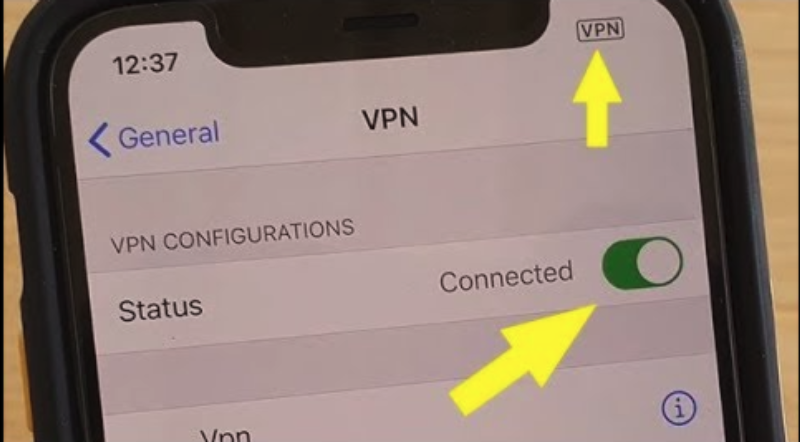
I2P vs Tor vs VPN
I2P vs Tor
- Tor: Best for accessing the dark web and anonymously browsing the regular internet.
- I2P: Designed for private communication and hosting hidden services inside its own network.
- Performance: I2P often performs better for internal services, while Tor is better for connecting to the surface web.
I2P vs VPN
- VPN: Encrypts traffic and hides your IP address but requires trust in a central provider.
- I2P: Decentralized, no single provider has access to your data.
- Use case: VPNs are better for streaming, bypassing geo-blocks, and everyday privacy. I2P is better for anonymous communication and hosting.
| Feature | I2P | Tor | VPN |
|---|---|---|---|
| Purpose | Private communication, hosting hidden services (eepsites) | Anonymous browsing of the surface web + dark web access | Secure, private browsing and bypassing geo-blocks |
| Network Type | Decentralized peer-to-peer overlay | Onion routing network | Centralized provider-managed servers |
| Anonymity | High | High | Moderate |
| Encryption |
End-to-end, layered encryption | Multi-layer onion encryption | Strong encryption but relies on VPN provider |
| Performance | Better for internal services, slower for external sites | Slower for browsing regular sites | Generally faster, good for streaming & gaming |
| Accessibility | Can’t easily reach surface web (limited outproxies) | Full internet + .onion sites | Full internet access, geo-unblocking |
| Ease of Use | Steep learning curve | Moderate, browser-based | Very user-friendly |


UFO VPN is an all-in-one VPN that offers unlimited access to 4K streaming like Netlfix, Disney Plus, no-ping gaming as PUBG, Roblox, CODM and social networking for YouTube, X, Facebook and more.




Unlock Pro Features
If you have upgraded to premium plan , feel free to enjoy premium servers for 4K streaming and advanced features like Kill Switch, Split Tunneling, and gaming acceleration. Your Mac is now fully optimized and protected. Inaddition to basic functions, we recommend you turn on

Verify Your IP Now
Use UFO VPN's " What is My IP " feature to see your new IP and location. This confirms your connection is secure, anonymous, and ready for safe browsing online anywhere at any time.







How to Access I2P Safely
Step 1: Install I2P Software
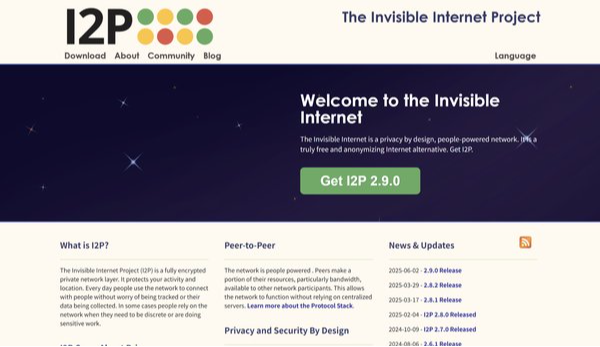
Download the official I2P client from geti2p.net.
Choose the correct version for your operating system.
Step 2: Configure Your Browser
Use a browser like Firefox.
Adjust proxy settings to connect to I2P’s local proxy port.
Step 3: Explore Eepsites
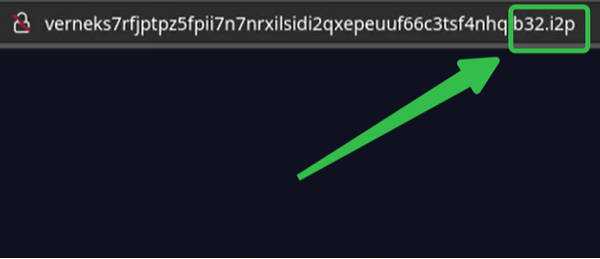
Visit hidden sites within I2P, which often end in “.i2p.”
Use the built-in address book to find eepsites.
Step 4: Stay Safe
Avoid sharing personal data.
Do not install unknown plugins or download suspicious files.
Keep I2P software updated for security patches.
Conclusion
I2P offers a unique way to stay anonymous online, focusing on private communication and hidden services rather than mainstream browsing. While it’s not as beginner-friendly as VPNs or as widely known as Tor, it’s an excellent tool for those who value decentralization and privacy. If you’re ready to explore beyond traditional tools, I2P might be your gateway to a truly private internet experience.
FAQs
1. Is I2P illegal?
No. Using I2P is legal in most countries. However, illegal activity conducted through I2P can still be prosecuted.
2. Can I access normal websites with I2P?
Technically yes, through outproxies, but performance is poor. I2P is mainly intended for eepsites.
3. How fast is I2P compared to Tor?
I2P can be faster for internal communication but slower for browsing external websites.
4. Is I2P safer than a VPN?
I2P provides stronger decentralization, but VPNs are easier to use and better for everyday internet tasks. Safety depends on your use case.
5. Who uses I2P?
Privacy advocates, journalists, researchers, and individuals seeking censorship-free communication.
6. Can I use I2P on mobile?
Yes. I2P has Android apps, though mobile performance may vary.
7. Do I need both I2P and VPN?
For maximum privacy, some users layer tools—using a VPN alongside I2P to hide I2P usage from ISPs block sites.