Tools You Need to Make an Unblocked Game
Unblocked games are online games that can bypass content filters used by institutions like schools or offices. These games are usually hosted on websites that are not blacklisted or blocked by network administrators.
Common Features of Unblocked Games Sites
-
Web-based (no installation needed)
-
Lightweight games (HTML5 or Flash)
-
Easy navigation and fast loading
-
Hosted on domains that avoid triggering filters
Foolproof Tools for making an Unblocked Games Sites:
🧪 Testing Tools (Simulate Blocked Networks):
-
Chrome or Firefox – For browser compatibility testing
-
UFO VPN – Simulate geo/school restrictions
-
CroxyProxy – Browser-based proxy test
🕹️ Game Development Platforms (No Coding Needed)
-
Scratch (scratch.mit.edu) – Beginner-friendly, browser-based
-
Construct 3 – Drag-and-drop HTML5 game maker
-
GDevelop – No-code engine with web export
-
Unity (WebGL Export) – For experienced users
💻 Code Editors (If You're Coding):
-
Replit – Online IDE + hosting
-
VS Code – Local editor with live preview
-
Glitch – Quick web app hosting and coding in one
🌐 Hosting Options (Unblockable Access):
-
GitHub Pages – Free static site hosting
-
Netlify / Vercel – Easy CI/CD hosting
-
Itch.io – Game-focused browser hosting
🎨 Game Assets:
-
Kenney.nl – Free sprites and UI
-
OpenGameArt.org – Backgrounds, tilesets
-
Freesound.org – Sound effects
🗃️ Optional but Helpful:
-
GitHub – Version control
-
Trello / Notion – Organize development tasks
Step 1: Think Before Starting to Make a Game
Before diving into the technical part, it’s critical to ensure that your site:
-
Doesn’t distribute copyrighted content illegally
-
Avoids embedding games without permission
-
Doesn’t promote unsafe downloads or malware
✅ Tip: Always use open-source or freely licensed games to stay safe.
Step 2: Choose the Type of Site You Want to Build
There are three main types of unblocked games websites:
1. Static HTML Site (for tech-savvy users)
-
Custom-built using HTML, CSS, and JS
-
Fast and fully customizable
-
Hosting needed
2. WordPress-Based Site (beginner-friendly)
-
Use game themes or plugins
-
Easier to manage and update
-
Requires minimal coding
3. Site Builder Platforms (easiest option)
-
Use Wix, Webflow, or Carrd
-
Drag-and-drop interface
-
Limited flexibility, but very beginner-friendly
For most beginners, WordPress or Wix is the ideal start.
Step 3: Get a Domain and Hosting
Domain Name
Pick something fun, short, and keyword-friendly:
-
Example:
playunblockedzone.com,freegamesunblocked.xyz
You can buy a domain from:
-
GoDaddy
-
Namecheap
-
Google Domains
💡 Tip: Consider using .io, .xyz, or .fun if .com is taken.
Hosting Options
Some popular beginner-friendly hosting services:
-
Bluehost: Great for WordPress, includes a domain
-
Hostinger: Affordable and beginner-friendly
-
GitHub Pages: Free for static sites
-
Netlify: Good for static games with HTML5
Step 4: Find and Upload Games Legally
To avoid legal trouble and deliver fast performance, use open-source or free-license games.
Sources for Free or Open-Source Games
-
Itch.io: Filter by "Free to Use"
-
OpenGameArt.org: For game assets
-
GitHub: Search “HTML5 games”
Game Types to Focus On:
-
HTML5 (modern browsers support this)
-
WebGL or Phaser.js-based games
-
Avoid Flash—it’s obsolete
📂 Upload the game files to your hosting under directories like /games/game-name/ and link them from your site homepage.
Step 5: Build and Design Your Site
If Using WordPress
-
Install WordPress via your hosting control panel
-
Choose a gaming-friendly theme (e.g., "Arcade Basic")
-
Use plugins like:
-
Embed Any Document: To embed games
-
Elementor: Drag-and-drop design
-
If Using HTML
-
Create a homepage with game thumbnails
-
Link each thumbnail to a separate HTML game page
-
Use a simple CSS layout for navigation
🧠 Keep the design clean. Prioritize speed and accessibility over fancy graphics.
Step 6: Make Your Site "Unblockable" (To a Degree)
Although no site is fully unblockable, you can improve your chances:
Tips to Stay Unblocked in Schools:
-
Use neutral domains (avoid “games” or “fun” in URL)
-
Avoid ads or popups (often trigger filters)
-
Host on HTTPS for secure access
-
Use Cloudflare CDN for faster access and minor protection against IP bans
-
Use mirror domains or subdomains (e.g.,
play1.domain.com,play2.domain.com)
Step 7: Add VPN Support or Tips (Optional)
In some networks, only VPNs can help bypass blocks. You can recommend trusted options.
🔒 Best Free VPN for Unblocked Games:
-
UFO VPN (Offers dedicated gaming servers)
-
ProtonVPN (Free plan with decent speed)
-
Windscribe (10GB monthly free data)
You can create a page like “How to Play with VPN” and include step-by-step guides for each OS.
How to Get Started with UFO VPN:


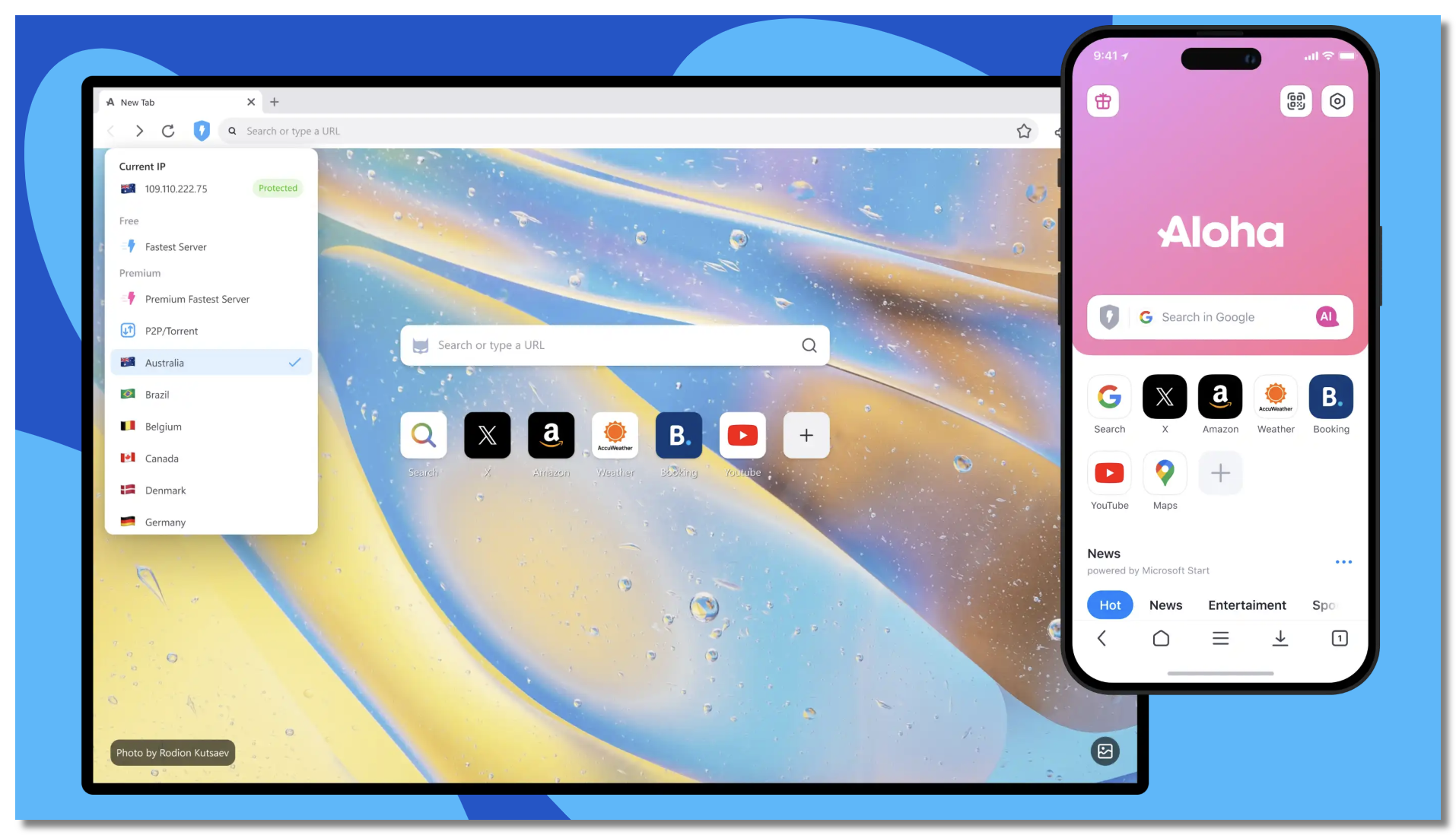
UFO VPN is an all-in-one VPN that offers unlimited access to 4K streaming like Netlfix, Disney Plus, no-ping gaming as PUBG, Roblox, CODM and social networking for YouTube, X, Facebook and more.




Unlock Pro Features
If you have upgraded to premium plan , feel free to enjoy premium servers for 4K streaming and advanced features like Kill Switch, Split Tunneling, and gaming acceleration. Your Mac is now fully optimized and protected. Inaddition to basic functions, we recommend you turn on

Verify Your IP Now
Use UFO VPN's " What is My IP " feature to see your new IP and location. This confirms your connection is secure, anonymous, and ready for safe browsing online anywhere at any time.







Step 8: Optimize for Mobile and Desktop Users
Many students use Chromebooks or phones, so mobile optimization is key.
Mobile Optimization Checklist
-
Games are playable in mobile browsers
-
Buttons and menus are tap-friendly
-
Pages load under 3 seconds on 4G
Test your site on:
-
iOS Safari
-
Android Chrome
-
Chromebook Chrome OS

Step 9: Promote Your Unblocked Games Site
Now that your site is live, get users!
Where to Share:
-
Reddit (subreddits like r/unblockedgames or r/webgames)
-
Discord servers (create your own)
-
TikTok or YouTube Shorts showcasing game clips
-
SEO-optimized blog content (e.g., “Top 10 Unblocked Games for School”)
🎯 Bonus Tip: Add a “Submit Your Game” page to grow content organically!
Start Simple, Scale Smart
Creating an unblocked games website might seem overwhelming at first, but with the right tools and guidance, even beginners can launch a functional, fun, and fast site in just a few hours. Start with a few games, stay legal, focus on clean design, and grow from there. Whether you're building it for friends, schoolmates, or a wider audience, it’s a great way to explore web development, game distribution, and even online entrepreneurship.
FAQs
1. Is it legal to host unblocked games?
It’s legal if you use open-source or freely licensed games. Avoid pirated content.
2. Can I make money from my unblocked games site?
Yes! Use display ads, affiliate links (e.g., VPNs), or even donations via Ko-fi.
3. Can I build unblocked games on my phone or tablet?
Technically yes, using site builders like Wix or WordPress apps, but desktop is easier for file management.
4. What’s the best game type for fast loading?
HTML5 games under 10MB are ideal for quick play without lags.
5. Can I embed games from other sites?
Only if they allow it and you have the right permissions. Avoid iframe scraping.