What is Apple Pay?
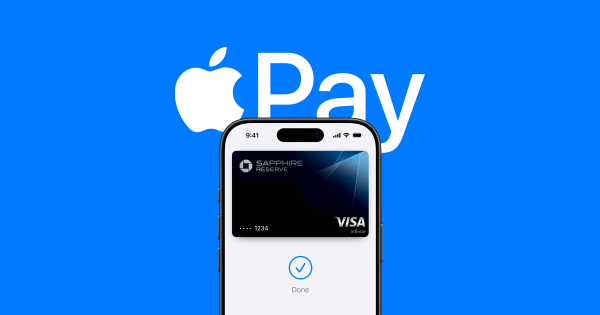
Apple Pay is a mobile payment and digital wallet service offered by Apple Inc. It allows users to make payments using their Apple devices, such as iPhones, iPads, Apple Watches, and Macs. By storing credit card and debit card information securely on your Apple device, Apple Pay allows you to complete transactions in person, within apps, and online without needing a physical card.
Apple Pay uses Near Field Communication (NFC) technology to communicate with point-of-sale (POS) terminals, making it a contactless method of payment. Whether you're buying a coffee, booking a flight, or shopping online, Apple Pay enables a fast, secure, and private payment experience.
How Does Apple Pay Ensure Security?
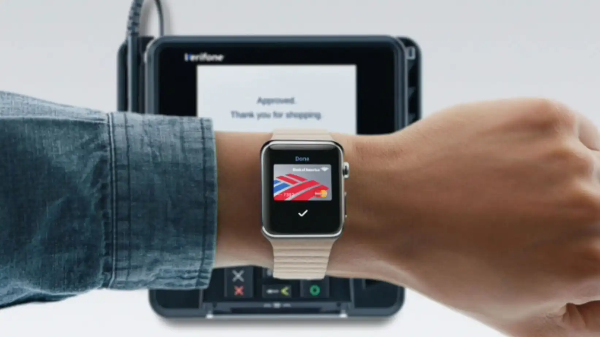
When it comes to Apple Pay security, the company takes extra precautions to protect users' sensitive financial data. Here's how Apple Pay works to keep your information safe:
1. Tokenization
One of the key features of Apple Pay security is tokenization. When you add your credit or debit card to Apple Pay, it generates a unique token instead of storing your actual card number. This token is used to process transactions, ensuring that your actual card details are never shared with merchants or transmitted over the internet.
Tokenization reduces the risk of card information being intercepted or stolen during the transaction process, adding an extra layer of protection for users.
2. Secure Element
The Secure Element (SE) is a specialized chip in your Apple device that stores your payment information securely. The SE is isolated from the rest of your device’s storage and is designed to withstand attacks and unauthorized access. It ensures that sensitive data like card details are kept safe even if your device is compromised.
3. Authentication with Face ID, Touch ID, or Passcode
For each Apple Pay transaction, you must authenticate the payment using Face ID, Touch ID, or your device’s passcode. This biometric or passcode authentication ensures that only the rightful owner of the device can approve the transaction.
Even if someone gets a hold of your device, they cannot make payments without the proper authentication.
4. End-to-End Encryption
Apple Pay employs end-to-end encryption, meaning your payment information is encrypted from the moment it is sent from your device to the merchant’s payment terminal. Only the merchant’s payment processor can decrypt the payment data, reducing the risk of interception or tampering.
5. Two-Factor Authentication (2FA)
Apple offers two-factor authentication (2FA) for your Apple ID, which further protects your account and payment methods. 2FA requires you to verify your identity using a trusted device or phone number whenever there’s an attempt to log into your Apple ID.
Privacy Benefits of Apple Pay
Alongside Apple Pay security, Apple is also committed to maintaining your privacy. Here's how Apple Pay ensures your privacy while using their payment service:
1. Limited Information Sharing
When you make a purchase with Apple Pay, the merchant only receives limited information about the transaction—such as the tokenized payment data. Your actual credit or debit card information is never shared with the merchant, reducing the chances of your data being exposed in the event of a data breach.
2. No Transaction History for Merchants
Apple Pay doesn’t allow merchants to track your transaction history. While your Apple ID will keep a record of your purchases, this information is only accessible by you and not by the merchants involved. This ensures that your purchasing patterns remain private.
3. Anonymity with In-App Purchases
For in-app purchases, Apple Pay allows you to complete transactions without revealing your credit card details or billing information. Your payment information remains encrypted and secure, further protecting your privacy.
Additional Tips for Securing Your Apple Pay Account
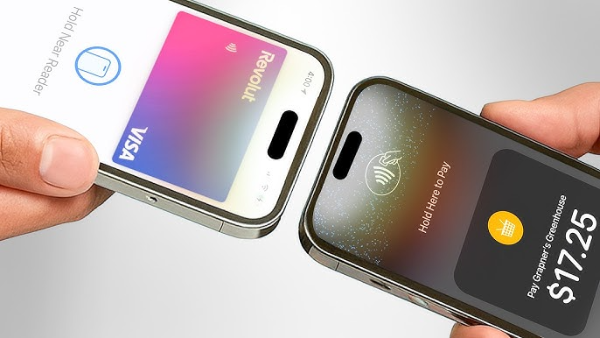
Although Apple Pay offers robust security, there are some steps you can take to further protect your payments:
1. Enable Two-Factor Authentication (2FA)
Always enable two-factor authentication (2FA) for your Apple ID to add an extra layer of protection. This ensures that only you can access your account, even if someone gains access to your password.
2. Keep Your Device Secure
Ensure your device is protected with a strong passcode, Face ID, or Touch ID. Lock your device whenever you’re not using it, especially in public places, to prevent unauthorized access to your Apple Pay account.
3. Use UFO VPN for Secure Transactions
While Apple Pay provides top-notch security, using a free proxy VPN in UFO VPN can add an extra layer of protection, especially when shopping online or using public Wi-Fi. UFO VPN encrypts your internet connection and protects your data from hackers, giving you peace of mind when making transactions.
UFO VPN also helps you bypass regional restrictions and avoid potential surveillance, ensuring a safer online shopping experience.
✨4 Steps to Open UFO VPN


UFO VPN is an all-in-one VPN that offers unlimited access to 4K streaming like Netlfix, Disney Plus, no-ping gaming as PUBG, Roblox, CODM and social networking for YouTube, X, Facebook and more.




Unlock Pro Features
If you have upgraded to premium plan , feel free to enjoy premium servers for 4K streaming and advanced features like Kill Switch, Split Tunneling, and gaming acceleration. Your Mac is now fully optimized and protected. Inaddition to basic functions, we recommend you turn on

Verify Your IP Now
Use UFO VPN's " What is My IP " feature to see your new IP and location. This confirms your connection is secure, anonymous, and ready for safe browsing online anywhere at any time.







Common Apple Pay Problems and How to Fix Them
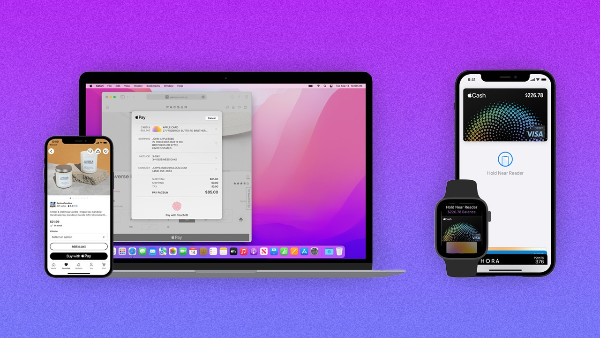
While Apple Pay is generally a reliable payment service, users may occasionally encounter issues. Here are some common problems and how to resolve them:
1. Unable to Add a Card
If you’re having trouble adding a credit or debit card to Apple Pay, check that the card is supported by your bank. Ensure that your Apple device is running the latest version of iOS, as updates can resolve compatibility issues.
2. Payment Not Going Through
If your Apple Pay payment is declined, check that your internet connection is stable and that you’ve authorized the transaction using Face ID, Touch ID, or your passcode. If the issue persists, try restarting your device or removing and re-adding your card.
3. Payment Error in Apps or Websites
If Apple Pay is not working for in-app purchases, ensure the app supports Apple Pay. If the problem continues, contact the app’s support team for assistance.
FAQs
What is Apple Pay?
Apple Pay is a mobile payment and digital wallet service that allows you to make secure payments using your Apple devices. It stores your credit or debit card information and uses encryption to protect your financial data.
Is Apple Pay safe to use?
Yes, Apple Pay uses strong security measures, such as tokenization, end-to-end encryption, and biometric authentication, making it one of the safest mobile payment systems available.
How can UFO VPN help protect my Apple Pay transactions?
UFO VPN secures your internet connection, encrypting your data and protecting your privacy while shopping online. It’s an excellent tool for further enhancing your Apple Pay security when using public Wi-Fi.
Can merchants track my purchases with Apple Pay?
No, Apple Pay doesn’t share your transaction history with merchants, ensuring that your purchasing activity remains private.
How do I fix Apple Pay payment issues?
If Apple Pay isn’t working, make sure your device is up to date, your internet connection is stable, and you’ve authorized the payment using Face ID, Touch ID, or your passcode.