Why India Bans Websites?
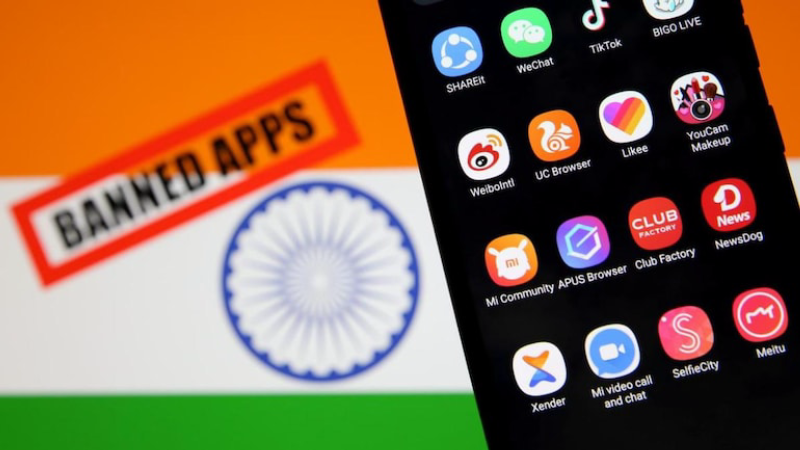
India’s approach to internet censorship has evolved substantially over the past decade. Under the Information Technology Act, 2000, and subsequent amendments, authorities can order ISPs to block access to websites deemed harmful to national security, public morality, or social harmony. Key catalysts include:
-
Section 69A IT Act: Empowers the government to block public access to any information (including entire websites) if it threatens sovereignty or public order.
-
CERT-In Directives: Require ISPs to follow block lists issued by the Computer Emergency Response Team of India.
-
Court Orders: Judicial rulings have mandated the removal of piracy portals, gambling sites, and sites spreading misinformation or hate speech.
Categories of Banned Content
-
Piracy and Copyright Infringement: High profile crackdowns on torrent and streaming aggregators.
-
Gambling & Betting Platforms: Online casinos and sports betting sites.
-
Objectionable Content: Hate speech, extremist propaganda, and content deemed obscene under Indian law.
-
Fraudulent & Phishing Sites: Sites targeting Indian users for scams and financial crimes.
These measures aim to protect intellectual property, user safety, and national integrity—but they also inadvertently block access to legitimate resources, such as news outlets or VPN providers.
Consequences of Trying to View India Banned Sites

Attempting to access blocked websites carries risks beyond simple connectivity issues. India’s legal framework includes penalties for non-compliance:
-
ISP Warnings and Service Suspension: ISPs may throttle or suspend connections if users repeatedly access banned content.
-
Fines and Penalties: Under Section 69A and related provisions, violators face monetary fines.
-
Imprisonment: In extreme cases—especially where blocked access aids criminal activity—jail terms of up to seven years can apply.
Understanding these consequences underscores why a safe, legal workaround is essential when you need to view India banned sites.
Using UFO VPN to View India Banned Sites
Follow these simple steps to unlock restricted Indian content:


UFO VPN is an all-in-one VPN that offers unlimited access to 4K streaming like Netlfix, Disney Plus, no-ping gaming as PUBG, Roblox, CODM and social networking for YouTube, X, Facebook and more.




Unlock Pro Features
If you have upgraded to premium plan , feel free to enjoy premium servers for 4K streaming and advanced features like Kill Switch, Split Tunneling, and gaming acceleration. Your Mac is now fully optimized and protected. Inaddition to basic functions, we recommend you turn on

Verify Your IP Now
Use UFO VPN's " What is My IP " feature to see your new IP and location. This confirms your connection is secure, anonymous, and ready for safe browsing online anywhere at any time.







Other Methods to View India Banned Sites

Several technical measures enable users to regain access to restricted content. Each method varies in security, reliability, and legality:
Web Proxies
-
How They Work: You connect to a proxy server that fetches content on your behalf.
-
Pros: No installation required; accessible via browser.
-
Cons: Many proxies are slow, display intrusive ads, or log user activity—offering little in the way of privacy or security.
The Tor Network
-
How It Works: Tor routes traffic through multiple volunteer nodes, anonymizing the origin.
-
Pros: Strong anonymity and resistance to censorship.
-
Cons: Noticeably slower speeds; some exit nodes are blocked; complexity can deter casual users.
DNS over HTTPS (DoH)
-
How It Works: Encrypts DNS queries to prevent ISPs from intercepting or redirecting them.
-
Pros: Easy to configure in modern browsers; thwarts DNS based blocking.
-
Cons: Does not hide your IP address or encrypt the content itself; ISPs can still block by IP.
Given the balance of speed, security, and usability, Best free VPN stand out as the most effective solution for everyday users wanting to view India banned sites.


Why UFO VPN Is Your Best Bet
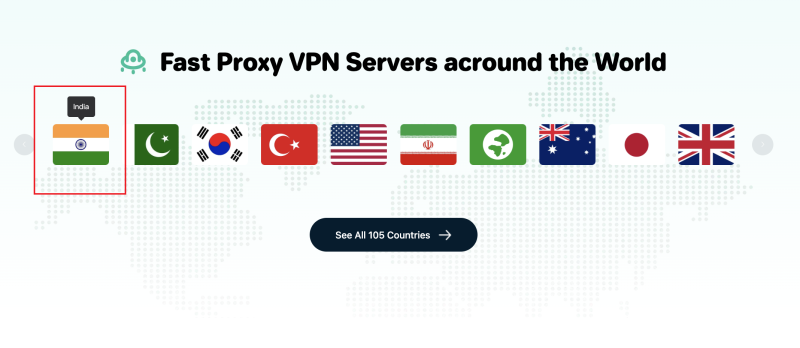
When it comes to balancing privacy, performance, and ease of use, UFO VPN distinguishes itself in the crowded market of India VPN options. Here’s how:
Offshore Virtual Indian Servers
UFO VPN provides virtual Indian servers hosted outside India, offering authentic Indian IP addresses without subjecting you to local data logging mandates. This means you can stream Indian portals, access local news sites, or log into banking platforms as if you were in Mumbai or Delhi, without your activity ever touching servers in India.
Military-Grade Encryption & No-Logs Guarantee
All data between your device and UFO VPN’s servers is encrypted with AES-256 and secured by an RSA-2048 handshake. Coupled with a strict zero-logs policy (independently audited), UFO VPN ensures your attempts to view India banned sites remain entirely private.
Lightning-Fast Speeds
UFO VPN’s optimized network infrastructure, featuring high-bandwidth servers across 60+ countries. delivers minimal speed loss. Whether you’re binge, watching Indian web series on Hotstar or attending virtual classes via local educational portals, you’ll experience seamless performance.
User-Friendly Apps & 24/7 Support
From Windows and macOS to Android and iOS, UFO VPN offers intuitive apps that get you connected in seconds. If you encounter any issues accessing India banned sites, dedicated live-chat support is available around the clock to guide you.
FAQ
Q: Can using a VPN to view India banned sites lead to legal trouble?
A: Using a VPN itself is legal in India. However, accessing or distributing illegal content remains punishable. Always use VPNs for legitimate purposes.
Q: How do virtual Indian servers differ from real ones?
A: Virtual servers provide an Indian IP address while being physically hosted outside India, thus avoiding local logging mandates.
Q: Will my connection speed suffer with UFO VPN?
A: UFO VPN’s high-bandwidth network and optimized routing often maintain speeds close to your ISP’s baseline, with minimal buffering for streaming and downloads.
Q: Are there cost-effective ways to try UFO VPN?
A: UFO VPN offers trial periods and affordable multi-month plans that let you test premium features, including virtual Indian servers, before committing long-term.
Q: How can I check if my DNS requests are secure?
A: Use online tools like DNSLeakTest.com to verify that your DNS queries are encrypted and routed through the VPN tunnel.
Q: What other tools complement VPNs for privacy?
A: Combining a VPN with encrypted DNS (DoH/DoT), browser privacy extensions, and secure messaging apps (like Signal) can further safeguard your data and identity.