Types of anonymous email services
Anonymous email services fall into a few clear types. Knowing which type you need helps pick the right provider.
-
Burner addresses — Create a temporary address that expires. Best for quick signups, trials, or one-time confirmations.
-
Encrypted long-term providers — Services that offer end-to-end encryption and permanent inboxes. Best for ongoing private conversations.
-
Minimal-data secure providers — Services that limit metadata collection and avoid phone or ID requirements.
-
Hybrid or niche providers — Offer special features such as self-destructing messages or unusually long encryption keys.
Decide whether you want a short-term disposable address for low-risk tasks, or a long-term encrypted mailbox for sustained privacy and secure conversations.
Top free anonymous email providers
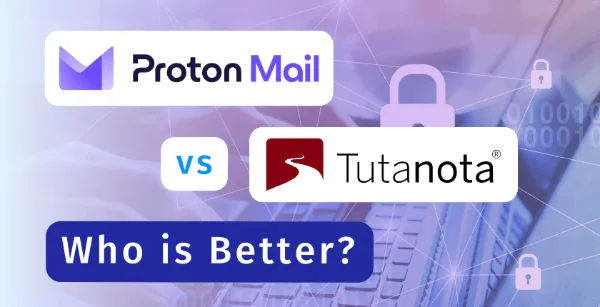
Here are widely used options that balance privacy, features, and ease of use.
ProtonMail (https://proton.me/mail)
— Strong end-to-end encryption and a zero-access policy. ProtonMail offers a free tier with limited storage and paid upgrades for more space. The interface is polished and easy to use, making it a solid pick for many privacy-minded users.
Tutanota (https://tuta.com/zh-hans)
— Encrypts subject lines and contact lists, and provides generous free storage. Tutanota strips IP addresses when possible and is open source. It’s a good choice if you want robust defaults and minimal metadata exposure.
Guerilla Mail and burner services (https://www.guerrillamail.com/)
— Create instant, temporary inboxes that expire after a short time. Perfect for signups and one-off confirmations. These services do not provide long-term storage but excel at reducing spam.
Niche secure providers
— Smaller services sometimes offer higher key strengths or stricter no-logs policies. Always check jurisdiction and transparency reports before relying on a niche provider for critical communications.
Quick comparison note: check whether a provider stores metadata, offers end-to-end encryption by default, and publishes audits or transparency reports to back privacy claims.
How to set up and protect your anonymous email
Follow this practical checklist for a safe signup and ongoing protection.
Signup checklist
-
Clear browser cookies and use an incognito/private window.
-
Connect to UFO VPN on your device or router.
-
Choose a username that cannot be traced to you.
-
Skip recovery methods that link to your main email or phone if possible.
-
Use a strong, unique password and store it in a password manager.
-
Enable two-factor authentication when the service supports it.
-
Test sending and receiving to confirm the setup works.
Why run UFO VPN while you register and log in?
-
UFO VPN encrypts your traffic on public Wi-Fi and hides your IP from email servers.
-
It reduces the chance that your signups or session tokens are linked to your real location.
-
If a provider is blocked in your region, a VPN can help you access the signup page while you still obey local laws.
Using a VPN on different devices


UFO VPN is an all-in-one VPN that offers unlimited access to 4K streaming like Netlfix, Disney Plus, no-ping gaming as PUBG, Roblox, CODM and social networking for YouTube, X, Facebook and more.




Unlock Pro Features
If you have upgraded to premium plan , feel free to enjoy premium servers for 4K streaming and advanced features like Kill Switch, Split Tunneling, and gaming acceleration. Your Mac is now fully optimized and protected. Inaddition to basic functions, we recommend you turn on

Verify Your IP Now
Use UFO VPN's " What is My IP " feature to see your new IP and location. This confirms your connection is secure, anonymous, and ready for safe browsing online anywhere at any time.







How to choose the best free anonymous email account
Pick a provider with a clear, no-logs policy and strong encryption. When evaluating services, check:
-
Encryption standards — Prefer end-to-end encryption and client-side encryption.
-
Jurisdiction — Providers in privacy-friendly countries are less likely to be compelled to hand over data.
-
Logging policy — Confirm whether the provider logs IPs, timestamps, or message metadata.
-
Verification requirements — Avoid services that force phone verification unless you can use a burner number.
-
Storage and limits — Free plans usually limit storage and sends per day; check if that meets your needs.
-
Transparency — Look for audits, transparency reports, or open-source software.
If a provider asks for a phone number, you can use a temporary verification method. For stronger privacy during signup, register while connected to a free proxy VPN in UFO VPN to mask your real IP address and location.
FAQs
Is a free anonymous email account truly anonymous?
It depends on the provider and how you sign up. A privacy-focused provider that does not log IPs and supports end-to-end encryption gets closest to true anonymity. Registering and logging in over a VPN such as UFO VPN further reduces the chance the mailbox links to your real location.
Can I use an anonymous mailbox for sensitive work?
For high-risk work, choose a strong encrypted provider, use a dedicated device where possible, and layer protections — a VPN, secure password manager, and careful metadata hygiene.
How do I safely upgrade to paid plans?
Use privacy-respecting payment methods when possible. If unavoidable, limit the personal data you expose and consider using a pseudonymous payment route that still meets the provider’s TOS.
Can a VPN be traced back to me?
Some VPNs log connection metadata. Read the VPN’s privacy policy and choose a no-logs provider. UFO VPN offers privacy tools, but always confirm the provider’s policy and jurisdiction before trusting it for highly sensitive use.
What’s the right mix of tools for most users?
For most people who want extra privacy: use a reputable encrypted email provider, create separate disposable addresses for risky signups, enable two-factor auth, and run a reliable VPN like UFO VPN when registering or using the service on public networks.