logo

UFO VPN : Best Free VPN You Can Actually Trust

Strong encryption & free access to global apps & websites.

  • No credit card
  • 100% free plan
  • 2000+ servers
blog banner bg

PicoTorrent Alternatives: Top Client Replacements

PicoTorrent is fast and minimal, but it may lack certain features or cross-platform support. In this guide, we explain reasons to seek PicoTorrent alternatives, introduce six fresh torrent clients you might prefer, compare them in a simple table, then share usage tips—naturally integrating a UFO VPN recommendation for privacy. Finally, our FAQs answer common questions.
Updated on 06/26/2025
5 minutes

Also available in:  Русский

Table of Contents

Why You Might Need PicoTorrent Alternatives
why you need picotorrent alternatives

Even though PicoTorrent excels in speed and simplicity, some users find it missing:

  • Feature Gaps: No built-in search, limited scripting, or lack of mobile versions.

  • Platform Support: PicoTorrent is Windows-only; macOS and Linux users need alternatives.

  • Advanced Needs: Power users want plugins, extensions, or built-in media previews.

  • Automation: Lack of RSS feeds or advanced scheduling can frustrate frequent torrenters.

  • Community Activity: Development pace may not match other clients’ frequent updates.

If any of these issues slow your workflow, consider one of these PicoTorrent alternatives.

📀LIMITED TIME DISCOUNT:💿
If you're in the heavily internet-regulated region of India, we've got you covered with a free and secure India VPN that's compatible with both your Apple and Android devices. Just download free VPN for Android - UFO VPN (with VPN APK) and free iPhone VPN - UFO VPN for iOS.

Top PicoTorrent Alternatives

Below are six clients that fill gaps PicoTorrent leaves. Each offers unique strengths.

  1. qBittorrent

qbittorrent

    • Cross-platform (Windows/macOS/Linux).

    • Integrated search via plugins and RSS feeds.

    • Lightweight, ad-free, active development.

  1. Transmission

best vpn settings to prevent transmission not working

    • Native on macOS and Linux; unofficial Windows ports.

    • Extremely low resource use.

    • Simple, built-in web interface for remote control.

  1. Deluge other tips when using deluge vpn 

    • Plugin-based: add scheduler, label, web UI, encryption.

    • Modular—core daemon plus lightweight front-ends.

    • Cross-platform support.

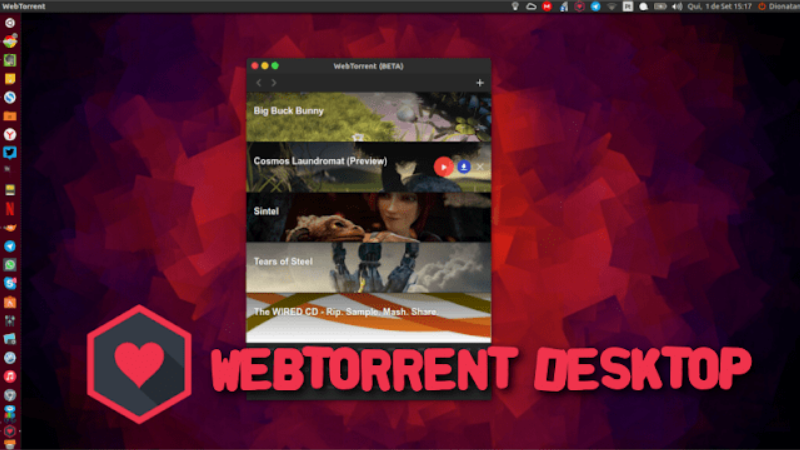
  2. WebTorrent Desktop why webtorrent desktop is so popular 

    • Streams torrents in-app via WebRTC.

    • No need for external media players.

    • Cross-platform Electron app.

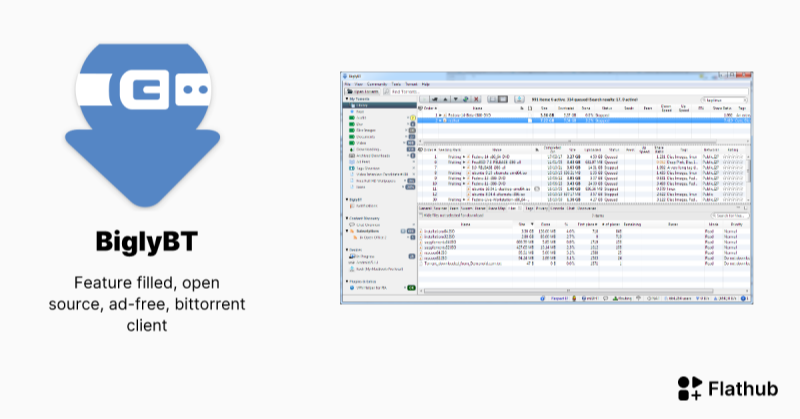
  3. BiglyBT

    biglybt

    • Open-source fork of Vuze with no ads.

    • Deep statistics, plugin ecosystem, media playback.

    • Cross-platform Java client.


  4. Tixati

tixati privacy challenges

    • Detailed peer and piece statistics.

    • Built-in event scheduler.

    • Windows and Linux binaries.

Comparison Table of PicoTorrent Alternatives

Client Platform Key Strength Lightweight Built-in Search/RSS
qBittorrent Win/macOS/Linux Search, RSS, web UI Yes Yes
Transmission macOS/Linux (Win) Very low resource use, web interface Yes No
Deluge Win/macOS/Linux Plugin system for extensions Moderate Via plugin
WebTorrent Desktop Win/macOS/Linux In-app streaming via WebRTC Moderate No
BiglyBT Win/macOS/Linux Ad-free Vuze fork, rich plugin support No Yes
Tixati Win/Linux Deep stats, scheduler Yes No

Usage Tips for PicoTorrent Alternatives 
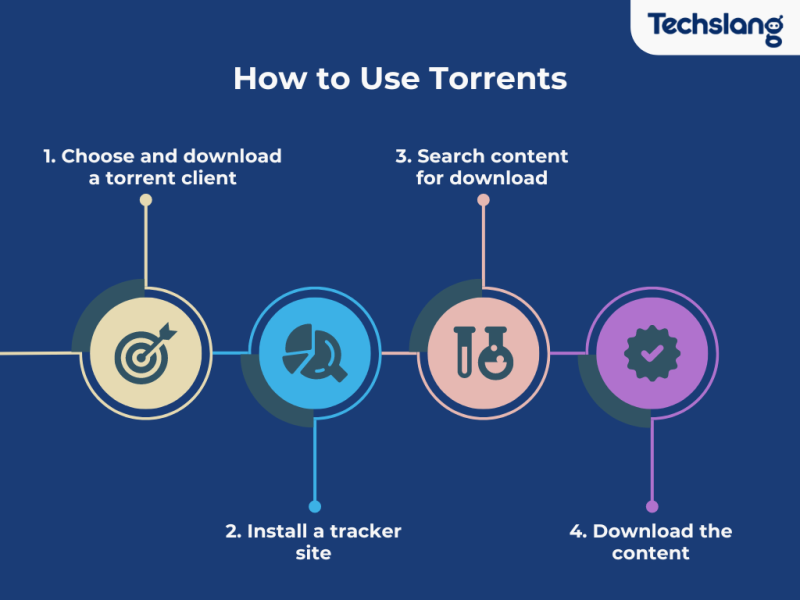
usage tips for picotorrent alternatives

When using any PicoTorrent alternative, follow these tips to optimize performance and privacy:

1. Secure Your Torrent Traffic with UFO VPN

Feature
Device
Speed
HD Streaming
Ad blocker
0 login & credit card
Unlimited
460Mbps
Other Free VPNs
Payment first
1
100Mbps

2. Choose the Right Client

Step 1
Grab the free Windows VPN installer right below. UFO VPN is lightweight and secure on all Windows systems. Double-click the downloaded file and complete the installation. Once installed, launch UFO VPN.
windows1
Step 2
Select a VPN Server
Inside the app, you can click the "Connect" button for quick connection, or browse the list of servers by Location or categroy: Video& Stream, Game, etc. Choosing the right server ensures fast speeds and smooth access.
windows2
Pro Tip

UFO VPN is an all-in-one VPN that offers unlimited access to 4D streaming like Netlfix, Disney Plus, no-ping gaming as PUBG, Roblox, CODM and social networking for YouTube, X, Facebook and more.


Step 3
Enable Advanced Features
In addition to basic functions, we recommend you turn on extra protections via Ad Blocker and features like Kill Switch, Split Tunneling and Smart Hop. Users can optimize online gaming/streaming/chatting as much as possible.
windows3
Step 4
Check Your New IP
Use UFO VPN's built-in " What is My IP" feature to see your new IP address and location. This confirms your VPN is working, hides your real IP, and ensures privacy while browsing.
windows4
Step 1 Download and install UFO VPN for macOS
Click the button below to download offcial Mac VPN free. Open the .dmg file, drag UFO VPN to your Applications folder, and launch it. You're just a few clicks away from secure browsing.
macos1
Step 2 Pick Your IP Server
Tap "Connect" button for the fastest server automatically. Or you can select a server from the global server list in 100+ countries. UFO VPN is an UFO VPN is an all-in-one VPN or gaming, video streaming, social platforms, and AI tools.
macos2
Step 3

Unlock Pro Features

If you have upgraded to premium plan , feel free to enjoy premium servers for 4K streaming and advanced features like Kill Switch, Split Tunneling, and gaming acceleration. Your Mac is now fully optimized and protected. Inaddition to basic functions, we recommend you turn on

macos3
Step 4

Verify Your IP Now

Use UFO VPN's " What is My IP " feature to see your new IP and location. This confirms your connection is secure, anonymous, and ready for safe browsing online anywhere at any time.


macos4
Step 1 Download and install UFO VPN for iPhone/iPad
Download this free iOS VPN via official link or App Store. Once installed, launch the app to get started. UFO VPN is now trusted by over 2 million users worldwide with optimzed service.
ios1
Step 2 Select a Perfect Server
Hit "Connect" button for the fastest server near you instantly. Or you can choose a favorite location/platform from the server list manually for full control. UFO VPN is an all-in-one VPN companion for gaming, streaming, social media, and AI tools.
ios2
Step 3 Lookup IP and Enable Pro Features
Now you can check your current IP via built-in IP lookup tool. Pro features in premium plan offer you premium servers, blazing speeds, Kill Switch, Split Tunneling, and Multi-device login, so you can protect your iPhone, iPad, and other Apple devices all at once.
ios3
Step 1 install UFO VPN for Android
Get free Android VPN from offcial website or Google Play Store. Follow the instructions for easy download. Then open the app and get ready to surf safely.
android1
Step 2 Choose Your Ideal Server
UFO VPN is an all-in-one powerhouse for gaming, video streaming, social apps, and AI tools. The"Connect" button links you to the fastest server instantly, or you can choose among the server list manually via Location/ Video&Stream/Games for easy access.
android2
Step 3 Power Up Pro Features
Pro users can look up current IP via built-in "What Is My IP" feature, and unlock premium features like 4K servers, turbo speeds, Kill Switch, Split Tunneling, and Multi-device login, keeping all your Android phones, tablets, and other devices safe at once.
android3

3.  Configure Bandwidth Limits

  • In Preferences → Bandwidth, set upload to ~80% of max to avoid saturation.

  • Limit active torrents to 3–5 for best speeds.


4. Enable Encryption & Blocklists

    • Activate protocol encryption to avoid ISP throttling.

    • Import a trusted IP blocklist under Preferences → Connections or Plugins.

5. Automate with RSS/Plugins

    • qBittorrent and Deluge support RSS feeds for auto-downloading new content.

    • Use Deluge’s scheduler plugin to start/stop at off-peak hours.

Using a free proxy VPN - UFO VPN ensures your torrenting remains private and avoids ISP throttling, regardless of which PicoTorrent alternative you choose.

FAQs

Q1: What makes a good PicoTorrent alternative?
A1: Cross-platform support, built-in search/RSS, plugin systems, low resource use, and security features.

Q2: Can I use my existing PicoTorrent settings?
A2: Not directly. Each client has its own config. You must re-add torrents or magnet links.

Q3: Is using a VPN for torrenting legal?
A3: Generally yes—VPNs are legal. Torrenting copyrighted content without permission is not. A VPN hides your IP but doesn’t legalize infringement.

Q4: Will a VPN slow my downloads?
A4: Some overhead is normal. Use fast protocols (WireGuard) and pick a nearby P2P-friendly server.

Q5: Which client is best for low-end PCs?
A5: Transmission and qBittorrent are both very lightweight and stable on older hardware.

Q6: How often should I update my client?
A6: Check for updates monthly. New releases often include performance and security patches.


Bypass blocks. Stay private.

Use UFO VPN — the best free VPN that works anywhere

Also available in:  Русский

Marco
Marco

About This Author

Hi, I’m Marco, a tech enthusiast and writer specializing in trending topics around AI and IT. With a passion for innovation and a knack for simplifying complex concepts, I create engaging content that keeps readers informed about the latest advancements in technology.