10 Tumblr Alternatives
1. WordPress
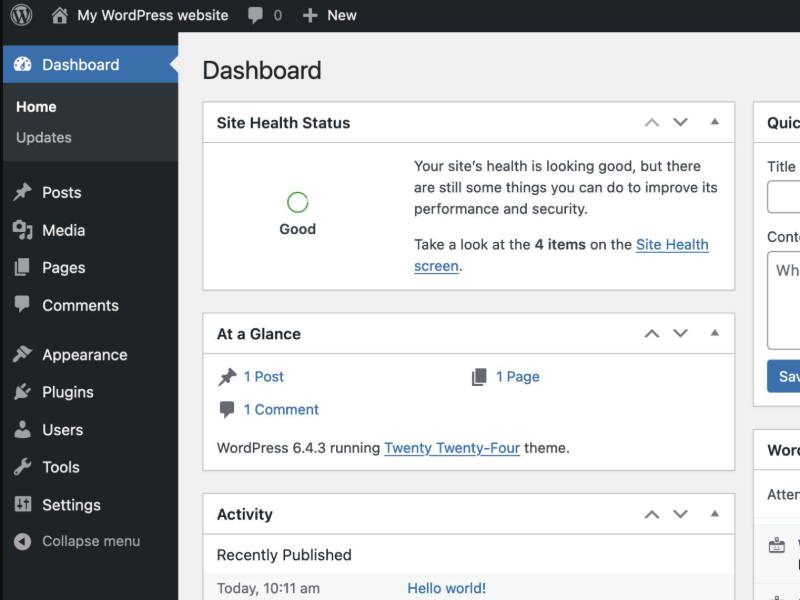
Best for: Bloggers who want control and customization
WordPress is the powerhouse of blogging platforms. While not as community-driven as Tumblr, it offers robust tools for publishing, SEO, and design. You can start with a free blog on WordPress.com or go full-custom with WordPress.org and your own hosting.
-
Rich themes and plug-ins
-
Ideal for professional blogging or monetization
-
Not great for microblogging or casual posts
2. Mastodon
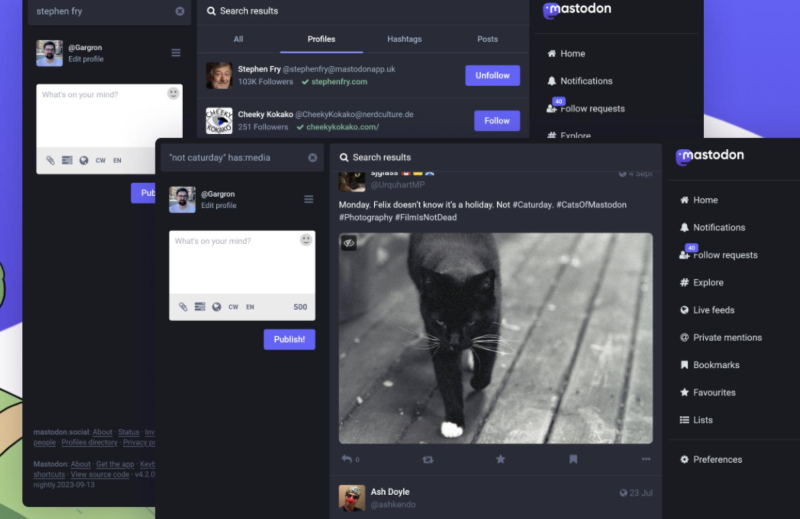
Best for: Decentralized social microblogging
Mastodon is part of the Fediverse—a decentralized, open-source network of communities. It’s similar to Twitter meets Tumblr, with more freedom and local moderation.
-
Short-form posts, rich media support
-
Choose or start your own “instance” (server)
-
Great for niche communities, fandoms, and free speech
3. Pillowfort
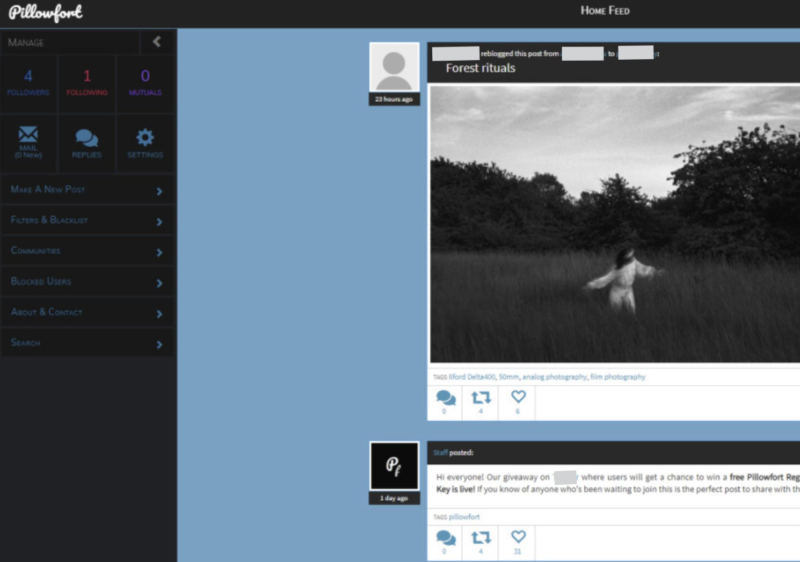
Best for: Tumblr-style blogging with better moderation
Pillowfort was built directly in response to Tumblr’s 2018 NSFW ban. It blends traditional blogging with threaded comments, content tagging, and strong privacy tools.
-
Designed by creators for creators
-
Still in beta but growing steadily
-
Ideal for artists, writers, and fandoms
4. Medium
Best for: Long-form writers and thought leaders
Medium is a clean, distraction-free space for people who want to write essays, how-tos, and deep commentary. It’s less social than Tumblr but excellent for reaching a thoughtful audience.
-
Built-in audience and editor tools
-
Monetization is available through the Partner Program
-
Less creative flexibility compared to Tumblr
5. DeviantArt
Best for: Visual artists and fan art communities
If your Tumblr was mainly used for visual art, DeviantArt is a solid choice. It’s one of the oldest art-sharing communities online and is still active.
-
Massive art community
-
Support for fan art, original characters, photography, etc.
-
Built-in commissions and print shop features
6. Newgrounds
Best for: Animators, indie game creators, and digital artists
Newgrounds is more than a nostalgia trip—it’s still alive and well. Focused on animation, games, and edgy content, it offers freedom and exposure for creatives who like to push boundaries.
-
No censorship on adult or edgy content
-
Strong support for flash/gaming creators
-
Vibrant, loyal, creative community
7. Rednote
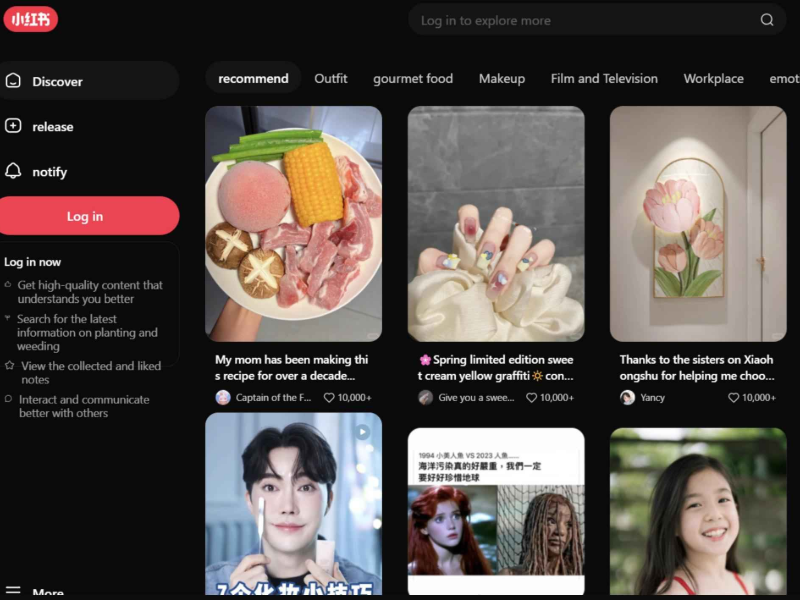
Best for: Chinese-speaking bloggers and lifestyle content
Often called the “Chinese equivalent of Tumblr,” Rednote (also known as the international version of 小红书 / Xiaohongshu) blends blogging, product reviews, and social sharing.
-
Ideal for lifestyle blogging, beauty, travel, and fashion
-
Available in Chinese and limited English
-
Popular among Gen Z in Asia
🔒 Note: Rednote may be restricted outside China or vice versa. If you're facing access issues, a VPN can help you reach region-locked platforms securely.
8. Blogger (Blogspot)
Best for: Classic blog lovers
Google’s Blogger platform is still alive, offering a super-simple way to publish blog posts and customize layouts. It doesn’t have the community feel of Tumblr, but it remains free and beginner-friendly.
-
Good for journaling, personal blogs
-
Fully integrated with your Google account
-
Minimal social features
9. Pinterest
Best for: Visual blogging and content discovery
Pinterest isn’t a traditional blogging platform, but it’s a powerful alternative for visual thinkers and creators who like to organize ideas in a highly shareable way. You can publish content, link back to your blog, and grow a following through aesthetic boards.
-
Great for photographers, designers, and lifestyle bloggers
-
Massive reach and discovery potential
-
Limited to long-form writing or text-based blogging
📝 Tip: Many creators use Pinterest in combination with WordPress or Medium—publishing visuals on Pinterest and linking them back to full posts.
10. Ello
Best for: Designers, photographers, and minimalist artists
Ello began as a social network alternative to Facebook but has evolved into a creative hub for visual artists. It’s artsy, ad-free, and focused on beautiful content curation.
-
Gorgeous UI and discovery features
-
Ideal for portfolios and sharing artwork
-
Less active than Tumblr, but still worth exploring
Bonus: How to Access Sites like Tumblr Anywhere
Some Tumblr alternatives—especially ones like Rednote, Mastodon instances, or LOFTER—might be blocked in your region due to government firewalls, content restrictions, or local app store limitations.
To bypass these restrictions safely and maintain your privacy, you can use a VPN (Virtual Private Network). A reliable VPN like UFO VPN helps you:
-
Access region-locked platforms
-
Encrypt your internet traffic
-
Protect your identity when browsing or posting sensitive content
🛡️ Pro Tip: UFO VPN offers fast, anonymous access to social and blogging platforms worldwide—ideal for users in countries where creative freedom is limited.
How to Use UFO VPN to Access Tumblr:


UFO VPN is an all-in-one VPN that offers unlimited access to 4D streaming like Netlfix, Disney Plus, no-ping gaming as PUBG, Roblox, CODM and social networking for YouTube, X, Facebook and more.




Unlock Pro Features
If you have upgraded to premium plan , feel free to enjoy premium servers for 4K streaming and advanced features like Kill Switch, Split Tunneling, and gaming acceleration. Your Mac is now fully optimized and protected. Inaddition to basic functions, we recommend you turn on

Verify Your IP Now
Use UFO VPN's " What is My IP " feature to see your new IP and location. This confirms your connection is secure, anonymous, and ready for safe browsing online anywhere at any time.







FAQs
What platform is most like Tumblr?
Pillowfort and Mastodon offer the closest mix of community, creativity, and freedom that Tumblr was known for.
Is Tumblr still active?
Yes, but it’s much quieter since the NSFW ban in 2018. Many users have migrated to other platforms.
Are Tumblr alternatives free to use?
Most listed platforms offer free versions, with optional paid upgrades for more features or storage.
What is the Chinese version of Tumblr?
Rednote and LOFTER are two popular alternatives in the Chinese market.
Can I use a VPN to access Tumblr-like sites that are blocked?
Absolutely. A good VPN lets you safely access restricted content and protects your online privacy.
Conclusion
Tumblr’s legacy lives on through a variety of platforms—some technical, some artistic, some community-driven. Whether you're looking for a place to write blogs, share digital art, or just connect with like-minded creators, there's a Tumblr alternative out there for you. Try a few, see what fits your vibe, and don't be afraid to explore beyond your region's borders—especially with the help of tools like a VPN.