HoYoverse Games That Require Age Verification
Age verification is becoming a standard feature for online games due to legal regulations and content rating systems. HoYoverse implements age checks on several of its popular titles:
-
Genshin Impact – Requires players to verify they are above the minimum age in certain regions before accessing full features.
-
Honkai: Star Rail – Age verification is enforced to comply with local laws, especially for younger players.
-
Tears of Themis – In some countries, age verification is mandatory to access story content with mature themes.
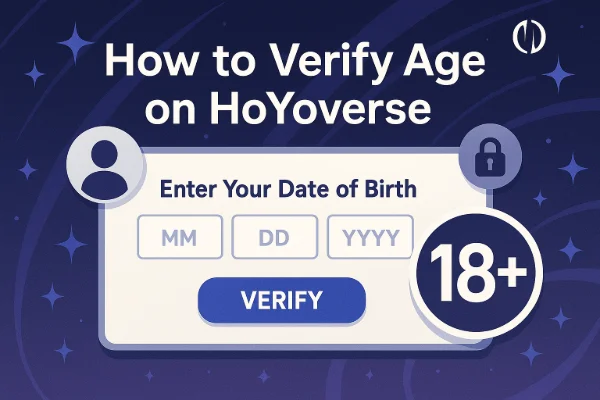
These age verification steps may include submitting personal information, verifying a birthdate, or linking a government-issued ID. While necessary for compliance, it often creates barriers for international players or younger gamers who want to explore the game.

How to Bypass Age Verification on HoYoverse Games

There are several methods to bypass age verification on HoYoverse games, each with its own considerations. Let’s break them down step by step.
Way 1. Use a VPN: Connect to Non-US Servers (Europe/Asia Server)
One of the simplest ways to bypass regional age restrictions is by using a reliable VPN. A free proxy VPN in UFO VPN can mask your actual location, making it appear as if you’re connecting from a region with fewer restrictions.
Steps:


UFO VPN is an all-in-one VPN that offers unlimited access to 4K streaming like Netlfix, Disney Plus, no-ping gaming as PUBG, Roblox, CODM and social networking for YouTube, X, Facebook and more.




Unlock Pro Features
If you have upgraded to premium plan , feel free to enjoy premium servers for 4K streaming and advanced features like Kill Switch, Split Tunneling, and gaming acceleration. Your Mac is now fully optimized and protected. Inaddition to basic functions, we recommend you turn on

Verify Your IP Now
Use UFO VPN's " What is My IP " feature to see your new IP and location. This confirms your connection is secure, anonymous, and ready for safe browsing online anywhere at any time.







Tips:
-
Avoid free VPNs with unstable connections; they may trigger security checks.
-
Always check server latency to prevent lag during gameplay.
-
Remember that some HoYoverse games might detect VPN usage, so rotating servers occasionally can help.
This method is generally safe and does not require falsifying personal information.
Way 2. Create a New Account with Adult Birthdate
Another effective approach is to create a new HoYoverse account and input an adult birthdate. This works for players who are actually under the verified age but want access to restricted content.
Steps:
-
Visit the HoYoverse registration page.
-
Input a valid email address and choose a strong password.
-
Enter a birthdate that meets the age requirement (usually 18+).
-
Verify your email and log in to the game client.
Caution:
-
While this method can work, it technically involves providing inaccurate information, which may breach terms of service.
-
Avoid linking sensitive personal accounts (like social media or payment methods) to an account with a falsified birthdate.
Way 3. Migrate Old Account
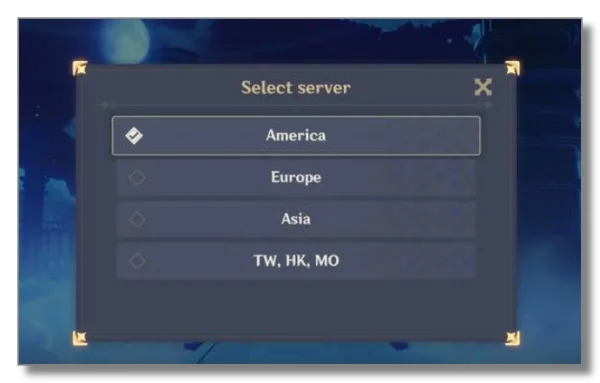
For players who already have a HoYoverse account but are stuck at age verification, migrating the account to a region with fewer restrictions can help.
Steps:
-
Log in to your current HoYoverse account.
-
Go to account settings and select “Account Migration/Retrieval” if the option is available.
-
Choose a target region (for example, Asia or Europe) where age verification is less stringent.
-
Confirm migration and reconnect through the game client.
Notes:
-
Not all accounts are eligible for migration.
-
Migration may affect server-specific progress, so check game forums for advice.
-
Using a VPN during migration can improve success rates.
Way 4. Free Trial Without Game Account
Some HoYoverse games offer limited free trials or guest access that bypass age verification altogether. This is ideal for testing the game without creating a full account.
Steps:
-
Download the game client and select “Guest Play” or “Trial Access.”
-
Play with temporary guest credentials.
-
If you enjoy the game, you can later create a permanent account without losing progress.
Advantages:
-
No personal information or birthdate required.
-
Safe and legal, fully supported by HoYoverse.
-
Works well with VPNs if regional restrictions apply.
Limitations:
-
Trial accounts may have limited features.
-
Some progress may not carry over to a permanent account if the game enforces account linking.
Is It Safe & Legal to Bypass HoYoverse Age Verification?
Many players wonder if bypassing age verification is safe or legal. The answer depends on the method used:
-
VPN use: Legal in most countries and safe if you use a reputable provider like UFO VPN. Avoid free VPNs with weak privacy policies.
-
Creating a new account with false information: Technically against HoYoverse’s terms of service. While enforcement is rare, there’s a small risk of account suspension.
-
Guest/trial access: Completely safe and fully supported by HoYoverse.
Always prioritize privacy and security. Never share sensitive personal documents or information when bypassing age verification. Plus, always follow the platform's policy and do not be involved in unlawful actions. You are solely responsible for your choices.
Safer Alternatives to Bypassing Age Verification on HoYoverse Games
If bypassing verification feels risky, there are safer alternatives:
-
Wait until eligible: Age verification is usually based on minimum legal requirements. Waiting may be the simplest solution.
-
Use guest accounts: Temporary access without full registration.
-
Parental accounts: Parents can register on behalf of younger players, offering legal access to age-restricted content.
-
Play on platforms with relaxed age checks: Certain mobile stores or regions may allow gameplay without strict verification.
These methods ensure you can enjoy HoYoverse games without violating terms or compromising your privacy.


FAQs
Can I use any VPN to bypass HoYoverse age verification?
While many VPNs work, only reputable ones like UFO VPN provide reliable speed, privacy, and security. Free VPNs may fail or trigger security alerts.
Will HoYoverse ban my account for bypassing age verification?
Creating a new account with false birthdate carries a minor risk of suspension. Using a VPN or guest account is generally safe.
Can I migrate my old account without losing progress?
Sometimes, but it depends on server restrictions. Check HoYoverse’s official guidelines and forums before migration.
Are there legal risks in bypassing age verification?
Using a VPN or guest account is legal. Falsifying birthdate may breach terms but is rarely enforced unless suspicious activity occurs.
Conclusion
Bypassing HoYoverse age verification in 2026 can be done safely using VPNs, guest accounts, or account migration. While creating a new account with an adult birthdate works, it carries minor risks. VPNs like UFO VPN help connect to less restrictive regions, ensuring smoother gameplay. For the safest experience, consider guest accounts or parental-assisted access while respecting game rules and privacy.