10 Best Free PC Games Without Age Verification
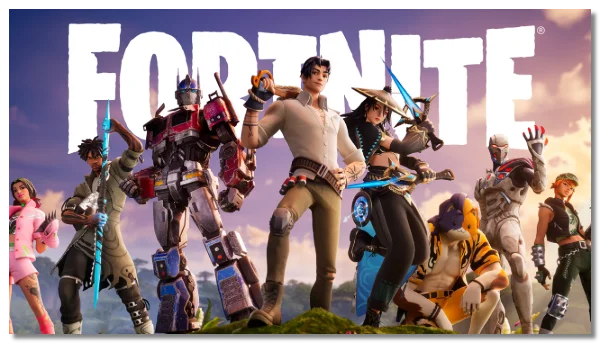
1. Fortnite
-
Type: Battle Royale
-
Developer: Epic Games
-
Publish Year: 2017
-
Downloadable? Yes
Fortnite remains one of the most popular free-to-play games worldwide. While Epic Games has minimal age verification on its launcher, you can easily create an account and start playing. For users in regions with strict checks, a free proxy VPN like UFO VPN can help connect to servers where verification is lighter.

2. League of Legends

-
Type: MOBA (Multiplayer Online Battle Arena)
-
Developer: Riot Games
-
Publish Year: 2009
-
Downloadable? Yes
League of Legends allows players to register and play without intensive age checks, making it accessible in most regions. Its lightweight verification process ensures younger gamers aren’t blocked unnecessarily, while older players can jump straight into ranked matches.

3. Genshin Impact

-
Type: Action RPG
-
Developer: miHoYo
-
Publish Year: 2020
-
Downloadable? Yes
Genshin Impact offers immersive open-world gameplay without stringent age verification. Players can download it directly from the official website or platform stores. Some regions may prompt Genshin Impact age checks, so switching servers using a reliable VPN can help bypass these limits safely.
4. Brawlhalla

-
Type: Fighting
-
Developer: Blue Mammoth Games
-
Publish Year: 2017
-
Downloadable? Yes
Brawlhalla is a free-to-play fighting game that supports cross-platform play. Its simple account setup doesn’t require age verification, making it accessible for all gamers who want quick entry into battles.
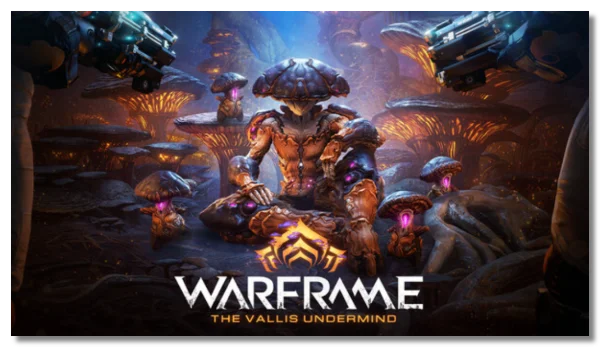
5. Warframe
-
Type: Action/Third-Person Shooter
-
Developer: Digital Extremes
-
Publish Year: 2013
-
Downloadable? Yes
Warframe is a free action game with minimal account requirements. While Steam may occasionally ask for age confirmation, downloading directly from Warframe’s website bypasses strict checks. Gamers in age-restricted regions can also use VPNs to access servers freely.
6. Path of Exile

-
Type: Action RPG
-
Developer: Grinding Gear Games
-
Publish Year: 2013
-
Downloadable? Yes
Path of Exile offers complex RPG mechanics without enforcing tough age verification. It’s especially popular in Europe and the Americas. Players in certain regions may notice Steam UK age verification prompts, which can be safely avoided using region-switching methods.

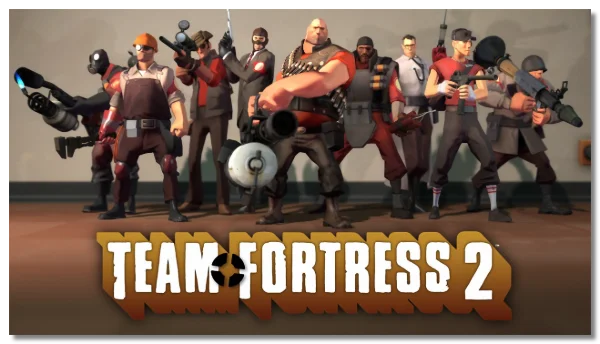
7. Team Fortress 2
-
Type: First-Person Shooter
-
Developer: Valve
-
Publish Year: 2007
-
Downloadable? Yes
TF2 is a classic free shooter where age verification is minimal. Steam accounts may ask for confirmation, but alternative download sources or VPNs can provide age-verification-free access.
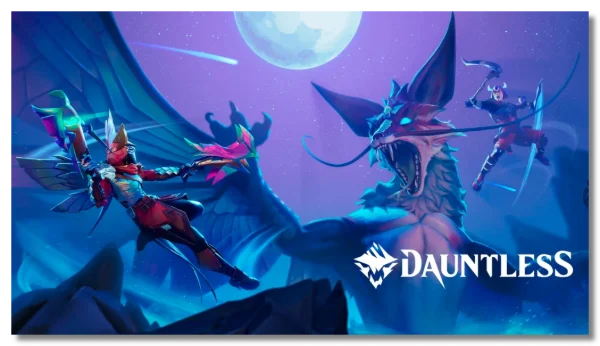
8. Dauntless
-
Type: Action RPG/Monster Hunting
-
Developer: Phoenix Labs
-
Publish Year: 2019
-
Downloadable? Yes
Dauntless allows players to hunt monsters without going through rigorous age checks. Its global servers are generally open, though some regions may trigger verification, which can be bypassed safely with location-based tools.
9. Paladins

-
Type: Hero Shooter
-
Developer: Hi-Rez Studios
-
Publish Year: 2018
-
Downloadable? Yes
Paladins offers hero-based shooting action with no heavy verification for new accounts. It’s playable in most countries immediately after download. In regions like the UK, Steam may prompt an age check, but you can still access the game with minimal friction using safe methods.
10. Smite

-
Type: MOBA / Action
-
Developer: Hi-Rez Studios
-
Publish Year: 2014
-
Downloadable? Yes
Smite offers mythological arena battles and allows new players to join without strict age verification. It’s playable worldwide with minimal friction, and in regions with stricter checks, a VPN can help access it safely.
Regions Where You Can Play Age-Verification-Free PC Games
Not all games are universally accessible without age verification. Local laws and platform rules can affect availability. Here’s a simple overview:
| Region | Games Generally Accessible Without Age Verification | Notes |
|---|---|---|
| North America | Fortnite, Roblox, Among Us, League of Legends | Most free games are playable, though Steam UK restrictions may apply for UK players. >>Play with the USA VPN free |
| South America | Fortnite, Roblox, Genshin Impact, Hearthstone | Minimal age verification requirements; most players can access games freely. |
| Southeast Asia | Roblox, Genshin Impact, Fortnite, Among Us | Free access common; popular in Indonesia, Philippines, Thailand, Vietnam. |
| Europe | Fortnite, Path of Exile, Warframe | Age verification stricter in the UK (Steam UK), Germany, and some Nordic countries. |
| Oceania | Fortnite, Roblox, Team Fortress 2 | Australia and New Zealand may enforce age checks for some games, but many titles remain freely accessible. |
How to Access PC Games Without Age Verification Safely
1. Check Regional Availability First
Before trying any workarounds, confirm if your game is playable without age verification in your country. This can save time and prevent account issues.
2. Use a Reputable VPN
In countries with strict age verification, a VPN can help by connecting to a region where age checks aren’t required. Tools like UFO VPN ensure secure connections, protecting privacy while allowing smooth gameplay.
How to get started with UFO VPN:


UFO VPN is an all-in-one VPN that offers unlimited access to 4K streaming like Netlfix, Disney Plus, no-ping gaming as PUBG, Roblox, CODM and social networking for YouTube, X, Facebook and more.




Unlock Pro Features
If you have upgraded to premium plan , feel free to enjoy premium servers for 4K streaming and advanced features like Kill Switch, Split Tunneling, and gaming acceleration. Your Mac is now fully optimized and protected. Inaddition to basic functions, we recommend you turn on

Verify Your IP Now
Use UFO VPN's " What is My IP " feature to see your new IP and location. This confirms your connection is secure, anonymous, and ready for safe browsing online anywhere at any time.







3. Create a Secondary Account if Needed
Some users find that a separate gaming account in a different region, combined with a VPN, bypasses verification prompts. Always follow platform guidelines to avoid violating terms of service.
4. Download From Official Sources Only
Avoid third-party sites claiming to bypass age verification, as they may carry malware. Stick to official game launchers or trusted platforms like Epic Games, Steam, or Battle.net.
Tips for Smoother PC Gaming
-
Update Your Drivers: Keep graphics and system drivers current to prevent crashes and lag.
-
Check Internet Speed: Stable connections are crucial for online multiplayer games. Use wired connections or high-speed Wi-Fi.
-
Regular Backups: Save game progress frequently, especially in titles without cloud saving.
-
Engage With Communities: Forums and official communities often share tips, tricks, and safe ways to avoid verification hurdles.
FAQs
Can I play all free PC games without age verification?
Not all games allow this. Titles like Fortnite, Roblox, and Among Us are generally accessible, but some may require verification depending on your location.
Is using a VPN to bypass age verification legal?
Yes, using a VPN is legal. However, always follow the game’s terms of service and avoid illegal activities. A reliable VPN ensures privacy and secure access.
What if Steam UK keeps asking for age verification?
You can verify your age through Steam or use a VPN to access the game via a region without strict verification. Always prioritize account safety.