Why Does EA Ban Your FIFA Mobile Account?
EA enforces account bans to maintain fair gameplay, protect user security, and prevent violations of its terms of service. Understanding why your account was banned is the first step toward restoring it.
Common reasons include:
-
Cheating or Using Hacks – Tools promising unlimited coins, coin generators, mod APKs, or exploits can trigger automatic bans. Even minor cheats may lead to a soft or temporary ban.
-
Suspicious Transactions – Unauthorized in-game purchases or unusual account activity can flag your account. Always use codes from official EA channels to stay safe.
-
Multiple Accounts Abuse – Creating multiple accounts to exploit events or promotions may lead to penalties.
-
Violating EA Terms – Offensive behavior, account sharing, or violating age requirements can also result in bans.
-
False Positives – Sometimes EA may ban accounts mistakenly due to system errors, which is why some users report being banned “for no reason.”
If you’re unable to log in but didn’t receive an official ban notice, the issue might be regional restrictions, not an actual ban. Not sure if it's a ban or a geo-block? Try a free proxy VPN in UFO VPN to check if you can access FIFA Mobile from another region.
Knowing the reason helps you decide the next steps, whether it’s filing a ban appeal, waiting out a soft ban, or creating a new account.
How to Get Your FIFA Account Unbanned in 2026? Step-by-Step Guide
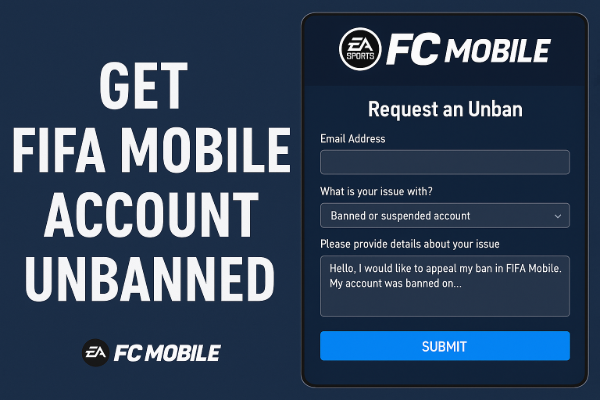
There are two main ways to try restoring your banned EA account:
Way 1: EA Ban Appeal Process
If you suspect your FIFA Mobile or EA Sports FC Mobile account has been banned, the first step is to confirm the status:
- Visit EA’s Penalty History page and log in with your account.
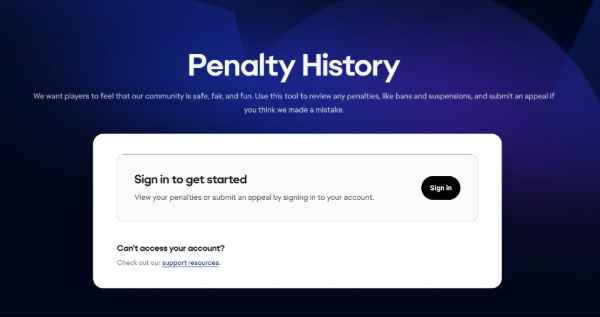
Here, you’ll see if there are any active bans, suspensions, or locks. This page also provides a direct link to submit an appeal if you believe the penalty was applied by mistake.
Once you’ve confirmed the issue, follow the appeal process:
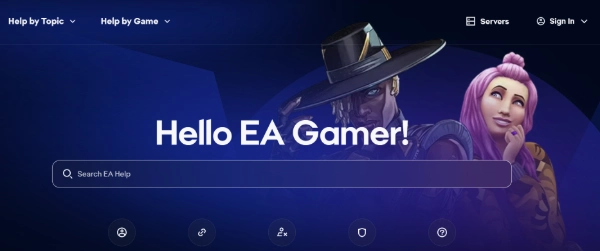
- Visit EA Help – Go to the EA Help website and log in with your banned account.
- Select Your Game – Choose FIFA Mobile (or EA Sports FC Mobile) as the product.
- Explain the Issue – Clearly state that your account was banned and you believe it may be a mistake, or ask for clarification about the ban. Include any relevant account information, receipts, or screenshots.
- Submit a Ticket – EA usually responds within a few days to a couple of weeks, depending on case complexity.
- Follow Up – If your first appeal is denied, you can politely request a review. Keep your communication professional and concise.
- Avoid creating multiple tickets for the same issue, as it may slow down the review process.
- Be honest and provide evidence where possible.
- If no penalties appear in your Penalty History but you still can’t log in, the issue might be due to a geo-block or technical error rather than a ban.
Way 2: Using UFO VPN for Region-Restricted Access
In some cases, FIFA Mobile features, events, or servers may be region-locked. While this does not remove a ban, it can help players who face regional access issues after bans are lifted or during account recovery.
-
How it works: A reliable VPN like UFO VPN allows you to change your virtual location to access servers in different regions.
-
Benefit: This can reduce lag, avoid regional restrictions, and ensure smoother access if your account is reactivated.
You can level up your EA Mobile gaming experience with UFO VPN:


UFO VPN is an all-in-one VPN that offers unlimited access to 4K streaming like Netlfix, Disney Plus, no-ping gaming as PUBG, Roblox, CODM and social networking for YouTube, X, Facebook and more.




Unlock Pro Features
If you have upgraded to premium plan , feel free to enjoy premium servers for 4K streaming and advanced features like Kill Switch, Split Tunneling, and gaming acceleration. Your Mac is now fully optimized and protected. Inaddition to basic functions, we recommend you turn on

Verify Your IP Now
Use UFO VPN's " What is My IP " feature to see your new IP and location. This confirms your connection is secure, anonymous, and ready for safe browsing online anywhere at any time.







Note: A VPN won’t directly lift an EA ban, but it’s a reliable way to bypass geo-blocks, access different regional servers, and keep your connection stable once your account is active again.
How Long Does EA Account Ban Last? Permanently or Temporarily?
The duration of an EA account ban depends on the type and severity:
Soft Ban (Temporary Ban)
- Often lasts from 24 hours up to 30 days, depending on the violation.
- Players may still log in but will face restrictions, such as limited in-game actions or event access.
Hard Ban (Permanent Ban)
- Applied for serious violations like cheating, repeated rule-breaking, or severe misconduct.
- Once permanently banned, the account cannot be restored through the normal appeal process.
Suspensions
- Some bans are partial, such as suspending specific game modes or trading privileges.
- Duration varies, often ranging from days to months.
Tip: Always check your ban type in the EA Help portal to know whether waiting it out or filing an appeal is feasible.
Impact of EA Ban on Your Game Progress & Assets
When an EA account is banned, the consequences can vary:
-
In-Game Currency & Items – Hard bans usually revoke coins, points, and other purchased or earned items. Soft bans may restrict access temporarily but generally preserve assets.
-
Trading & Multiplayer – Account bans can disable trading and participation in online matches.
-
Account Recovery – Even if you regain access through an appeal, some temporary restrictions may remain for a short period.
-
Game Events & Rewards – Missed daily events, limited-time promotions, or seasonal rewards may be lost permanently if the ban lasts long.
How to Make a New EA Account After Being Banned?
If your account is permanently banned or unrecoverable, creating a new EA account is an option, but there are considerations:
- Use a New Email Address – You cannot use the same email as your banned account.
- Avoid Previous Violations – Do not repeat actions that led to your original ban.
- Check IP Restrictions – EA may monitor IP addresses, so avoid using the same IP repeatedly to prevent automatic bans. A VPN can help ensure safe access without affecting account integrity.
- Register Normally – Sign up via the EA website or app, and verify your credentials.
- Start Fresh Safely – Reconnect with friends, rejoin events, and ensure gameplay remains compliant with EA’s terms.
Tip: Always follow EA’s Terms of Service and avoid using cheats, hacks, or exploits on the new account.
Tips for Better EA Mobile Gaming
Now that you’ve learned how EA bans can affect your FIFA Mobile account and the official ways to appeal, here are some practical tips to help you play more smoothly and avoid future issues:
-
Maintain a Stable Internet Connection – A reliable connection reduces lag, disconnections, and potential false positives.
-
Use a VPN for Regional Events – If some events or servers are region-locked, UFO VPN can help you access them smoothly without violating EA rules.
-
Keep Your Account Secure – Enable two-factor authentication, avoid sharing login info, and use strong passwords.
-
Follow EA’s Rules – Avoid hacks, cheats, or third-party apps that could trigger bans or suspensions.
-
Regularly Check Penalty History – Monitor your account for any unexpected restrictions or issues via EA’s Penalty History page.
FAQs
Q1: How long do EA soft bans last?
A: Soft bans typically last from a few hours to 30 days, depending on the severity of the violation.
Q2: Can I delete my banned EA account and make a new one?
A: Yes, but ensure you use a new email address and follow EA rules to avoid triggering another ban.
Q3: Does EA ban IP addresses?
A: EA may track IPs for suspicious behavior, but IP bans are rare. Use caution if accessing multiple accounts from the same network.
Q4: Can EA unban you?
A: Yes, through the official ban appeal process, especially if the ban was accidental or a false positive.
Q5: Can game-banned accounts trade?
A: No. Trading is often restricted during both temporary and permanent bans.
Q6: Will deleting an EA account unlink it from my device?
A: Deleting the account will remove the EA account from your device, but any bans associated with the original account remain.
Q7: Why did my FC Mobile account get banned for no reason?
A: Some bans may appear unexplained due to system errors or automated detection. Filing an appeal usually clarifies the issue.
Conclusion
EA account bans in FIFA Mobile can be stressful, whether temporary or permanent. By understanding the reasons behind bans, following the official appeal process, and knowing how to create a new account safely, you can recover or restart without losing progress. Use tools like UFO VPN cautiously to access region-restricted content if needed, ensuring a smooth gaming experience in 2026.