Is CandyAI Safe? A Quick Overview
CandyAI is operated by EverAI Limited, a registered company in Malta. It publishes privacy policies, service terms, and content safety rules.
However, being a legitimate platform doesn't mean your information is completely private.
Here's a quick safety overview:
| Safety Area | What You Should Know |
|---|---|
| Website legitimacy | Real service with a registered operator |
| Chat privacy | Conversations are stored and processed |
| Data protection | Security measures are stated, but risks remain |
| Payment safety | Uses third-party payment providers |
| Content safety | Moderation systems are in place |
| Age restrictions | Adults aged 18+ only |
| Main concerns | Data sharing, privacy, and automatic renewals |
Is CandyAI Private? What Happens to Your Data?
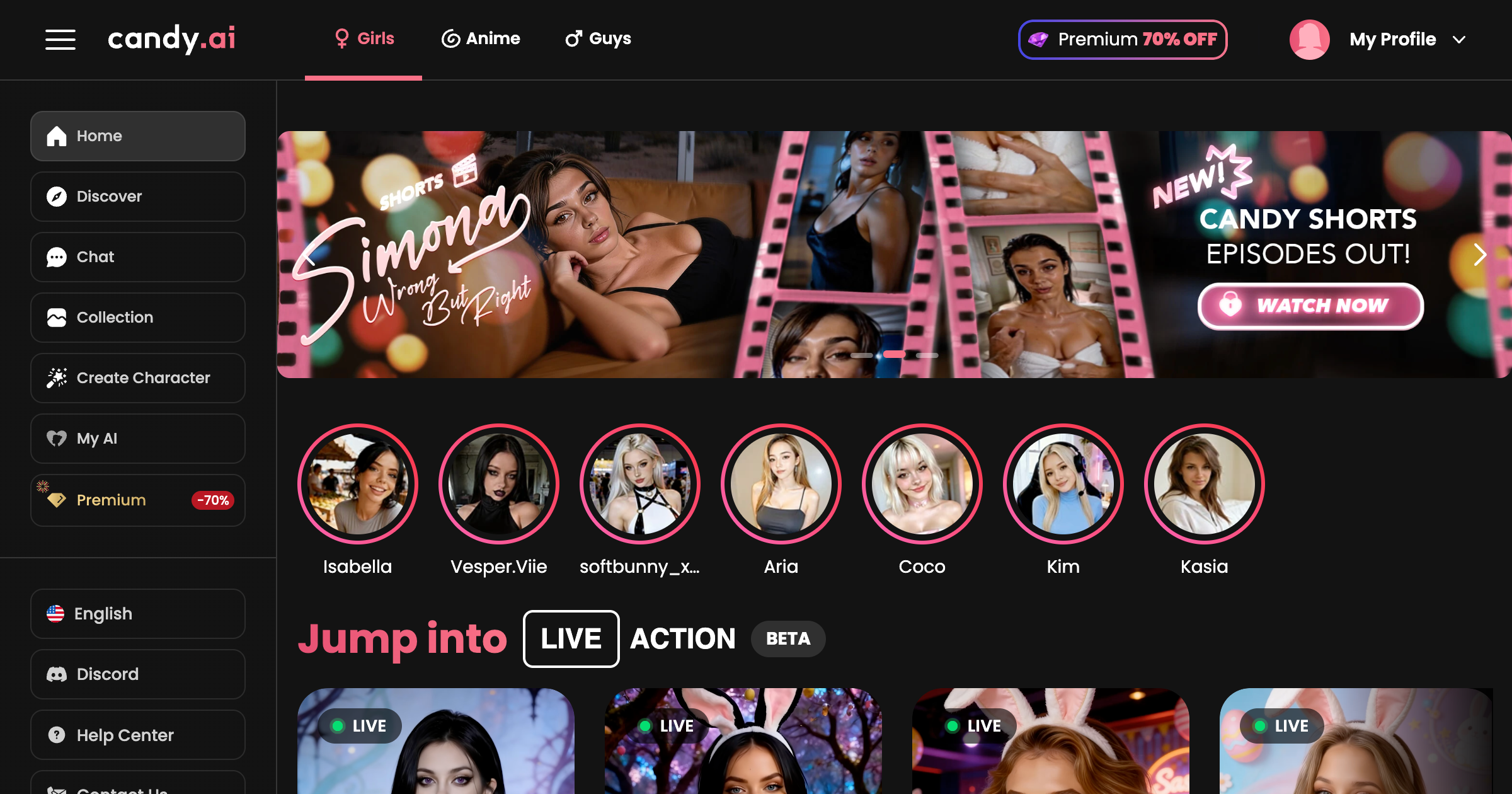
Privacy is one of the biggest concerns when using an AI companion platform.
1. Does CandyAI Save Your Chats?
Yes. CandyAI collects chat messages, prompts, AI responses, and certain account details to provide its services.
According to its Privacy Notice, account data may generally be retained for up to three years after your last activity, unless you request deletion or other retention rules apply.
👉 What this means: Your conversations are not automatically temporary or completely anonymous.
2. Can CandyAI Read Your Conversations?
CandyAI describes conversations as generally private, but they are not fully confidential.
Its policies allow certain content to be reviewed for safety and moderation. De-identified conversations may also be used for AI training and may undergo human review.
Third-party AI providers may receive message content to help operate the service.
⭐ Bottom line: Don't share anything you wouldn't want stored or reviewed.
3. Does CandyAI Protect Your Personal Data?
CandyAI states that it uses security measures to protect personal information from unauthorized access or disclosure.
However, no online platform can guarantee 100% data security.
The best approach is to share less information and regularly review your account settings.
Is CandyAI Safe for Payments?
CandyAI uses external payment service providers to handle subscriptions and purchases. However, payment security and billing transparency are two different concerns.
Here's what to check:
| Payment Concern | What to Know |
|---|---|
| Payment processing | Handled through external providers |
| Auto-renewal | Subscriptions renew automatically |
| Extra charges | Optional token purchases cost extra |
| Cancellation | Available through account settings |
| Refunds | Subject to time limits and eligibility rules |
CandyAI's standard refund policy generally requires requests within 24 hours of payment, with additional restrictions. Different rules apply to eligible EU and UK users.
Safety tip: Always check the total amount, renewal date, and refund conditions before paying.
What Are the Main Risks of Using CandyAI?
CandyAI has several risks worth considering.
Privacy and Data Sharing: Your chats may be stored, processed, and shared with service providers. Avoid entering real names, addresses, passwords, or financial details.
Unexpected Subscription Charges: Premium plans renew automatically. Forgetting to cancel can lead to another payment.
AI-Generated Content: CandyAI characters are fictional. Their responses may sound realistic but can also be inaccurate or misleading.
Avoid treating AI companions as real relationships or relying on them for important personal decisions.
Age-Inappropriate Content: CandyAI is an adults-only service that may include explicit AI-generated content. It is not suitable for users under 18 or below the applicable local age requirement.

7 Practical Tips to Use CandyAI More Safely
You can reduce privacy and security risks by following these simple steps.
1. Use the Official CandyAI Website

Fake websites and unofficial downloads may put your information at risk.
⭐ How to do it: Visit https://candy.ai directly → check the URL → avoid suspicious links and unknown app downloads.
2. Protect Your Connection With a VPN
A VPN can add a layer of protection to your internet connection, especially on public Wi-Fi. For example, UFO VPN lets you connect through servers in different countries while masking your usual IP address from CandyAI.


UFO VPN is an all-in-one VPN that offers unlimited access to 4K streaming like Netlfix, Disney Plus, no-ping gaming as PUBG, Roblox, CODM and social networking for YouTube, X, Facebook and more.




Unlock Pro Features
If you have upgraded to premium plan , feel free to enjoy premium servers for 4K streaming and advanced features like Kill Switch, Split Tunneling, and gaming acceleration. Your Mac is now fully optimized and protected. Inaddition to basic functions, we recommend you turn on

Verify Your IP Now
Use UFO VPN's " What is My IP " feature to see your new IP and location. This confirms your connection is secure, anonymous, and ready for safe browsing online anywhere at any time.







3. Avoid Sharing Sensitive Information
Personal details can become part of your chat history.
⭐ How to do it: Use a nickname and avoid sharing your home address, phone number, passwords, financial information, or private photos.
4. Use a Strong, Unique Password

Reusing passwords increases the risk of unauthorized account access.
⭐ How to do it: Create a unique password → save it in a trusted password manager → never share your login details.
5. Review Your Subscription Settings
Automatic renewals and extra token purchases can lead to unexpected spending.
⭐ How to do it: Open My Profile → Settings → check your subscription and renewal date → cancel if you no longer need Premium.
6. Delete Unnecessary Account Data
Removing information you no longer need can help reduce your privacy exposure.
⭐ How to do it: Review your chat history and saved content. To delete your account, go to My Profile → Settings → Danger Zone → Delete Account.
Some records may still be retained for legal reasons.
7. Keep AI Conversations in Perspective
AI companions can provide entertainment, but their responses are generated by software rather than real emotions.
⭐ How to do it: Set personal limits, take breaks when needed, and avoid relying on AI conversations for serious emotional, medical, or financial decisions.
Final Verdict
CandyAI is a legitimate platform, but it isn't completely risk-free. The main concerns are chat privacy, data sharing, and recurring payments.
To stay safer, avoid sharing sensitive information, use strong passwords, and review your subscription settings. Tools like UFO VPN can also add connection privacy, especially on public Wi-Fi.
FAQs
Is CandyAI legit or a scam?
CandyAI is a legitimate AI companion service operated by EverAI Limited. However, users should still review its privacy policies and subscription terms.
Are CandyAI chats private?
CandyAI chats are generally not public, but they are stored and processed. Some content may be reviewed or shared with service providers.
Is CandyAI safe to use with a credit card?
CandyAI uses third-party payment processors. For safer payments, use the official website, review the checkout details, and monitor recurring charges.
Can I delete my CandyAI account and data?
Yes. You can delete your account through Settings. However, certain information may be retained to meet legal or regulatory requirements.
Is CandyAI safe for teenagers?
No. CandyAI is intended for adults aged 18 or older, or the applicable legal age in their jurisdiction. It may contain adult-oriented content unsuitable for minors.