What Is CandyAI?

CandyAI is an AI companion platform built around character chat, with a strong focus on customization and visual content.
What it offers:
- → AI character chat — talk to pre-made companions or build your own
- → Custom character creation — set personality, appearance, and backstory
- → AI image generation — generate visuals of your characters
- → Voice and media features — available on higher tiers
- → Memory and ongoing conversation — characters remember context
Who it's for:
- People who want a customizable AI companion rather than a generic chatbot
- Users who care about visual content, not just text
- Anyone willing to pay for a more polished, less restricted experience
👉 Main selling point: deep customization plus image generation in one place. The trade-off is that most of the good stuff isn't in the free tier.
Is CandyAI Free?
Short answer: free to sign up, not free to fully use.
There are three different meanings of "free" people mix up, and separating them clears up most of the confusion:
| Concept | What it means | Reality |
|---|---|---|
| Free to sign up | Create an account, browse the platform | ✅ Yes |
| Free trial / limited free usage | A small allowance of messages or features | ⚠️ Limited, varies |
| Fully free | Unlimited access to all features | ❌ No |
What you can do for free (typically):
- Register and browse characters
- Send a limited number of messages
- Preview features before committing
What usually requires payment:
- Unlimited or high-volume chatting
- Image generation
- Voice features
- Premium or exclusive characters
- Faster response priority
So if you're asking "is CandyAI free" in the sense of can I use it forever without paying — no. If you mean can I try it without a credit card — usually yes, within limits.
What Does CandyAI Charge For?
There are two costs. One is membership. The other is tokens.

CandyAI doesn't charge for everything — but it does charge for the parts most people actually want. Here's where the money goes.
Membership
The main cost is a recurring subscription.
- → Billed monthly, with discounts for longer terms
- → Unlocks the core experience: more messages, images, and premium features
- → Higher tiers add more generation limits and features
Tokens / credits
On top of membership, some actions run on tokens or credits.
- → Used for image generation and premium interactions
- → Often bundled with membership, with the option to buy more
- → Run out, and you either wait or top up
How billing works
- → Charged on a recurring basis until you cancel
- → Longer plans usually cost less per month
- → Free trials may auto-convert to paid — check before you sign up
You're paying for volume and access — more messages, more images, fewer restrictions. If you only want light chat, the free tier plus an alternative may cost you nothing at all.
What You Can Use for Free on CandyAI?
Here's what the free layer generally gives you — note that all of this may change with platform policy.
- Account creation — free, no payment required to start
- Browsing characters — you can look around and preview companions
- Limited messaging — a small allowance, not unlimited
- Basic chat features — core conversation, without premium extras
- Occasional promotions — free credits or trial windows during campaigns
What you won't get for free:
- Unlimited messages
- Full image generation
- Voice features
- Premium characters
Ways to Use CandyAI Without Paying
CandyAI's free tier is small, but it isn't useless — the trick is knowing where the limits are and working around them instead of running straight into them. Below are nine methods that actually reduce what you pay, from timing your subscription to changing your region with a VPN.
1. Use the free trial as a timed test, not a hangout spot

Treat the trial window as a deadline, not a place to relax.
💡 Key steps:
- Note the exact day the trial ends
- Set a reminder two days before
- Test only the features you'd actually pay for
- Cancel before auto-renew if it doesn't convince you
2. Spend your free messages on the right characters
Don't sample randomly. Pick two or three characters, go deep, and judge the platform on those.
💡 Key steps:
- Browse first, chat second
- Shortlist characters before sending anything
- Compare quality across your shortlist, not across the whole library
3. Write short prompts that get to the point
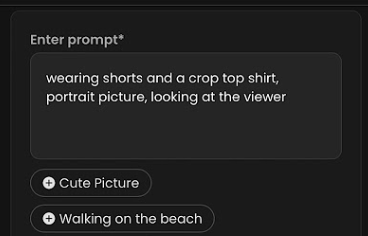
Long, vague prompts burn messages and rarely return better replies.
💡 Key steps:
- State what you want in one sentence
- Add detail only if the reply misses
- Avoid re-explaining context the character already has
4. Time your subscription around discount periods
Platforms discount around holidays, launches, and seasonal events. If you're going to pay, pay then.
💡 Key steps:
- Check the pricing page during major sale periods
- Compare the discounted rate against the standard one
- Buy the longer plan only if the discount stacks with it
5. Change your region with a VPN to catch lower regional pricing
Subscription prices aren't identical across countries — some regions display lower rates or run local promotions, and the platform decides what to show you based on where your connection appears to come from.
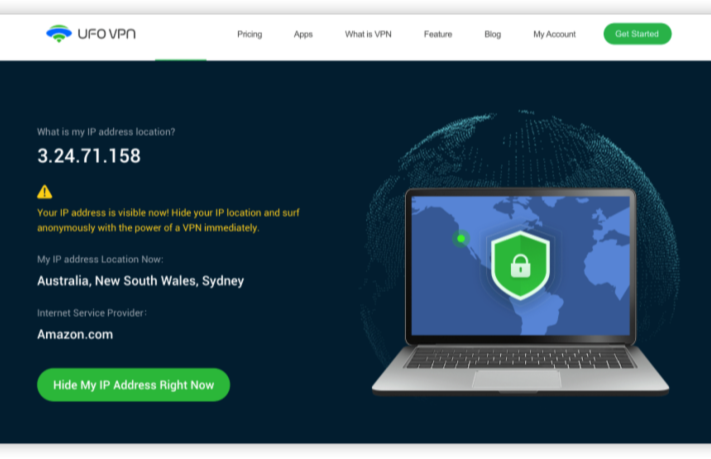
UFO VPN makes this straightforward: pick a node in another country, connect, and reload the pricing page in a fresh session. If that region has a lower rate or an active promo, you'll see it instead of your local price.
💡 Key steps:


UFO VPN is an all-in-one VPN that offers unlimited access to 4K streaming like Netlfix, Disney Plus, no-ping gaming as PUBG, Roblox, CODM and social networking for YouTube, X, Facebook and more.




Unlock Pro Features
If you have upgraded to premium plan , feel free to enjoy premium servers for 4K streaming and advanced features like Kill Switch, Split Tunneling, and gaming acceleration. Your Mac is now fully optimized and protected. Inaddition to basic functions, we recommend you turn on

Verify Your IP Now
Use UFO VPN's " What is My IP " feature to see your new IP and location. This confirms your connection is secure, anonymous, and ready for safe browsing online anywhere at any time.







6. Cancel auto-renew the moment you subscribe
You keep every day you paid for, and you don't get charged again next cycle.
💡 Key steps:
- Subscribe
- Go straight to billing settings
- Turn off auto-renew
- Keep using the plan until it expires
7. Buy tokens only when you actually need them
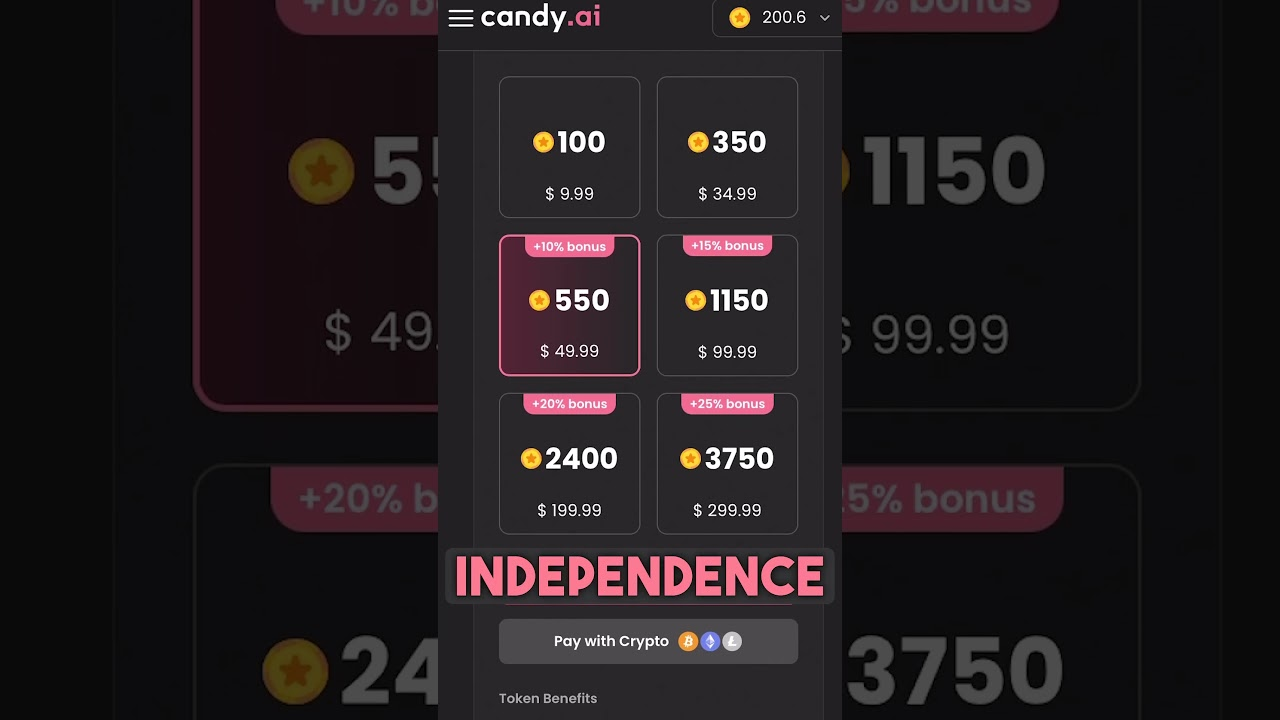
Token packs are easy to buy and easy to waste. Buy against a specific need, not "just in case."
💡 Key steps:
- Check whether your membership already includes enough tokens
- Buy the smallest pack that covers your actual use
- Skip top-ups during months you barely use the platform
8. Watch for free credit drops and new-user offers
Platforms hand out credits during events, and new accounts sometimes get a bonus.
💡 Key steps:
- Check your account page occasionally
- Look for seasonal or launch promotions
- Claim anything with an expiry date before it lapses
9. Use the free tier to decide, then move on
The free tier's real job is answering one question: is this worth paying for? If the answer is no, don't force it — switch to an alternative instead.
💡 Key steps:
- Give it a fair test within the free allowance
- Compare against one or two alternatives
- Commit to whichever wins, or stay free

7 Best CandyAI Alternatives
If CandyAI's free tier isn't enough — or the subscription isn't worth it to you — there are plenty of places to go next. The options below split into three groups: platforms with genuinely usable free tiers, freemium platforms that give you a taste before asking for money, and paid platforms where the experience is better but the free path is basically closed.
🎈 Free alternatives
The following platforms cost nothing to use, though their free tiers can shift over time
1. Character.AI - The most obvious starting point is Character.AI. It's a general-purpose AI character chat platform, and its free tier is the most generous on this list — you can chat at length without hitting a wall, with a paid tier available if you want extras.
2. Spicy Chat AI - If Character.AI feels too tame, Spicy Chat AI is the next stop. It's built around character chat with fewer restrictions, and it offers a usable free tier with limits rather than a hard paywall. It suits users who want looser conversation rules and don't mind dealing with the occasional cap.
3. Hosa AI - For something lighter, Hosa AI is worth a look. It's an AI companion chat platform with limited free usage — enough to get a feel for the format without committing. It works best as a trial run before you decide whether to invest in a bigger platform.
⭐ Freemium alternatives
My two favorite right now are Kindroid and mybot ai.

A step up from free — better memory and customization, with the best parts behind a subscription.
4. Kindroid - Moving up in depth, Kindroid is the pick for anyone who cares about memory. It's an AI companion with strong memory and customization, and its free tier comes with limits while paid plans unlock more. If long-term conversation continuity matters to you, this is where the comparison gets interesting.
5. MyBot AI - It takes a similar approach but leans harder into building. It's a customizable AI companion platform with free entry and paid features on top. It's best for people who want to construct a specific character rather than pick from a shelf.
6. CrushOn AI - If variety is the priority, CrushOn AI covers more ground. It's character chat with a broad library and a free tier that comes with message limits. It's a good fit for quick exploration — trying many characters rather than going deep on one.
🎯 Paid alternatives
Here the free path is minimal or gone — you're paying for a noticeably better experience.
7. DreamGF - At the paid end, DreamGF focuses on visuals. It's an AI companion built around image generation, with a limited free level and most of its value behind a subscription. It's the choice for image-first users who care more about what they can generate than how long they can chat.
CandyAI vs. Alternatives: Quick Comparison
If you're struggling to choose the best platform to chat, the table below can help you find the best option.
| Platform | Free level | Features | Price range | Pros | Cons |
|---|---|---|---|---|---|
| CandyAI | Limited | Chat + images + custom characters | Low tens USD/month | Polished, customizable | Most features paywalled |
| Character.AI | Generous | Chat, large library | Free + paid tier | Strong free tier | Less visual focus |
| Kindroid | Limited | Memory, customization | Free + subscription | Great memory | Limits on free |
| CrushOn AI | Limited | Broad character range | Free + subscription | Variety | Message caps |
| DreamGF | Minimal | Image generation | Subscription | Visual strength | Weak free tier |
⭐ Bottom line: if you want the cheapest path, Character.AI's free tier goes furthest. If you want CandyAI's specific experience, you'll pay — the question is just when and how much.
Conclusion
So, is CandyAI free? Not necessarily — it's freemium. You can sign up and use a limited free allowance, but the core experience sits behind a subscription.
The practical move: test the free tier, use the tips above to keep costs down, and compare alternatives before you commit. If CandyAI's free layer isn't enough, one of the alternatives above probably fits better — and costs less.
FAQs
Does CandyAI have a free trial?
Usually yes, in the form of limited free usage rather than a formal timed trial. You can sign up and chat within a small allowance. Check the current terms, since trial structures change.
Can I use CandyAI without paying?
Partially. You can register, browse, and send a limited number of messages. Unlimited chat, images, and voice features typically require a subscription.
What is the best free CandyAI alternative?
It depends on what you want. Character.AI has the most generous free tier for plain chat. Kindroid is better if memory matters. Spicy Chat AI suits users who want fewer restrictions.
Is CandyAI worth it?
If you only want occasional chat, the free tier plus alternatives may be enough. If you want the full experience, the subscription is the only real path.