



(Notes) GTA Online vs. GTA 6: What's the Difference?
-
GTA 6: The announced game is a single-player experience. You generally don't need a VPN to play its offline story mode once you have a legitimate copy and meet the platform's requirements. A VPN may affect your download or account connection, but it does not unlock additional gameplay.
-
GTA Online: You may be able to connect while using a VPN, but compatibility is not guaranteed. Rockstar identifies VPNs and proxies as possible causes of certain account authentication and connectivity errors.
A VPN is therefore better understood as a network and privacy tool than a guaranteed way to access GTA games.
| Feature | GTA 6 | GTA Online |
|---|---|---|
| Game type | Single-player open-world action-adventure | Online multiplayer experience |
| Main experience | Follow Jason and Lucia's story in Leonida | Explore Los Santos and participate in multiplayer activities |
| Multiplayer | No multiplayer mode announced for launch | Yes |
| Current platforms | PlayStation 5 and Xbox Series X|S | PS5, PS4, Xbox Series X|S, Xbox One, and PC |
| VPN requirement | Not normally needed for offline gameplay | Not required, but may be tested for certain network issues |
| Main VPN consideration | Account, store, and download connectivity | Ping, routing, authentication, and session connectivity |
If you're buying GTA 6, check the official Rockstar Games GTA 6 page for current release and platform information. If you're troubleshooting multiplayer, use the GTA Online support page.
Can I Play GTA Online with a VPN?
GTA Online is not equally accessible in every network environment. Players may encounter different connection conditions depending on their country, internet service provider (ISP), platform, and local network policies. Some may struggle to connect to Rockstar Games services, while others may find that specific in-game features are unavailable in their region.
A VPN can help in certain situations, especially if you need extra network privacy or want to see whether your ISP's routing is causing connection instability. It encrypts supported traffic between your device and the VPN server and provides an alternative network route. Here are the situations where understanding VPN usage may be relevant to your GTA Online experience.
1. When Your Network Has Trouble Connecting to Rockstar Games Services
One of the most frustrating situations is being unable to access GTA Online even though your internet connection appears to be working normally. You may be able to browse websites, watch videos, and use other online games, but GTA Online repeatedly displays connection errors or fails to load your Rockstar account.
This can happen for several reasons:
-
Your ISP may have an unstable route to Rockstar Games services.
-
Local network congestion may affect your connection.
-
Your router or firewall may restrict certain network traffic.
-
Your network may have temporary DNS or connectivity issues.
-
Rockstar Games services may be experiencing an outage.
In this situation, a VPN can be considered as a network diagnostic tool. Testing a different route may help you determine whether your usual connection path is contributing to the problem.
2. When You Play GTA Online Through Public or Shared Wi-Fi
Playing GTA Online on public Wi-Fi can expose your device to an unfamiliar network environment. You might connect through a hotel, airport, café, university, or shared apartment network. These networks may have different security configurations, traffic restrictions, and firewall policies.
A VPN can provide an additional layer of privacy by encrypting supported traffic between your device and the VPN server. This may be useful when:
-
You are playing on an unfamiliar public Wi-Fi network.
-
You want to reduce the exposure of your original public IP address to destinations that see your VPN connection.
-
You need additional protection for supported network traffic while traveling.
However, a VPN does not make an untrusted network completely safe. It cannot protect you from every phishing attack, malware infection, account compromise, or malicious application.
For Rockstar accounts, use a unique password and enable two-step verification whenever possible.
3. When Your ISP Routing Causes Unstable Gaming Performance
High ping does not always mean your internet speed is too slow. You may have a fast broadband connection but still experience:
-
Delayed responses during GTA Online missions.
-
Unstable latency when joining multiplayer sessions.
-
Packet loss or sudden disconnections.
-
Different connection performance at peak and off-peak hours.
These problems may be related to ISP routing, network congestion, Wi-Fi interference, or the route between your device and the relevant game services. A VPN provides another route for supported traffic, which makes it possible to compare different network paths.
To determine whether it helps, compare:
| Performance Metric | Without a VPN | With a VPN |
|---|---|---|
| Ping | Record your normal latency | Check whether latency increases or decreases |
| Jitter | Record latency fluctuations | Compare connection consistency |
| Packet loss | Check for missing packets | Determine whether packet loss changes |
| Session connection | Check whether you can join normally | Compare session-joining success |
| Disconnections | Record how often they occur | Check whether the connection becomes more stable |
4. When GTA Online Features Are Restricted in Your Region
Not every GTA Online feature is available everywhere. Game availability, activation restrictions, online services, and individual in-game features are separate issues. For example, a player may be able to launch GTA Online and participate in regular multiplayer activities but find that certain content is unavailable because of local regulations.
The Diamond Casino is a notable example. When Rockstar introduced casino gambling features in 2019, some players reported that gambling-related activities were unavailable in their countries due to regional restrictions. This did not necessarily mean that the entire GTA Online service was blocked.
A VPN changes your apparent IP address, but it does not change your legal location, account eligibility, or entitlement to restricted content. Rockstar's terms also prohibit using IP proxying to disguise your location to circumvent geographical restrictions.
| Region/Platform | Availability/Restrtcion | What Plays SHould Know |
|---|---|---|
| PlayStation 3 / PlayStation 4 | GTA V is generally region-free according to Rockstar's region-locking guidance | Disc compatibility and DLC account-region compatibility should still be checked |
| Xbox One | GTA V is generally region-free, with an exception for Japanese versions | The Japanese version has different compatibility considerations |
| Xbox 360 | Region compatibility depends on the edition | Check the specific game version and console region before purchasing |
| PC – Brazil | GTA V is listed as region-locked by Rockstar | This is a game activation and regional compatibility restriction, not proof that every GTA Online feature is unavailable |
| PC – CIS, including Russia | GTA V is listed as region-locked by Rockstar | Check the edition and activation region before purchasing or redeeming a key |
| United States and Canada | No general GTA V regional lock is identified in Rockstar's published PC region-locking guidance | Individual services, promotions, and in-game features may still have separate eligibility conditions |
| United Kingdom and European markets | No general GTA V regional lock is identified in Rockstar's published PC region-locking guidance | DLC compatibility, store region, and local feature restrictions may differ |
| Other Asian markets | Availability depends on the platform, game edition, and local requirements | Check the relevant PlayStation, Xbox, or PC storefront |
| Countries with gambling-related restrictions | Certain casino gambling activities may be unavailable | Restrictions may affect individual features rather than the entire GTA Online service |
🤔Are GTA Online Casino Features Available in Every Country?
No. Some gambling-related features have been restricted in certain regions because of local laws and regulatory requirements.
When the Diamond Casino update launched in July 2019, players reported restrictions on gambling activities in countries including Iceland, Iran, Peru, and Vietnam. These reports concerned casino-related activities, not necessarily access to the entire GTA Online experience.
Rockstar does not provide a comprehensive, continuously updated public list of every country where each casino feature is available. Therefore, the examples above should be treated as historical reports, not a confirmed list of current restrictions.
If a casino activity is unavailable in your location, check the relevant Rockstar support information and local regulations. Do not use a VPN to disguise your residence or attempt to bypass a legal or contractual restriction.
5. When You Travel and Need Additional Network Privacy
Your gaming connection may behave differently when you travel abroad.
For example, you may normally play GTA Online through a home broadband connection but later connect through hotel Wi-Fi or a mobile network while traveling.
A VPN can provide a consistent privacy layer across supported networks and encrypt supported traffic between your device and the VPN server.
However, traveling does not automatically make a VPN necessary. Before connecting, check whether Rockstar Games services are available through your current network and whether the network allows gaming traffic.
If your connection is already stable, using a VPN may offer little practical benefit and could introduce additional latency.
10 Best Free VPN for GTA 6 & GTA Online
Choosing a free VPN for GTA Online is not just about finding a free download. You also need to consider connection stability, server availability, data limits, and whether the VPN supports your gaming device. Here are 10 VPN services worth considering for GTA Online.
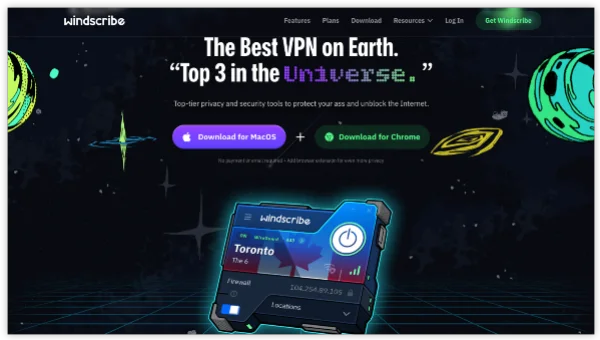
1. Windscribe
Best for: Players who want more control over their VPN server location.
Windscribe offers a free plan with access to selected server locations. It can be useful when you want to compare different routes or troubleshoot connection problems with Rockstar services.
The free plan generally provides 10 GB of monthly data after email confirmation, with a smaller allowance if you do not confirm your email. This is enough for occasional connection tests, but may be restrictive if you plan to use a VPN throughout long gaming sessions.
Pros
-
Free servers in multiple countries.
-
10 GB monthly data allowance with email confirmation.
-
Supports desktop and mobile devices.
-
Includes features such as firewall protection and split tunneling.
Cons
-
Monthly data allowance can run out quickly.
-
Free servers may become congested.
-
Actual gaming performance depends on your network and server route.
Official website: https://windscribe.com/
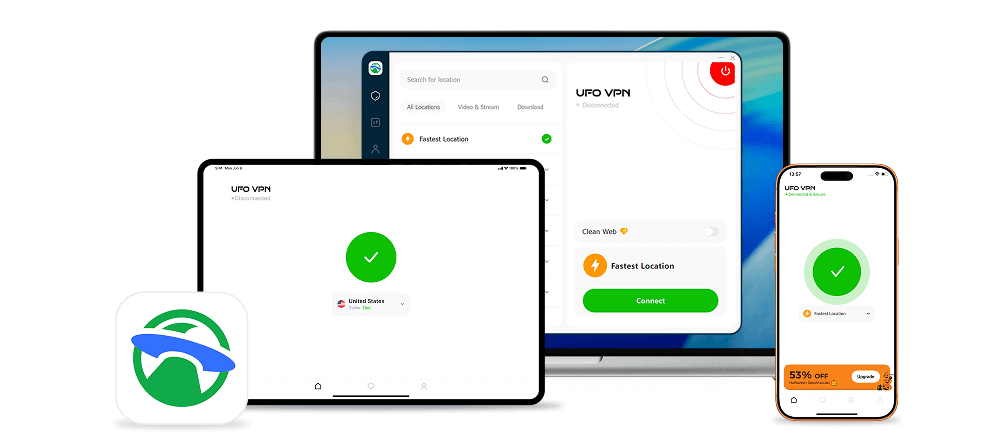
2. UFO VPN
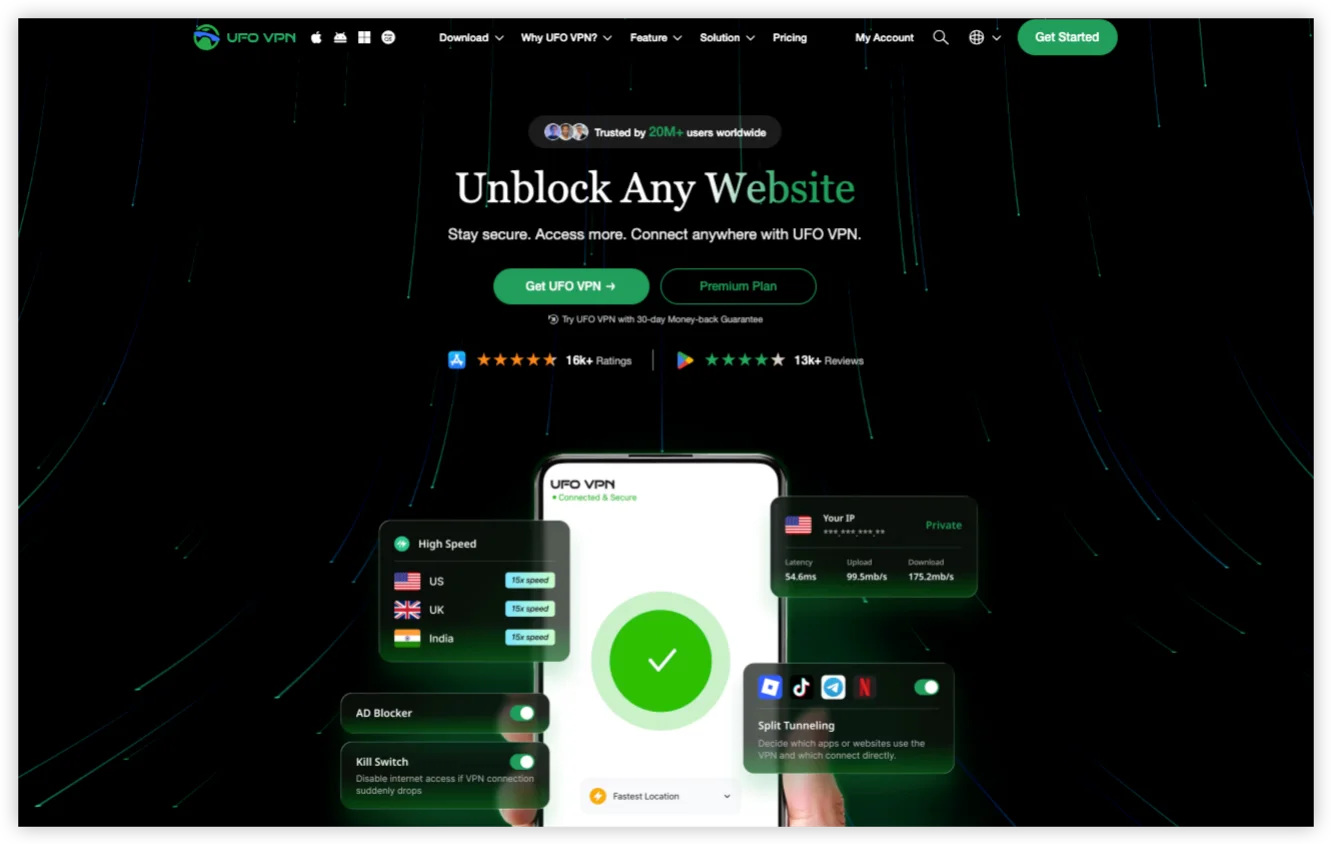
Best for: Players who want to test a VPN connection with a straightforward setup.
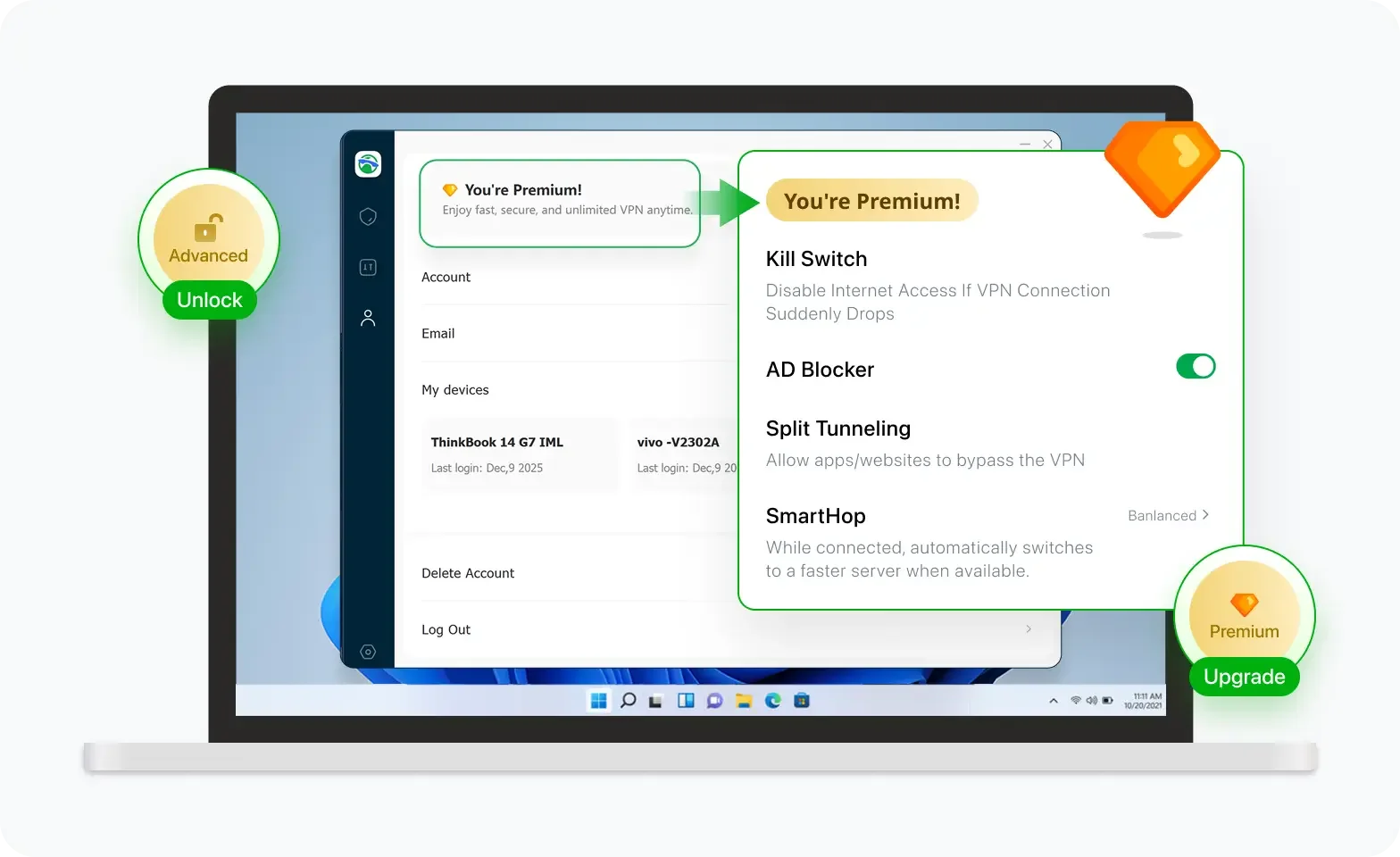
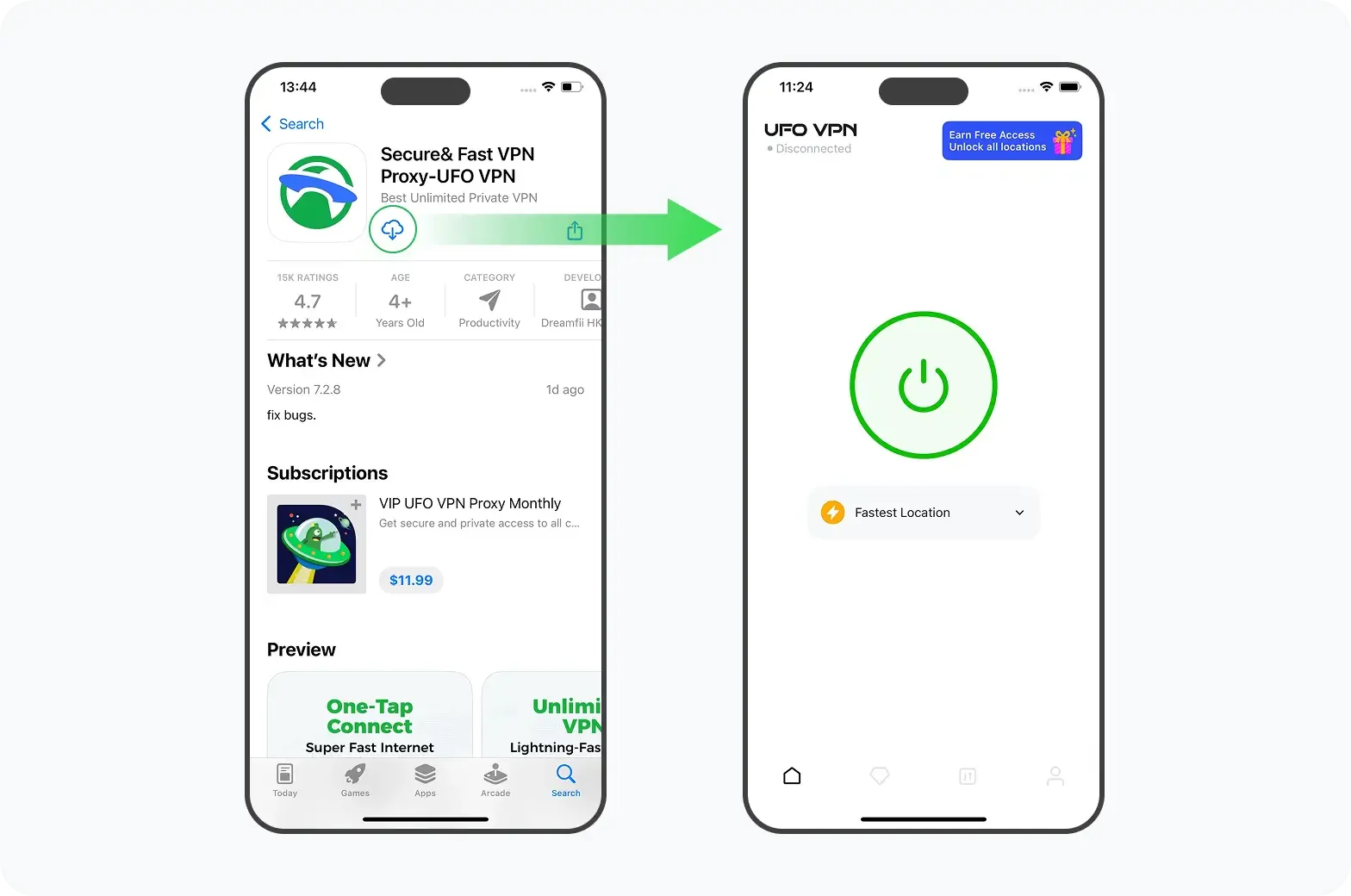
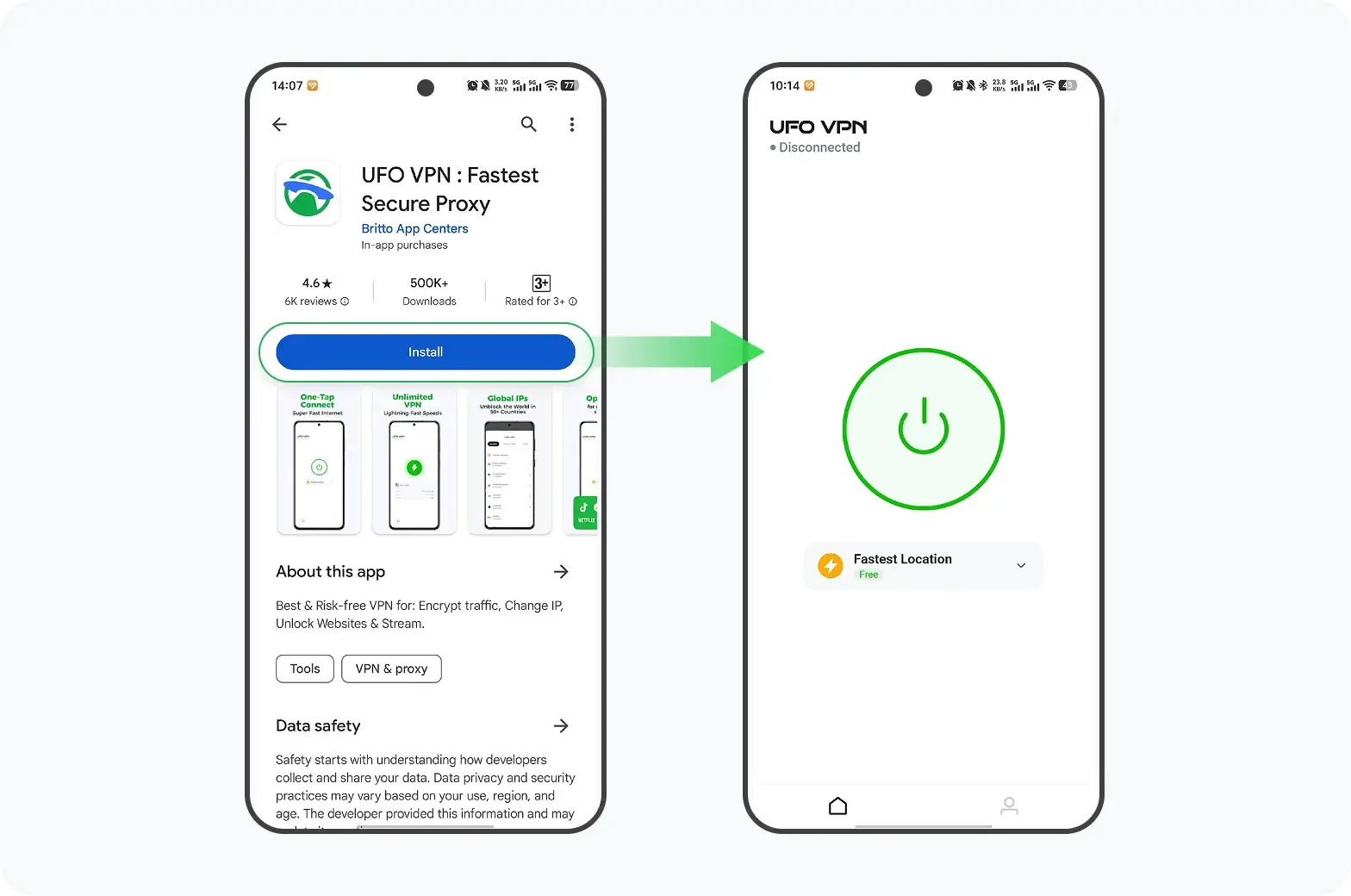
UFO VPN offers VPN apps for Windows, macOS, Android, and iOS, making it an option for players who use different devices. Its enhanced features include AES-256 encryption, a Kill Switch, Split Tunneling, and a global server network.
UFO VPN provides a lifetime free trial option for every starter. However, advanced features may depend on the app, platform, and current offer, so check the terms before connecting.
Pros
-
Apps available for Windows, macOS, Android, and iOS.
-
Simple connection process for beginners.
-
Includes security features such as AES-256 encryption and Kill Switch.
-
Free trial available to test the service.
Cons
-
Free access may have limitations and is not necessarily permanent.
-
Server performance can vary depending on your location and network.
-
A VPN connection may cause Rockstar authentication issues on some networks.
Official website: https://ufovpn.io/
3. Proton VPN
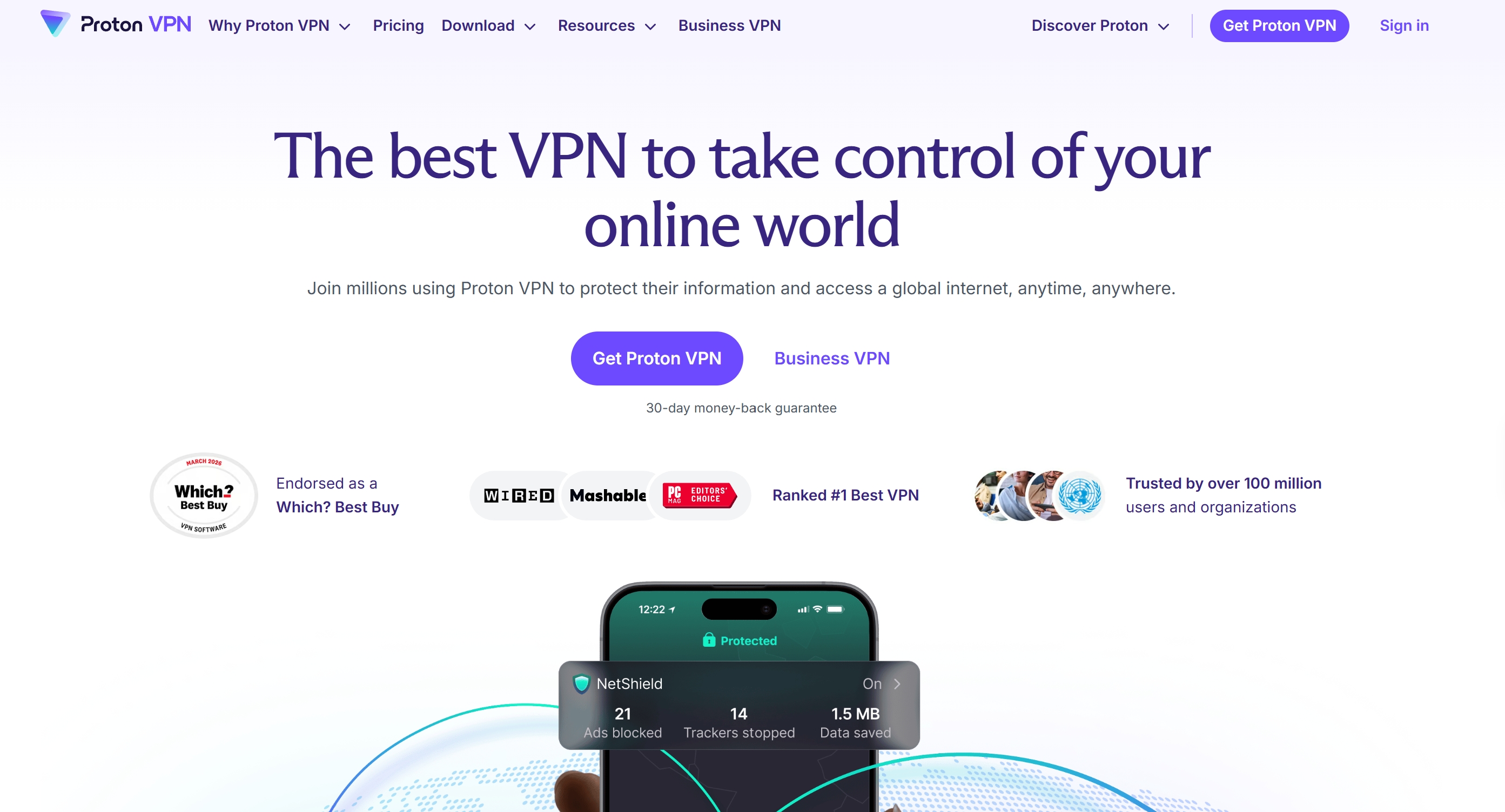
Best for: Players who want a free VPN without a monthly data allowance.
Proton VPN is a well-known privacy-focused VPN provider. Its free plan offers unlimited data, which is useful if you want to keep a VPN connection active for longer periods or test different network conditions without worrying about a monthly data cap.
However, the free plan has fewer server-selection options than its paid plans, and you may not be able to choose a specific location whenever you want. This can make it less flexible for gaming-related troubleshooting.
Pros
-
Unlimited data on the free plan.
-
No advertisements on the free tier.
-
Privacy-focused service with independently reviewed security practices.
-
Apps available for major desktop and mobile platforms.
Cons
-
Limited server selection on the free plan.
-
Only one device connection at a time.
-
Not designed to guarantee lower gaming latency.
Official website: https://protonvpn.com/
4. PrivadoVPN
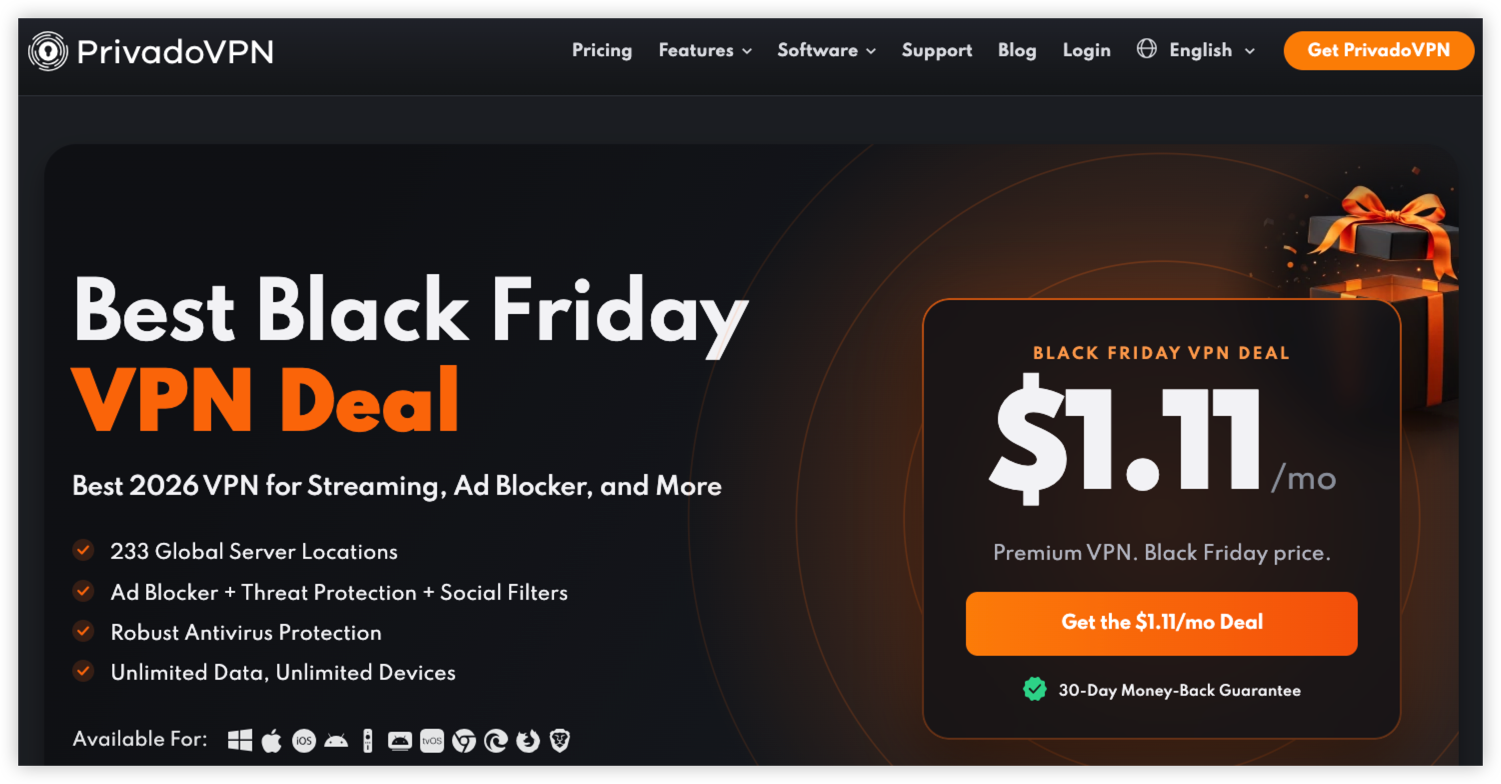
Best for: Players who need a free VPN for limited periods.
PrivadoVPN offers a free plan with a monthly high-speed data allowance. It provides access to selected server locations and can be useful for testing whether an alternative network route improves your connection to Rockstar services.
Its free plan typically includes 10 GB of high-speed data every 30 days. After that allowance is used, speeds may be significantly reduced, making it less suitable for extended gaming sessions.
Pros
-
10 GB of high-speed data per month.
-
Multiple free server locations.
-
Supports Windows, macOS, Android, and iOS.
-
Suitable for occasional connection testing.
Cons
-
High-speed data is limited.
-
Reduced speeds after the monthly allowance is exhausted.
-
Free plan has fewer features than the premium version.
Official website: https://privadovpn.com/
5. hide.me
Best for: Users who want to avoid monthly data limits.
hide.me offers a free VPN plan with unlimited data, although server selection, connection limits, and speeds may be restricted compared with its paid plans.
For GTA Online players, unlimited data can be useful when testing a connection over several sessions. However, the available free locations may not provide an efficient route to Rockstar's game servers.
Pros
-
Unlimited data on the free plan.
-
Supports major desktop and mobile platforms.
-
Privacy-focused features.
-
No need to upgrade simply to avoid a monthly data cap.
Cons
-
Limited free server locations.
-
One connection at a time on the free plan.
-
Free-plan speeds and features may be restricted.
Official website: https://hide.me/
6. TunnelBear
Best for: Players who have never used a VPN before.
TunnelBear has a beginner-friendly interface that makes it easy to connect to a VPN server. Its free plan is useful for short connection tests or occasional browsing, but the monthly data allowance is relatively small.
If you only need to check whether a different network route helps with a specific connection issue, TunnelBear may be worth trying. It is less suitable for frequent gaming sessions because of its data limit.
Pros
-
Easy-to-use interface.
-
Simple server selection.
-
Supports desktop and mobile devices.
-
Suitable for basic VPN testing.
Cons
-
Free plan has a limited monthly data allowance.
-
Not ideal for long gaming sessions.
-
Server performance can vary.
Official website: https://www.tunnelbear.com/
7. Hotspot Shield Basic
Best for: Users who want a simple VPN connection for occasional testing.
Hotspot Shield offers a basic free VPN option. It provides a straightforward way to test a VPN connection without committing to a paid subscription.
However, the free plan has usage and feature restrictions. Its available server locations, data allowance, and advertisements may vary depending on the platform and current plan terms.
Pros
-
Free basic plan available.
-
Beginner-friendly apps.
-
Supports major operating systems.
-
Useful for occasional network tests.
Cons
-
Free plan has limitations.
-
Server selection is restricted.
-
Not the best option for uninterrupted gaming.
Official website: https://www.hotspotshield.com/
8. Planet VPN
Best for: Users who want to try a VPN without a complicated registration process.
Planet VPN offers a free service with selected server locations. Its free offering may be convenient for users who want to test an alternative connection without immediately subscribing to a paid plan.
Before using it for gaming, check the available locations and connection performance. A free server that is geographically far from your game server may increase latency rather than improve it.
Pros
-
Free access to selected VPN servers.
-
Simple setup.
-
Some free access options do not require registration.
-
Suitable for basic connection testing.
Cons
-
Limited server selection compared with paid plans.
-
Performance may vary by location.
-
Not guaranteed to improve GTA Online connectivity.
Official website: https://freevpnplanet.com/
9. Cloudflare WARP – Best for Network Routing Tests
Best for: Players who want to test an alternative network route without selecting a VPN country.
Cloudflare WARP is a free network connection tool that routes traffic through Cloudflare's network. It can sometimes help users test whether their usual network route is contributing to connectivity problems.
However, WARP is not a conventional location-selection VPN. It does not let you freely choose a country to connect through, so it is not suitable if your main requirement is selecting a particular VPN region.
Pros
-
Free version available.
-
Easy to install and activate.
-
No traditional monthly data allowance.
-
Can provide an alternative network route.
Cons
-
Does not offer conventional country selection.
-
Does not guarantee better gaming latency.
-
Not designed to bypass game-region restrictions.
Official website: https://one.one.one.one/
10. Opera Free VPN
Best for: Users who want basic VPN-like protection while browsing.
Opera includes a free VPN feature in its browser. It can be useful for browsing-related privacy, but it only protects eligible traffic inside the Opera browser.
This is an important limitation for GTA Online: the game runs through its own application and services, not inside the Opera browser. Therefore, Opera's free VPN is not a suitable choice for routing the game's traffic.
Pros
-
Free to use.
-
Integrated into the Opera browser.
-
No separate VPN application required for browser use.
-
Convenient for basic browsing privacy.
Cons
-
Browser-only protection.
-
Does not route GTA Online game traffic.
-
Not a full-device VPN for gaming.
Official website: https://www.opera.com/features/free-vpn
[Bonus] How to Use Free VPN for GTA Online
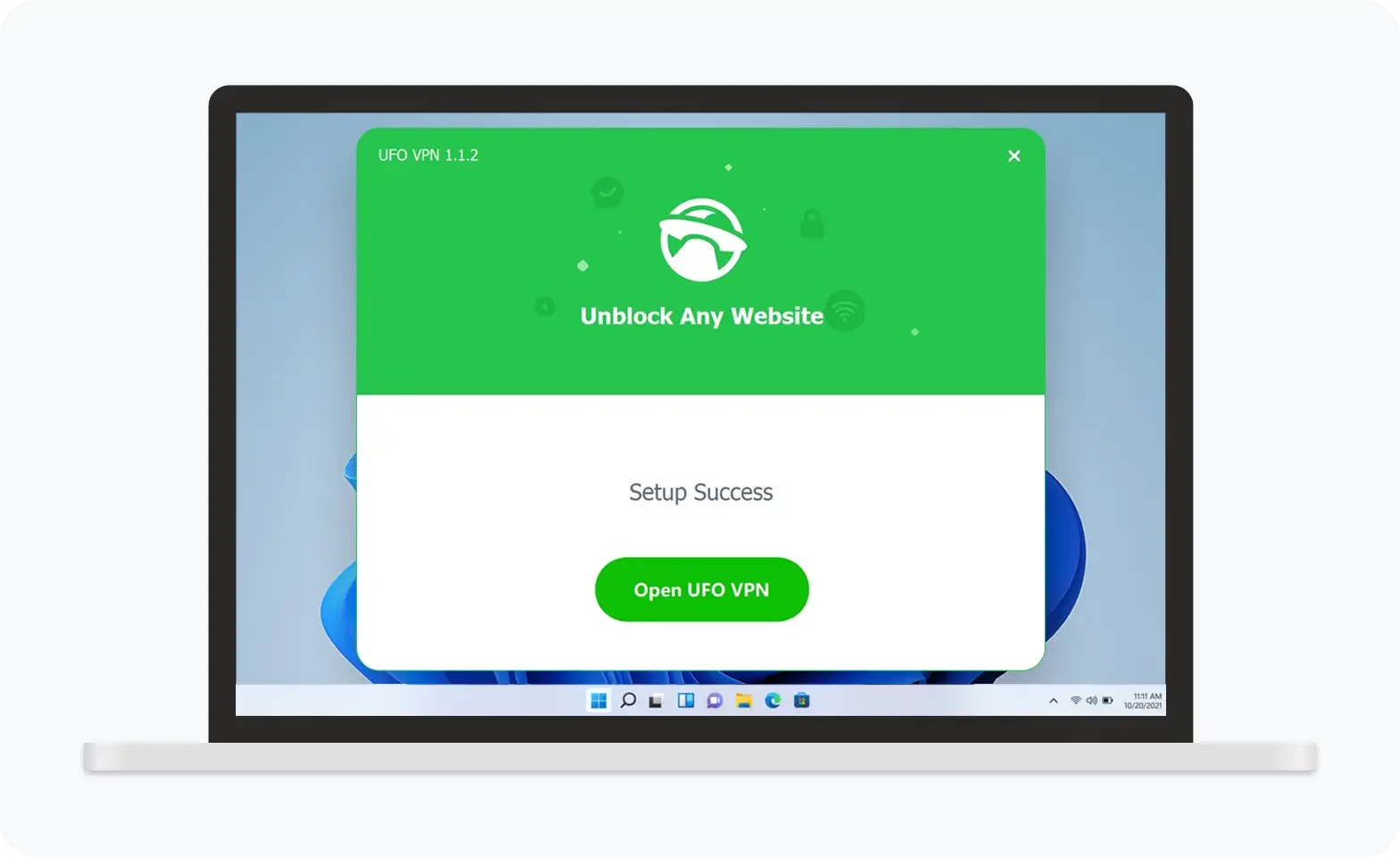
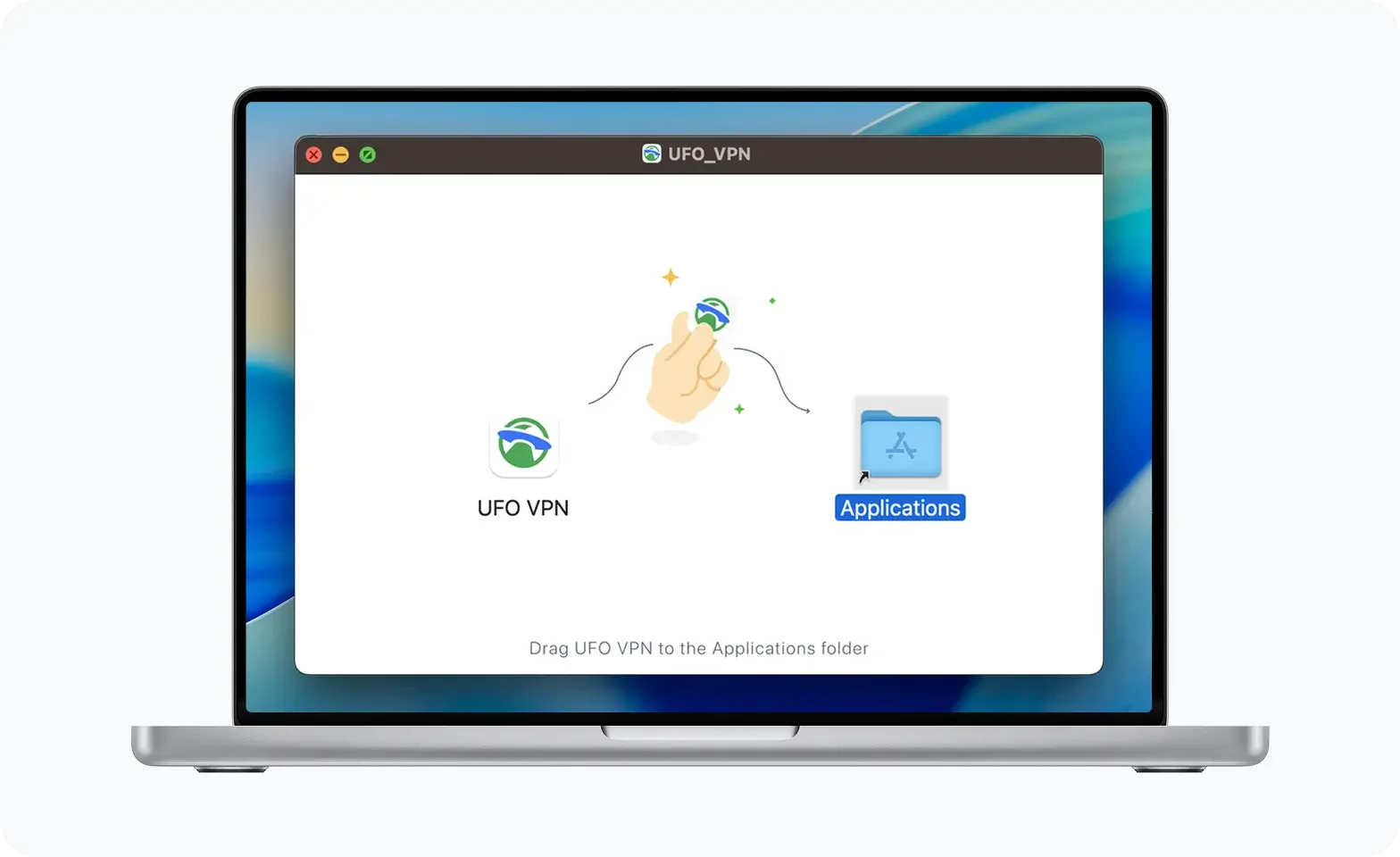
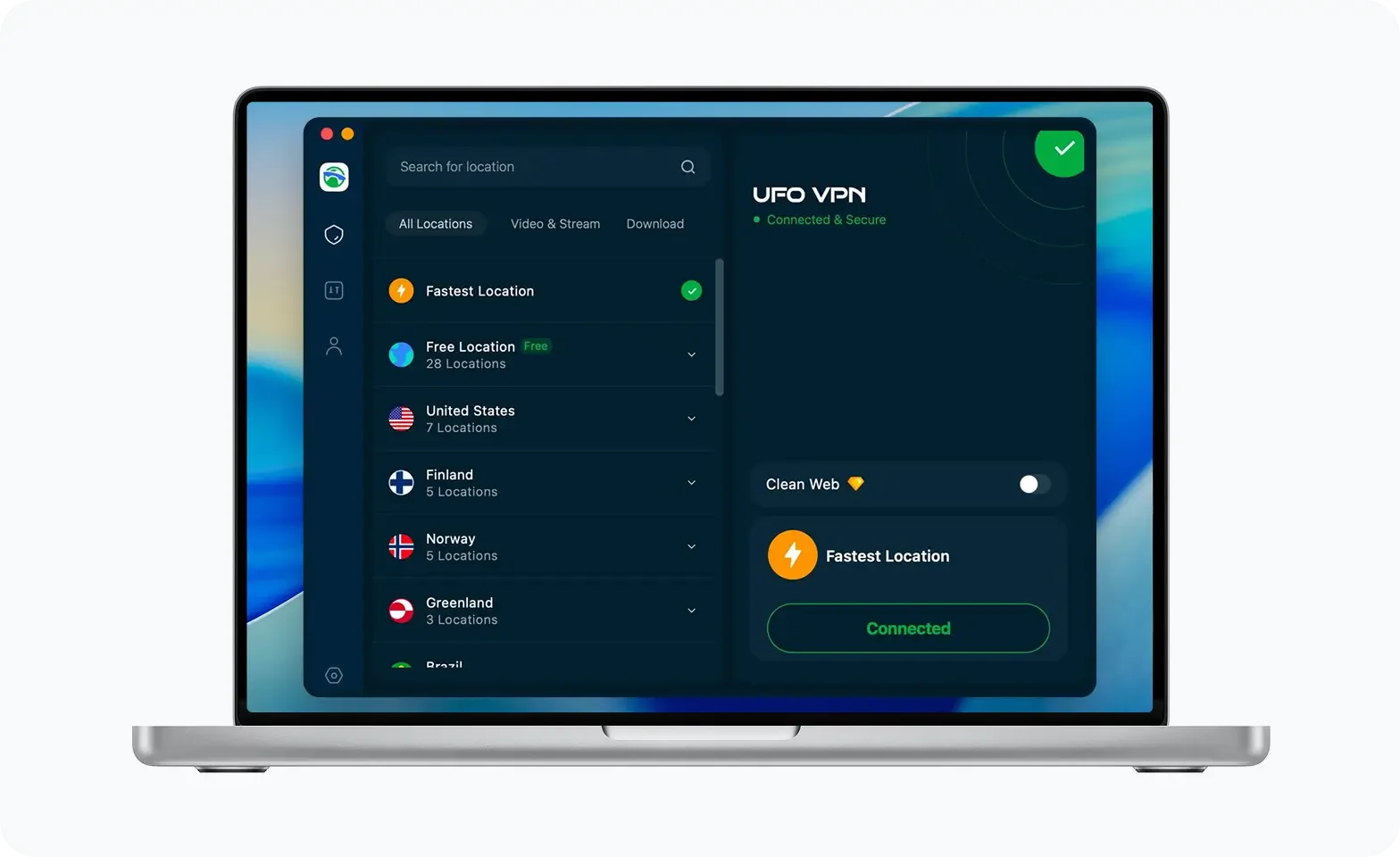
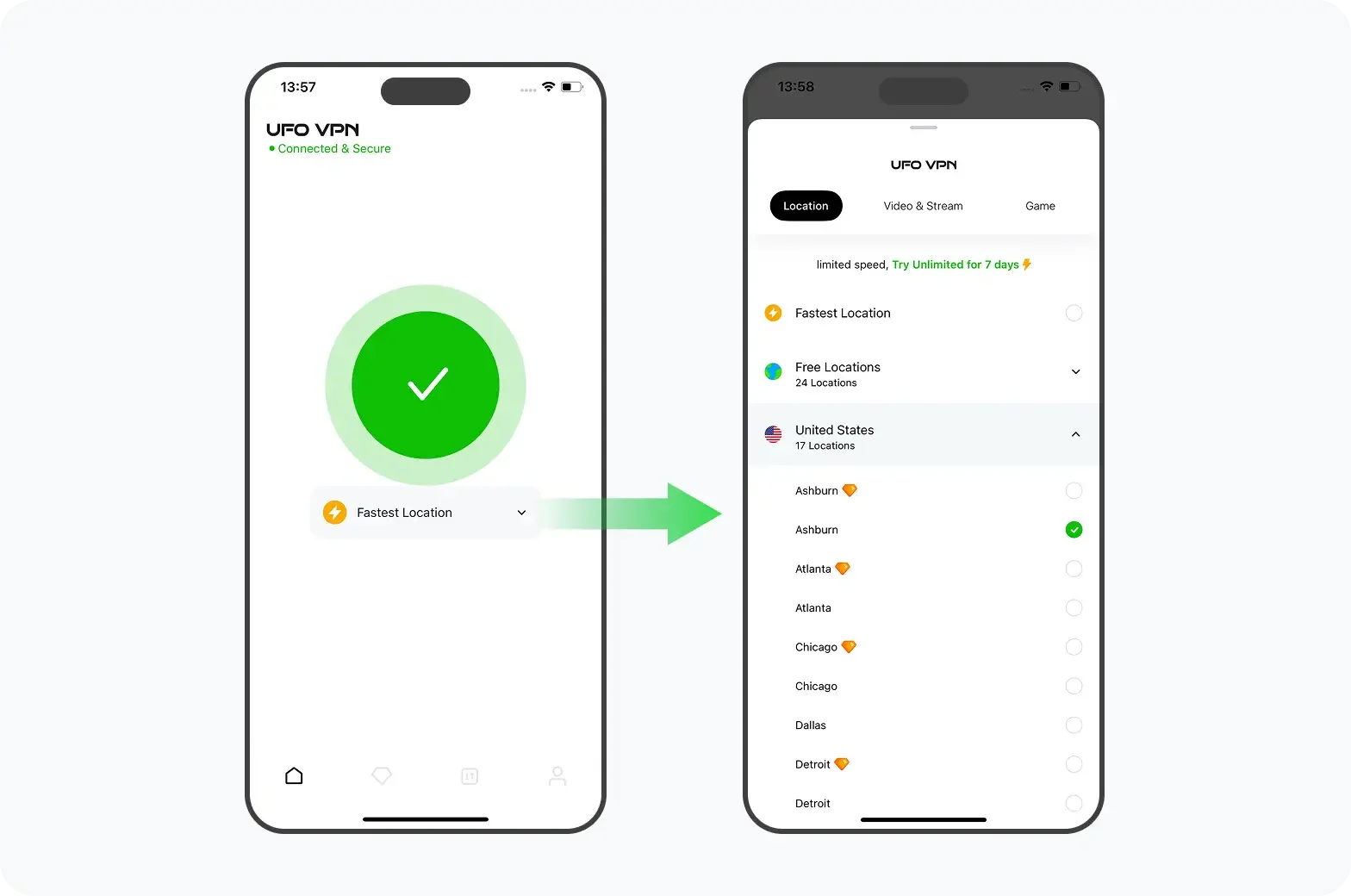
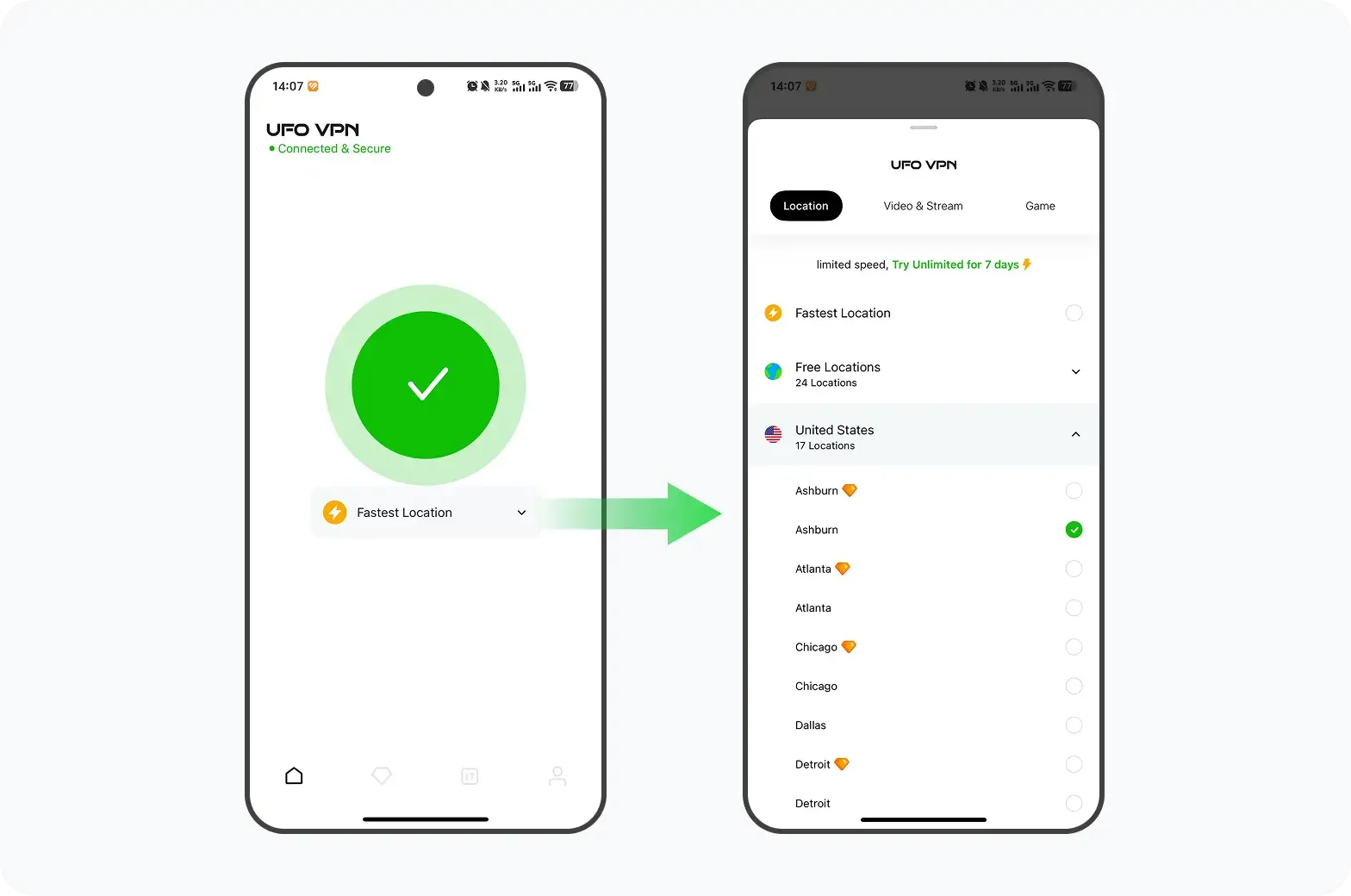
If you want to test whether an alternative network route works better, UFO VPN is one option to consider on a supported device. UFO VPN offers every GTA gamer with device support on Windows, macOS, Android, and iOS system. This best free proxy VPN is featuring on AES-256 encryption, Kill Switch, and Split Tunneling. Availability and behavior can depend on the app version and plan, so check the current product information before relying on a particular feature. Here's how to set up UFO VPN for GTA Online:
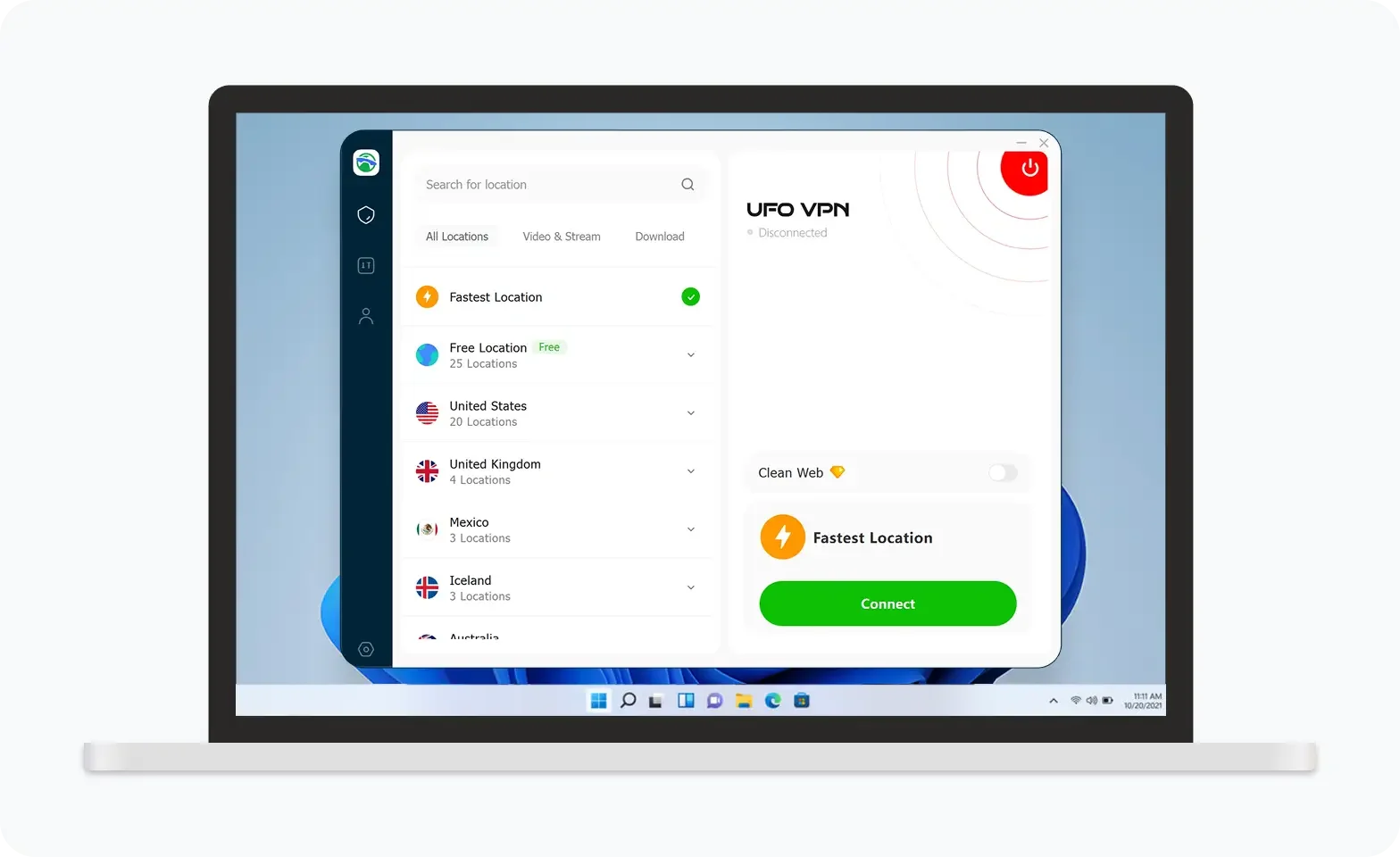
UFO VPN is an all-in-one VPN that offers unlimited access to 4K streaming like Netlfix, Disney Plus, no-ping gaming as PUBG, Roblox, CODM and social networking for YouTube, X, Facebook and more.
Unlock Pro Features
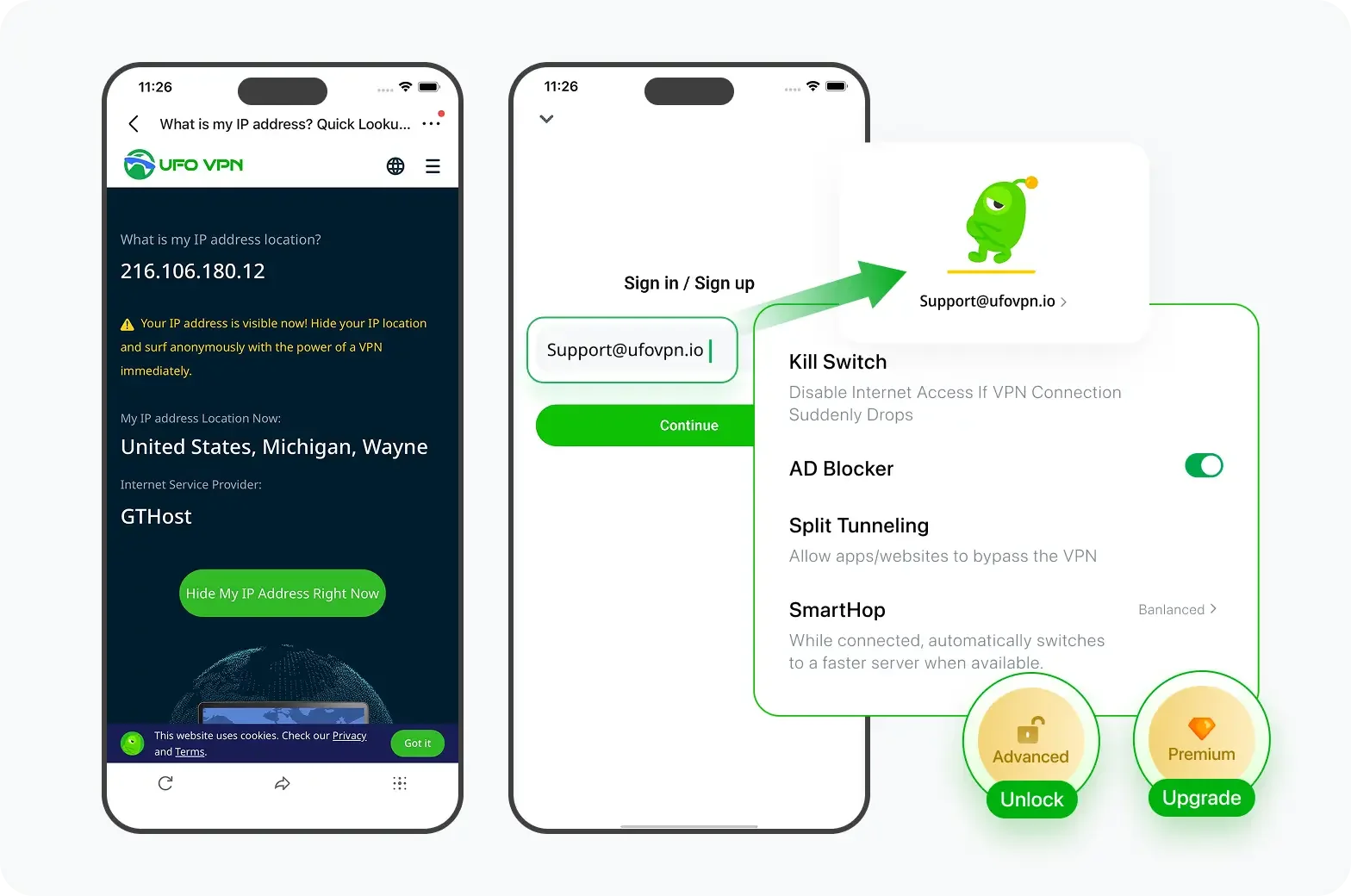
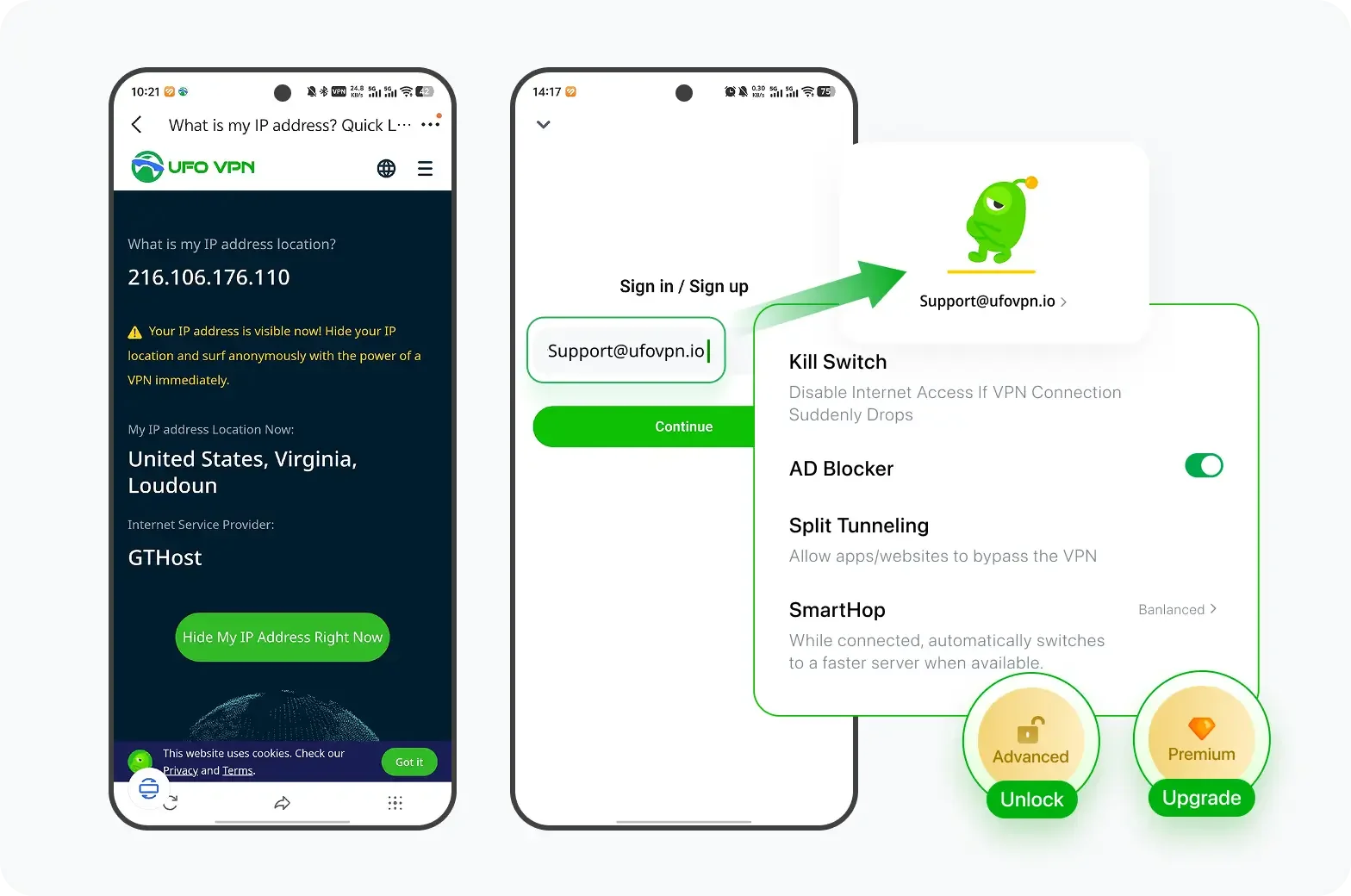
If you have upgraded to premium plan , feel free to enjoy premium servers for 4K streaming and advanced features like Kill Switch, Split Tunneling, and gaming acceleration. Your Mac is now fully optimized and protected. Inaddition to basic functions, we recommend you turn on

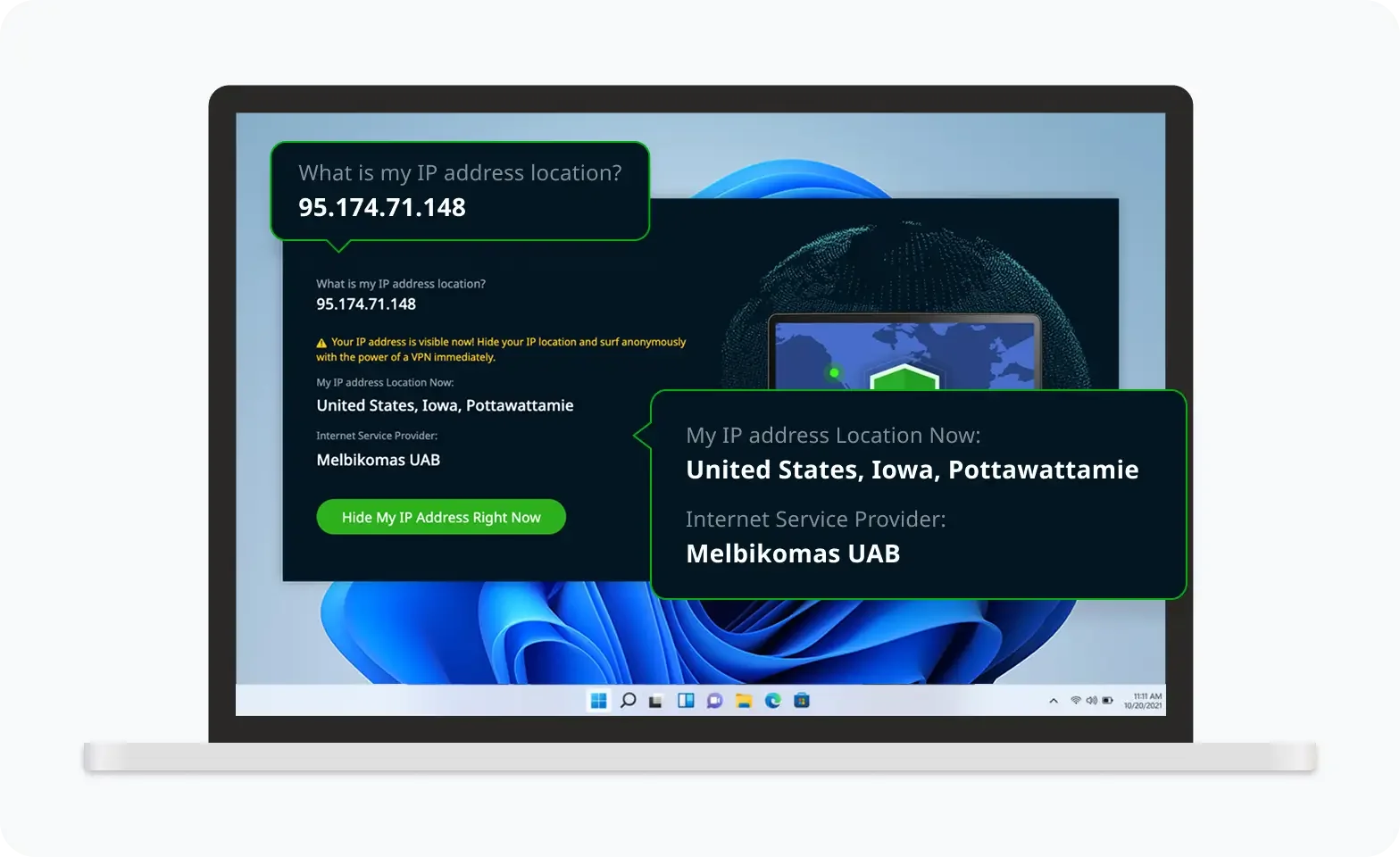
Verify Your IP Now
Use UFO VPN's " What is My IP " feature to see your new IP and location. This confirms your connection is secure, anonymous, and ready for safe browsing online anywhere at any time.

Can't Play GTA 6 or GTA Online? What to Do Next
A VPN is not the only way to troubleshoot GTA connection problems. In many cases, checking your game version, platform, internet connection, and Rockstar service status is more effective.
1. Check Whether the Game Is Available on Your Platform
Before troubleshooting your network, confirm that your device supports the game.
GTA 6 is currently announced for PlayStation 5 and Xbox Series X|S. Do not assume that the game is available on PS4, Xbox One, or PC at launch.
GTA Online has a different platform history and is available across supported GTA 5 platforms. Make sure you're using the correct version and game client.
2. Check Rockstar Games Service Status
Sometimes, the problem is on the service side rather than your device.
Visit the Rockstar Games Service Status page and check whether the relevant services are operational.
If Rockstar services are experiencing an outage or maintenance, changing VPN servers is unlikely to help.
3. Test Your Normal Internet Connection
Before enabling a VPN, check whether your internet connection is stable.
Try these steps:
-
Open several websites to confirm that your internet works.
-
Restart your router if the connection is behaving unusually.
-
Pause large downloads and background updates.
-
Use Ethernet instead of Wi-Fi if possible.
-
Test another online game or service.
Rockstar's PC troubleshooting guide lists minimum network speed targets of 7.5 Mbps download and 0.5 Mbps upload, with 1 Mbps upload recommended. These are troubleshooting reference values, not a guarantee of smooth gameplay.
4. Check NAT Type and Router Settings
NAT restrictions can affect multiplayer connectivity.
If you have trouble joining sessions or communicating with other players, check your platform's network settings.
For GTA Online on PC, Rockstar's official troubleshooting documentation lists these required UDP ports:
-
UDP 6672
-
UDP 61455
-
UDP 61456
-
UDP 61457
-
UDP 61458
Do not open ports unnecessarily or change router settings without understanding the security implications. Follow the official instructions for your platform and router.
5. Update the Game and Gaming Platform
An outdated game client or launcher can cause compatibility problems.
Check for:
-
Available GTA 5 or GTA Online updates.
-
Rockstar Games Launcher updates.
-
PlayStation or Xbox system updates.
-
Windows and network driver updates.
-
Corrupted or missing game files.
On PC, use the official game launcher to verify installed files if that option is available.
6. Disable VPNs or Proxies if Authentication Fails
If Rockstar Games cannot authenticate your account, temporarily disable your VPN or proxy.
Rockstar's official support page for Error Code 1.000.7 states that the issue can occur when a network or ISP uses a VPN or proxy to connect to Rockstar Games services.
The same general caution applies to other authentication and profile-loading errors.
If the problem disappears after disconnecting the VPN, keep the original connection while you investigate further.
7. Check Whether the Game Is Restricted in Your Region
If a game or service is unavailable in your country, check the official platform store and local availability information.
Do not assume that changing your IP address will resolve the issue. Store-region rules, account country, payment methods, local regulations, and Rockstar's service terms may still apply.
If you cannot access a game because of an official regional restriction, contact the platform or publisher for clarification rather than attempting to bypass the restriction.
8. Contact Rockstar Support
If the issue continues after basic troubleshooting, collect the following information:
-
Your platform and operating system.
-
The exact error message or code.
-
Your network type (Wi-Fi, Ethernet, or mobile hotspot).
-
Whether the issue occurs with and without a VPN.
-
The time when the issue started.
-
Any troubleshooting steps already completed.
Submit these details through Rockstar Games Support.
GTA 6 vs. GTA 5: What Has Changed?
Grand Theft Auto VI, commonly known as GTA 6, is the next main entry in Rockstar Games' Grand Theft Auto series. Set in the fictional state of Leonida, inspired by Florida, the game returns players to Vice City and introduces a new story centered on Jason Duval and Lucia Caminos.
GTA 6 follows Jason and Lucia, two characters caught in a criminal conspiracy across Leonida.
The game returns to Vice City, featuring a larger open-world setting and a modern interpretation of the locations and atmosphere associated with earlier Grand Theft Auto titles.
Players can expect an open-world experience involving exploration, missions, vehicles, and the series' familiar combination of action, crime, and satire.
| Category | GTA 5 | GTA 6 |
|---|---|---|
| Main characters | Michael, Franklin, and Trevor | Jason and Lucia |
| Main setting | Los Santos and Blaine County | Leonida, including Vice City |
| Story structure | Three playable protagonists | A story centered on Jason and Lucia |
| Multiplayer | GTA Online | No multiplayer mode announced |
| Launch platforms | Originally PS3 and Xbox 360, later expanded to PC and newer consoles | PS5 and Xbox Series X|S |
| Release status | Released in 2013 | Scheduled for November 19, 2026 |
Final Thoughts
A VPN for GTA Online may be worth testing if you want to compare network routes or add a layer of privacy to supported traffic. However, it is not a guaranteed way to reduce ping, fix NAT restrictions, resolve connection timeouts, or avoid account enforcement. Start by checking Rockstar's service status and troubleshooting your local network. If you decide to test UFO VPN, compare your connection with and without it, pay attention to actual gameplay performance, and disconnect it if authentication or connectivity gets worse.
FAQs
Does a VPN Lower Ping in GTA Online?
Not necessarily. A VPN may improve ping if it provides a more efficient route, but it can also increase latency by adding routing overhead. Compare ping, jitter, packet loss, and session stability with and without the VPN before deciding whether it helps.
Can I Get Banned for Using a VPN in GTA Online?
Do not assume that every VPN connection automatically results in a ban, but do not treat a VPN as a guarantee against enforcement either. Follow Rockstar's current terms and policies, avoid cheating or evading penalties, and disconnect a VPN if official troubleshooting guidance recommends it for an account or connection error.
Is GTA 6 Online available now?
Not yet. GTA 6 Online mode has not been officially announced as of November 2, 2026.